











Get Parts Quote
Name
Company *
Phone *
Email *
Address
City
State / Province / Region
Zipcode
Country
Quantity *
Part Number *
Manufacturer
Preferred Condition
Additional Information
Cancel
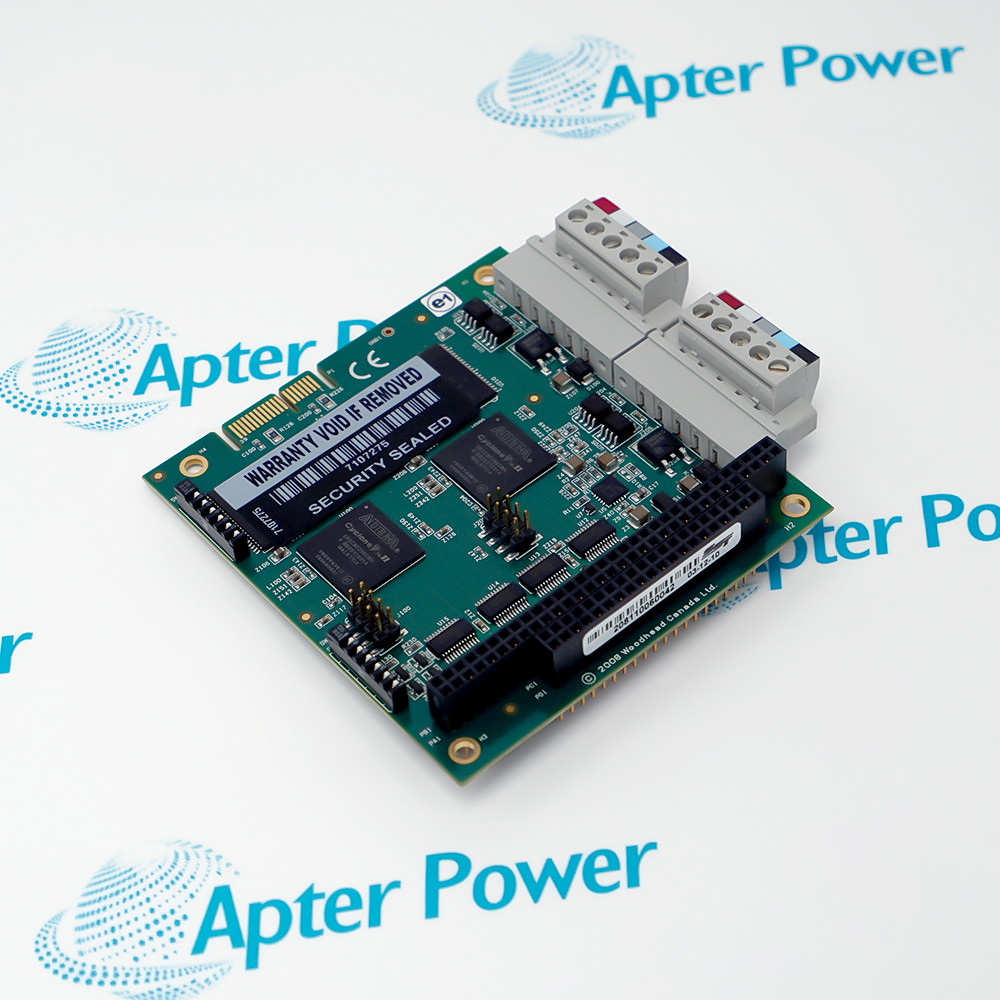
Molex Woodhead SST-DN4-104-2
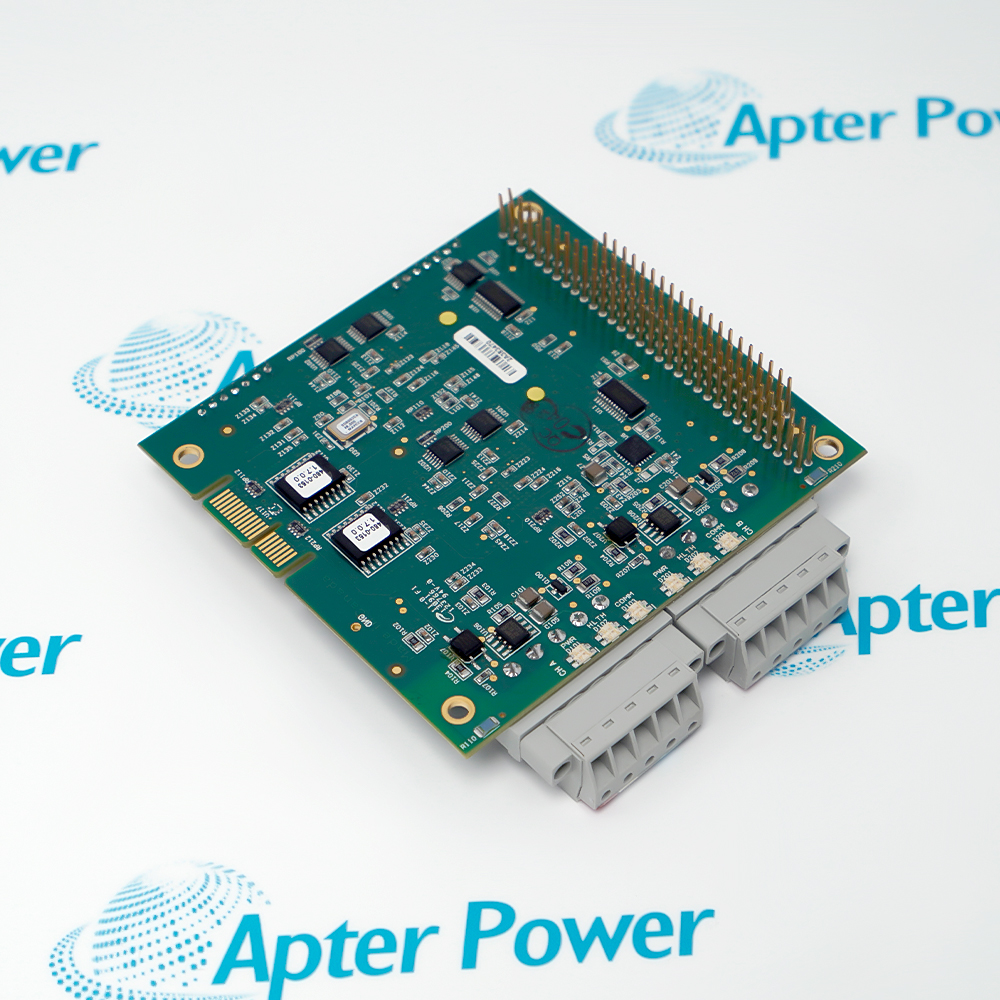
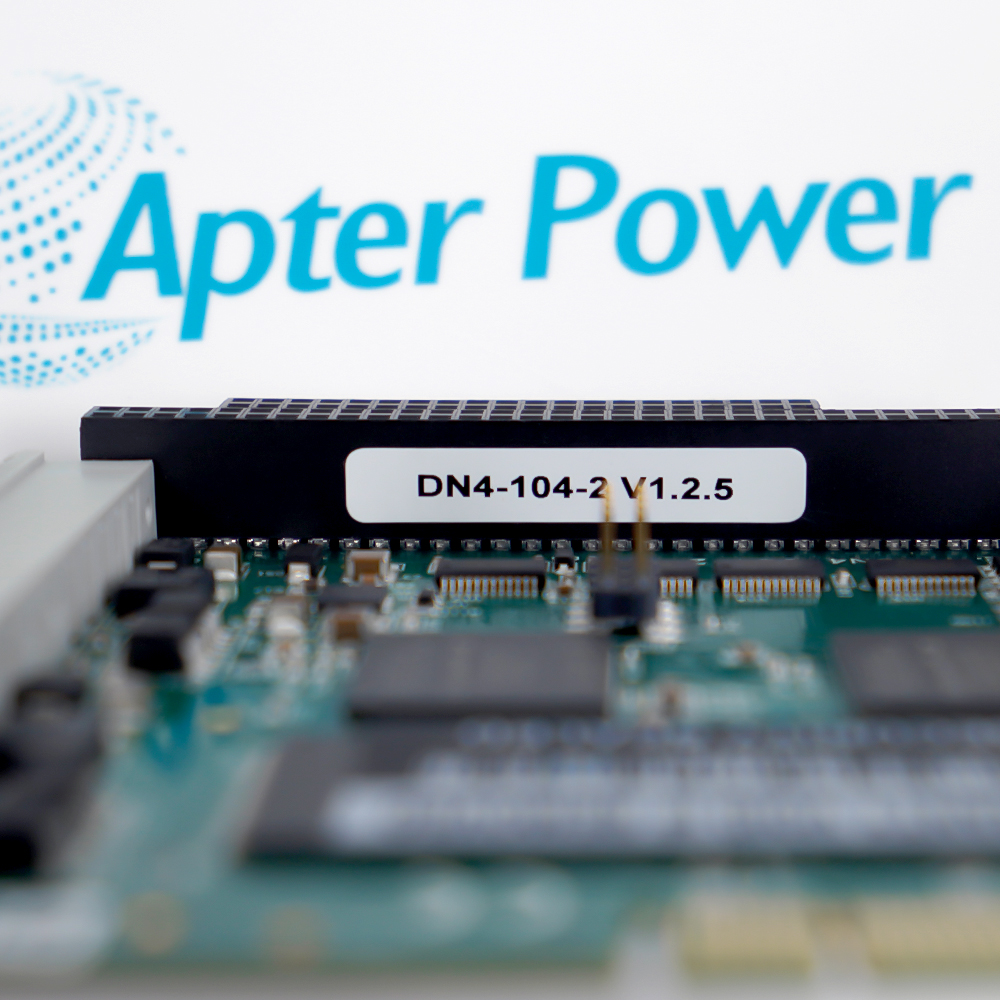
Product image is representative; revision or series may vary. Contact us to request a specific version.

SST-DN4-104-2

Two-channel SST DeviceNet PC/104 network interface card
In Stock
Ships by Wednesday, October 7
Fast Shipping Available

Product Describe:

Molex Woodhead SST-DN4-104-2 is a two-channel SST DeviceNet PC/104 network interface card for real-time control and data-acquisition applications. The official ordering table identifies order number 112005-0048 and a two-channel, non-multi-server PC/104 configuration.

Ask our team:

Get a quick price for: SST-DN4-104-2
Quantity*
Upload (gif, jpg, jpeg, png, bmp, doc, docx, xls, xlsx, ppt, pdf, csv)
For more information on how your data is processed and stored by Apterpower please read our privacy policy.

Technical specifications for SST-DN4-104-2

Technical specifications for SST-DN4-104-2

  • Manufacturer:
    Molex Woodhead
  • Product Category:
    General Automation
  • Spare Part Number:
    SST-DN4-104-2
  • Estimated shipping dimensions:
    10.7x9.6x2.7cm
  • Weight:
    0.1 kg
  • Tariff Code:
    8537101190
  • Counliy of origin:
    USA
  • Molex order number:
    112005-0048
  • Product family:
    SST DN4 DeviceNet network interface cards
  • Host interface:
    16-bit PC/104
  • DeviceNet channels:
    2
  • Multi-server version:
    No
  • Shared memory:
    256 KB per channel
  • I/O addressing:
    8 bytes on an even 8-bit boundary
  • I/O address ranges:
    200h-2F8h or 600h-6F8h
  • Memory addressing:
    256 KB through an 8, 16, 32, 64, 128 or 256 KB window
  • Memory window region:
    Even window boundary between 512 KB and 1 MB
  • Supply:
    +5 V DC, +/-5%
  • Typical current draw:
    600 mA for the two-channel card
  • Diagnostics:
    Bi-color LEDs for power, status and communication
  • Operating temperature:
    0 to +55 deg C
  • Storage temperature:
    -40 to +85 deg C
  • Relative humidity:
    5 to 95%, non-condensing
  • RoHS compliance:
    Yes
  • Included software:
    SST DeviceNet Diagnostic Tool
  • Network technology:
    DeviceNet
  • Application class:
    Real-time control and data acquisition

Information

Information

Overview Manuals Common Applications Product Precautions
Molex Woodhead SST-DN4-104-2 is a two-channel SST DeviceNet PC/104 network interface card for real-time control and data-acquisition applications. The official ordering table identifies order number 112005-0048 and a two-channel, non-multi-server PC/104 configuration.
  • Connects a PC/104 host to two independent DeviceNet channels
  • Provides 256 KB shared RAM for each channel
  • Uses a 16-bit PC/104 host interface
  • Includes the SST DeviceNet Diagnostic Tool software

Use Molex Woodhead SST-DN4-104-2 only in a host that supports the documented PC/104 interface, I/O-address window and 5 V supply. Preserve the configured channel identities, DeviceNet addressing and application data before replacement.

The official ordering table identifies catalog number SST-DN4-104-2 as Molex order number 112005-0048.

Important Notice: Confirm catalog number SST-DN4-104-2 and order number 112005-0048 before installation. Isolate host and network power, record both channel configurations, and validate each DeviceNet segment independently after commissioning.

Apter Power Molex Woodhead SST-DN4-104-2 Manuals and Guides

Apter Power Molex Woodhead SST-DN4-104-2 Product and System Technical Reference PDFMolex SST DN4 DeviceNet Network Interface Cards Literature 987650-6301 PDF

The first document presents exact-model technical data and eight engineering questions. The second is Molex official literature covering ordering, host interfaces, memory, addressing, diagnostics and environmental limits.

Dual DeviceNet host interface

Connect a PC/104 controller to two separately configured DeviceNet networks.

Real-time machine control

Exchange deterministic process data between the embedded host and networked DeviceNet nodes.

Data acquisition

Collect DeviceNet process and diagnostic data through the shared-memory host interface.

Installed-card replacement

Restore the same SST-DN4-104-2 order identity while preserving host addressing and both channel configurations.

Read Molex SST DN4 DeviceNet Network Interface Cards literature before work. Verify Molex Woodhead SST-DN4-104-2, order number 112005-0048 and both configured DeviceNet channels before commissioning.
1

Verify both SST-DN4-104-2 and Molex order number 112005-0048 before work.

2

Isolate PC/104 host power and both DeviceNet network supplies before removing the card.

3

Record the configured I/O base address, memory window and interrupt resources before replacement.

4

Confirm the +5 V DC supply is within +/-5% and can support the documented 600 mA typical draw.

5

Preserve the channel-one and channel-two DeviceNet identities, baud rates and node configurations separately.

6

Protect the card and PC/104 stack from electrostatic discharge and mechanical misalignment.

7

Keep operation within 0 to +55 deg C and 5 to 95% non-condensing humidity.

8

After energization, verify power, status and communication LEDs and test both DeviceNet channels independently.


Technical notes

Technical notes

The official Molex SST DN4 literature identifies SST-DN4-104-2 as a two-channel PC/104 DeviceNet network interface card. The PC/104 family uses a 16-bit interface, 256 KB shared memory per channel and documented I/O addressing; the two-channel card has a typical +5 V current draw of 600 mA.

FAQS

  • What is the exact Molex order number for Molex Woodhead SST-DN4-104-2?
    The official ordering table lists Molex order number 112005-0048 for catalog number SST-DN4-104-2.
  • How many DeviceNet channels does Molex Woodhead SST-DN4-104-2 provide?
    SST-DN4-104-2 is the two-channel PC/104 card. The ordering table marks two channels and identifies it as a non-multi-server version.
  • Which host interface is used by Molex Woodhead SST-DN4-104-2?
    The DN4 PC/104 card uses a 16-bit PC/104 host interface.
  • How much shared memory is available on Molex Woodhead SST-DN4-104-2?
    The official specification lists 256 KB of shared RAM for each DeviceNet channel.
  • What supply is required by Molex Woodhead SST-DN4-104-2?
    The PC/104 interface card uses +5 V DC within +/-5%. The two-channel version has a documented typical current draw of 600 mA.
  • Which I/O address ranges apply to Molex Woodhead SST-DN4-104-2?
    The PC/104 specification assigns 8 bytes on an even 8-bit boundary in the 200h-2F8h or 600h-6F8h ranges.
  • What environmental limits apply to Molex Woodhead SST-DN4-104-2?
    The published limits are 0 to +55 deg C operating temperature, -40 to +85 deg C storage temperature and 5 to 95% relative humidity without condensation.
  • What diagnostic software is supplied with Molex Woodhead SST-DN4-104-2?
    The official literature states that the SST DeviceNet Diagnostic Tool software is included with every card.
Trusted by 5,000+ plants worldwide | Backed by our vast inventory of top-tier control parts, modules and cards, fast shipments are dispatched to cover your urgent needs. ABOUT US >>
Disclaimer: We are not an authorized distributor or distributor of the product manufacturer of this website, The product may have older date codes or be an older series than that available direct from the factory or authorized dealers. Because our company is not an authorized distributor of this product, the Original Manufacturer`s warranty does not apply.While many DCS PLC products will have firmware already installed, Our company makes no representation as to whether a DSC PLC product will or will not have firmware and, if it does have firmware, whether the firmware is the revision level that you need for your application. Our company also makes no representations as to your ability or right to download or otherwise obtain firmware for the product from our company, its distributors, or any other source. Our company also makes no representations as to your right to install any such firmware on the product. Our company will not obtain or supply firmware on your behalf. It is your obligation to comply with the terms of any End-User License Agreement or similar document related to obtaining or installing firmware.

Product Browsing History

We’re Here When You Need Us

From product insights to customer service needs, our experienced service team will focus on getting you what you need quickly

Enquire

Complete our online form.

Call Us

Speak to one of our team.

Live Chat

Send us a message.
