-
Match the complete marking
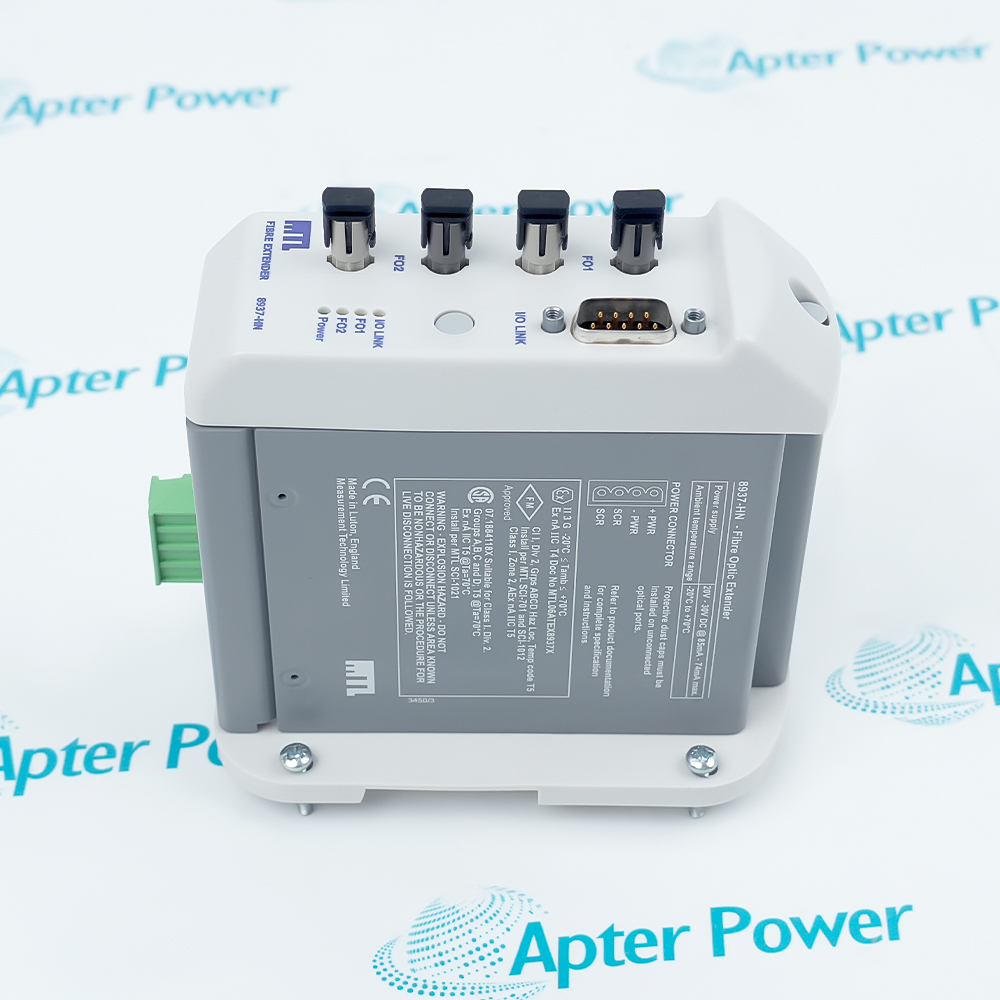
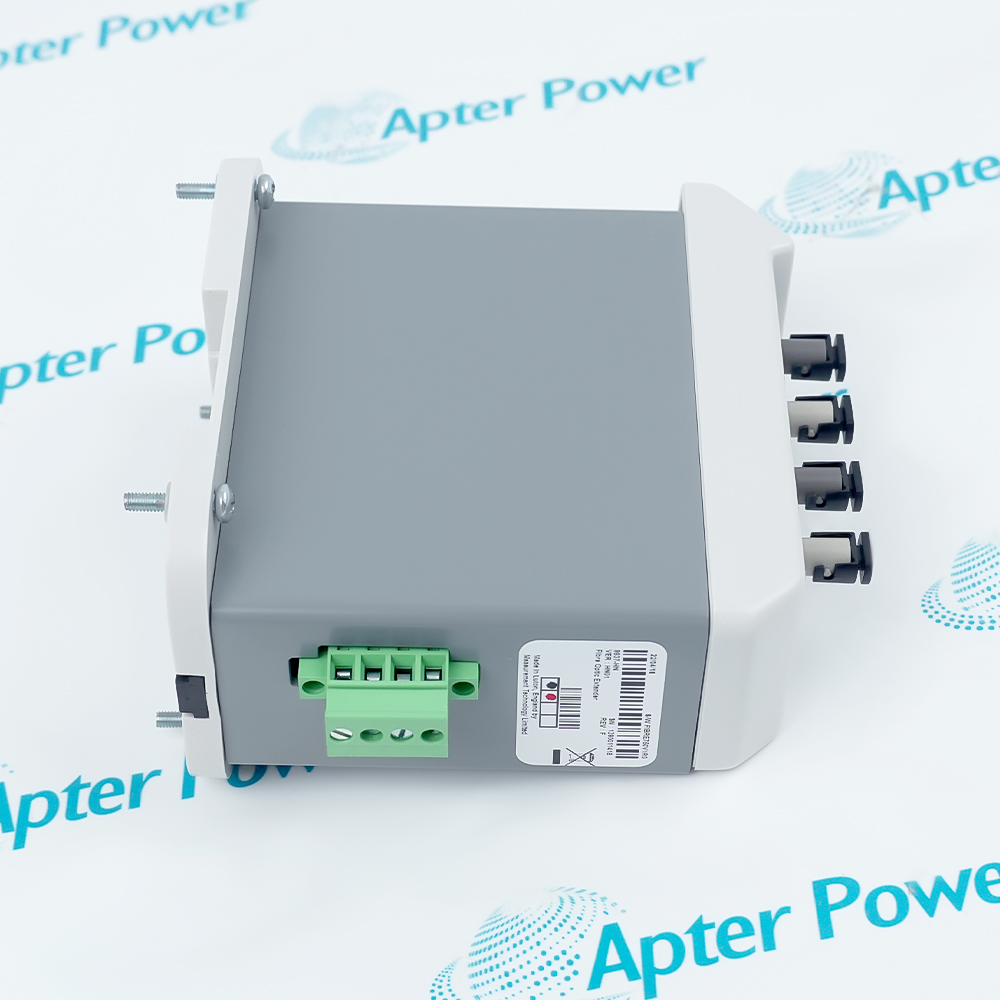
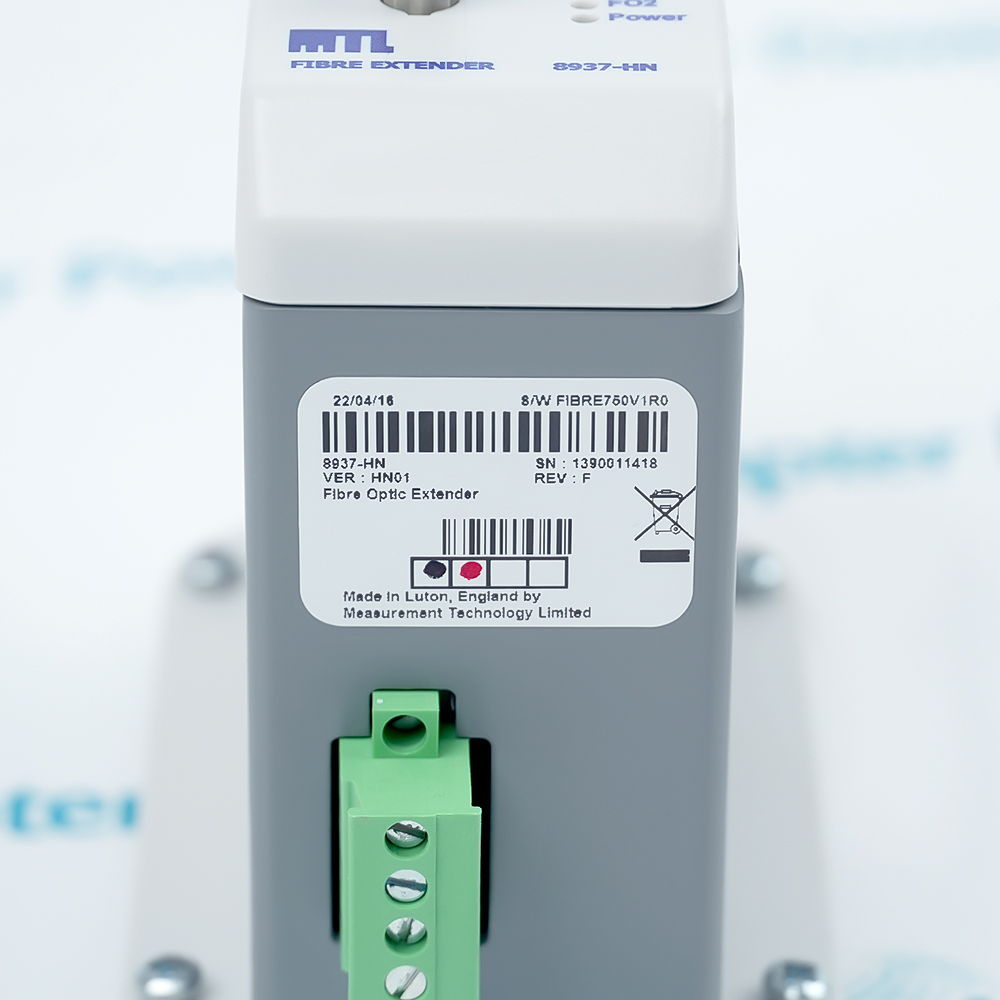
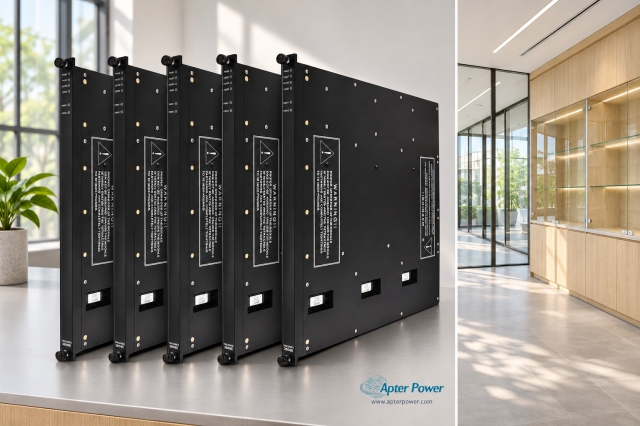
Include the complete MTL 8937-HN marking and any revision or assembly code visible on the module. Keep the exact reference on the enquiry and quotation.
-
Check the offered item before ordering
Request available label and optical-port photos. Have your maintenance team compare the offered MTL 8937-HN with the installed IOTA and interface cable, and with applicable MTL and Honeywell system documentation.
Technical specifications for 8937-HN
-
Manufacturer:MTL Insturments Group
-
Product Category:DCS Systems
-
Spare Part Number:8937-HN
-
Weight:0.53 kg
-
Tariff Code:8537101190
-
Honeywell model reference:CC-PFE221
-
Optical port sets:2 Rx/Tx pairs
-
Optical fiber:Multimode 62.5/125 µm
-
Connector type:ST
-
Standard-cable span:Up to 1.5 km between FOEs
-
Premium-cable span:Up to 2.0 km between FOEs
-
Minimum optical budget:8 dB
-
Typical optical budget:15 dB
-
External supply:20–30 VDC
-
Maximum supply current:85–74 mA across supply range
-
Operating ambient:-20 to +70°C
-
Storage ambient:-20 to +85°C
-
Relative humidity:0–90% RH
-
Series C daisy-chain limit:4 km total
-
PM I/O daisy-chain limit:8 km total
Information
- The module forms one part of an I/O-link extension path. The selected IOTA, interface cable, fiber topology and redundant A/B links determine the actual installation.
Optical path: Two interchangeable Rx/Tx port sets
Topology choice: Point-to-point, daisy-chain or star
Commissioning focus: Optical budget and A/B path continuity
The multimode FOE design has two optical port sets, each with a transmit and receive connection. The documented fiber is 62.5/125 µm with ST connectors. A standard-cable span is rated to 1.5 km and a premium-cable span to 2.0 km; actual acceptance still depends on connectors, optical loss and topology.
The original guide permits IOTA mounting or DIN-rail mounting with user-supplied power. Its specified external supply is 20–30 VDC at 85–74 mA maximum, operating ambient -20 to +70°C and minimum optical budget 8 dB. Honeywell requires separate A and B fiber runs for a redundant I/O link.
-
Honeywell Series C FOE original excerpt for MTL 8937-HN
MTL technical-reference excerpt - PDF, 5 pages. Documented product identity, system role and applicable technical details. -
MTL 8937-HN installation guide
Prepared by Apter Power - PDF, 3 pages. Identification, installation checks, commissioning and fault isolation.
Application scope: Extend the C300 I/O link to remote Series C or PM I/O over a planned multimode fiber path.
-
Remote Series C I/O
Carry one Series C I/O link to a remote cabinet using the matched copper interface and fiber extender pair. -
Remote PM I/O
Use the dedicated PM I/O link interface cable and appropriate remote extender rather than sharing one module with a Series C path. -
Redundant link A/B
Maintain independent optical paths for the two I/O links; verify both receive/transmit directions. -
Multi-cabinet extension
Apply a documented point-to-point, star or daisy-chain topology within the overall distance and optical-loss limits.
Remove the module only after the affected controller and I/O link are in a safe maintenance state.
Label link A and B, FO1/FO2 and transmit/receive fibers before unplugging.
Keep unused optical connectors covered and clean; inspect the ST faces and bend radius.
Check the six-inch 8939-HN / CC-TFE021 IOTA and interface-cable variant against the installed cabinet.
Check 20–30 VDC at the module under load when using external power.
Measure optical margin and prove remote I/O communication after reconnection of each redundant path.
Alternative Names
Technical notes
Installation relationship: The FOE module, matched IOTA, copper I/O-link cable and paired remote extender form one communication path.
Optical boundary: Select standard or premium cable against the documented span and measured loss budget.
Technical reference: Honeywell Experion PKS Series C I/O User’s Guide, sections 13.1 and 16.4; Honeywell System HINTS, November 2019, p. 9.

FAQ View All FAQ
-
How should the A and B optical links of 8937-HN be kept distinct?Honeywell specifies separate fiber paths for the redundant I/O links. Record the controller-side and remote-side FO1/FO2 transmit and receive routing before exchange, then prove each path independently.
-
What limits the usable fiber distance of 8937-HN?The guide gives 1.5 km for standard cable and 2.0 km for premium cable between FOEs. Connector loss, splices, cable grade and the minimum 8 dB optical budget govern the actual link margin.
-
Can 8937-HN serve Series C and PM I/O together?No. Honeywell’s FOE section states that one FOE module cannot be used for both I/O families concurrently. Select the correct interface cable and remote equipment for one path type.
-
Which supply arrangement is valid for 8937-HN on a DIN rail?DIN-rail mounting requires a user-supplied 20–30 VDC source within the module current limit. The normal Series C carrier/IOTA arrangement supplies the module through the assembly.
-
Why might 8937-HN show power but no remote I/O communication?Inspect the copper IOLINK interface, Tx-to-Rx fiber routing, connector cleanliness and optical loss. Then check the paired remote FOE and the configured I/O topology rather than assuming a powered module proves the link.
-
What is the role of 8939-HN beside 8937-HN?8939-HN is the six-inch FOE IOTA, referenced by Honeywell as CC-TFE021. Confirm its carrier connection and the correct gray or violet I/O-link interface cable for the installed link.
-
How does a daisy chain change the limits for 8937-HN?Honeywell gives a total daisy-chain limit of 4 km for Series C and 8 km for PM I/O. Each hop must still meet its own optical-span and loss budget.
-
What acceptance test should follow replacement of 8937-HN?Verify supply, optical loss and module LEDs, then prove each redundant A/B link and the remote I/O status through the C300 diagnostic view. Record both link paths and measured margins.
Supporting new and legacy automation
-
Please try to be as accurate as possible with your search.
-
We can quote you on 1000s of specialist parts, even if they are not listed on our website.
-
We can't find any results for “”.
Related cases and sourcing guidance
View all case studiesYou May Also Like
Product Browsing History
-
Whatsapp: +86 18030235313
Send us a message. -
sales13@apterpower.com
Complete our online form. -
+86 18030235313
Speak to our team in your native language.