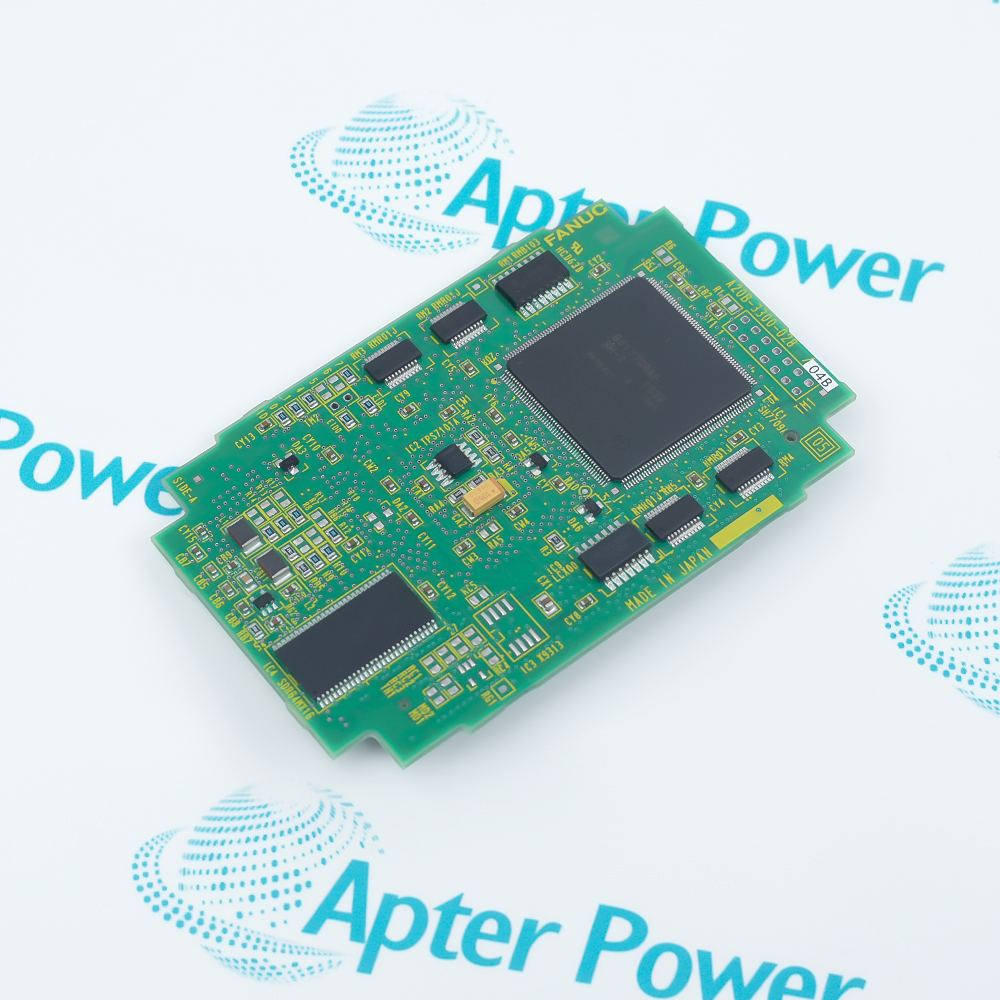
-
Match the complete marking
Compare A02B-0303-C074 with the installed label and applicable Fanuc documentation.
-
Check the offered item before ordering
Request photos of the offered A02B-0303-C074 and compare markings, interfaces and included items with the installed unit.
Technical specifications for A02B-0303-C074
-
Manufacturer:Fanuc
-
Product Category:HMI Panels
-
Spare Part Number:A02B-0303-C074
-
Weight:2.02 kg
-
Tariff Code:8537101190
-
Product type:10.4-Inch Color LCD Unit without Touch
-
System context:Fanuc CNC operator-interface platform
-
Display format:10.4-inch color LCD
-
Panel execution:B1 unit without touch
-
Verification boundary:Match rear connectors, mounting pattern and complete nameplate
Information
- A02B-0303-C074 occupies a defined service position in the Fanuc CNC operator-interface platform; approval depends on the complete marking and installed boundary.
Operator path: Commands remain on the CNC keypad and soft-key interface rather than the display surface.
Replacement boundary: Rear connectors, mounting pattern and B1 panel execution must remain aligned.
Within the Fanuc CNC operator-interface platform, evaluate A02B-0303-C074 together with its carrier, terminals, cables and applicable project or hardware settings. Preserve the as-found interface map and revision evidence; a mechanically similar item is not automatically equivalent.
Commissioning A02B-0303-C074 should progress from identity and connection checks to controlled power-up, diagnostics and functional proof. Keep final status, test conditions and unresolved exceptions in the handover record.
-
A02B-0303-C074 Technical Reference
Apter Power technical reference - PDF, 5 pages. Exact identity, evidence boundary, installed-system decisions and engineering questions. -
A02B-0303-C074 Installation & Commissioning Guide
Apter Power engineering guide - PDF, 5 pages. Replacement sequence, interface checks, commissioning, fault isolation and acceptance record.
Compatibility boundary: Match the complete marking, hardware execution and installed interfaces before replacement.
-
Installed-system replacement
Compare the exact code, host position and connected interfaces with the removed item. -
Planned maintenance
Capture the as-found label, indications and configuration before disturbing the installation. -
Controlled commissioning
Restore documented connections and prove the intended signal, communication or control response. -
Spare qualification
Keep revision, configuration and acceptance evidence with the spare-part record.
Check every token in A02B-0303-C074 against the offered label and approved record.
Follow the site procedure for stored energy, field power and electrostatic handling.
Photograph and label carriers, terminals, cables and keying before removal.
Archive applicable Fanuc CNC operator-interface platform settings before replacement.
Check connectors, terminal blocks, carriers and cable condition before blaming the module.
Use an approved functional test and retain as-left diagnostic and acceptance evidence.
Alternative Names
Technical notes
Evidence scope: The exact model is consistently identified as a 10.4-inch B1 color LCD unit without touch; no additional electrical ratings are assigned.
Installation boundary: The exact installed carrier, terminals, cables and project configuration remain site-specific.
Technical reference: Complete supplied marking and exact-model replacement records

FAQ View All FAQ
-
How should A02B-0303-C074 be identified before replacement?Compare the complete A02B-0303-C074 marking, visible revision, installed position and the documented 10.4-inch color lcd unit without touch role. Do not approve a shortened family reference.
-
What evidence should be recorded before removing A02B-0303-C074?Photograph the complete label, connectors, cable routes, status indications and host position for A02B-0303-C074; retain the current Fanuc CNC operator-interface platform record.
-
How should the interfaces for A02B-0303-C074 be checked?Map every connector, terminal and cable used by A02B-0303-C074 to the as-found record, then verify keying, shielding and interface ownership before reconnection.
-
What configuration boundary matters when commissioning A02B-0303-C074?Use the approved Fanuc CNC operator-interface platform configuration for A02B-0303-C074. Physical fit alone does not establish electrical, firmware or project equivalence.
-
How can a suspected A02B-0303-C074 fault be separated from an external fault?Check host power, mating hardware, field wiring and the applicable signal or communication path before controlled substitution of A02B-0303-C074.
-
What should be verified after installing A02B-0303-C074?Confirm normal indications, interface continuity and the intended 10.4-inch color lcd unit without touch response for A02B-0303-C074 in an approved test state.
-
Can A02B-0303-C074 be replaced by a similar-looking unit?Appearance is not an equivalence criterion for A02B-0303-C074; compare the complete order code, revision, connectors and installed configuration.
-
What handover record is appropriate after work on A02B-0303-C074?Retain the offered and removed A02B-0303-C074 markings, connection photographs, configuration evidence, diagnostics, functional-test results and open exceptions.
Supporting new and legacy automation
-
Please try to be as accurate as possible with your search.
-
We can quote you on 1000s of specialist parts, even if they are not listed on our website.
-
We can't find any results for “”.
Related cases and sourcing guidance
View all case studiesYou May Also Like
Product Browsing History
-
Whatsapp: +86 18030235313
Send us a message. -
sales13@apterpower.com
Complete our online form. -
+86 18030235313
Speak to our team in your native language.