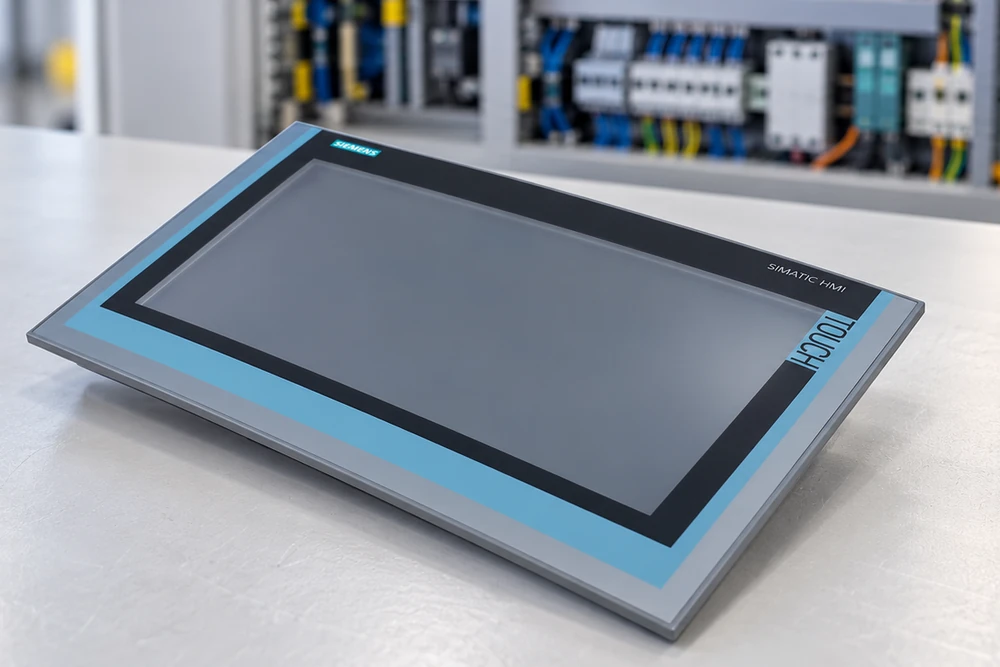
Siemens TP1500 Comfort: Check the Panel and Machine Project
Identify Siemens TP1500 Comfort 6AV2124-0QC02-0AX1 by its full order number, then check the machine project, connections and preparation work. Matching the panel and having it ready for use require both hardware and project information.
Manufacturer
Siemens
Product
SIMATIC HMI TP1500 Comfort
Complete reference
6AV2124-0QC02-0AX1
Operation
Touch panel
Interfaces
PROFINET · MPI/PROFIBUS DP
01
Keep the full reference
Match 6AV2124-0QC02-0AX1, including its final suffix.
02
Review the machine project
Confirm the project, software requirements and interfaces with the person responsible for the machine.
03
Plan beyond delivery
Allow time for receiving checks, project transfer and machine-side work before the required operating date.
Why a Screen Match Is Not Enough
A similar-looking HMI may not meet the machine's actual requirement. Screen size and a family name cannot establish project compatibility, interface suitability or physical fit. Before seeking an offer, record the installed panel's label and identify who can access the machine project and confirm the replacement requirements.
The Exact Panel and Its Machine Requirements
Siemens 6AV2124-0QC02-0AX1 is a SIMATIC HMI TP1500 Comfort touch panel with PROFINET and MPI/PROFIBUS DP interfaces. Keep the entire order number on the enquiry and quotation. A different suffix requires technical review; appearance alone does not establish an acceptable replacement.
Exact identity
Compare the installed requirement with the complete 6AV2124-0QC02-0AX1 label on the offered panel.
Machine and project
Check project availability, engineering software requirements, communication connections and installation requirements.
Offered condition
Clarify the condition, included accessories and available inspection information for the actual panel being offered.
Prepare the Replacement Request
01 / Identification
Capture the panel label
Provide a readable label photograph and the full order number rather than a photograph of the screen alone.
02 / Machine context
Record the connections and fit
Share the relevant interface and installation requirements. Have the machine's technical contact review them.
03 / Project readiness
Check the project is available
Identify the person responsible for the project and the tools needed to prepare or transfer it. Resolve access gaps before planning a restart.
04 / Offer review
Compare the actual offered panel
Review its label, condition, included items and available inspection information. Refer any difference to the technical approver.
05 / Schedule
Separate arrival from readiness
Confirm dispatch conditions and the transport plan, then allow time for receipt, project work and machine-side checks.
06 / Handover
Give the receiving team the approved scope
Retain the agreed reference and inclusions. Route a physical discrepancy to the order contact and a project question to the technical owner.
A Replacement Plan That Includes Project Preparation
An approved panel offer should sit alongside a machine-side preparation plan. Confirm who will provide or transfer the project, what tools are needed and when checks can take place after arrival. This makes the planned readiness date more useful than a dispatch date alone.
Buying the specified panel and preparing it for the machine are connected decisions.
Confirm the offered unit, the project requirements and the preparation schedule before relying on a replacement date.
Three questions for an HMI replacement
Correct panel
Is this the panel my machine needs?
Match the full 6AV2124-0QC02-0AX1 reference and ask the responsible engineer to review the machine project, interfaces and fit.
Delivery planning
Can it be ready by the required date?
Consider current availability and transport together with receiving checks and project preparation. Dispatch, arrival and machine readiness are different milestones.
Responsibility
Who handles a panel or project issue?
Agree the supplier's order contact for the offered hardware and the customer's technical owner for machine configuration. Record each unresolved issue and the person taking it forward.
Records to Keep
Installed label
The complete reference and readable identification.
Machine requirement
Relevant interface, fit and project requirements.
Project owner
The technical contact responsible for preparation and transfer.
Approved offer
Actual-unit identity, condition and included items.
Delivery plan
Dispatch conditions, transport and required arrival date.
Receiving record
Identity and visible-condition checks against the order.
Do not replace the complete order number with “15-inch Siemens screen” when requesting a quotation.
Send the full panel reference, installed label, quantity and required arrival date. Include any machine-project or interface questions your engineer needs resolved.