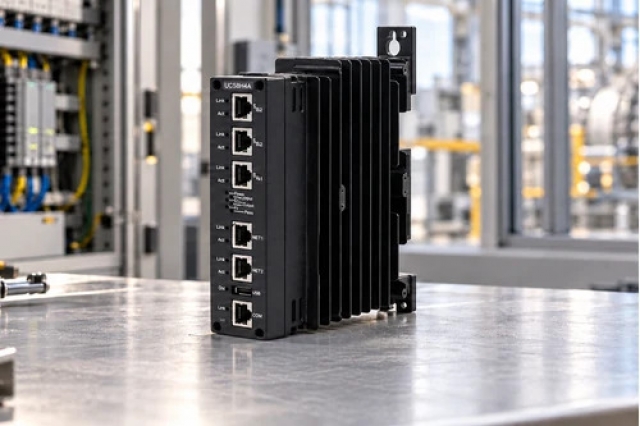
-
Match the complete marking
Include the complete B&R X20BC0087 marking and any hardware revision on the item. Record address switches, stored network parameters and the X20 module map.
-
Check the offered item before ordering
Request available label and connector photos. Have your maintenance team compare the offered X20BC0087 with the installed equipment and applicable B&R documents.
Technical specifications for X20BC0087
-
Manufacturer:B&R
-
Product Category:PLC Systems
-
Spare Part Number:X20BC0087
-
Weight:0.06 kg
-
Tariff Code:8537101190
-
Fieldbus role:Modbus TCP/UDP slave
-
Ethernet ports:2 shielded RJ45, integrated switch
-
Transfer rate:10/100 Mbit/s
-
Physical layer:10BASE-T / 100BASE-TX
-
Duplex:Half or full duplex
-
Maximum segment:100 m
-
Minimum fieldbus cycle:1 ms
-
Minimum X2X cycle:500 microseconds
-
Configured I/O cycle:0.5–4 ms
-
Bus power:2 W
-
Local expansion:Up to 250 additional modules
-
Electrical isolation:Modbus isolated from bus and I/O
-
Operating temperature:-25 to +60°C horizontal; -25 to +50°C vertical
Information
- B&R X20BC0087 provides a network-facing I/O station that maps local X20 expansion data into the configured Modbus application.
Ethernet: Two-port 10/100 Mbit/s switch
I/O expansion: X2X Link with configurable cycle
Address switches and stored parameters determine startup addressing. DHCP and BOOTP operation are supported, but certain switch settings initialize parameters or save received addressing, so replacement requires more than copying the visible IP address.
The I/O cycle can be configured from 0.5 to 4 ms. Fieldbus and X2X minimum cycles differ, and synchronization between the bus systems is not available; network loading and switch activity also affect response time.
X20BC0087 Official Technical Excerpt
The original technical excerpt applicable to B&R X20BC0087 covers Modbus interface ratings, address switches, indicators and X2X expansion. PDF · 5 pages.X20BC0087 Installation & Verification Guide
Apter Power installation and verification guide covering network settings, station assembly, I/O mapping and communication-loss tests. PDF · 5 pages.
Application scope: Use the configured station map and application timing; do not infer deterministic synchronization between the network and local bus.
Remote Modbus I/O
Connect an X20 station to the compatible master application.Local X2X expansion
Acquire or control the installed expansion modules through the station.Ethernet line wiring
Use the integrated two-port switch within the approved topology.Network diagnostics
Distinguish missing clients, duplicate IP addresses and I/O configuration faults.
Record switches and stored parameters before replacement.
Restore module order and register assignments.
Avoid initialization switch settings during normal replacement.
Check both fieldbus and X2X cycle requirements.
Keep Ethernet segments within 100 m.
Test watchdog and communication-loss behavior.
Alternative Names
Technical notes
Signal and interface: Minimum cycle time is 1 ms for the fieldbus and 500 microseconds for X2X Link. These limits do not establish synchronized end-to-end response.
Installation boundary: Use the uncoated module limits: 5–95% noncondensing humidity and the orientation-specific temperature range.
Technical basis: B&R X20(c)BC0087 Data sheet V2.40. Use the uncoated X20BC0087 ratings. Fieldbus and X2X minimum cycle times are separate and the two buses are not synchronized.

FAQ View All FAQ
-
Is X20BC0087 the Modbus master of the network?No. It operates as a Modbus TCP/UDP slave connected to a compatible master.
-
Why are there two RJ45 ports on X20BC0087?They form an integrated 10/100 Mbit/s switch for the approved Ethernet wiring topology.
-
Can the fieldbus and X2X cycles of X20BC0087 be synchronized?No. Synchronization between these bus systems is not available.
-
What does address switch 0x00 do on X20BC0087?The switches do not override system parameters at 0x00; valid flash-memory parameters are used, otherwise factory defaults apply.
-
When does X20BC0087 use DHCP through its address switches?The 0x80–0xEF range selects DHCP operation with a hostname derived from the switch value.
-
Why should 0xFE be avoided during ordinary replacement of X20BC0087?At boot, 0xFE initializes all bus-controller parameters to defaults rather than reading the stored values.
-
What does a four-pulse red S/E indication mean on X20BC0087?It indicates that the controller detected an IP address being used twice.
-
How many additional modules can X20BC0087 address through X2X Link?The integrated local expansion supports up to 250 additional modules, subject to the configured system and power design.
Supporting new and legacy automation
-
Please try to be as accurate as possible with your search.
-
We can quote you on 1000s of specialist parts, even if they are not listed on our website.
-
We can't find any results for “”.
Related cases and sourcing guidance
View all case studiesYou May Also Like
Product Browsing History
-
Whatsapp: +86 18030235313
Send us a message. -
sales13@apterpower.com
Complete our online form. -
+86 18030235313
Speak to our team in your native language.