Speak to a sourcing specialist
sales13@apterpower.com

ARP-2610AP

Industrial Panel Computer
Arista ARP-2610AP (1)
Arista ARP-2610AP (2)
Arista ARP-2610AP (3)
Arista ARP-2610AP (1)
Arista ARP-2610AP (2)
Arista ARP-2610AP (3)
Product image is representative; revision or series may vary. Contact us to request a specific version.

Product Describe:

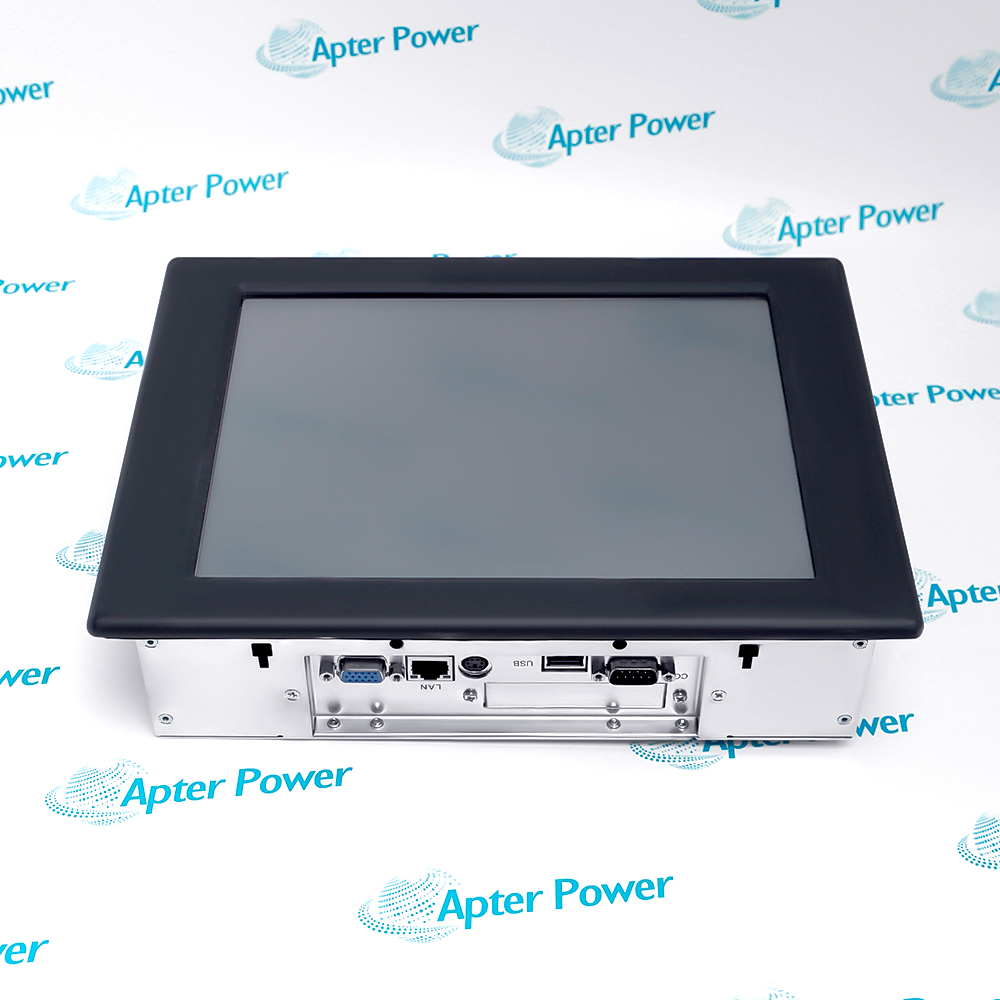
ARISTA ARP-2610AP is a panel-format industrial computer with an integrated display and rear service connectors. The offered unit carries an ARISTA ARP-2610AP nameplate; its additional AMAT WS80 label identifies the observed application asset.
  • Manufacturer part number
    ARP-2610AP
  • Shipping
    Swift global dispatch
  • Condition
    New, original product
  • Shipping size (est.)
    28cm × 21cm × 8cm
  • Country of Origin
    USA
Get a quick price for ARP-2610AP
E-mail *
Mobile
Company
Content *
Quantity *
Upload (gif, jpg, jpeg, png, bmp, doc, docx, xls, xlsx, ppt, pdf, csv)
For more information on how your data is processed and stored by Apterpower please read our privacy policy

What happens after you enquire

  • 0

    Review your reference

    Send the full ARP-2610AP marking, quantity and label photos. We review the panel computer and its version details.

  • 1

    Confirm the offer

    Check the quoted reference, condition, included accessories and expected dispatch date before approving the order.

  • 2

    Arrange dispatch

    Confirm delivery details. We will share tracking when the shipment is arranged.

  • Match the complete marking

    Record the ARP-2610AP nameplate together with the AMAT WS80 asset label and any hardware revision visible on the panel computer. Use the exact offered identity in the enquiry and quotation.

  • Check the offered item before ordering

    Request available ARISTA nameplate, rear-port and power-connector photos. Have your maintenance team compare the offered ARP-2610AP with the installed panel computer and applicable ARISTA documentation.

Technical specifications for ARP-2610AP

  • Manufacturer:
    Arista
  • Product Category:
    HMI Panels
  • Spare Part Number:
    ARP-2610AP
  • Weight:
    2.48 kg
  • Tariff Code:
    8537101190
  • Supply rail 1:
    12 V DC at 1 A (unit nameplate)
  • Supply rail 2:
    5 V DC at 3 A (unit nameplate)
  • Maximum ambient:
    50 °C (unit nameplate)
  • LAN connector:
    1 × RJ-45 visible
  • VGA connector:
    1 × D-sub visible
  • USB connector:
    2 × USB-A visible across supplied photos
  • Printer connector:
    1 × 25-pin D-sub visible
  • Keyboard/mouse connector:
    1 × mini-DIN visible

Information

Overview Downloads Applications / Compatibility Product Precautions
  • Use the exact ARISTA model, nameplate power ratings, mounting outline and rear-port labels to plan a controlled replacement. The processor, operating system and application image are not established by these exterior photographs.
Receiving check: Compare the complete markings and enclosure condition before acceptance
Supply review: Measure both installed DC rails and polarity before reconnecting
Data preservation: Back up the application and boot configuration under the site procedure
Site acceptance: Prove display, communications and each required peripheral after cutover
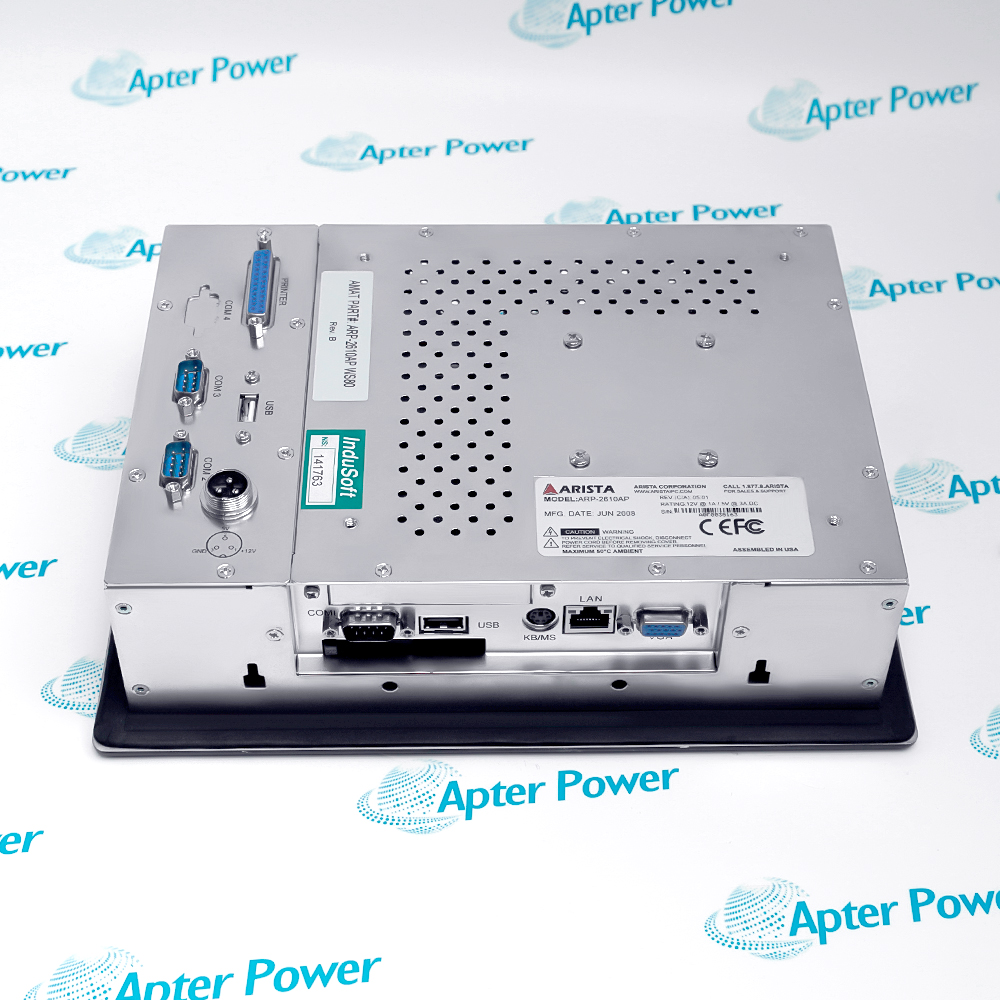
The photographed ARP-2610AP has a display in a framed enclosure and service access from the rear. Its nameplate states 12 V at 1 A and 5 V at 3 A DC and a maximum 50 °C ambient. Those are the observed unit ratings, not a specification for a different ARP family variant.

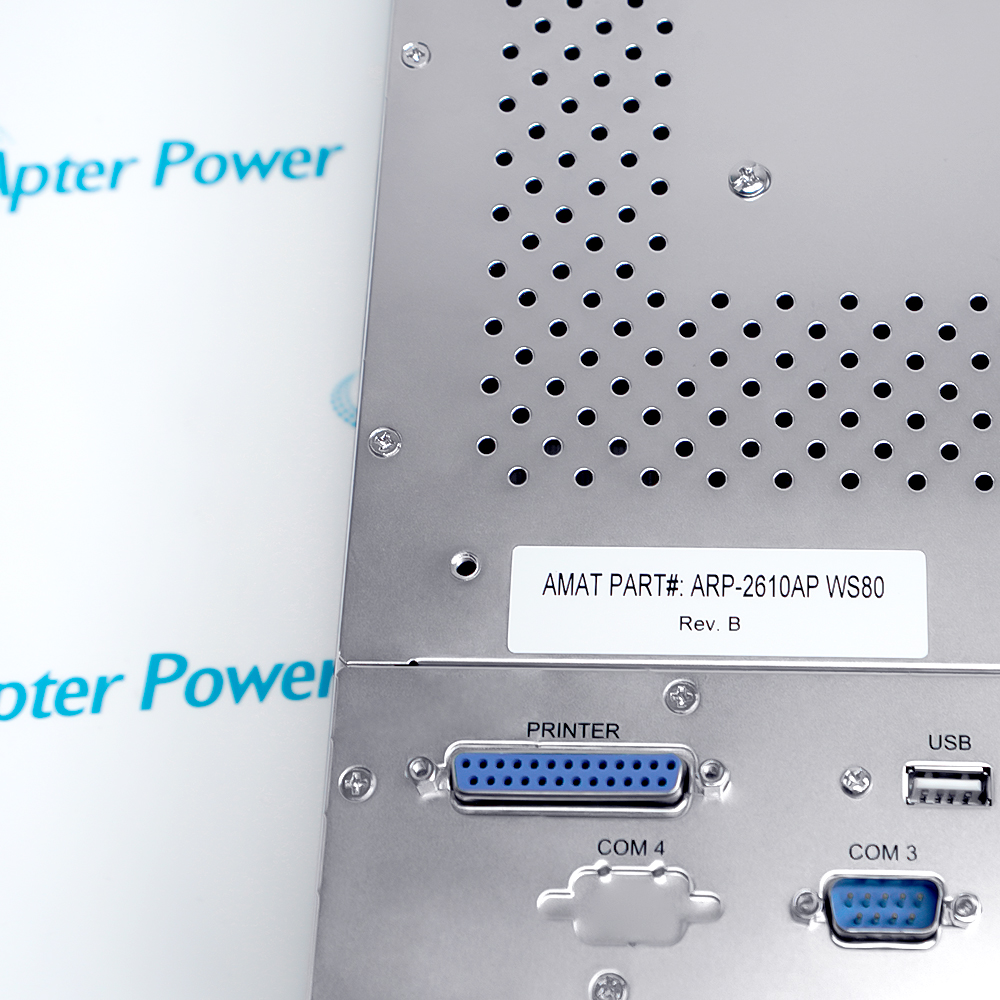
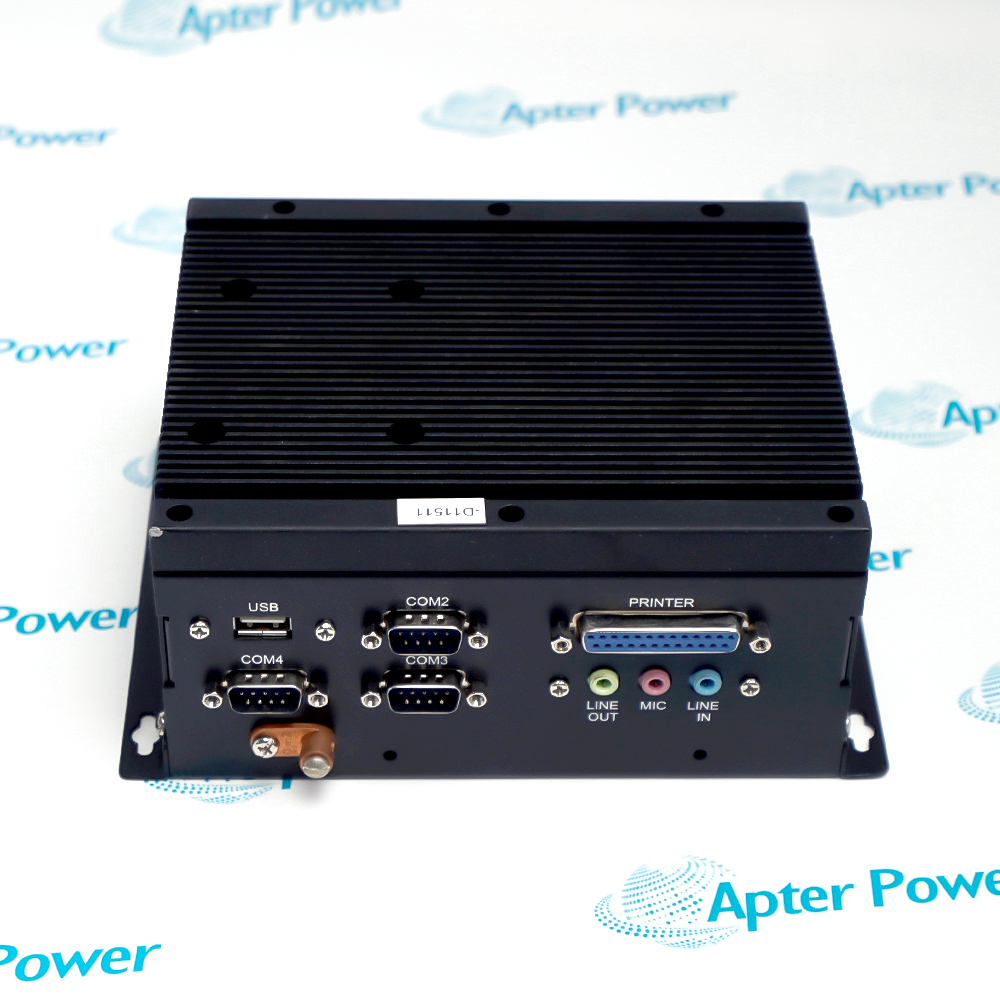
Visible connection legends include VGA, LAN, USB, serial COM ports, PRINTER and KB/MS. An AMAT ARP-2610AP WS80 Rev. B label is a separate installed-asset marking. Record the original cable-to-port map and any local storage or software image before the host is isolated.

A replacement must match the electrical supply and mounting opening, then boot with the correct application image and peripheral configuration. The rear enclosure is ventilated, so preserve cabinet airflow and assess the site-specific ingress protection after installation.
Installed-system reference: ARISTA ARP-2610AP nameplate and photographed port map. Confirm the application image and connected peripherals before cutover.
Technical downloads for Arista ARP-2610AP: an Apter Power technical reference and an Apter Power installation and commissioning guide.
The reference and installation guide support component identification and service planning. Apply the approved system and site procedures during work.
Installation and commissioning checks for Arista ARP-2610AP.
Isolate both DC rails

Disconnect and verify the actual 12 V and 5 V supplies before opening the enclosure or exchanging cables.

Back up the application

Capture the installed storage image, configuration and licensing data under the site procedure.

Label rear cables

Identify every COM, LAN, VGA, USB, printer and keyboard/mouse connection before unplugging.

Protect the panel opening

Support the unit during removal and compare mounting hardware and sealing arrangement with the existing cutout.

Maintain airflow

Keep the ventilated rear unobstructed and within the photographed 50 °C ambient limit.

Test the complete station

Verify boot, display, network, serial traffic and required peripherals under the plant acceptance plan.

Alternative Names

ARISTA ARP-2610AP ARP-2610AP WS80 Rev. B ARP-2610AP industrial panel PC

Technical notes

Installation relationship: The station requires the matched panel opening, dual-rail supply, installed software and connected field peripherals.

Configuration control: The AMAT WS80 label is a visible application identifier; preserve the actual software and port settings before replacement.

Technical reference: Supplied ARISTA ARP-2610AP nameplate and rear-panel photographs. Verify internal and software specifications from the installed asset record.


FAQ View All FAQ

  • Which markings identify the exact ARISTA ARP-2610AP replacement?
    The ARISTA nameplate reads ARP-2610AP. The separate AMAT ARP-2610AP WS80 Rev. B label identifies an observed application asset and does not replace the manufacturer model number.
  • How should ARISTA ARP-2610AP power be checked before energizing?
    Read the offered nameplate and measure both DC rails at the connector under the site procedure: 12 V at 1 A and 5 V at 3 A are printed on this photographed unit. Confirm polarity and harness assignment from the installed drawing.
  • What installation data should be retained when changing ARISTA ARP-2610AP?
    Preserve the storage/application image, BIOS or boot settings, network address and each COM port setting. Hardware identity alone does not recreate the configured operator station.
  • Can an ARISTA ARP-2610AP rear connector be repurposed from its shape alone?
    No. Record the port legend and original cable position, then verify electrical pinout and the connected device requirements in the installation documentation.
  • How should the ARISTA ARP-2610AP panel opening be assessed?
    Measure the existing cutout and fixing points, compare the offered enclosure depth and verify the panel sealing method. The photographed ventilation openings mean cabinet airflow also needs attention.
  • What does the AMAT label mean for ARISTA ARP-2610AP compatibility?
    It is an application or asset marking on this photographed unit. Confirm whether the receiving system requires that WS80 revision, a particular software image or specific peripheral wiring.
  • Which temperature evidence applies to ARISTA ARP-2610AP?
    The offered nameplate states a maximum ambient of 50 °C. Check the actual cabinet temperature near the ventilated rear and keep the vents clear during operation.
  • What closes an ARISTA ARP-2610AP exchange?
    Prove a controlled boot, readable display, correct application version, LAN and serial communication, required USB/legacy peripherals and the as-left cable map before returning the station to service.
SPEAK TO OUR TEAM
Let’s find the right solution for you.
Send us the part number, quantity and delivery destination. Our team will help confirm availability and lead time.
  • Whatsapp: +86 18030235313

    Send us a message.
  • sales13@apterpower.com

    Complete our online form.
  • +86 18030235313

    Speak to our team in your native language.