-
Match the complete marking
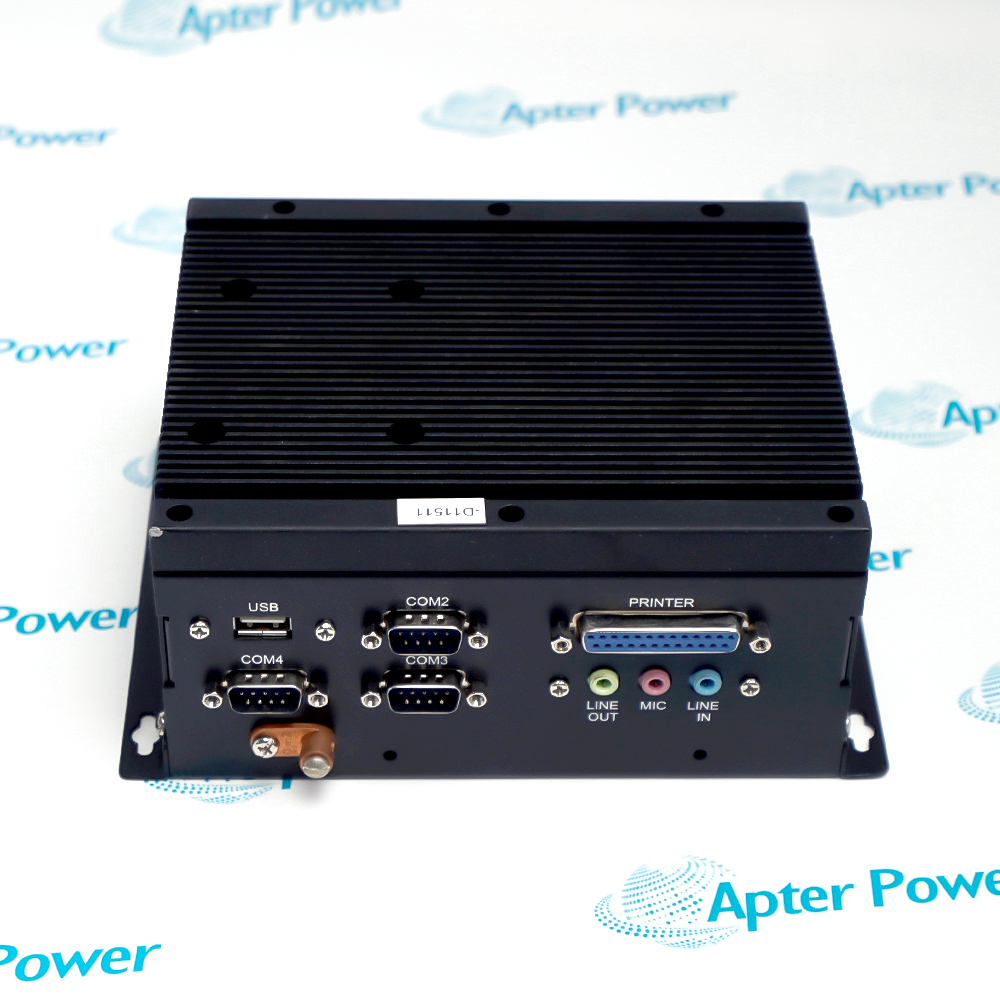
Record the full ADM-1815BP-MICROBOX-6824A combination, distinguishing the display identifier from the MicroBox-6824A computer nameplate and revision. Keep both parts on the enquiry and quotation.
-
Check the offered item before ordering
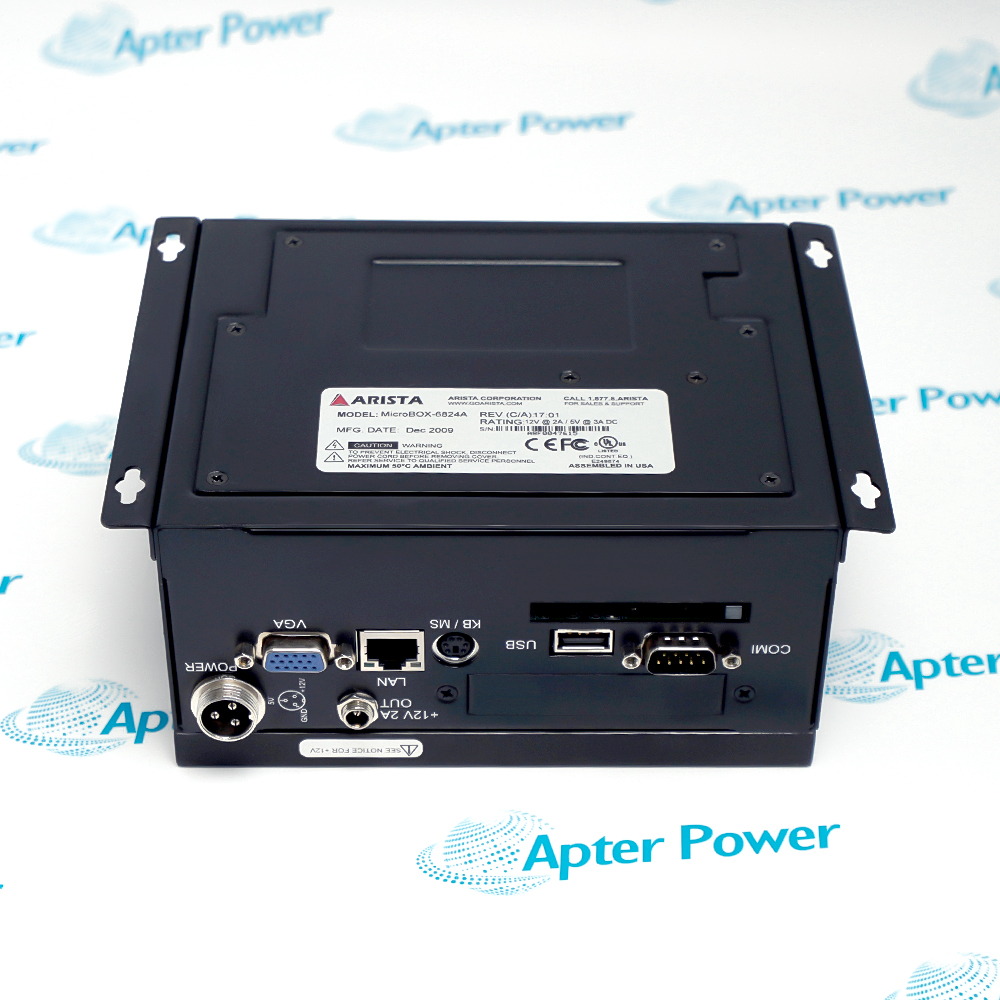
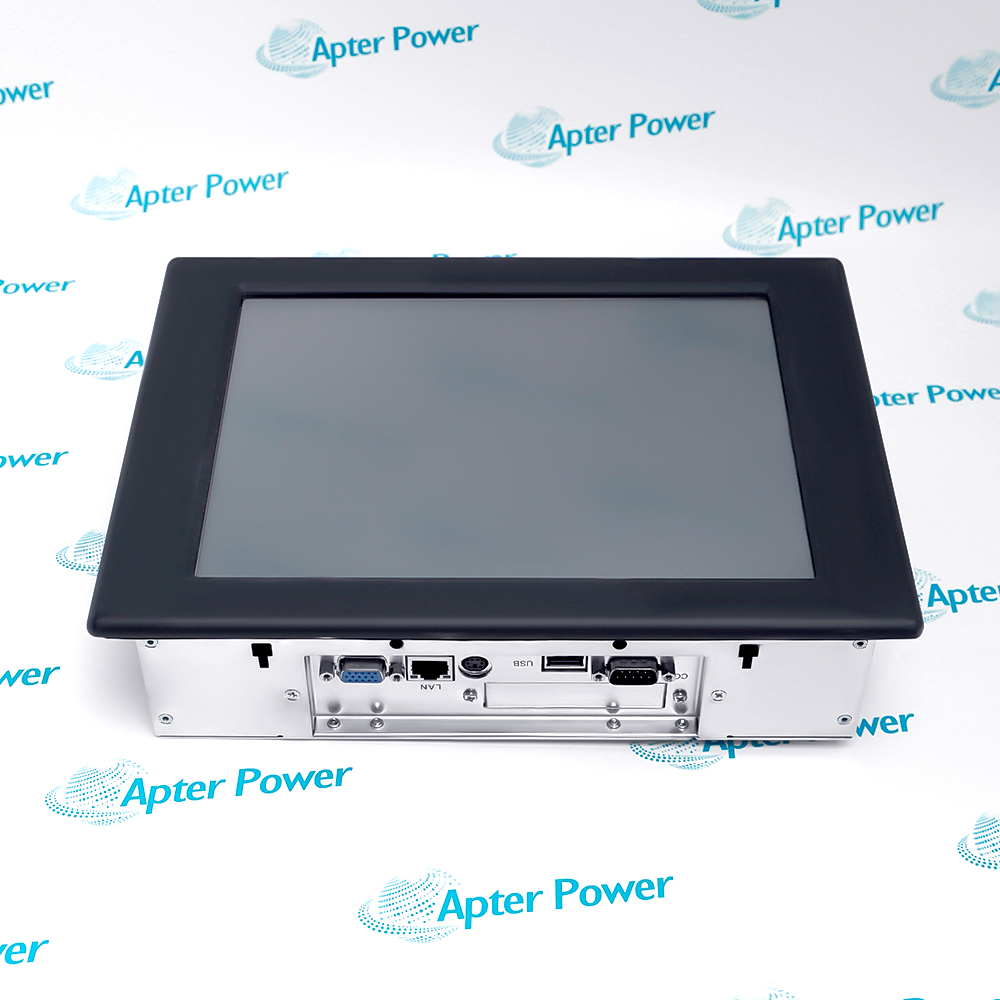
Request available display, MicroBox nameplate and connector photos. Have your maintenance team compare the offered ADM-1815BP-MICROBOX-6824A combination with the installed assembly and applicable ARISTA documentation.
Technical specifications for ADM-1815BP-MICROBOX-6824A
-
Manufacturer:Arista
-
Product Category:HMI Panels
-
Spare Part Number:ADM-1815BP-MICROBOX-6824A
-
Weight:4.86 kg
-
Tariff Code:8537101190
-
Display diagonal:15.0 in TFT (ADM-1815 series)
-
Display resolution:1024 × 768 (ADM-1815 series)
-
Display operating range:0–50 °C (ADM series manual)
-
Display front rating:NEMA 4 / IP65 with rated enclosure installation
-
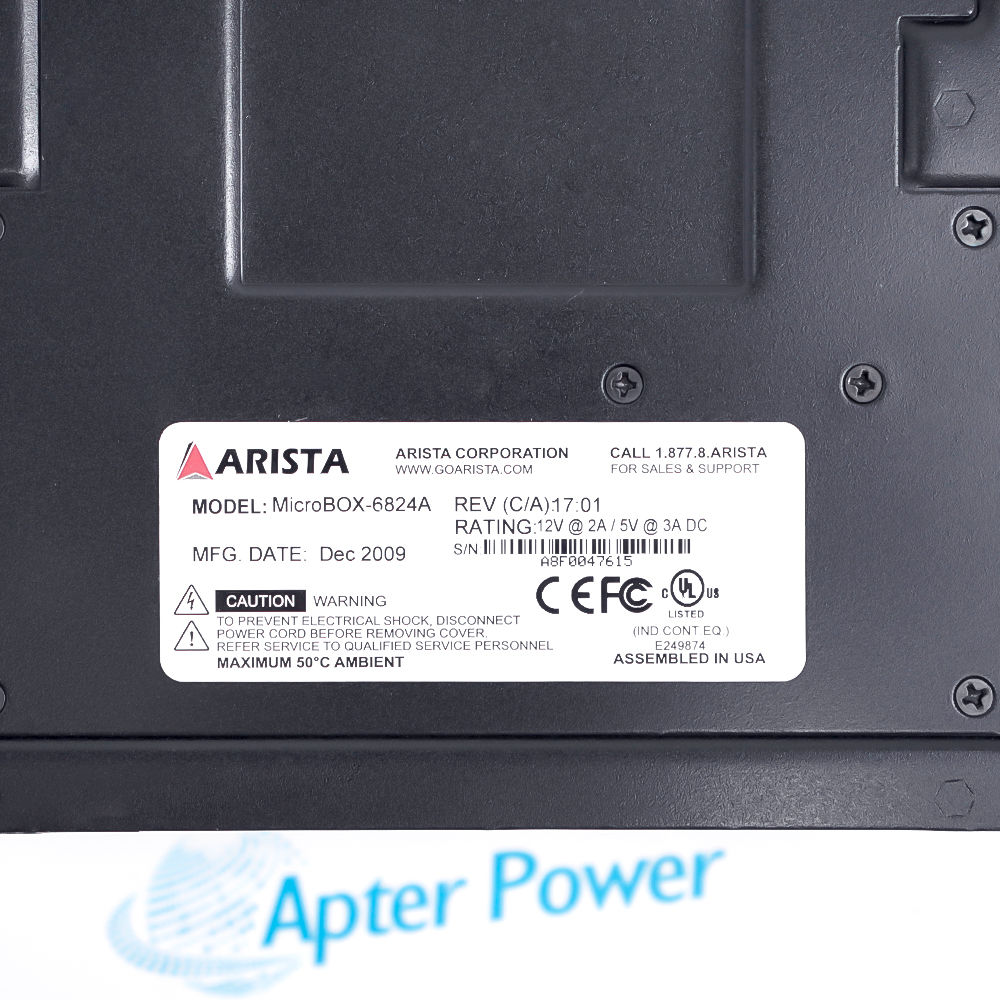
Computer rail 1:12 V DC at 2 A (unit nameplate)
-
Computer rail 2:5 V DC at 3 A (unit nameplate)
-
Computer maximum ambient:50 °C (unit nameplate)
-
Computer LAN:1 × RJ-45 visible
-
Computer VGA:1 × D-sub visible
-
Computer USB:2 × USB-A visible across supplied photos
-
Computer serial:4 × COM-labelled D-sub ports visible
-
Computer printer:1 × 25-pin D-sub visible
-
Computer audio:3 × 3.5 mm jacks visible
-
Computer keyboard/mouse:1 × mini-DIN visible
Information
- Treat the display and MicroBox as two replaceable parts with separate documentation. Match the display model and connection method, then preserve the MicroBox power, peripheral map and application image.
Panel fit: Confirm the display option and installed sealing arrangement
Computer handover: Retain the application image and peripheral configuration
Integration proof: Test power, video, operator input and host communications together
The photographed MicroBox label states model MicroBox-6824A, 12 V at 2 A and 5 V at 3 A DC, maximum 50 °C ambient, assembled in USA and a December 2009 manufacturing date. The visible computer ports include VGA, LAN, USB, serial COM, PRINTER, KB/MS and audio sockets; photograph and label their original cables.
The ADM manual describes panel/VESA/rack mounting options and a front enclosure rating only when the display is properly installed in a rated enclosure. It does not establish the ingress protection of the MicroBox or the complete combined assembly. Verify display-to-PC cables, mounting and cooling in the actual installation.
-
Apter Power technical reference for Arista ADM-1815BP-MICROBOX-6824A
Prepared by Apter Power - PDF, 5 pages. Separate display and MicroBox identity, interfaces and acceptance checks. -
Arista ADM-1815BP-MICROBOX-6824A installation guide
Prepared by Apter Power - PDF, 2 pages. Identification, installation checks, commissioning and fault isolation.
Application scope: Use the pair where the exact ADM-1815BP display option and MicroBox-6824A computer have been validated against the installed operator-station design.
-
Panel display service
Use the ADM-1800AP display mounting and environmental guidance only for the display half of the assembly. -
Embedded application host
The MicroBox supplies the installed computing role; preserve its storage image, communication configuration and external device map. -
Video and input integration
Verify the display-to-computer VGA and touch/input cable arrangement present in the cabinet before exchange. -
Controlled station replacement
Test both components together with the actual controller/network, serial devices and operator application.
Do not use the MicroBox nameplate as proof of ADM display suffix options; check each component independently.
Confirm polarity and separate 12 V and 5 V rails against the MicroBox nameplate and installed harness.
Apply any front ingress rating only after following the ADM manual and verifying the actual panel seal.
Back up the computer storage, application and licensed software under the site procedure.
Label VGA, input/touch, LAN, USB, COM, printer and audio cables before disconnecting.
Check display, operator input, host communication and peripherals after mechanical and electrical fit-up.
Alternative Names
Technical notes
Installation relationship: The ADM display and MicroBox are separate housings connected by installed video, input, power and peripheral cables.
Protection boundary: The ADM series enclosure claim applies only to a properly installed display, not automatically to the complete station.
Technical reference: Arista ADM-1800AP Series User Manual, pp. 5 and 10, for display identity and family specifications; supplied MicroBox-6824A unit nameplate for computer ratings and visible ports.

FAQ View All FAQ
-
How are the two parts of ARISTA ADM-1815BP-MICROBOX-6824A identified?ADM-1815BP is the confirmed display designation and is named in the Arista display manual. The supplied computer nameplate reads MicroBox-6824A. Match both component labels before treating the pair as a replacement assembly.
-
Which ADM display data apply to ARISTA ADM-1815BP-MICROBOX-6824A?The OEM ADM-1800AP manual lists ADM-1815 as a 15-inch TFT with 1024 × 768 resolution and identifies ADM-1815BP in its declaration. Confirm suffix-specific fitted options on the actual display.
-
What power evidence applies to ARISTA ADM-1815BP-MICROBOX-6824A?The photographed MicroBox-6824A nameplate specifies 12 V at 2 A and 5 V at 3 A DC. The display has its own supply requirements in the ADM manual; verify both harnesses separately.
-
Does the ADM-1815BP rating protect the whole ARISTA ADM-1815BP-MICROBOX-6824A assembly?No. The ADM manual conditions the display enclosure rating on proper installation in a rated enclosure. It does not state an ingress rating for the separate ventilated MicroBox computer.
-
Which cable map must be retained for ARISTA ADM-1815BP-MICROBOX-6824A?Record display video and any operator-input links, then every MicroBox LAN, USB, COM, printer, audio and power connection. Use the installed drawing to distinguish port assignment from connector appearance.
-
How should the software of ARISTA ADM-1815BP-MICROBOX-6824A be handled?Capture the MicroBox storage and application image, licenses, network settings and serial configuration before exchange. Neither the display manual nor exterior computer label defines the deployed software.
-
What temperature check applies to ARISTA ADM-1815BP-MICROBOX-6824A?The ADM series manual gives a display operating range to 50 °C; the photographed MicroBox label states maximum 50 °C ambient. Confirm cabinet temperature and ventilation for both enclosures.
-
What tests finish ARISTA ADM-1815BP-MICROBOX-6824A commissioning?Verify correct component identities, supply rails, display image and input, application boot, network/serial communication and all required peripherals. Record the as-left cable and software versions.
Supporting new and legacy automation
-
Please try to be as accurate as possible with your search.
-
We can quote you on 1000s of specialist parts, even if they are not listed on our website.
-
We can't find any results for “”.
Related cases and sourcing guidance
View all case studiesYou May Also Like
Product Browsing History
-
Whatsapp: +86 18030235313
Send us a message. -
sales13@apterpower.com
Complete our online form. -
+86 18030235313
Speak to our team in your native language.