Speak to a sourcing specialist
sales13@apterpower.com

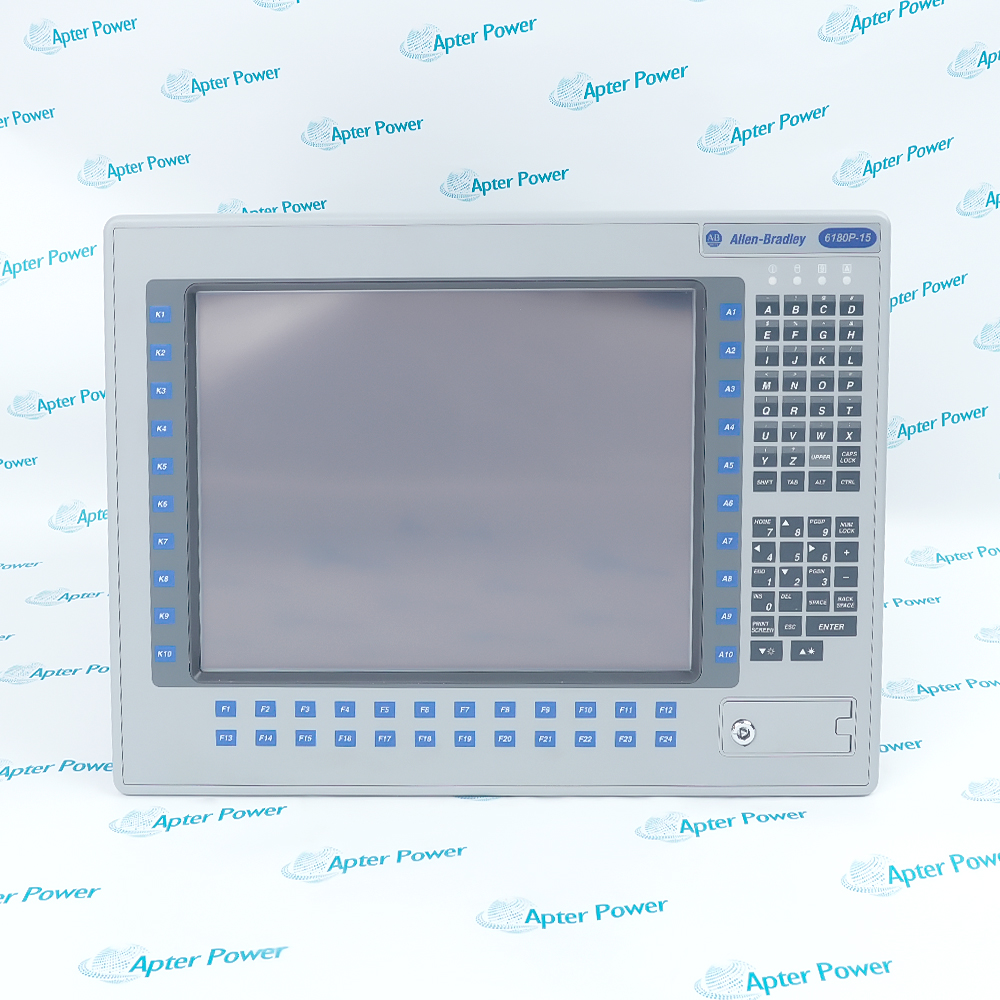
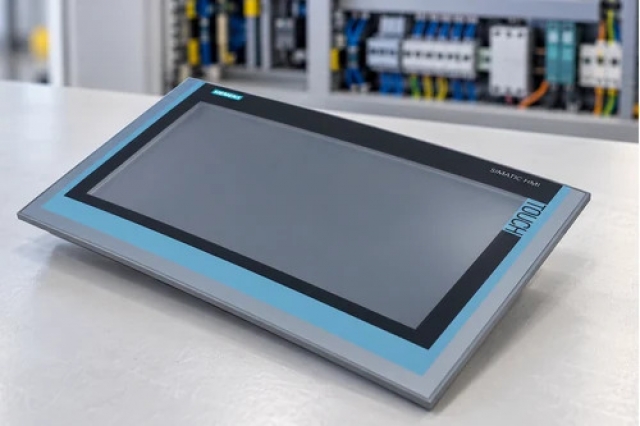
6180P-15BPXPDC

15-Inch Integrated Display Industrial Computer with Keypad
Allen-Bradley 6180P-15BPXPDC (1)
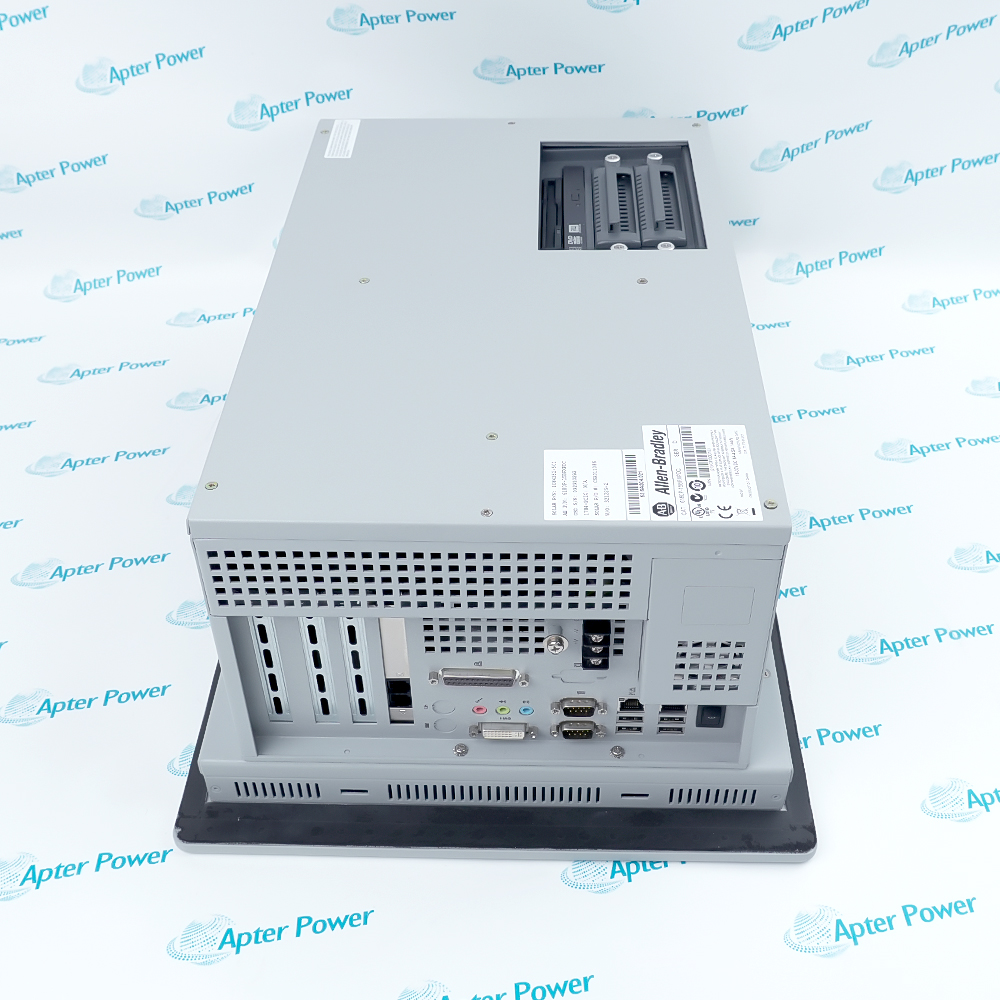
Allen-Bradley 6180P-15BPXPDC (2)
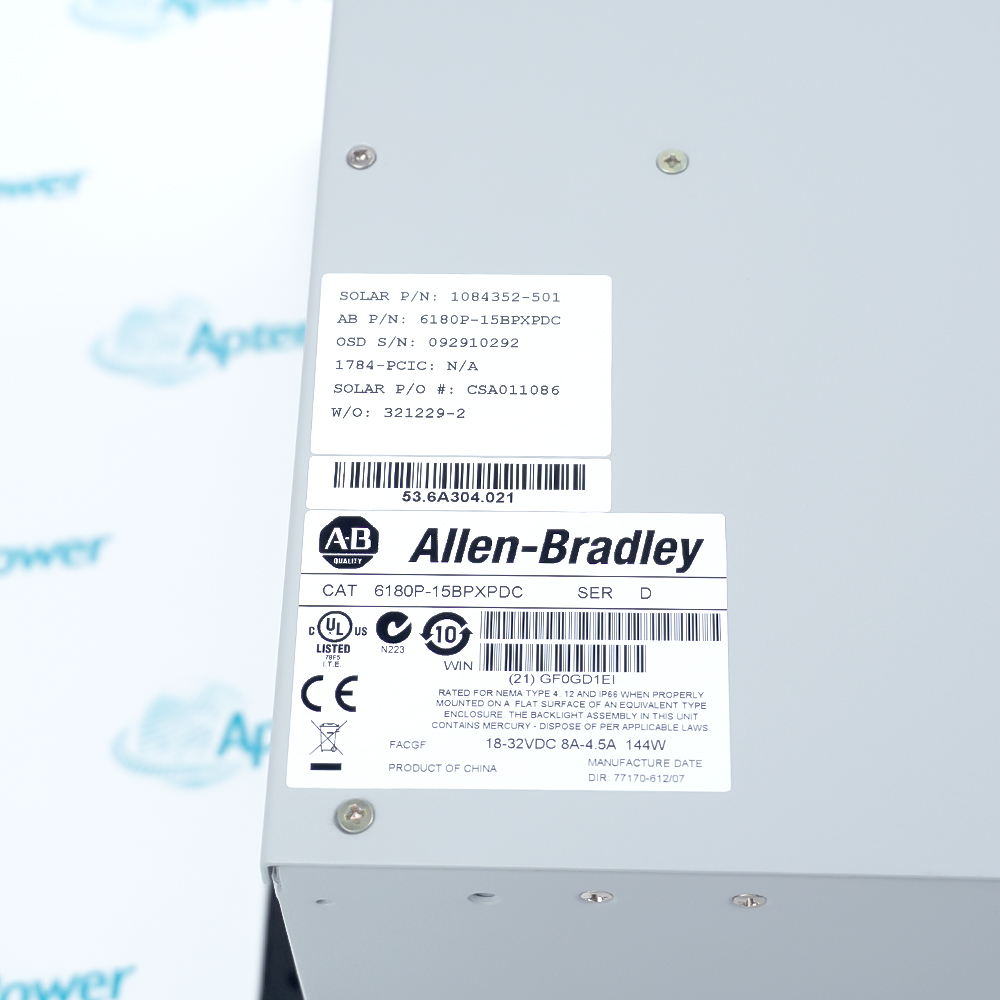
Allen-Bradley 6180P-15BPXPDC (3)
Allen-Bradley 6180P-15BPXPDC (1)
Allen-Bradley 6180P-15BPXPDC (2)
Allen-Bradley 6180P-15BPXPDC (3)
Product image is representative; revision or series may vary. Contact us to request a specific version.

Product Describe:

Allen-Bradley 6180P-15BPXPDC is a 15-inch integrated display industrial computer with keypad, touchscreen and DC power. It provides a local operator interface for the installed machine application.
  • Manufacturer part number
    6180P-15BPXPDC
  • Shipping
    Swift global dispatch
  • Condition
    New, original product
  • Shipping size (est.)
    48.3cm × 35.5cm × 22.5cm
  • Country of Origin
    USA
Get a quick price for 6180P-15BPXPDC
E-mail *
Mobile
Company
Content *
Quantity *
Upload (gif, jpg, jpeg, png, bmp, doc, docx, xls, xlsx, ppt, pdf, csv)
For more information on how your data is processed and stored by Apterpower please read our privacy policy

What happens after you enquire

  • 0

    Review your reference

    Send the complete 6180P-15BPXPDC marking, quantity and installed software revision so we can match the DC computer.

  • 1

    Confirm the offer

    Check the quoted condition, mounting parts, included storage image and dispatch date before approving the order.

  • 2

    Arrange dispatch

    Confirm the delivery details; we will provide tracking when the unit is available for shipment.

  • Match the complete marking

    Include the complete 6180P-15BPXPDC catalog number, series and revision visible on the installed terminal. Retain those details on the enquiry and quotation.

  • Check the offered item before ordering

    Request available nameplate, display and connector photos. Compare the offered 6180P-15BPXPDC with the installed mounting arrangement and the approved Rockwell documentation.

Technical specifications for 6180P-15BPXPDC

  • Manufacturer:
    Allen-Bradley
  • Product Category:
    HMI Panels
  • Spare Part Number:
    6180P-15BPXPDC
  • Weight:
    17.6 kg
  • Tariff Code:
    8537101190
  • Display diagonal:
    15 in.
  • Native display resolution:
    1024 × 768
  • Input voltage:
    18–32 VDC
  • DC power consumption:
    144 W
  • DC current at 18 V:
    8 A
  • DC current at 32 V:
    4.5 A
  • Inrush at 24 V:
    20 A peak, 5 ms
  • DC terminal positions:
    +24VDC, 24VTRN, GND
  • Panel cutout height:
    326.4 mm approx.
  • Panel cutout width:
    429.3 mm approx.
  • 1500P chassis height:
    355 mm approx.
  • 1500P chassis width:
    483 mm approx.
  • 1500P chassis depth:
    225 mm approx.
  • Ethernet ports:
    2 Gigabit LAN
  • Operating temperature:
    0–55°C
  • Panel-mounted front rating:
    IEC IP66, subject to installation

Information

Overview Downloads Applications / Compatibility Product Precautions
  • The workstation integrates computer, 15-inch display and local input in one panel-mounted assembly. The DC supply, panel cutout, data image and peripheral connections must be planned as an installed system.
Operator access: Integrated display, keypad and touchscreen
Power arrangement: Dedicated DC input and controlled shutdown
Mounting role: Sealed panel-mounted workstation
Service focus: Operating-system image and peripheral validation
The exact 6180P-15BPXPDC catalog option is listed as a performance-package 15-inch unit with keypad, touchscreen and DC supply. Rockwell specifies the 1500P panel envelope as about 355 × 483 × 225 mm and an approximate 17.6 kg mass. The documented panel cutout is about 326.4 × 429.3 mm.

The DC model accepts 18–32 VDC through a three-screw +24VDC, 24VTRN and GND terminal block. The manual lists 144 W DC consumption and an inrush of 20 A peak for 5 ms at 24 V. A Class 2/SELV isolated source and a circuit disconnect are specified; the operating system should be shut down before power is removed.

Its 15-inch panel is specified at 1024 × 768 native resolution. The original installation instructions describe two Gigabit Ethernet ports and CAT5/CAT5E cabling. Replacement acceptance must include the installed operating-system image, licensed application, network addresses, peripheral function, front-seal condition and panel clip torque.
Controller platform reference: Rockwell 6180P 1500P. Match the DC circuit, panel opening and approved software image.
Technical downloads for Allen-Bradley 6180P-15BPXPDC: an Apter Power technical reference and an Apter Power installation and commissioning guide.
The reference and installation guide support component identification and service planning. Apply the approved system and site procedures during work.
Installation and commissioning checks for Allen-Bradley 6180P-15BPXPDC.
Isolate DC supply

Verify the 18–32 VDC source and +24VDC/24VTRN/GND polarity before connection.

Back up the image

Export the installed OS/application image, settings, licenses and network addresses before removal.

Prepare the panel

Check the cutout, clearance and gasket; use the specified clips and tightening sequence for the front seal.

Use an appropriate source

Provide an isolated Class 2/SELV input and the documented circuit disconnect/UPS practice.

Protect the touchscreen

Use finger or approved input; avoid sharp tools that could scratch the resistive surface.

Verify restoration

Prove display, touch calibration, keypad, LAN, storage and the complete HMI application before handover.

Alternative Names

Rockwell 6180P-15BPXPDC Allen-Bradley 6180P-15BPXPDC industrial PC

Technical notes

Power relationship: The DC model uses 18–32 VDC through the three-screw terminal block; assess running and inrush loads.

Panel protection: The front IP66 rating depends on correct panel, gasket and clip installation.

Technical reference: Rockwell Automation publications 6180P-UM001C-EN-P and 6180P-IN001C-EN-P.

FAQ View All FAQ

  • What distinguishes the DC option of 6180P-15BPXPDC from an AC 6180P?
    The exact catalog suffix selects a DC supply. Rockwell specifies 18–32 VDC on a three-screw terminal block and 144 W consumption, so the AC inlet and 90–264 VAC data from other models do not apply.
  • Why should the software image be backed up before replacing 6180P-15BPXPDC?
    The computer may contain site-specific operating-system, HMI application, driver, license and network settings. A hardware-identical replacement cannot restore these automatically; record and validate the approved image.
  • How should the power source for 6180P-15BPXPDC be sized?
    Allow for the 144 W DC requirement plus the documented 20 A peak, 5 ms inrush at 24 V. Use the specified isolated Class 2/SELV supply, correct conductor sizing and a separate disconnect.
  • How is the panel seal of 6180P-15BPXPDC maintained after exchange?
    Match the approximate 326.4 × 429.3 mm cutout, inspect the gasket and follow Rockwell’s mounting-clip torque sequence. The front rating depends on correct panel installation.
  • What network checks follow commissioning of 6180P-15BPXPDC?
    Confirm both Gigabit LAN ports, assigned IP/MAC records, physical cabling and HMI data exchange with the actual controllers. Verify separation of control and enterprise networks where the plant design requires it.
  • How should display scaling be checked after restoring 6180P-15BPXPDC?
    Set the graphics driver to the documented 1024 × 768 native resolution, then check application readability, touchscreen alignment and keypad navigation in the approved HMI project.
  • Why should 6180P-15BPXPDC be shut down before DC power is removed?
    Rockwell warns that abrupt power removal can impair the operating system or stored image. Use the normal shutdown and a UPS or controlled power scheme where process operation demands it.
  • What should be included in the acceptance record for 6180P-15BPXPDC?
    Record the full catalog marking, power voltage under load, BIOS/OS image, application version, touch/keypad function, both LAN links and panel seal inspection results.