-
Match the complete marking
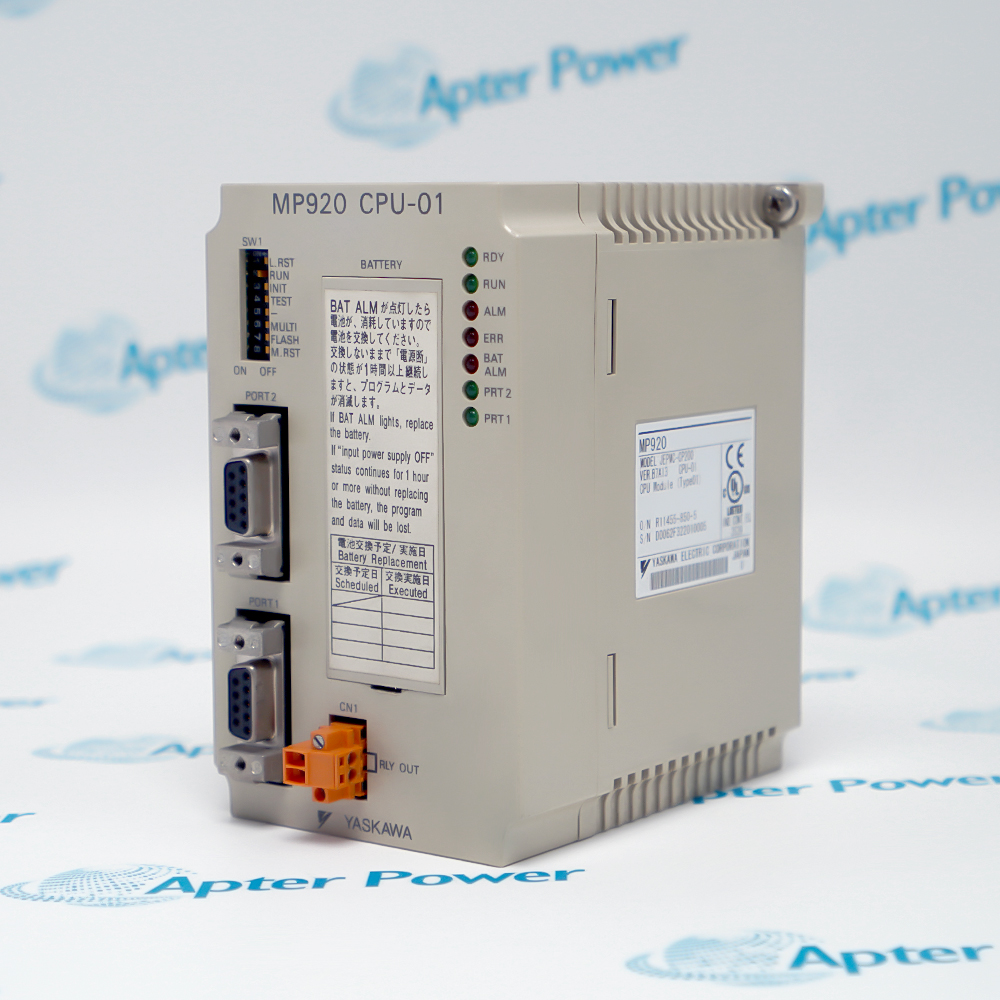
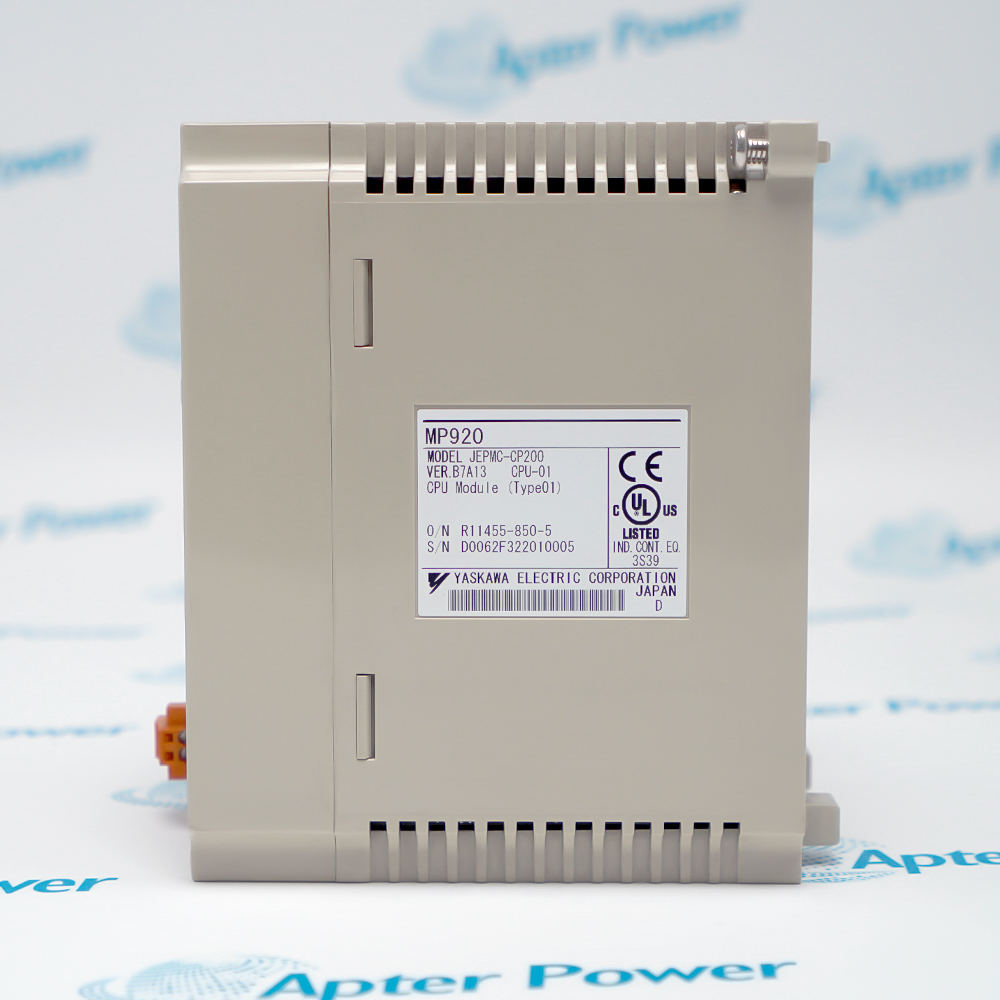
Provide the complete Yaskawa JEPMC-CP200 marking. Match JEPMC-CP200 CPU-01 and the installed application/module configuration.
-
Check the offered item before ordering
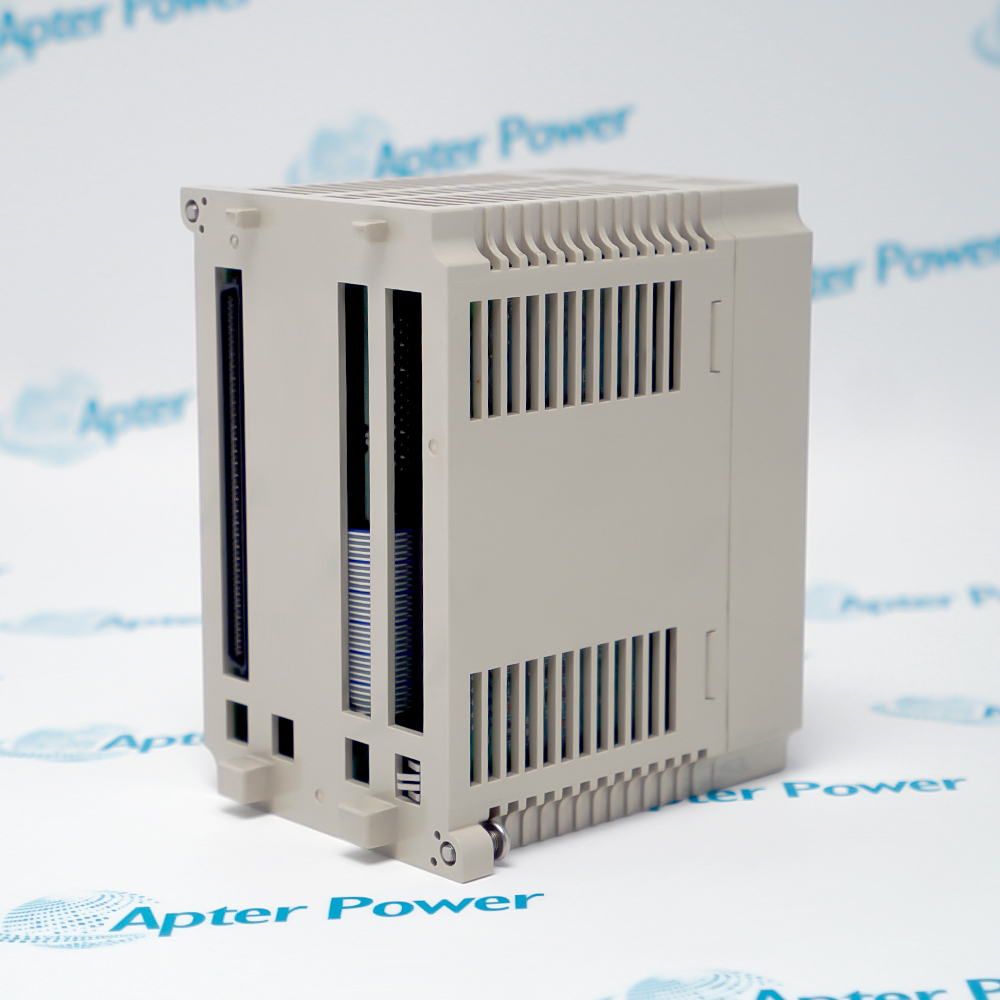
Request available label and connector photos. Have your maintenance team compare the offered JEPMC-CP200 with the installed equipment and applicable Yaskawa instructions.
Technical specifications for JEPMC-CP200
-
Manufacturer:YASKAWA
-
Product Category:PLC Systems
-
Spare Part Number:JEPMC-CP200
-
Weight:0.48 kg
-
Tariff Code:8537101190
-
Flash memory:2 MB
-
SRAM:2 MB, battery backed
-
Current consumption:980 mA
-
Serial ports:2 × RS-232C, female 9-pin D-sub
-
Serial rates:9.6 / 14.4 / 19.2 kbit/s
-
Serial protocols:MEMOBUS; no protocol; MELSEC
-
Status-contact behavior:Closed normally; open on abnormal operation
-
Status-contact rating:0.5 A at 24 V DC; 0.5 A at 125 V AC
-
Mode control:8-position DIP switch
-
Module status:RDY, RUN, ALM, ERR, BAT ALM, PRT1, PRT2
Information
- Yaskawa JEPMC-CP200 executes the MP920 control application and coordinates the selected I/O and motion modules through the system mounting-base architecture.
Communications: Two RS-232C ports
Diagnostics: Separate system, program, battery and port states
Two female 9-pin RS-232C ports support MEMOBUS, no-protocol and MELSEC communication at 9.6, 14.4 or 19.2 kbit/s. Their pin assignments are specific to this controller and must not be assumed to match a standard PC serial cable.
The front indicators separately show system readiness, program execution, minor alarm, system error, battery alarm and port transmission. The RLY OUT status contact closes during normal operation and opens during abnormal operation, providing a distinct system-status interface.
JEPMC-CP200 Official Technical Excerpt
Yaskawa JEPMC-CP200: original manufacturer technical information covering the specified interfaces and operating limits. PDF · 10 pages.JEPMC-CP200 Installation & Verification Guide
Apter Power installation and verification guide covering preserve the mp920 application, inspect the backup battery, restore port communication settings, seat the cpu on the mounting base, verify module and motion response. PDF · 5 pages.
Application scope: The applications below describe its technical role. Select associated hardware and configuration for the actual installation.
MP920 machine control
Execute the configured machine application through the MP920 modular architecture.Serial operator interfaces
Exchange data with a correctly wired and configured MEMOBUS or other supported serial endpoint.Program and data retention
Use flash and battery-backed SRAM according to their distinct startup and retention roles.Machine-status supervision
Integrate the RDY-related status contact and front-panel diagnostics into service checks.
Capture all eight switch positions, including FLASH, MULTI and RUN. Do not treat initialization or reset switches as ordinary operating selections.
Compare both ends of each RS-232C cable with the CPU-01 pin assignments. A standard 9-pin connector shape does not prove electrical compatibility.
Verify that the external status circuit remains within 0.5 A at the applicable 24 V DC or 125 V AC rating. Confirm its intended response to an open abnormal-status contact.
Check RDY, RUN, ALM, ERR and BAT ALM separately. Determine whether the system is ready and whether the intended user program is actually running.
Save the tested program image, port settings, switch positions, battery status and RLY OUT behavior. Keep these details with the exact JEPMC-CP200 service record.
Use the approved machine test to check I/O and motion-module communication with outputs controlled. A CPU communication response alone does not establish correct machine motion.
Alternative Names
Technical notes
Operating boundary: The two serial ports use special pin assignments. Pin 7 is signal ground; using a PC-style cable without checking the wiring can prevent communication or misconnect signals.
Integration details: Preserve CPU-01 identity, MP920 application, module configuration, battery-backed data and the flash/RAM startup selection together.
Technical basis: Yaskawa MP920 Machine Controller Design and Maintenance Manual, SIEZ-C887-2.1. CPU-01 JEPMC-CP200 specifications apply. CPU-02 memory and current values do not apply to this model; motion capability depends on the installed MP920 modules and program.

FAQ View All FAQ
-
Which memory in JEPMC-CP200 depends on battery backup?The 2 MB SRAM is battery backed. The 2 MB flash provides separate nonvolatile program storage.
-
Can a generic PC serial cable be assumed suitable for JEPMC-CP200?No. Its two 9-pin RS-232C connectors use specific pin assignments, including signal ground on pin 7. Use the applicable wiring arrangement.
-
What does the FLASH switch do on JEPMC-CP200?When selected for the applicable startup, it copies the program from flash memory into RAM. It is not an instruction to save the current RAM program to flash.
-
How are RDY and RUN different on JEPMC-CP200?RDY indicates normal system operation, while RUN indicates execution of the user program. They describe different controller states.
-
What does BAT ALM on JEPMC-CP200 indicate?It indicates that the SRAM backup battery needs replacement. Preserve application data and follow the battery-service procedure before disturbing the backup supply.
-
What is the normal state of the RLY OUT contact on JEPMC-CP200?The status contact is closed during normal operation and opens during abnormal operation, within its specified switching rating.
-
Which baud rates are available on JEPMC-CP200?The RS-232C ports support 9.6, 14.4 and 19.2 kbit/s, with the selected protocol and communication settings matched at both ends.
-
Do all DIP-switch changes on JEPMC-CP200 take effect immediately?No. Most switches take effect at power-on or startup after reset; local and master reset have their own behavior. Apply the prescribed mode-change procedure.
Supporting new and legacy automation
-
Please try to be as accurate as possible with your search.
-
We can quote you on 1000s of specialist parts, even if they are not listed on our website.
-
We can't find any results for “”.
Related cases and sourcing guidance
View all case studiesYou May Also Like
Product Browsing History
-
Whatsapp: +86 18030235313
Send us a message. -
sales13@apterpower.com
Complete our online form. -
+86 18030235313
Speak to our team in your native language.