-
Match the complete marking
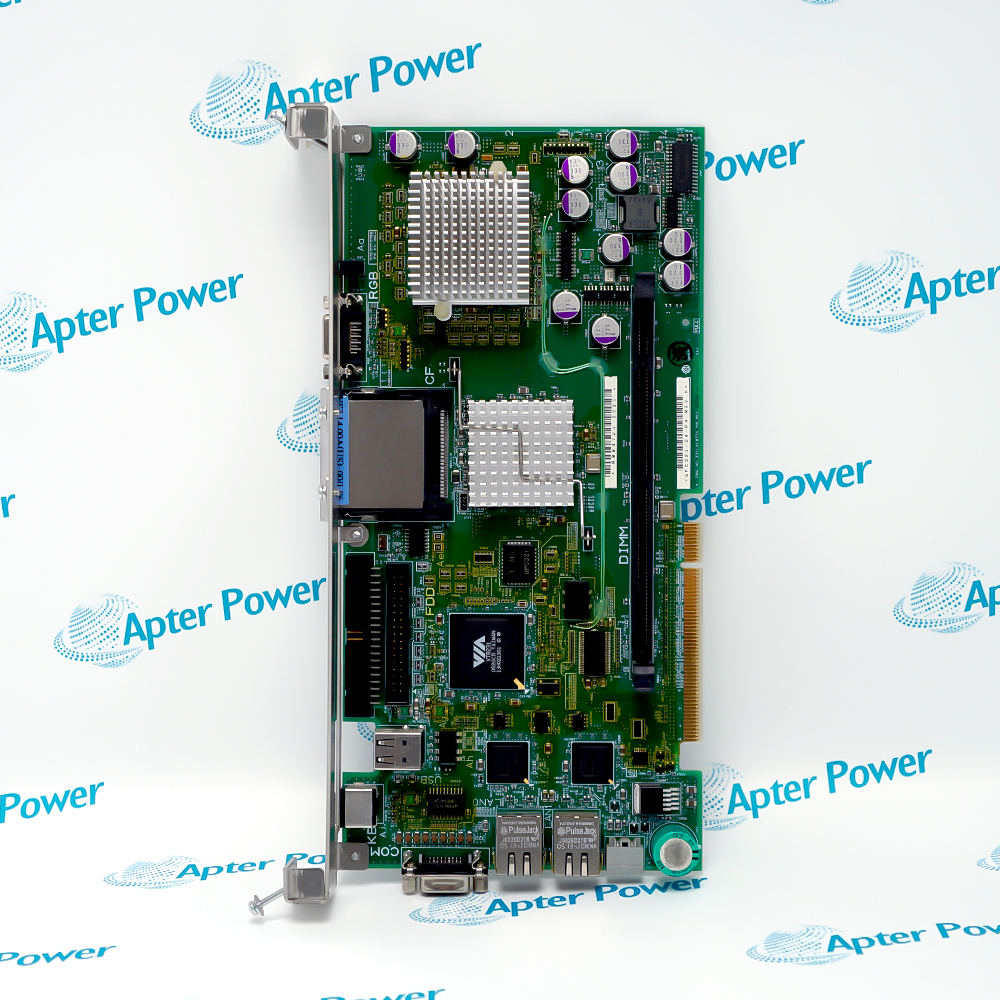
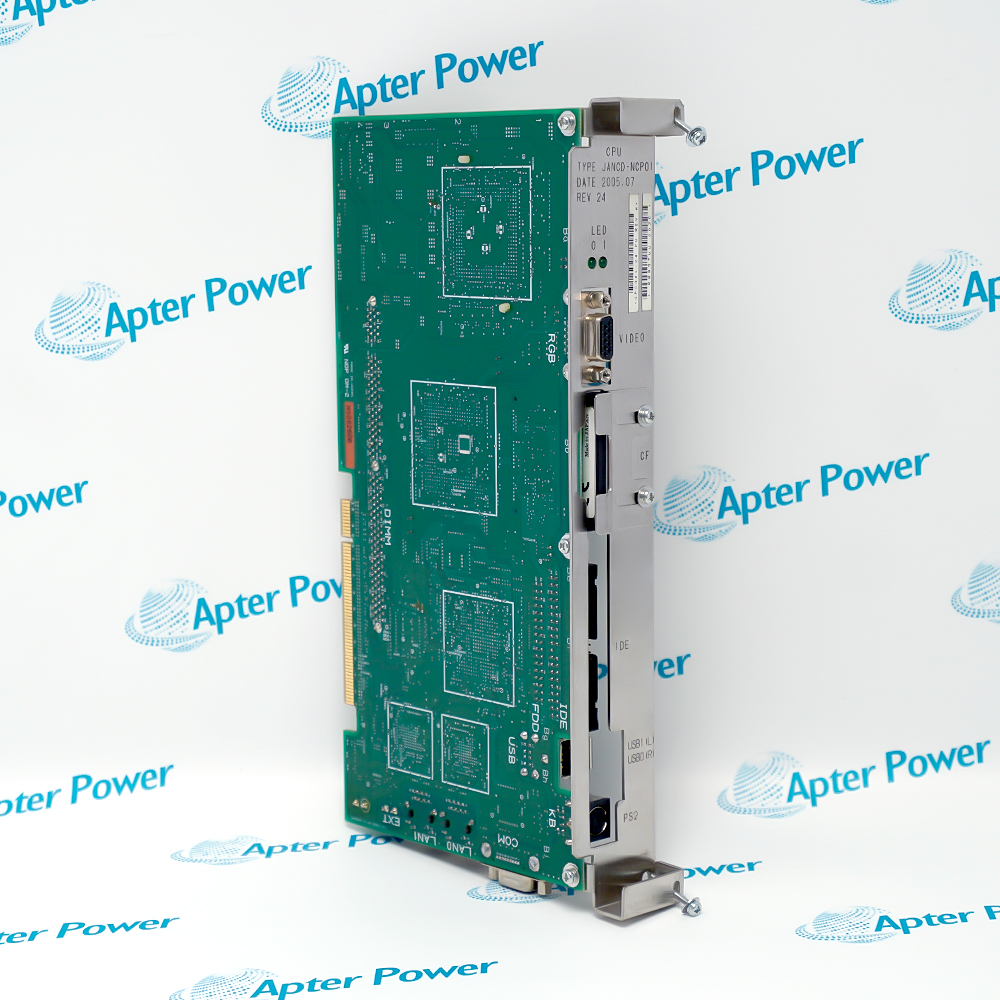
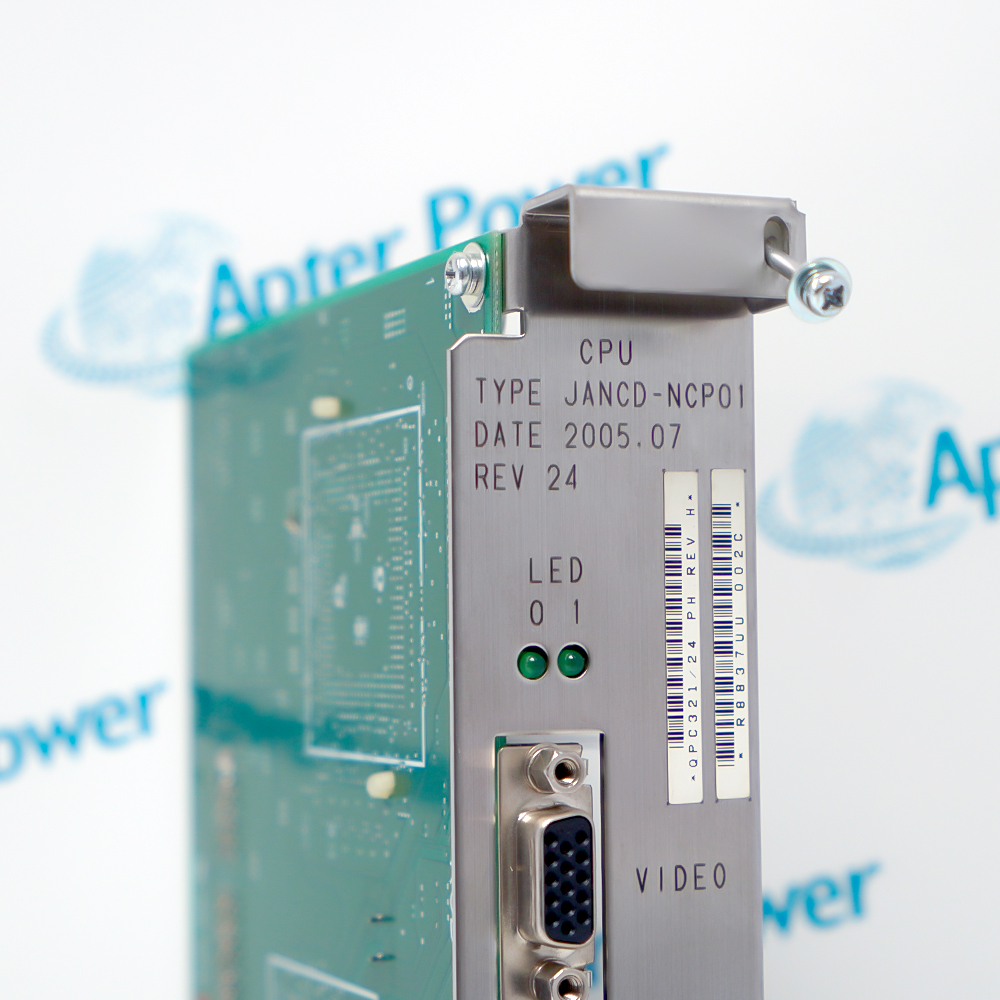
Include JANCD-NCP01 and any series, revision or assembly markings. Keep the complete reference on your enquiry and quotation.
-
Check the offered item before ordering
Request available label, connector and mounting photos. Have your maintenance team compare the offered JANCD-NCP01 with the installed equipment and applicable YASKAWA documentation.
Technical specifications for JANCD-NCP01
-
Manufacturer:YASKAWA
-
Product Category:Robot Systems
-
Spare Part Number:JANCD-NCP01
-
Weight:0.46 kg
-
Tariff Code:8537101190
-
Product series:Motoman NX100
-
Product function:Main CPU board
-
Motoman spare-part reference:150205-1
-
Operating-data storage:CompactFlash associated with the NCP01 board
-
File-backup diagnostic:NX100 alarm 0800: NCP01 CF file backup
-
CPU diagnostic:NX100 alarm 0910: NCP01 CPU error
-
Bus diagnostic:NX100 alarm 0920: NCP01 bus error
-
ROM diagnostic:NX100 alarm 1000: NCP01 ROM error
Information
- YASKAWA JANCD-NCP01 occupies the main CPU-board role in an NX100 robot controller, alongside separate servo-control, interface and I/O hardware.
Manufacturer part number: JANCD-NCP01
Motoman spare-part reference: 150205-1
Data storage: On-board CompactFlash for part of the operating data
Part of the NX100 system operating data is stored on CompactFlash associated with the NCP01 board. Changed data is written to this storage, and the controller provides distinct file-backup and file-load alarms for the NCP01/CompactFlash relationship. Preserve a current controller-data backup and identify the installed storage before service. A board replacement and the restoration of its operating data are related tasks; neither the spare-board identity nor a matching connector alone establishes that the controller configuration is ready for operation.
NX100 diagnostics distinguish NCP01 CPU errors, bus errors and ROM errors. Alarm 0910 concerns abnormal processing on the main CPU board, while alarm 1000 includes a main-ROM checksum fault. Record the complete alarm and subcode before changing hardware. Replacement decisions should follow the applicable Yaskawa fault-isolation procedure, including the required data preservation and configuration checks, and the affected robot functions must be validated before returning the controller to service.
-
YASKAWA JANCD-NCP01 technical reference
Prepared by Apter Power - PDF, 5 pages. NX100 CPU-board identity, storage relationship and diagnostic references. -
YASKAWA JANCD-NCP01 installation guide
Prepared by Apter Power - PDF, 5 pages. Controller identity, data preservation and service acceptance checks.
Configuration compatibility: Match the board revision, CompactFlash and stored controller data. The main CPU board, servo-control board, interface board and I/O board have different roles.
-
NX100 CPU-board replacement
Identify the installed main CPU board and complete controller configuration. Compare JANCD-NCP01 with the fitted marking and Motoman spare-part reference before replacement. -
Operating-data preservation
Keep an approved backup of NX100 internal data and identify the CompactFlash associated with the NCP01 board before service or configuration changes. -
CPU and ROM fault investigation
Record NCP01 CPU and ROM alarms with their subcodes. Apply the corresponding Yaskawa diagnostic procedure rather than assigning every controller fault to the main board. -
Controller restoration checks
Check restored configuration and affected controller functions after authorized service. Keep the board identity, storage arrangement and acceptance record together.
Use the complete JANCD-NCP01 marking and installed NX100 configuration. A shared controller family does not by itself prove that every board revision is interchangeable.
Back up the NX100 internal data before service. Record the CompactFlash and controller configuration so that a replacement board is not treated as a complete configured controller.
Distinguish the NCP01 main CPU board from the servo-control, interface and I/O boards. Do not transfer another board's memory or electrical ratings to this part.
Save the complete CPU, bus, ROM or file-backup alarm information before replacement. Use the diagnostic procedure for the actual fault instead of replacing hardware solely from a general symptom.
Initialization can affect stored configuration. Have qualified personnel follow the applicable Yaskawa procedure and preserve the required data before changing the controller setup.
Check the restored hardware identity, configuration and affected robot functions before operational release. Resolve persistent alarms through the manufacturer service process.
Alternative Names
Technical notes
System relationship: Identify the main CPU board separately from the servo-control, interface and I/O boards. Match the controller and robot-specific arrangement.
Configuration boundary: NX100 controller diagnostic and configuration information is distinct from the board electrical ratings. Match the complete board marking and installed controller execution.
Technical reference: Yaskawa Motoman JANCD-NCP01 spare-part entry 150205-1; NX100 controller-spares references and Knowledge Center alarm references 0800, 0910, 0920 and 1000.

FAQ View All FAQ
-
What is YASKAWA JANCD-NCP01?JANCD-NCP01 is an NX100 main CPU board. The Motoman spare-part reference is 150205-1.
-
Is JANCD-NCP01 the NX100 servo-control board?No. NX100 controller-spares arrangements identify the main CPU board separately from the servo-control, interface and I/O boards.
-
What storage is associated with JANCD-NCP01?The NCP01 board uses CompactFlash for part of the NX100 system operating data. Preserve the installed storage identity and controller-data backup before service.
-
What does alarm 0800 indicate for JANCD-NCP01?It is the NX100 NCP01/CompactFlash file-backup error. Record the reported file number and use the corresponding Yaskawa diagnostic procedure.
-
What does alarm 0910 indicate for JANCD-NCP01?It concerns a CPU error associated with abnormal processing on the NCP01 main CPU board. Save the controller data and follow the applicable fault-isolation procedure.
-
What does alarm 0920 indicate for JANCD-NCP01?It is an NCP01 bus-error diagnostic. Record the subcode and controller state and follow the exact Yaskawa diagnostic procedure; the alarm name alone is not a complete replacement decision.
-
What does alarm 1000 indicate for JANCD-NCP01?It is an NCP01 ROM error, including a main-ROM checksum fault. The board and system-software condition must be evaluated using the corresponding service instructions.
-
What must be preserved when replacing JANCD-NCP01?Preserve the complete board and controller identification, fitted revision, NX100 internal-data backup and CompactFlash arrangement. Validate the restored configuration and affected functions before release.
Supporting new and legacy automation
-
Please try to be as accurate as possible with your search.
-
We can quote you on 1000s of specialist parts, even if they are not listed on our website.
-
We can't find any results for “”.
You May Also Like
Product Browsing History
-
Whatsapp: +86 18030235313
Send us a message. -
sales13@apterpower.com
Complete our online form. -
+86 18030235313
Speak to our team in your native language.