-
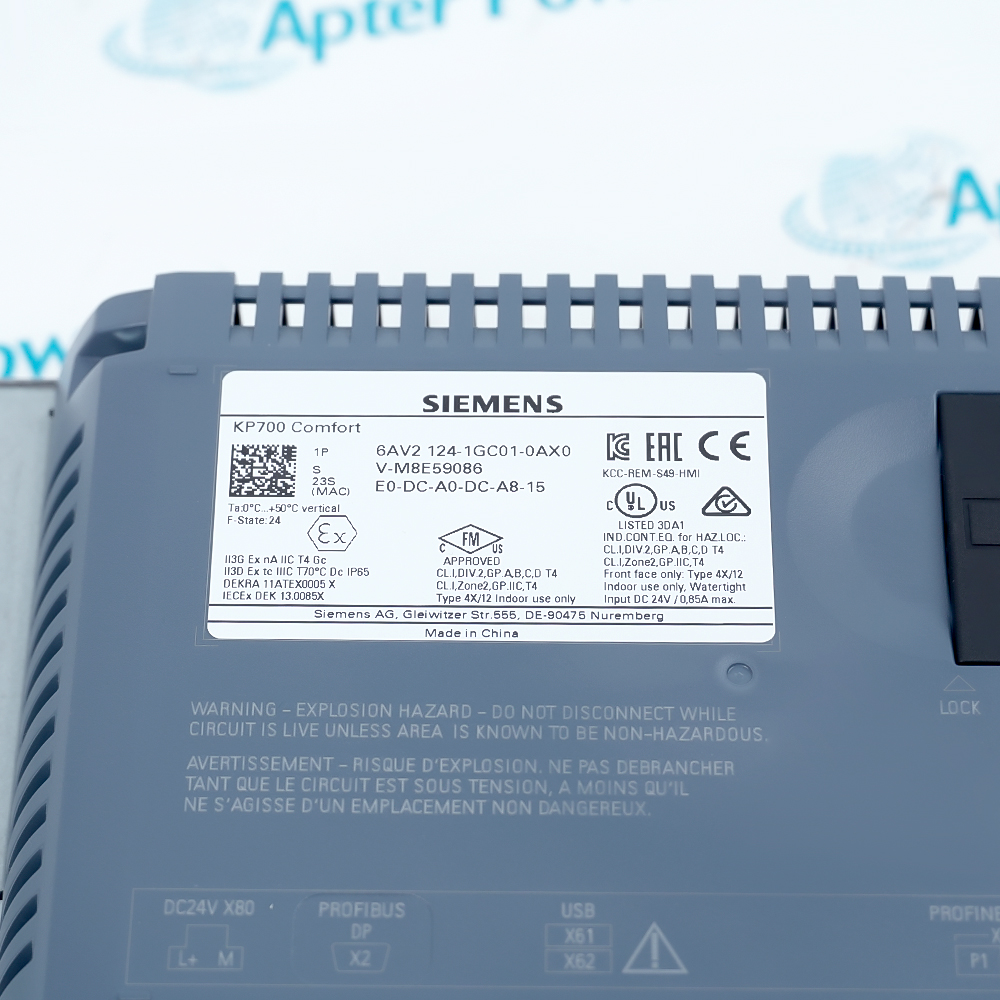
Match the complete marking
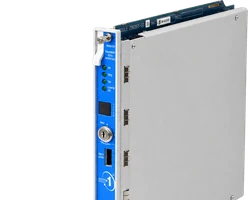
Include 6AV2124-1GC01-0AX0 and any hardware revision visible on the panel. Keep the exact reference on your enquiry and quotation.
-
Check the offered item before ordering
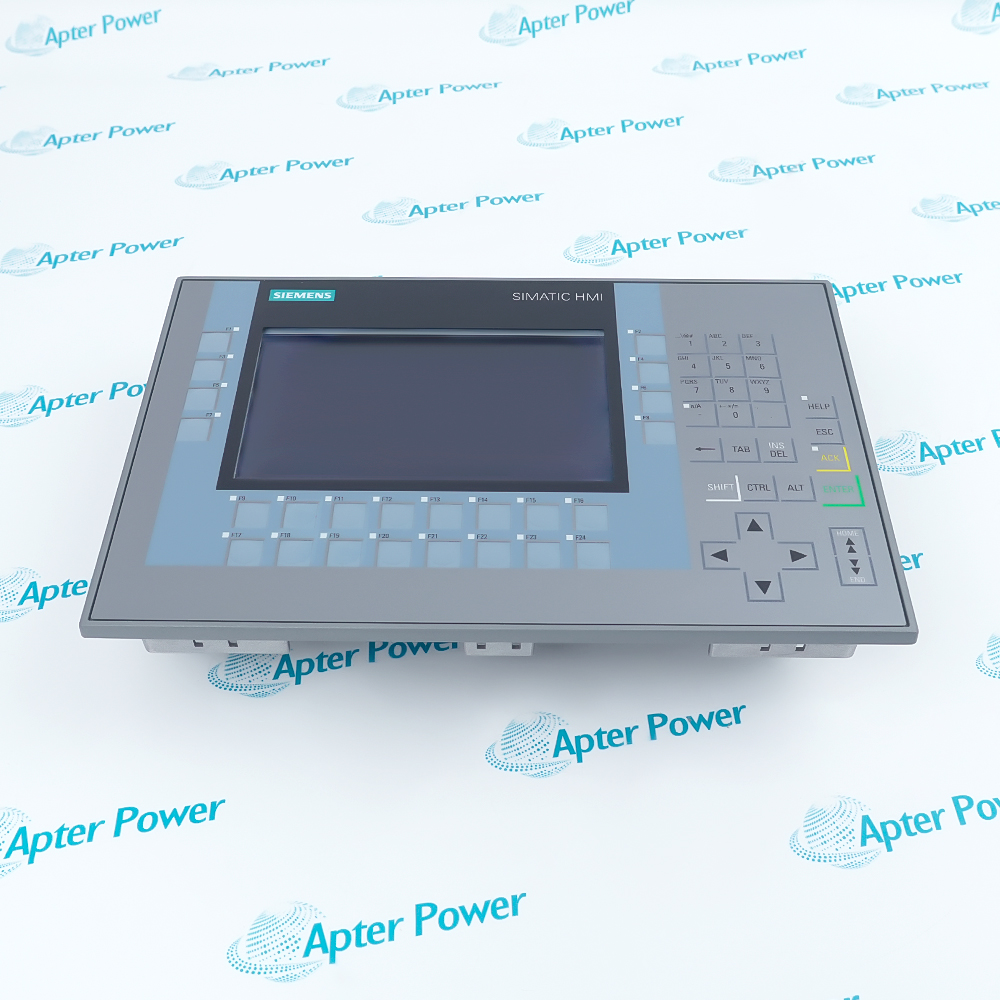
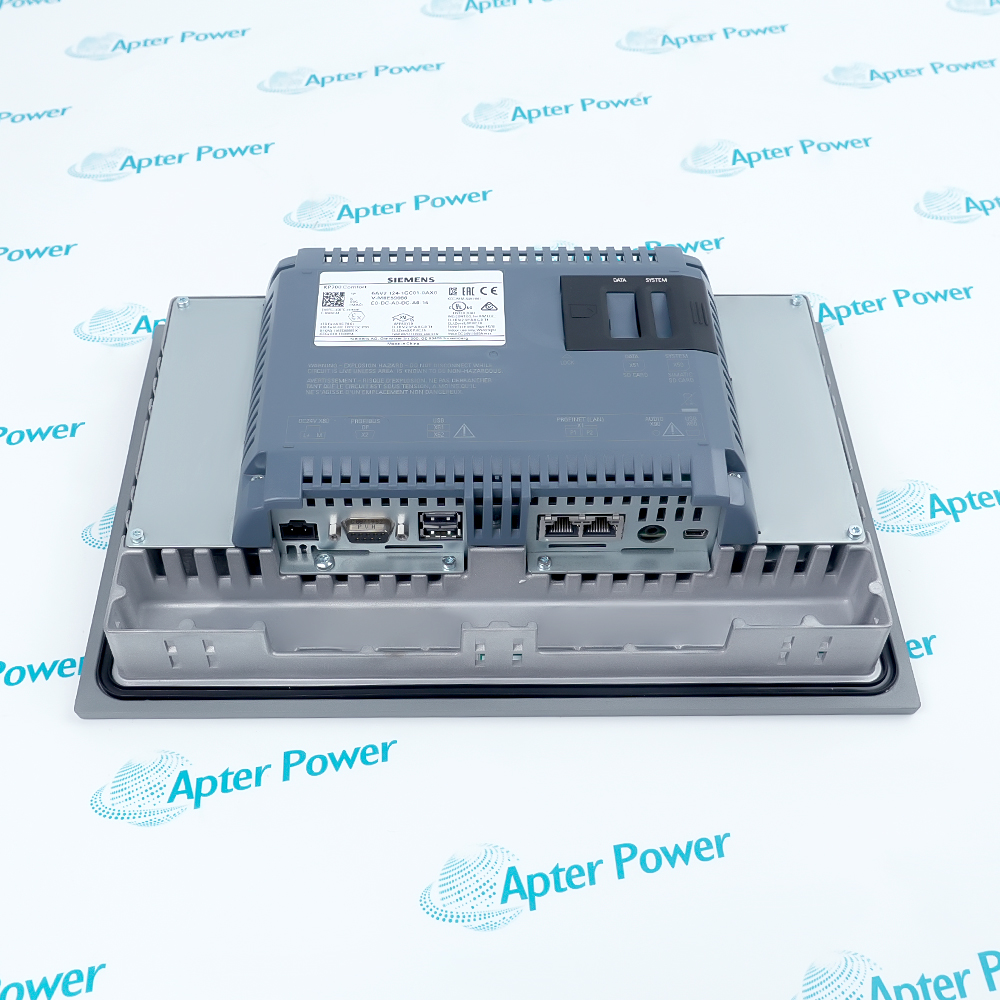
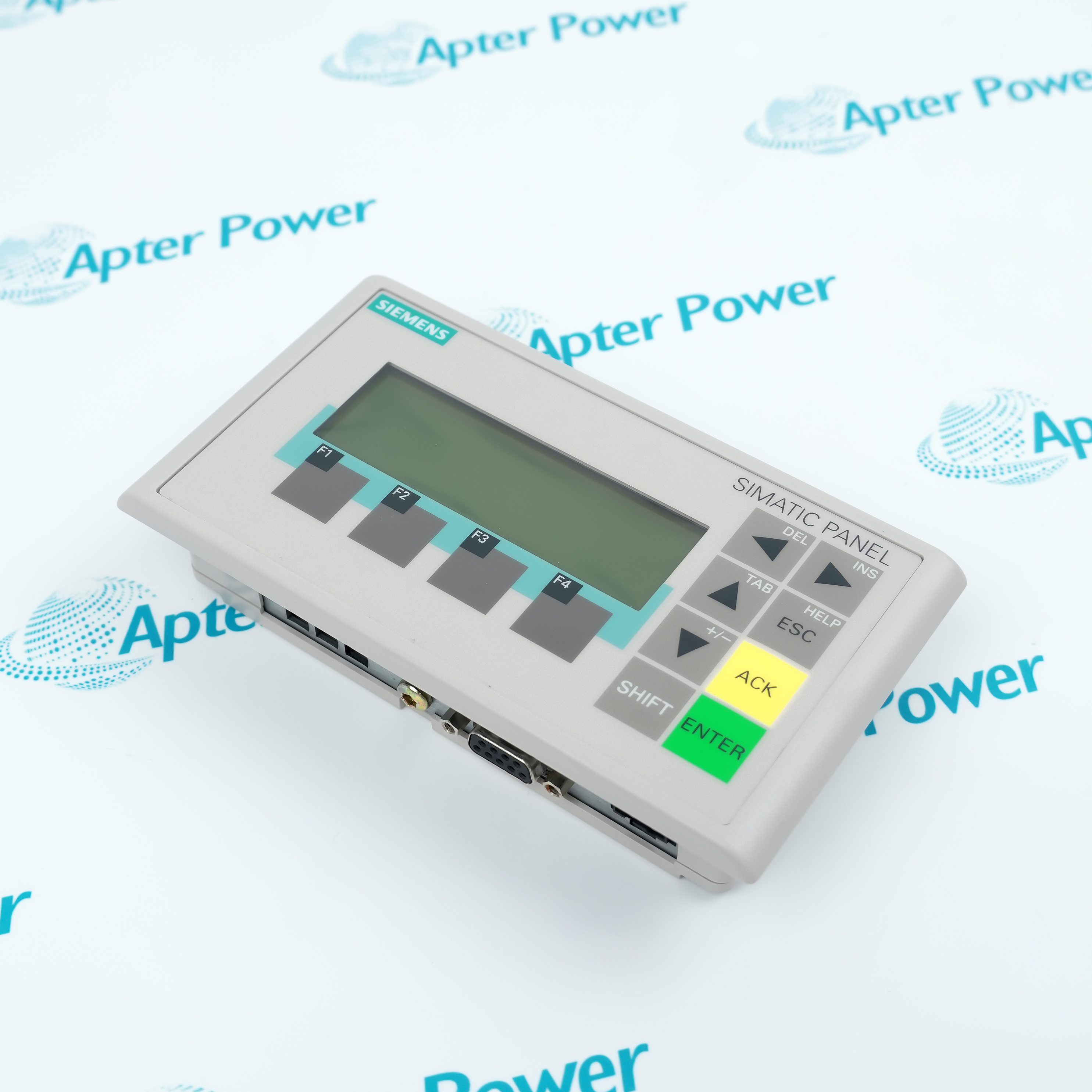
Request available label, front-key and connector photos for 6AV2124-1GC01-0AX0. Have your maintenance team compare the offered reference with the installed equipment, approved HMI project and applicable Siemens documentation.
Technical specifications for 6AV2124-1GC01-0AX0
-
Manufacturer:Siemens
-
Product Category:HMI Panels
-
Spare Part Number:6AV2124-1GC01-0AX0
-
Weight:1.36 kg
-
Tariff Code:8537101190
-
Product type:KP700 Comfort key-operated HMI
-
Display technology:7 in widescreen TFT; 16.7 million colors
-
Resolution:800 x 480 pixels
-
Operator keys:24 function keys with LEDs; numeric and alphanumeric keypad
-
Touch input:No touchscreen
-
Configuration memory:12 MB user/project memory
-
Processor / operating system:x86 / Windows CE 6.0
-
Rated supply:24 V DC; permissible 19.2 to 28.8 V DC
-
Rated current / typical input power:0.5 A / 12 W
-
Industrial Ethernet:One interface with integrated two-port switch
-
Serial fieldbus interface:Combined RS 422 / RS 485 for MPI / PROFIBUS DP
-
USB interfaces:Two USB 2.0 ports and one USB Mini-B
-
Removable storage:Two SD card slots
-
PROFINET IRT:Supported from WinCC V12
-
Project engineering:WinCC Comfort, Advanced or Professional from V11
-
Front / rear protection:IP65 / IP20
-
Vertical operating ambient:0 to +50 °C under published mounting conditions
-
Max-tilt operating ambient:0 to +40 °C
-
Mounting cutout:282 x 178 mm
-
Archives:Up to 50; up to 20,000 entries per archive
-
Device variables:Up to 2,048; up to 400 per screen
-
Backup/restore:Manual and automatic methods supported
Information
- A key-operated machine station should be commissioned against its actual WinCC project, host controller and operator sequence.
Network transition: Plan addressing and controller communication before transferring the HMI project.
Acceptance record: Archive the project and verify alarms, recipes and all used keys after startup.
The panel is engineered with a 24 V DC supply and combines a two-port industrial Ethernet switch with a separate combined RS 422/485 interface. The installed project determines whether PROFINET, MPI or PROFIBUS DP is used. PROFINET IRT support begins with WinCC V12, while the base panel is configurable with WinCC Comfort V11 and later supported engineering versions.
The front face is rated IP65 when mounted and sealed as specified; the rear is IP20 and remains inside a suitable enclosure. Plan the 282 x 178 mm panel opening, cable access and permitted mounting angle together. For replacement, capture the operating project, recipes, alarm data and communication settings before removing the existing unit.
-
Siemens 6AV2124-1GC01-0AX0 technical reference
Apter Power reference with verified manufacturer data and exact-model applicability. -
Siemens 6AV2124-1GC01-0AX0 engineering guide
Apter Power installation, configuration, diagnostic and acceptance guidance.
Platform applications: The uses below depend on the installed controller configuration and approved system design.
-
Machine operator station
Display process values and alarms while the assigned physical keys issue documented commands. -
PROFINET visualization
Connect the panel through its industrial Ethernet interface to an approved controller project. -
Existing MPI / PROFIBUS installation
Retain the configured serial fieldbus path when replacing an installed key panel. -
Recipe and alarm operation
Use project-configured recipes, archives and message acknowledgement in the machine workflow.
Export the existing HMI project, recipes, archives and communication settings before removal.
Verify the mounting cutout, seal and enclosure support before fitting the KP700.
Measure the 24 V DC feed at the panel under load before commissioning.
Test every used function key, LED and system key against the approved project.
Confirm address, device name, protocol and two-port switch connections against the control design.
Protect the IP20 rear and operate within the temperature limit for the actual mounting angle.
Alternative Names
Technical notes
Installation relationship: Fit the panel into the specified cutout with a sound front seal and protected rear enclosure.
Project boundary: Machine functions arise from the loaded WinCC project; transfer and verify the approved configuration.
Technical reference: Siemens SIMATIC HMI KP700 Comfort data sheet, 6AV2124-1GC01-0AX0; Comfort Panels Operating Instructions A5E36770603-AE.

FAQ View All FAQ
-
How should the existing HMI project be transferred to 6AV2124-1GC01-0AX0?Back up the installed project and its device-specific data before removal. Check the WinCC engineering version and panel image, transfer the approved project by a supported interface, then test screens, key assignments and controller communication.
-
Why might 6AV2124-1GC01-0AX0 show screens but ignore a machine command?A visible screen does not prove the function-key mapping or controller tag path. Verify the relevant key event in the WinCC project, the assigned PLC tag and the controller state under the site test procedure.
-
What should be checked if PROFINET communication on 6AV2124-1GC01-0AX0 fails after replacement?Confirm device name and IP settings, inspect both switch ports and link indicators, and compare the loaded project with the controller network configuration. Check the supported WinCC version if the project uses IRT.
-
Can a touch-operated HMI project be loaded unchanged onto 6AV2124-1GC01-0AX0?No like-for-like touch behavior is available because this is a key panel. Rework touch actions into suitable physical-key navigation and validate each operating action before release.
-
How should recipes and alarm history be preserved when replacing 6AV2124-1GC01-0AX0?Use the available backup and archive paths to export the relevant project data before power-down. Restore to the replacement panel and compare recipe records, alarm acknowledgement and archive access with the maintenance baseline.
-
Why can the front of 6AV2124-1GC01-0AX0 be protected while the rear still needs an enclosure?The IP65 rating applies to the installed front face; the rear is IP20. Check the gasket, cutout and cabinet protection instead of treating the complete panel as a sealed field enclosure.
-
What checks help isolate a blank display on 6AV2124-1GC01-0AX0?Verify the supply at the terminals under load, inspect the panel status and backlight setting, and compare with the last known project state. Do not infer a failed display solely from a dark backlight.
-
Which acceptance tests complete a 6AV2124-1GC01-0AX0 replacement?Record the full marking and project version, then test displayed values, every assigned key and LED, alarms, recipes and communication recovery. Retain the restored project and as-left configuration with the machine record.
Supporting new and legacy automation
-
Please try to be as accurate as possible with your search.
-
We can quote you on 1000s of specialist parts, even if they are not listed on our website.
-
We can't find any results for “”.
Related cases and sourcing guidance
View all case studiesYou May Also Like
Product Browsing History
-
Whatsapp: +86 18030235313
Send us a message. -
sales13@apterpower.com
Complete our online form. -
+86 18030235313
Speak to our team in your native language.