Speak to a sourcing specialist
sales13@apterpower.com

6AV6545-0DB10-0AX0

Siemens SIMATIC MP370 15-inch touch Multi Panel
In Stock
Ships by Sunday, November 29
Fast Shipping Available
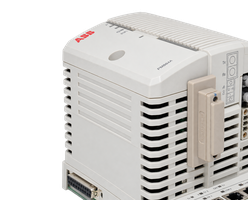
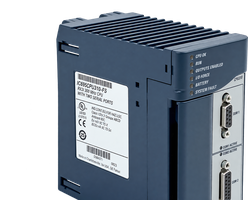
Product image is representative; revision or series may vary. Contact us to request a specific version.

Product Describe:

Siemens 6AV6545-0DB10-0AX0 is an SIMATIC MP370 15-inch touch Multi Panel.
Exact requested identity: 6AV6545-0DB10-0AX0.
Product class: SIMATIC MP370 15-inch touch Multi Panel.
Verify the exact nameplate, revision, host equipment, wiring and project configuration before use.
Get a quick price for 6AV6545-0DB10-0AX0
E-mail *
Mobile
Company
Content *
Quantity *
Upload (gif, jpg, jpeg, png, bmp, doc, docx, xls, xlsx, ppt, pdf, csv)
For more information on how your data is processed and stored by Apterpower please read our privacy policy

What happens after you enquire

  • 1

    Requirement review

    We review the part number, quantity and delivery requirements and ask for any missing details.
  • 2

    Quotation and availability

    We confirm the proposed item, condition, availability, price and estimated lead time in the quotation.
  • 3

    Order confirmation and dispatch

    Once the quotation and purchasing details are agreed, your contact will coordinate the order and available dispatch information.

Technical specifications for 6AV6545-0DB10-0AX0

  • Manufacturer:
    Siemens
  • Product Category:
    PLC Systems
  • Spare Part Number:
    6AV6545-0DB10-0AX0
  • Estimated shipping dimensions:
    40x31x8cm
  • Weight:
    5.74 kg
  • Tariff Code:
    8537101190
  • Counliy of origin:
    Germany
  • Product class:
    SIMATIC MP370 15-inch touch Multi Panel
  • Panel family:
    MP 370
  • Display:
    15-inch touch
  • Resolution:
    1024 x 768
  • Operating system:
    Windows CE 3.0
  • Engineering baseline:
    ProTool V6.0 SP2 or documented compatible release

Information

Overview Manuals Common Applications Product Precautions
Siemens 6AV6545-0DB10-0AX0 is an evidence-bounded SIMATIC MP370 15-inch touch Multi Panel. Exact model identity is documented by the cited manufacturer source.
  • Exact requested identity: 6AV6545-0DB10-0AX0
  • Product class: SIMATIC MP370 15-inch touch Multi Panel
  • Panel family: MP 370
  • Display: 15-inch touch

System role: It provides a 15-inch touch operator interface for the documented SIMATIC HMI environment. Only facts stated by the cited Siemens material are published; sibling, successor and third-party data are not transferred. Architecture boundary: Use only with the exact host, terminal base, cable, firmware and engineering configuration documented for the installed system. Do not transfer ratings, compatibility or lifecycle claims from sibling or successor models. Before installation or replacement, verify the complete physical label, host equipment, companion hardware, wiring and approved commissioning procedure. Origin and HS code remain unpublished unless an exact manufacturer record or the physical package label establishes them.

Important Notice: Verify the complete Siemens 6AV6545-0DB10-0AX0 physical label and installed-system documentation before use.

Apter Power 6AV6545-0DB10-0AX0 Manuals and Guides

Important Notice: The first link is the model-specific product-parameters PDF prepared only from the cited Siemens official evidence; the second link is the Apter Power product information manual. Confirm the physical nameplate, current Siemens documents, and host-system requirements before installation or replacement.

Installed-base maintenance
Supports evidence-led identification and replacement planning for Siemens 6AV6545-0DB10-0AX0.
System documentation
Provides a source-traceable boundary for the documented legacy SIMATIC HMI Multi Panel architecture configuration.
Commissioning review
Guides identity, companion-hardware, wiring and controlled functional checks before return to service.
Migration assessment
Separates exact-model facts from successor, sibling and family-level information.
Read and follow the exact Siemens documentation and host-equipment instructions before work. Verify the complete physical nameplate and system configuration.
1
Verify the complete Siemens 6AV6545-0DB10-0AX0 label, revision and installed-system documentation before use.
2
Do not transfer ratings, compatibility or lifecycle claims from sibling or successor models.
3
De-energize the equipment and follow the site's approved electrical and process-safety procedure before disturbing hardware or wiring.
4
Back up controller, drive, network and configuration data before replacement, migration or firmware work.
5
Verify every companion module, cable, connector, termination and power source from approved drawings.
6
Do not copy electrical, communication, mechanical or lifecycle values from a related model or successor.
7
Perform a documented functional test and confirm diagnostics, alarms and fail-state behavior after work.
8
Origin and HS code remain unpublished unless an exact manufacturer record or the physical package label establishes them.

Alternative Names

6AV6545-0DB10-0AX0

Technical notes

Verify the complete Siemens 6AV6545-0DB10-0AX0 physical label and installed-system documentation before use. Do not transfer ratings, compatibility or lifecycle claims from sibling or successor models. Origin and HS code remain unpublished unless an exact manufacturer record or the physical package label establishes them. Lifecycle evidence boundary: Legacy SIMATIC HMI article; current formal Siemens phase is not established by the cited identity document.

FAQ View All FAQ

  • What is Siemens 6AV6545-0DB10-0AX0?
    It is an evidence-bounded SIMATIC MP370 15-inch touch Multi Panel; this page is limited to the cited manufacturer evidence.
  • Is the exact identity verified?
    Verified Evidence Bounded.
  • What is its system role?
    It provides a 15-inch touch operator interface for the documented SIMATIC HMI environment.
  • Which installed-base context is documented?
    legacy SIMATIC HMI Multi Panel architecture.
  • Are related models automatic substitutes?
    No. A sibling, repair code, suffix or engineering replacement is not an unconditional drop-in approval.
  • Must the physical label be checked?
    Yes. Verify the model, revision, firmware and all order or configuration suffixes.
  • Are cables and companion hardware universal?
    No. Use only the exact companion hardware approved for the installed configuration.
  • Can it be changed while energized?
    No hot-swap claim is made; follow the manufacturer and site isolation procedures.
  • What must be tested after installation?
    Verify power, wiring, communication or I/O behavior, diagnostics, alarms and fail-state response.