-
Match the complete marking
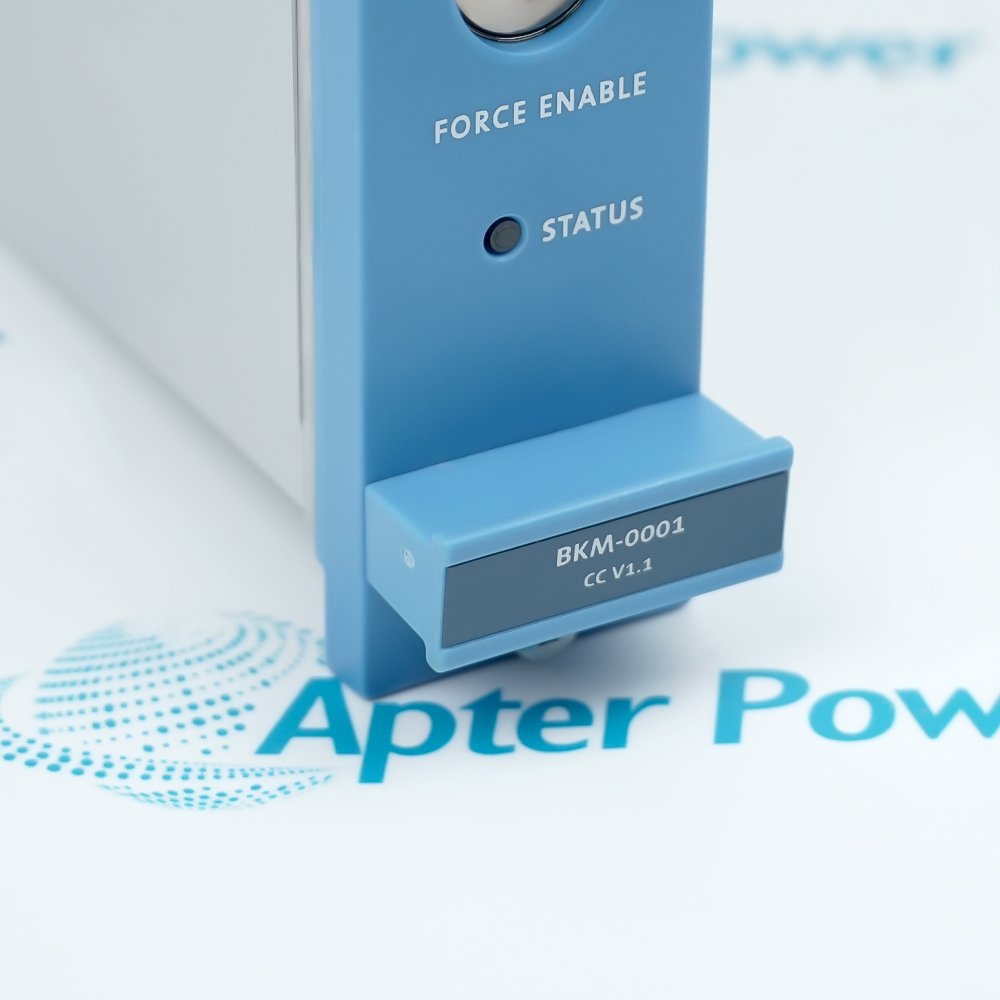
Include FC-BKM-0001 V1.1 and any revision or assembly number visible on the item. Keep the exact reference on your enquiry and quotation.
-
Check the offered item before ordering
Request available label and connector photos. Have your maintenance team compare the offered FC-BKM-0001 V1.1 with the installed equipment and applicable Honeywell documentation.
Technical specifications for FC-BKM-0001 V1.1
-
Manufacturer:Honeywell
-
Product Category:DCS Systems
-
Spare Part Number:FC-BKM-0001 V1.1
-
Weight:0.65 kg
-
Tariff Code:8537101190
-
Backup circuits:2 independent batteries
-
Controller quantity:1 BKM per controller chassis
-
Key switches:Force Enable and Reset
-
Battery technology:Non-rechargeable lithium thionyl chloride
-
Battery voltage:3.6 V
-
Backup duration:Approximately 3 months accumulated
-
Retained functions:Diagnostics, processor real-time clock and FTE IP addresses
-
Force Enable OFF:Prevents forcing and removes active forces
-
Reset action:Both Control Processor watchdogs
-
Coating:FC conformal-coated type
-
Supply:24 Vdc, -15% / +30%
-
24 V current:20 mA maximum from each supply; 7 mA typical shared
-
5VR supply:5 Vdc ±10%; 10 mA maximum
-
Output voltage:14–31 Vdc
-
Output resistance:Two 1.1 kohm resistors in parallel
-
Output protection:Continuous short-circuit proof
-
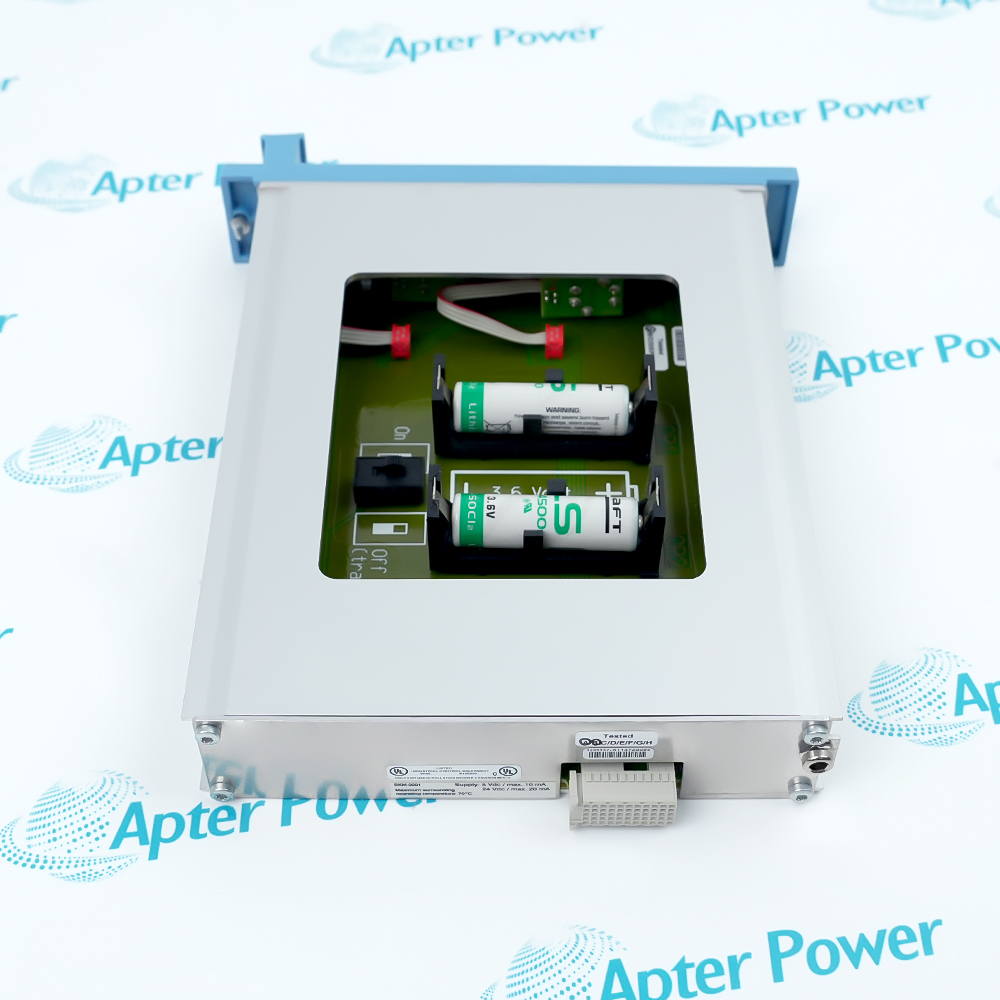
Battery type:SAFT LS14500CFG; greater than 2 Ah
-
Operating temperature:-5 to +70°C
-
Storage temperature:-40 to +85°C
-
Relative humidity:10–95%, non-condensing
Information
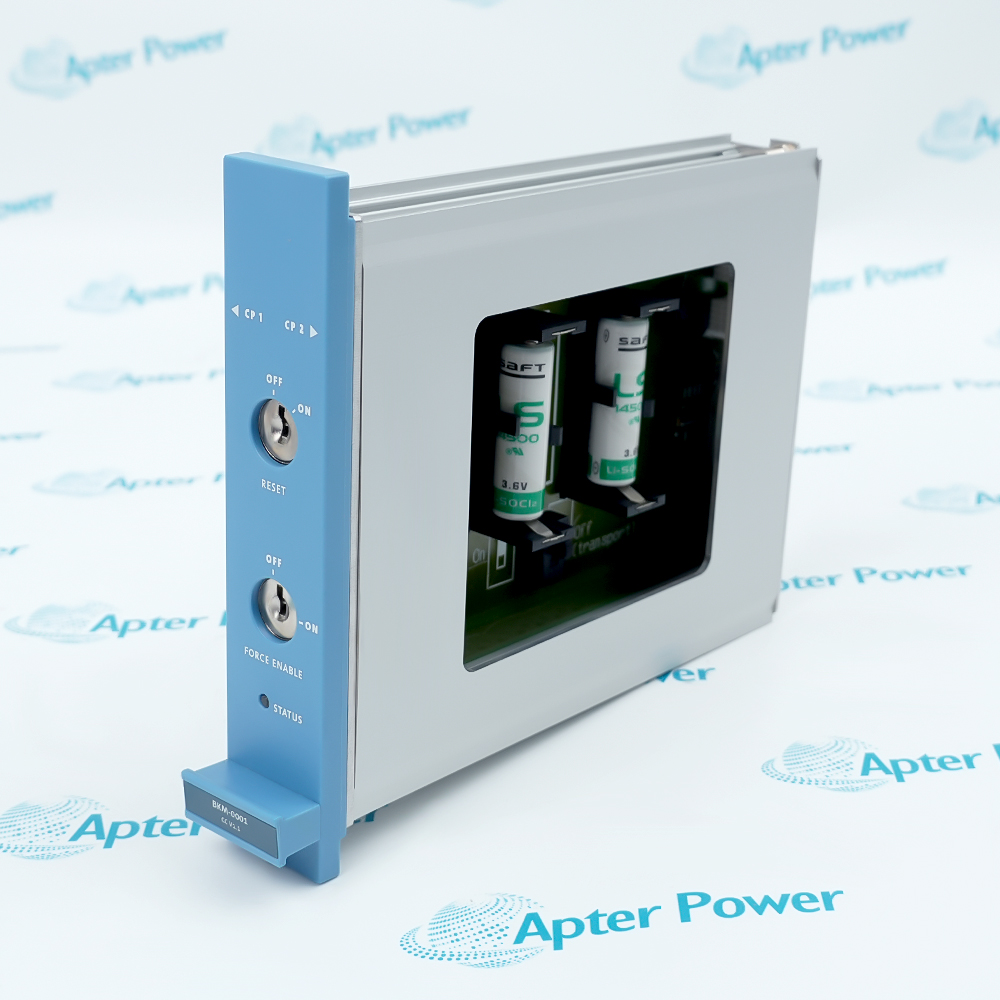
- Backup retention and physical authorization of forcing are coordinated through FC-BKM-0001 V1.1 in the Safety Manager controller chassis.
Controls: Force Enable and Reset keys
Installation: One BKM per controller chassis
The non-rechargeable lithium batteries preserve diagnostics, the processor real-time clock and FTE IP addresses during loss of power. The design provides approximately three months of accumulated backup time. Battery condition and discharge history matter: use the specified battery type and follow the scheduled replacement and long-shutdown procedure.
The Reset key affects both Control Processor watchdogs and moves actual diagnostics into historical diagnostics. Force Enable OFF prevents forcing and removes active forces; ON permits software-controlled forcing. Removing the BKM removes active forces, so set Force Enable OFF before extraction and assess the resulting field behavior. The module indicator reports power-down, battery-related faults or normal operation.
-
Honeywell FC-BKM-0001 V1.1 technical reference
Original Honeywell excerpt - PDF, 9 pages, 106.2 KB. The functional information describes BKM-0001. The offered FC-BKM-0001 V1.1 marking must be matched to the installed controller; the reference data-sheet version does not independently certify the offered hardware revision. -
Honeywell FC-BKM-0001 V1.1 installation planning guide
Prepared by Apter Power - PDF, 5 pages, 96.3 KB. Identity, configuration, connection and controlled acceptance planning.
Platform applications: The following applications describe Safety Manager functions. Match the complete FC-BKM-0001 V1.1 identity to the installed system before selecting a replacement.
-
Controller backup
Retain the supported processor information during a supply interruption using the correctly maintained battery circuits. -
Controlled forcing
Use the physical Force Enable key with the approved software forcing procedure and operational authorization. -
Diagnostic recovery
Use the Reset function in the controller fault-recovery procedure, considering its effect on both processors. -
Battery maintenance
Track battery age, accumulated discharge and the prescribed replacement type in the service record.
Retain FC-BKM-0001 V1.1 and compare the installed controller and coating requirements.
Set Force Enable OFF and assess removal of active forces before extraction.
Use the prescribed non-rechargeable battery type; do not recharge or substitute an unapproved chemistry.
Follow the battery-switch procedure for storage or long power interruptions.
Reset and battery actions can affect the redundant controller arrangement; assess both Control Processors.
Confirm battery and module indication, retained information and authorized forcing state before release.
Alternative Names
Technical notes
Installation relationship: The non-rechargeable lithium batteries preserve diagnostics, the processor real-time clock and FTE IP addresses during loss of power. The design provides approximately three months of accumulated backup time. Battery condition and discharge history matter: use the specified battery type and follow the scheduled replacement and long-shutdown procedure.
Configuration: The functional information describes BKM-0001. The offered FC-BKM-0001 V1.1 marking must be matched to the installed controller; the reference data-sheet version does not independently certify the offered hardware revision.
Technical reference: Honeywell Safety Manager Hardware Reference, EP-SM.MAN.6284, Release 162 Issue 1.10.

FAQ View All FAQ
-
What functions are combined in FC-BKM-0001 V1.1?The BKM design combines two independent controller backup batteries with Force Enable and Reset key switches.
-
How many modules like FC-BKM-0001 V1.1 are needed in a redundant controller?The controller chassis uses one BKM, including a redundant Control Processor configuration.
-
What information does FC-BKM-0001 V1.1 help retain during power loss?The backup supports diagnostics, the processor real-time clock and FTE IP addresses.
-
What backup duration is specified for the design of FC-BKM-0001 V1.1?Approximately three months of accumulated backup time is specified. Battery age, condition and prior discharge must be considered.
-
What does the Reset key on FC-BKM-0001 V1.1 do?It resets both Control Processor watchdogs and moves actual diagnostics to historical diagnostics.
-
What does Force Enable OFF mean on FC-BKM-0001 V1.1?It prevents forcing and removes active forces. The resulting application behavior must be assessed before changing the key position.
-
What happens to active forces when FC-BKM-0001 V1.1 is removed?Removing the BKM removes active forces. Set Force Enable OFF and follow the controlled service procedure before extraction.
-
Does the V1.1 marking on FC-BKM-0001 V1.1 establish system approval by itself?No. Preserve the exact hardware marking and confirm it against the installed controller and approval configuration; a document revision alone does not establish unit approval.
Supporting new and legacy automation
-
Please try to be as accurate as possible with your search.
-
We can quote you on 1000s of specialist parts, even if they are not listed on our website.
-
We can't find any results for “”.
You May Also Like
Product Browsing History
-
FC-BKM-0001 V1.1Product Details -
JNJ5300-08-06-005-030-05-00-00-03Product Details -
6ES7155-6AA01-0BN0Product Details -
6ES7332-5HD01-0AB0Product Details -
FC-USI-0001 V1.3Product Details -
6ES7152-1AA00-0AB0Product Details -
6ES7134-6JD00-0CA1Product Details -
6ES7221-1BF22-0XA0Product Details -
6ES7132-6BF01-0BA0Product Details -
IS200EGDMH1AFGProduct Details
-
Whatsapp: +86 18030235313
Send us a message. -
sales13@apterpower.com
Complete our online form. -
+86 18030235313
Speak to our team in your native language.