-
Check the offered item before ordering
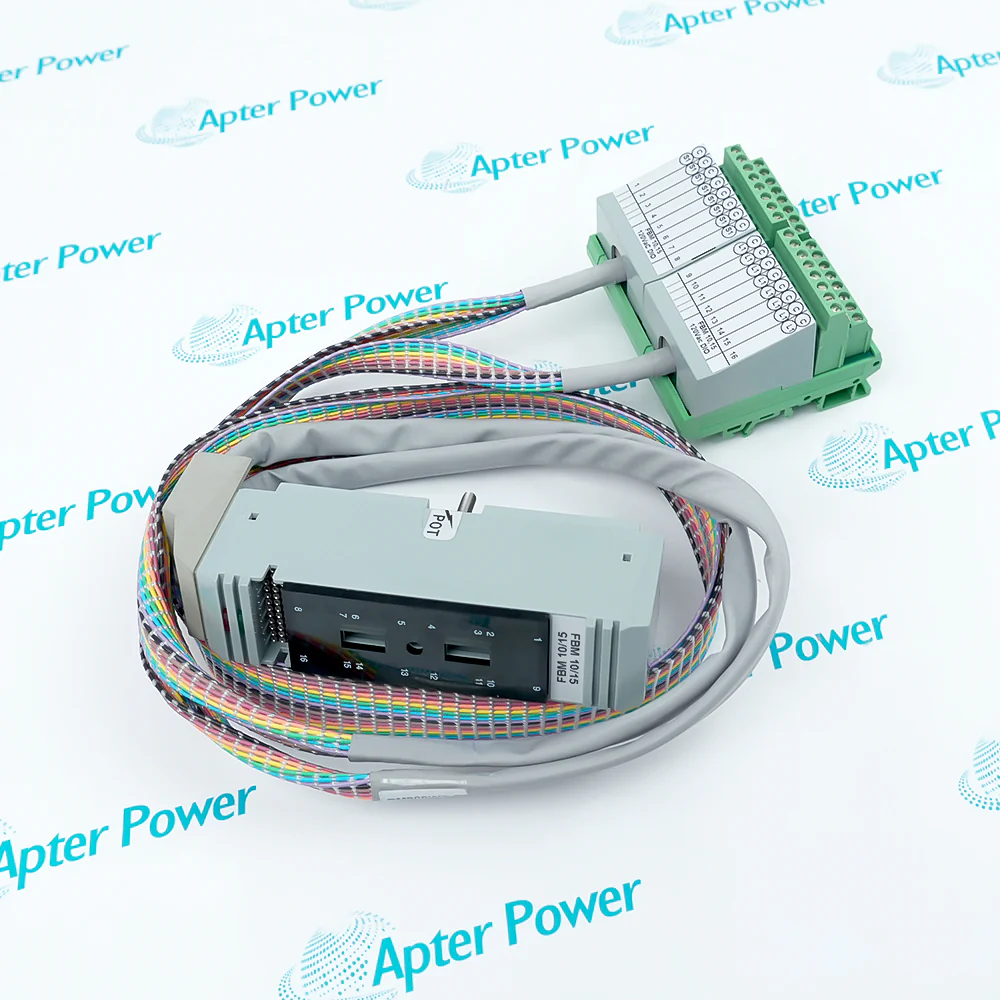
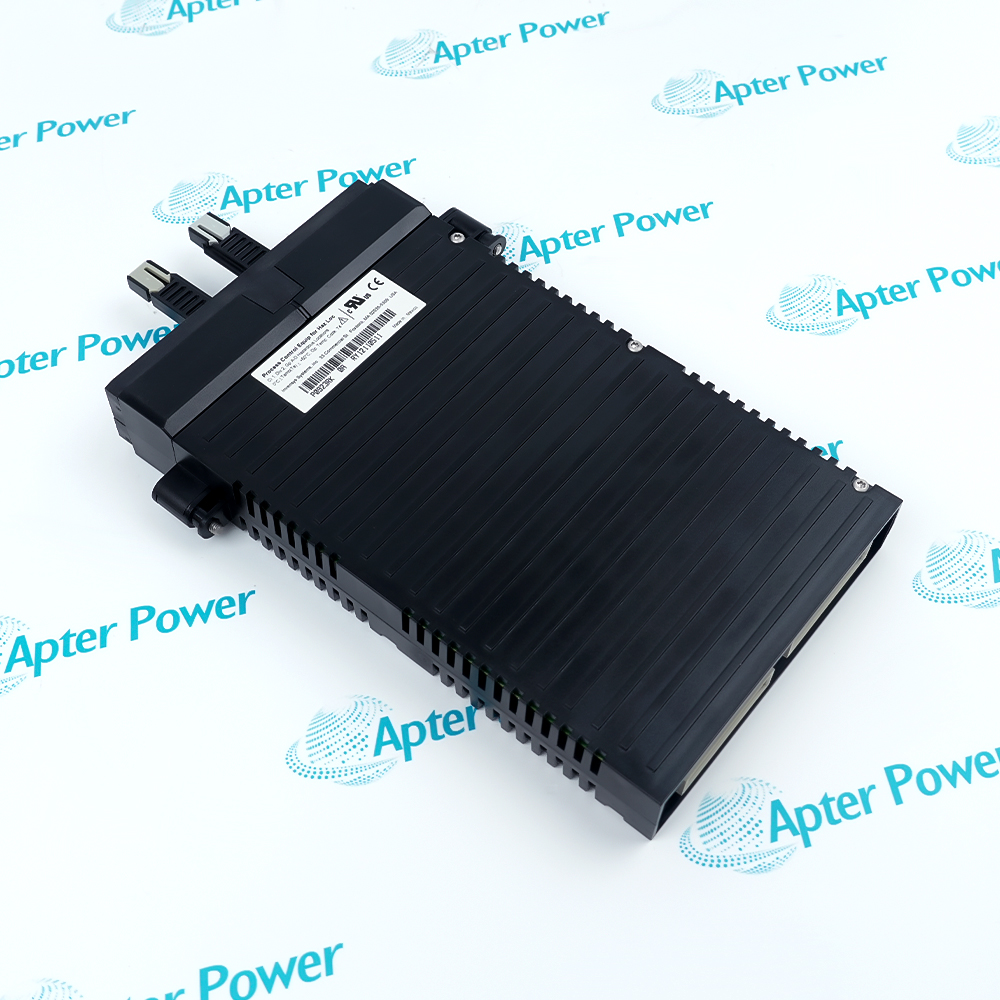
Please request current front, rear and identification-label photos of Foxboro FBM230 P0926GU. Have your maintenance team compare the complete marking, connectors and installed serial configuration with the manufacturer documents before ordering.
-
Dispatch Confirmation
Quantity and dispatch date are confirmed in the quotation.
Technical specifications for FBM230 P0926GU
-
Manufacturer:Invensys
-
Product Category:DCS Systems
-
Spare Part Number:P0926GU
-
Weight:0.36 kg
-
Tariff Code:8537101190
-
Module Fieldbus:Redundant 2 Mbps module Fieldbus
-
Serial ports:Four, individually configured
-
Interface selection:RS-232, RS-422 or RS-485 per port
-
Serial rates:300 to 115200 baud; supported discrete settings
-
Serial framing:8-bit; odd, even or no parity; 1 or 2 stop bits
-
Direct-connected devices:Up to four on RS-232 or RS-422
-
RS-485 devices:Up to 16 per port; 64 per FBM maximum
-
DCI connections:Up to 2000, subject to system sizing
-
Port configuration:XML device files and downloadable drivers
-
Channel isolation:Galvanically isolated communication ports
-
Module supply:24 V DC, +5% / -10%
-
Power consumption:7 W maximum
Information
- Select FBM230 P0926GU against the installed serial drivers, port settings and I/A host configuration.
Engineering boundary: The host project owns protocol and point mapping
Acceptance focus: Verify every connected communication path
The P0926GU order identity belongs to the FBM230 module. Its serial interfaces support RS-232, RS-422 and RS-485 arrangements described by the manufacturer. The selected port wiring, data rate and protocol must agree with the field device and control configuration. The published 64-device and 2000-DCI limits are system-sizing ceilings, not a promise that every serial device mix will meet the required scan time.
The module mounts on a compatible baseplate. Before replacement, preserve the installed port map, cable pinouts, communication parameters and host software configuration; then check each connected link and its mapped data points. Record the TA wiring and port diagnostics as well as the module code, because the module alone does not preserve field-device addresses or data mapping.
-
Foxboro FBM230 P0926GU technical reference
Foxboro PSS 41H-2S230 Rev B excerpt: four serial ports, interface choices, device capacity, isolation and supply limits. PDF, 4 pages. -
Foxboro FBM230 P0926GU installation guide
Apter Power guide: preserve the driver and XML port map, check TA wiring, then commission every serial link. PDF, 3 pages.
Application scope: Use it where a supported driver, port interface and point map have been engineered for each device; confirm the TA and bus layout before ordering.
-
Serial device integration
Exchange configured data with a supported serial field device through one of the FBM230 ports. Load the appropriate device driver and map only the points supported by that driver. -
Protocol gateway service
Map supported device messages into the control-system database through the engineered protocol configuration. The host project must define message parsing, scan behavior and database connections. -
Multiple-device links
Use separate ports for distinct devices when the installed firmware and project support the intended mapping. RS-485 topology and addressing differ from directly connected RS-232 or RS-422 devices. -
Module replacement
Restore the original port assignments and verify device communications after fitting a matching module. Compare every restored port with the saved XML and serial settings before releasing data to control.
Record each connector, device and protocol before removal. Include physical port number, remote address and the active driver in the record.
Match RS-232, RS-422 or RS-485 wiring to the configured port. The same connector shape does not make different serial standards electrically interchangeable.
Save baud rate, parity, framing and device address where applicable. These settings determine whether a correctly wired device can exchange useful data.
Confirm the slot, power and host firmware support the installed module. The TA termination switches and baseplate path are part of the installed link.
Plan process-safe behavior while field-device data are unavailable. Define how stale or missing values will be handled during the work window.
Verify each live value and diagnostic after commissioning. Observe both module diagnostics and the controller values from each device.
Alternative Names
Technical notes
Installation relationship: The P0926GU order identity belongs to the FBM230 module. Its serial interfaces support RS-232, RS-422 and RS-485 arrangements described by the manufacturer. The selected port wiring, data rate and protocol must agree with the field device and control configuration.
Service check: Verify each live value and diagnostic after commissioning.
Technical reference: Foxboro PSS 41H-2S230 Rev B. Product and purchasing information are separate.

FAQ View All FAQ
-
How are the four serial ports on FBM230 P0926GU configured for different devices?Treat each port as an engineered connection. Restore its protocol driver, electrical interface, serial framing and data-point mapping from the approved control project.
-
Can FBM230 P0926GU be connected to an RS-485 multidrop segment without design review?Review bus topology, termination, biasing, addressing and supported protocol before joining a multidrop segment.
-
What records are needed before replacing FBM230 P0926GU?Keep the original port-to-device map, cable pinouts, serial parameters, protocol files and current communication diagnostics.
-
Why might a device remain offline after FBM230 P0926GU is recognized by the host?Check the selected port, cable, interface standard, framing, station address and protocol mapping before concluding that the module is faulty.
-
Does FBM230 P0926GU convert every serial protocol automatically?No. A suitable configured driver and host database are needed for each supported device protocol.
-
What acceptance test follows installation of FBM230 P0926GU?Confirm host recognition, each port link, valid exchanged values and alarm or stale-data behavior for all connected devices.
-
How should cable shielding be handled for FBM230 P0926GU?Follow the approved site and manufacturer wiring plan for the selected serial interface; avoid assuming one grounding rule suits all ports.
-
When is an alternate FBM230 revision suitable for FBM230 P0926GU?Compare the complete order identity, firmware, baseplate and protocol configuration with the approved replacement list before substitution.
Supporting new and legacy automation
-
Please try to be as accurate as possible with your search.
-
We can quote you on 1000s of specialist parts, even if they are not listed on our website.
-
We can't find any results for “”.
Related cases and sourcing guidance
View all case studiesYou May Also Like
Product Browsing History
-
Whatsapp: +86 18030235313
Send us a message. -
sales13@apterpower.com
Complete our online form. -
+86 18030235313
Speak to our team in your native language.