Get Parts Quote
Name
Company *
Phone *
Email *
Address
City
State / Province / Region
Zipcode
Country
Quantity *
Part Number *
Manufacturer
Preferred Condition
Additional Information
Cancel

6ES5304-3UB11

Interface Module
In Stock
Ships by Wednesday, October 14
Fast Shipping Available

Product Describe:

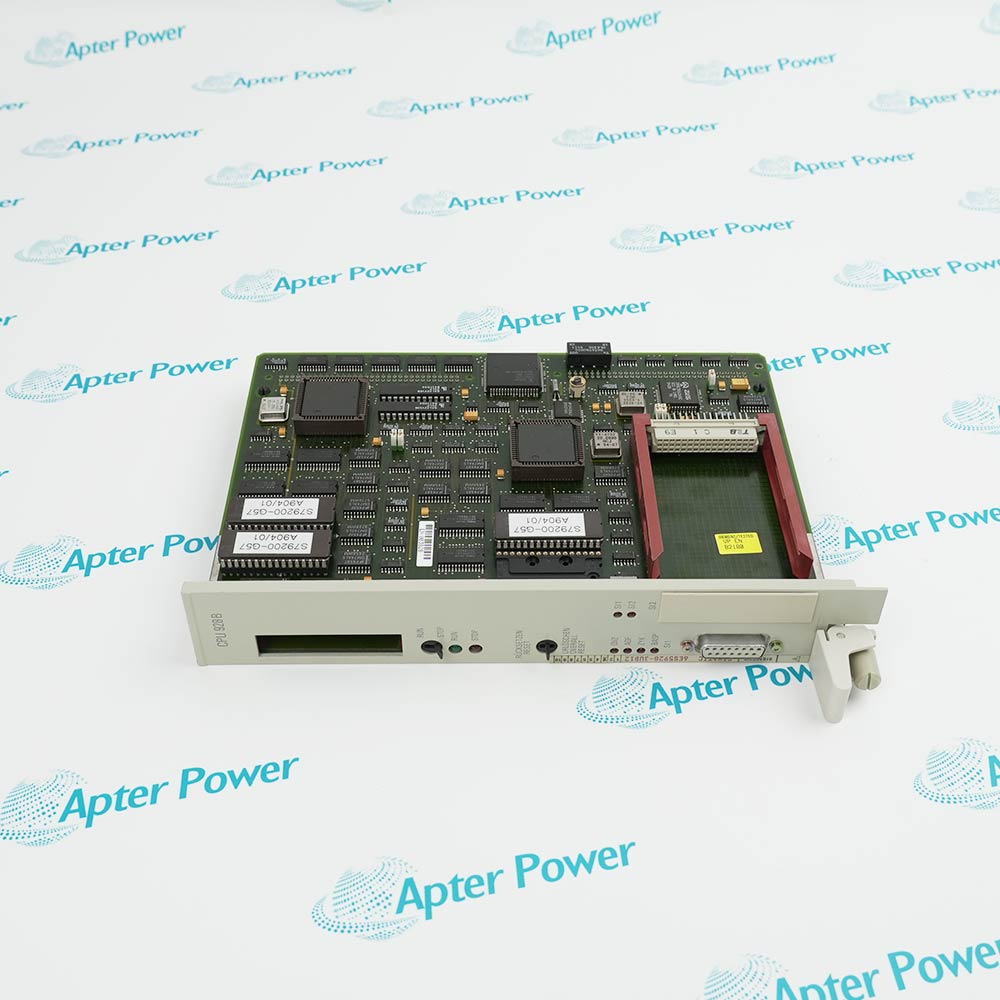
Siemens 6ES5304-3UB11 is the IM 304 symmetrical interface module for selected SIMATIC S5 central controllers. It links a documented expansion-side IM 314 through two RS-485-based interfaces, with cable length and active branches set by the Siemens jumper instructions.

Ask our team:

Get a quick price for: 6ES5304-3UB11
Quantity*
Upload (gif, jpg, jpeg, png, bmp, doc, docx, xls, xlsx, ppt, pdf, csv)
For more information on how your data is processed and stored by Apterpower please read our privacy policy.

Technical specifications for 6ES5304-3UB11

Technical specifications for 6ES5304-3UB11

  • Manufacturer:
    Siemens
  • Product Category:
    PLC Systems
  • Spare Part Number:
    6ES5304-3UB11
  • Estimated shipping dimensions:
    2×20×25.5cm
  • Weight:
    0.38 kg
  • Tariff Code:
    8537101190
  • Counliy of origin:
    USA
  • Module identity:
    IM 304 symmetrical interface
  • System family:
    SIMATIC S5
  • Front interfaces:
    2 parallel symmetrical links (X3, X4)
  • Cable interface:
    Differential signalling to RS-485
  • Expansion partner:
    IM 314 / IM 314H/R, system dependent
  • Maximum cable length:
    600 m to final IM 314 per interface
  • Supply voltage:
    5 V DC ±5%
  • Current consumption:
    Approximately 1.2 A
  • Operating temperature:
    0 to +55 °C

Information

Information

Overview Manuals Common Applications Product Precautions
Siemens 6ES5304-3UB11 is the IM 304 symmetrical interface module for selected SIMATIC S5 central controllers. It links an approved central unit to IM 314 expansion interfaces through the documented cable branches.
  • Two symmetrical interface connectors, X3 and X4, support separate expansion branches.
  • The documented interface uses RS-485 signal transmission.
  • X11 selects the cable-length range for the installed connection.
  • Fault indicators for X3 and X4 support branch-specific checks.

Use the original Siemens controller and IM 314 documentation to match both cable branches, termination and operating settings.

Important Notice: Verify the complete 6ES5304-3UB11 marking, permitted central controller and jumper positions before energizing.

6ES5304-3UB11 Manuals & Downloads
6ES5304-3UB11 Technical Reference (PDF)6ES5304-3UB11 Official Manual Excerpt (PDF)

The first PDF summarizes the verified model-specific interfaces and engineering checks; the second reproduces relevant pages from the original Siemens manual. Confirm the installed configuration against the complete manufacturer documentation.

Central-to-expansion link
Connect a compatible SIMATIC S5 central controller to the documented IM 314 expansion interface.
Dual cable branches
Use X3 and X4 as two separately configured symmetrical interface branches where the approved system layout requires them.
Longer interface route
Apply the documented cable-length selection and termination for the installed route, within the original Siemens limits.
Branch fault diagnosis
Use the X3 and X4 fault indicators during controlled interface and cable troubleshooting.
Match Siemens 6ES5304-3UB11, the central-controller type and the IM 314 expansion layout to the approved S5 system drawings before replacement.
1
Verify the full module marking and the permitted central-controller combination.
2
Isolate and confirm the cabinet power state using the site procedure before handling the module.
3
Record the original X3 and X4 branch assignments before disconnecting cables.
4
Set X11 to the documented cable-length range for the installed route.
5
Check the branch-enable jumpers X21 and X22 against the installed branch count.
6
Confirm the final IM 314 termination and approved cable type before energizing.
7
Do not leave the X12 test setting in a state inconsistent with normal operation.
8
Check X3 and X4 fault indications and perform controlled communications tests before release.

Technical notes

Technical notes

Match the Siemens IM 304 6ES5304-3UB11 to the installed SIMATIC S5 controller and the approved IM 314 expansion interface. Verify X11 cable-length selection, X3/X4 enablement and termination against the original Siemens instructions.

FAQS

  • What is the role of Siemens 6ES5304-3UB11?
    It is the IM 304 symmetrical interface in selected SIMATIC S5 central controllers, linking compatible expansion interfaces such as IM 314.
  • How is the cable-length range selected on 6ES5304-3UB11?
    Set jumper X11 for the longest connected X3 or X4 link, using the exact cable-length table in the Siemens IM 304 instructions.
  • What terminates the last IM 314 expansion unit?
    The last IM 314 in each expansion group requires Siemens terminating plug 6ES5 760-1AA11.
  • How are the two IM 304 cable branches enabled?
    Jumper X21 controls X4 and X22 controls X3; enable only the branch with its cable connected.
  • What should be checked when an X3 or X4 fault indicator is lit?
    The Siemens instructions name expansion-unit power failure, missing terminator, cable break and incorrect DIP-switch selection as possible causes.
Trusted by 5,000+ plants worldwide | Backed by our vast inventory of top-tier control parts, modules and cards, fast shipments are dispatched to cover your urgent needs. ABOUT US >>
Disclaimer: We are not an authorized distributor or distributor of the product manufacturer of this website, The product may have older date codes or be an older series than that available direct from the factory or authorized dealers. Because our company is not an authorized distributor of this product, the Original Manufacturer`s warranty does not apply.While many DCS PLC products will have firmware already installed, Our company makes no representation as to whether a DSC PLC product will or will not have firmware and, if it does have firmware, whether the firmware is the revision level that you need for your application. Our company also makes no representations as to your ability or right to download or otherwise obtain firmware for the product from our company, its distributors, or any other source. Our company also makes no representations as to your right to install any such firmware on the product. Our company will not obtain or supply firmware on your behalf. It is your obligation to comply with the terms of any End-User License Agreement or similar document related to obtaining or installing firmware.

We’re Here When You Need Us

From product insights to customer service needs, our experienced service team will focus on getting you what you need quickly

Enquire

Complete our online form.

Call Us

Speak to one of our team.

Live Chat

Send us a message.