-
Match the complete marking
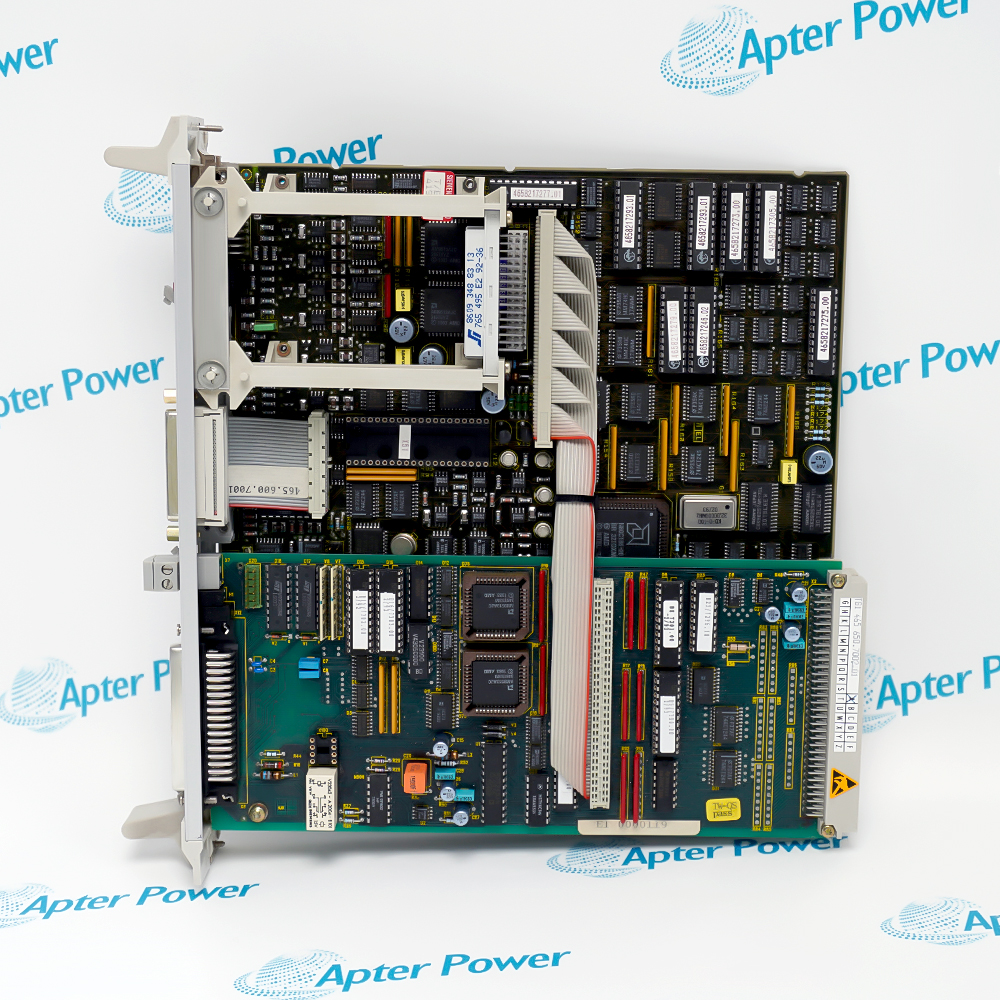
Match the complete Siemens 6DD1662-0AB0 marking and actual installed configuration. Check the CS7 carrier and each fitted submodule, screen lead, cover and connector.
-
Check the offered item before ordering
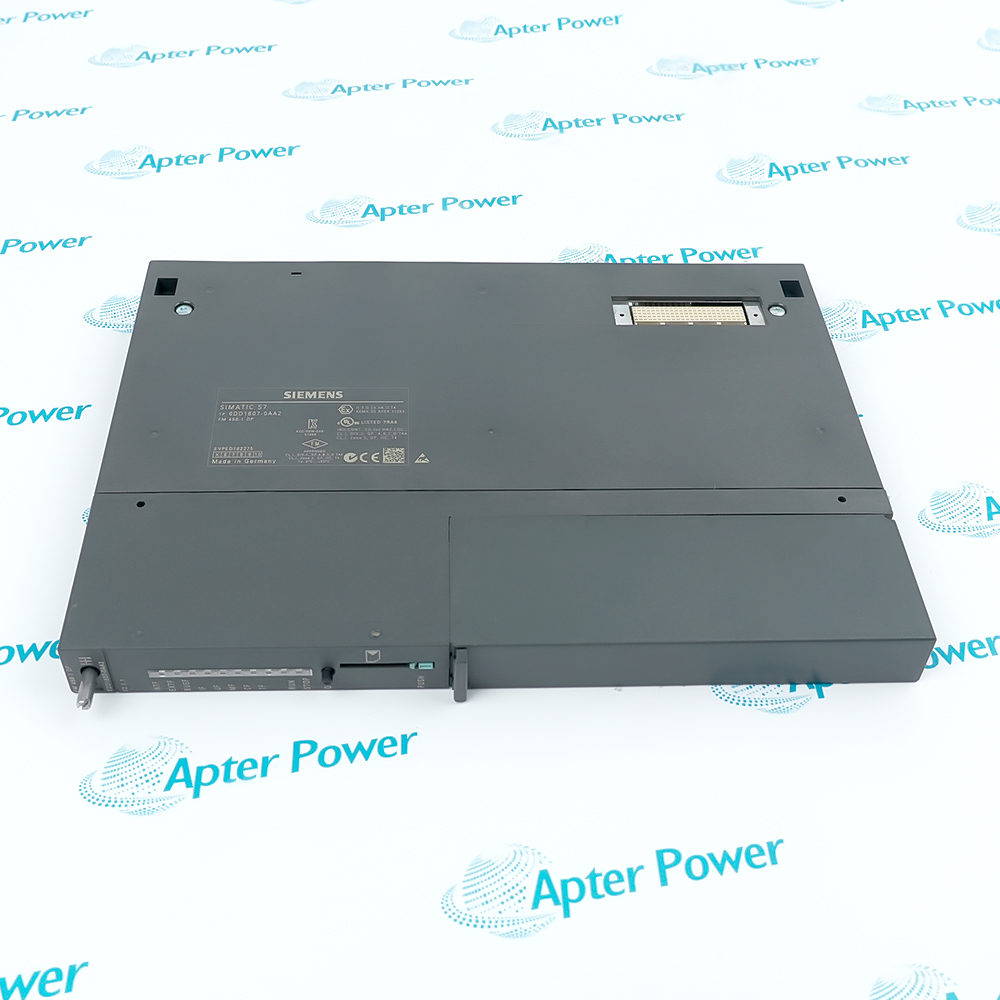
Compare offered-unit photographs, interfaces and included items with the installed 6DD1662-0AB0 and its applicable installation requirements.
Technical specifications for 6DD1662-0AB0
-
Manufacturer:Siemens
-
Product Category:DCS Systems
-
Spare Part Number:6DD1662-0AB0
-
Weight:0.42 kg
-
Tariff Code:8537101190
-
Communication receptacles:3, X01–X03
-
Dual-port memory:16 kB per communication submodule
-
Diagnostic indications:2 LEDs per receptacle
-
Backplane interface:L bus
-
Occupied rack slots:2
-
Submodule connector:48-pin
-
Nominal logic supply:5 V DC
-
Carrier current:0.5 A typical plus interface-module current
-
Supported submodules:SS4, SS5, SS52
Information
- Siemens 6DD1662-0AB0 organizes the physical and memory interfaces used by serial communication submodules, while the installed SS hardware determines the external protocol and diagnostic meaning.
EMC continuity: Bond submodule front panels to the carrier
Diagnostic interpretation: Read each LED pair for its installed interface
Each receptacle has its own dual-port memory allocation and diagnostic LED pair. Record the submodule type and position because the LED interpretation depends on that interface.
Reliable operation requires the specified front-panel screen connections, secure mounting and covers over unused receptacles. The paired reset test sockets are for testing and must not become an operational control connection.
6DD1662-0AB0 Original Technical Excerpt
SIMADYN D Hardware, CS7 Communication Support Module. Selected original pages retain the relevant technical tables and interface context. PDF · 5 pages.6DD1662-0AB0 Installation & Verification Guide
Apter Power field guide covering map carrier and submodules, check the complete assembly budget, restore the carrier interfaces, validation and handover. PDF · 5 pages.
Application scope: The applications below describe the installed measurement or control path. Select compatible companion equipment; accessories are included only when expressly itemized.
Configured serial communications
Host the SS interface required for the installed serial protocol.Multi-interface rack integration
Organize separate communication submodules on one carrier.CPU data transfer
Exchange data through each submodule’s dual-port memory path.Interface diagnostics
Localize communication faults by submodule position and LED pair.
Record X01 through X03, each SS module, its peer and its CPU data association. Retain the communication configuration and identify the relevant diagnostic LED pairs.
Review carrier and interface power demand together. Inspect screen leads, unused-slot covers, front-panel fastening and cable identification before fitting the replacement.
Follow the SIMADYN D service procedure, preserving submodule positions and connector engagement. Refit supplied screen leads and covers; keep the reset test sockets free of operational wiring.
Exercise controlled transactions through every fitted interface, observing its own diagnostic interpretation. Verify the changing data at the intended CPU and external peer.
Perform the authorized interface interruption test and verify that the correct diagnostics identify the affected path. Record the final submodule map and test results before releasing communications.
Retain the final 6DD1662-0AB0 identity, tested settings and accepted channel or system response for subsequent maintenance.
Alternative Names
Technical notes
Protocol ownership: External protocol capability belongs to the installed SS submodule and its configuration. Do not assign all supported protocols to every carrier assembly.
Screen and cover continuity: Connect the inserted submodule front panels to the CS7 front panel with the supplied screen cables and close unused receptacles. Secure the carrier in the rack.
Reset-test boundary: The test socket pairs initiate a reset for testing. They are not intended as a permanent operational reset circuit.

FAQ View All FAQ
-
Does an empty 6DD1662-0AB0 provide three ready-to-use PROFIBUS ports?No. It is a carrier. The fitted SS submodules and their configuration determine the actual protocol and physical interfaces.
-
Why must submodule positions be recorded before servicing 6DD1662-0AB0?Each receptacle has its own memory and diagnostic association. Moving an interface can change the relationship between hardware, configuration and CPU data.
-
How should the LED pairs on 6DD1662-0AB0 be interpreted?Use the meaning defined for the installed communication submodule. The carrier’s LED locations alone do not define a universal fault code.
-
Can the reset test sockets on 6DD1662-0AB0 be used as a normal operator reset input?No. They are intended for test purposes and should not be incorporated as a routine operating control.
-
What can cause intermittent communication on 6DD1662-0AB0 after a mechanically successful replacement?Missing front-panel screen leads, loose carrier mounting or uncovered receptacles can impair noise immunity. Check those conditions alongside configuration and cables.
-
Why must the supply calculation for 6DD1662-0AB0 include its fitted interfaces?The carrier current is additional to the current consumed by the communication submodules. Budget the complete assembly rather than the carrier alone.
-
Are the synchronization and clock-interrupt transfer features used by SS4, SS5 and SS52 on 6DD1662-0AB0?Those transfer functions are not used by the listed submodules. Do not rely on them as an application timing feature without the applicable supported hardware.
-
What proves that all configured interfaces on 6DD1662-0AB0 have recovered?Exercise data transfer through each fitted submodule and its intended peer, then compare CPU data and interface diagnostics for every occupied receptacle.
Supporting new and legacy automation
-
Please try to be as accurate as possible with your search.
-
We can quote you on 1000s of specialist parts, even if they are not listed on our website.
-
We can't find any results for “”.
Related cases and sourcing guidance
View all case studiesYou May Also Like
Product Browsing History
-
Whatsapp: +86 18030235313
Send us a message. -
sales13@apterpower.com
Complete our online form. -
+86 18030235313
Speak to our team in your native language.