Speak to a sourcing specialist
sales13@apterpower.com
Get a quick price for IC752-WFC555-EC
E-mail *
Mobile *
Company
Content *
Quantity *
Upload (gif, jpg, jpeg, png, bmp, doc, docx, xls, xlsx, ppt, pdf, csv)
For more information on how your data is processed and stored by Apterpower please read our privacy policy

What happens after you enquire

  • 1

    Requirement review

    We review the part number, quantity and delivery requirements and ask for any missing details.
  • 2

    Quotation and availability

    We confirm the proposed item, condition, availability, price and estimated lead time in the quotation.
  • 3

    Order confirmation and dispatch

    Once the quotation and purchasing details are agreed, your contact will coordinate the order and available dispatch information.

Technical specifications for IC752-WFC555-EC

  • Manufacturer:
    General Electric
  • Product Category:
    HMI Panels
  • Spare Part Number:
    IC752-WFC555-EC
  • Estimated shipping dimensions:
    10.8x7x3.5cm
  • Weight:
    1.15 kg
  • Tariff Code:
    8537101190
  • Counliy of origin:
    USA
  • Equipment class:
    Operator interface
  • Product line:
    WFC 2050
  • Display size:
    15 inch
  • Base catalog:
    IC752WFC555
  • Order suffix:
    EC

Information

Overview Manuals Common Applications Product Precautions
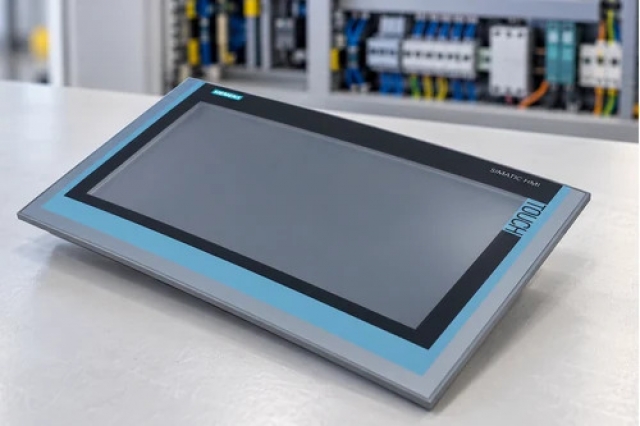
GE IC752-WFC555-EC occupies an operator-station role in WFC 2050 installations. Its 15-inch screen provides the local boundary between the configured HMI project and plant personnel.
  • 15-inch operator display
  • WFC 2050 product line
  • Base catalog IC752WFC555
  • Complete order suffix EC retained

The controlled system path is Configured control application → IC752-WFC555-EC operator interface → Display and operator-input layer → Machine or process supervision. Verify each boundary against the installed project record.

Important Notice: Isolate the panel supply and confirm that auxiliary circuits are de-energized before removing IC752-WFC555-EC.

GE IC752-WFC555-EC Manuals & Downloads
GE IC752-WFC555-EC Technical Reference (PDF)GE IC752-WFC555-EC Installation & Commissioning Guide (PDF)

The Technical Reference consolidates the verified data available for GE IC752-WFC555-EC; the Installation & Commissioning Guide organizes controlled field preparation, checks and acceptance.


Legacy operator-station replacement
Maintains the same 15-inch WFC 2050 operator position when the complete EC identity matches.
Machine-status visualization
Presents the configured process and equipment pages supplied by the site HMI project.
Alarm and sequence review
Provides the local interface through which operators review the application's configured events and states.
Maintenance access point
Supports controlled service checks after the original project and communication settings are restored.
Apply these controls to GE IC752-WFC555-EC before isolation, removal, reconnection, energization and release.
1
Isolate the panel supply and confirm that auxiliary circuits are de-energized before removing IC752-WFC555-EC.
2
Back up the installed HMI project, communication settings and retained data before replacement.
3
Photograph every power, communication and peripheral connection before disconnection.
4
Preserve the complete IC752-WFC555-EC identity; do not substitute a nearby IC752WFC55x catalog solely by screen size.
5
Use ESD protection and support the 15-inch assembly while releasing panel hardware.
6
Confirm the replacement mounting, connector keying and supply markings against the removed unit before power is applied.
7
Start with controlled outputs inhibited and verify communications, page navigation and operator-input response.
8
Complete acceptance by exercising alarms, status indications, command permissions and loss-of-communication behavior defined by the site project.

Technical notes

GE IC752-WFC555-EC is a 15-inch WFC 2050 operator interface identified by the base catalog IC752WFC555 and the retained EC suffix.

FAQ View All FAQ

  • What is the equipment class of GE IC752-WFC555-EC?
    It is identified as an operator interface in the WFC 2050 line.
  • What display size is associated with GE IC752-WFC555-EC?
    The available catalog record identifies a 15-inch display.
  • Which base catalog belongs to GE IC752-WFC555-EC?
    The retained base catalog is IC752WFC555.
  • Why must the EC suffix on GE IC752-WFC555-EC be preserved?
    The suffix is part of the complete order identity and must be matched to the installed unit before replacement.
  • What records should be saved before changing GE IC752-WFC555-EC?
    Back up the HMI project and capture communication settings, power wiring, peripheral connections and panel position.
  • Which tests should follow GE IC752-WFC555-EC installation?
    Verify boot, display quality, operator input, communications, configured alarms, command permissions and the site's loss-of-communication response.
Manufacturers

Product Browsing History

Revisit the products you recently viewed on Apter Power.
SPEAK TO OUR TEAM
Let’s find the right solution for you.
Send us the part number, quantity and delivery destination. Our team will help confirm availability and lead time.
  • Whatsapp: +86 18030235313

    Send us a message.
  • sales13@apterpower.com

    Complete our online form.
  • +86 18030235313

    Speak to our team in your native language.