Speak to a sourcing specialist
sales13@apterpower.com

2711P-T6C20D8

Operator Interface Terminal
Ships by Saturday, November 7
Allen-Bradley 2711P-T6C20D8 (1)
Allen-Bradley 2711P-T6C20D8 (2)
Allen-Bradley 2711P-T6C20D8 (3)
Allen-Bradley 2711P-T6C20D8 (1)
Allen-Bradley 2711P-T6C20D8 (2)
Allen-Bradley 2711P-T6C20D8 (3)
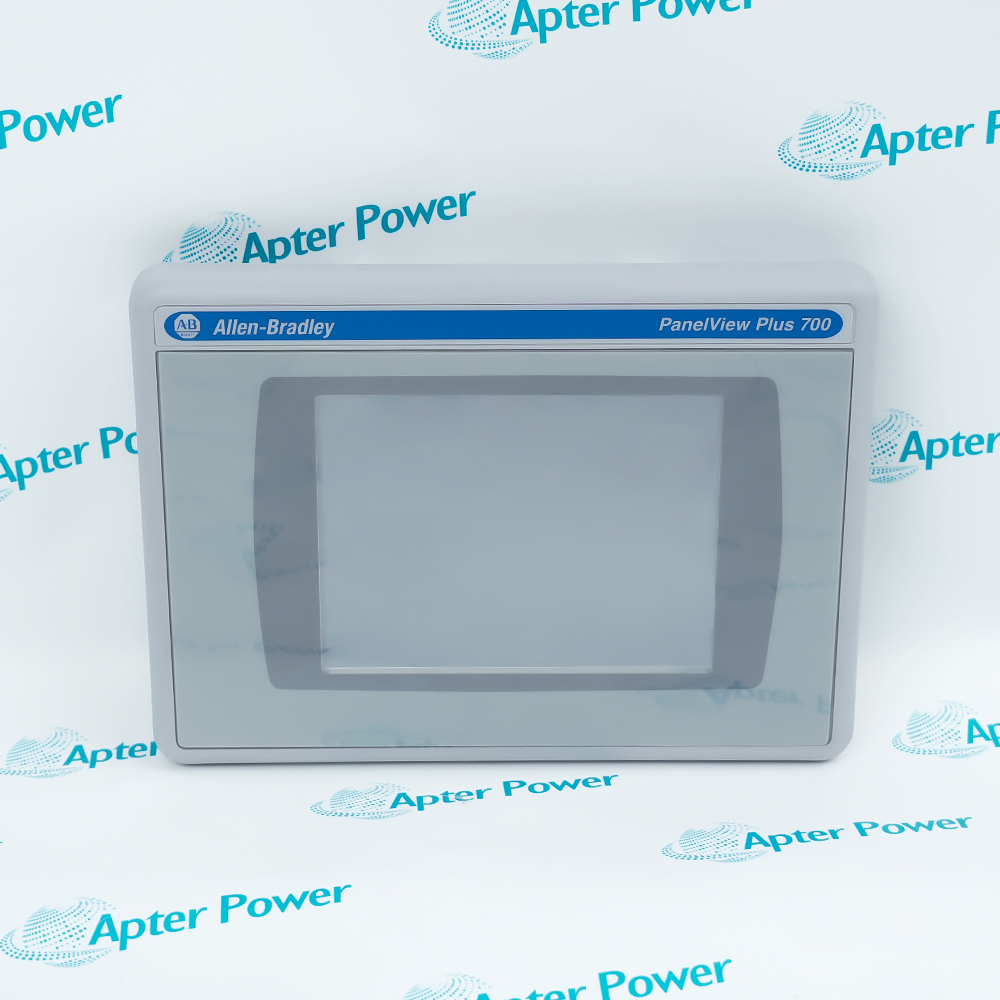
Product image is representative; revision or series may vary. Contact us to request a specific version.

Product Describe:

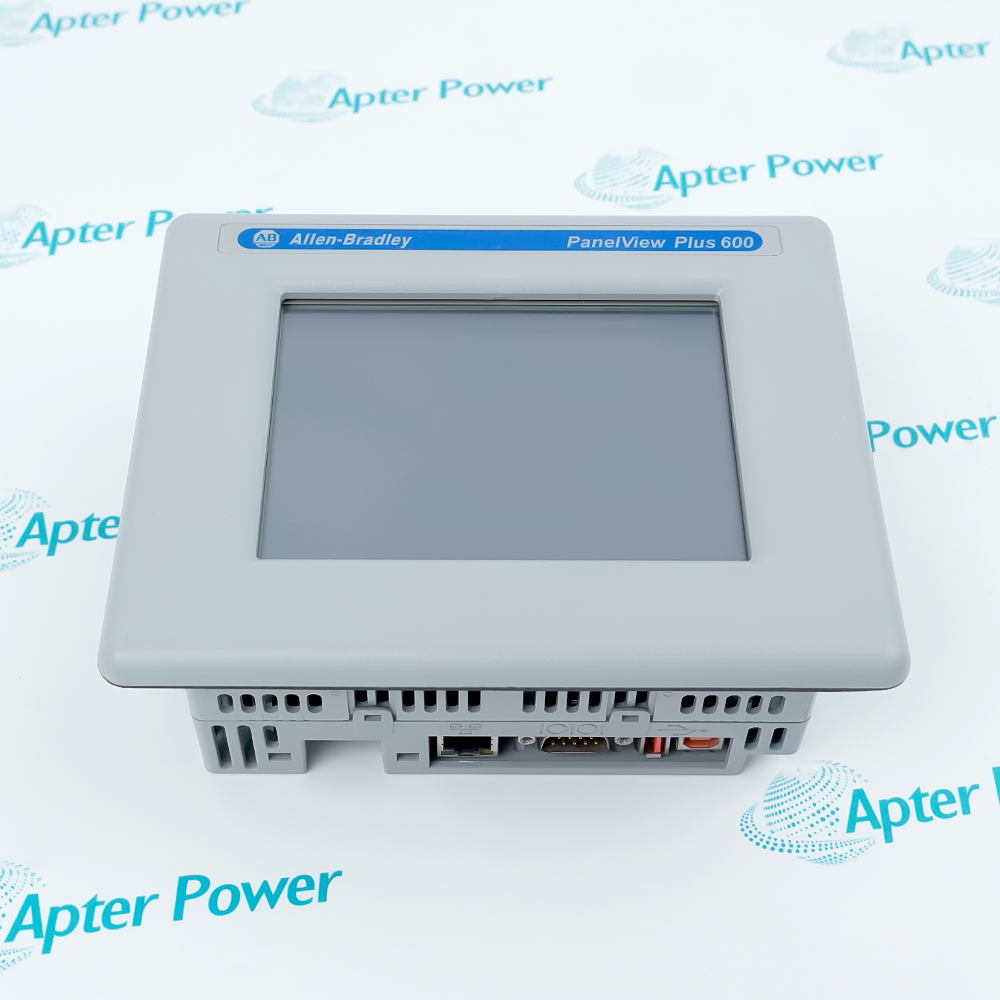
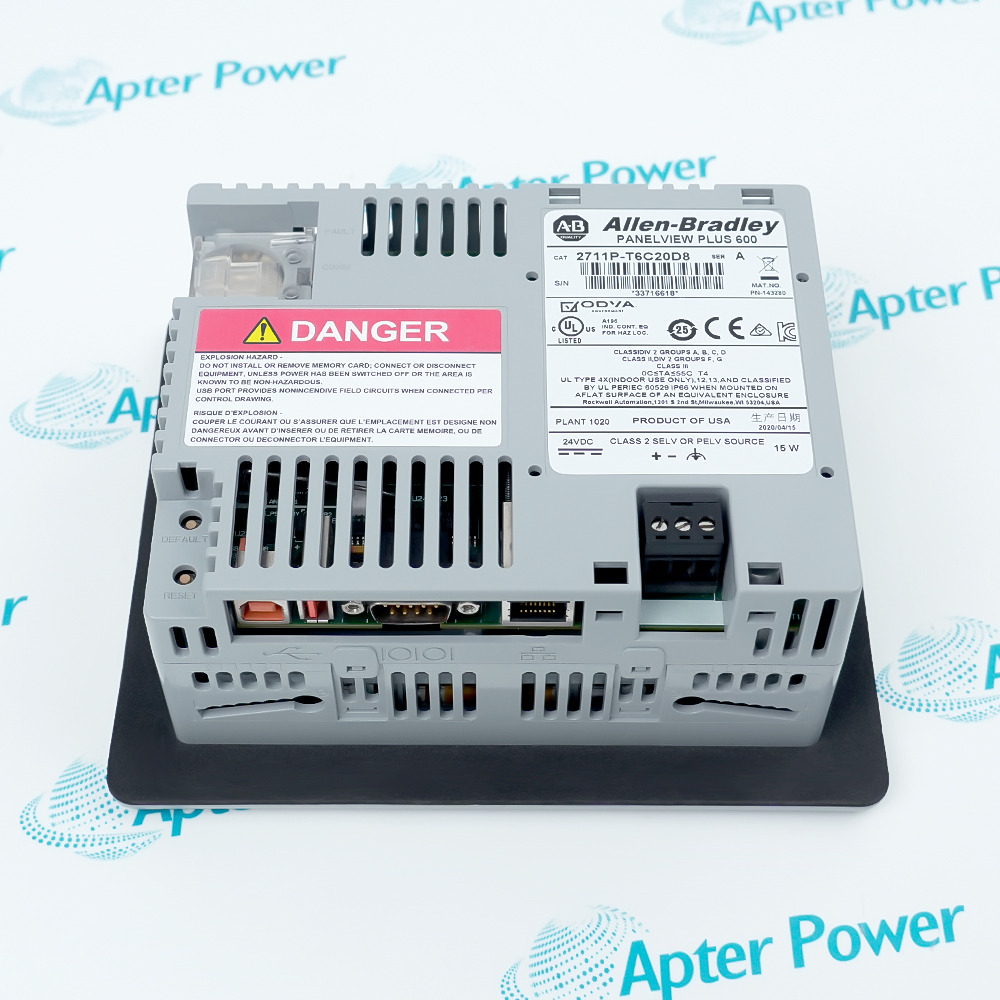
Allen-Bradley 2711P-T6C20D8 is a PanelView Plus 6 600 color touchscreen terminal with Ethernet, RS-232 and 24 V DC power for machine-level operator control.
  • Manufacturer part number
    2711P-T6C20D8
  • Shipping
    Swift global dispatch
  • Condition
    New, original product
  • Shipping size (est.)
    18.5cm x 15.2cm x 7.5cm
  • Country of Origin
    USA
Get a quick price for 2711P-T6C20D8
E-mail *
Mobile *
Company
Content *
Quantity *
Upload (gif, jpg, jpeg, png, bmp, doc, docx, xls, xlsx, ppt, pdf, csv)
For more information on how your data is processed and stored by Apterpower please read our privacy policy

What happens after you enquire

  • 0

    Review your reference

    Send the complete 2711P-T6C20D8 reference, label photos and required quantity.

  • 1

    Confirm the offer

    Review the offered revision, condition, included items and documents.

  • 2

    Arrange dispatch

    Confirm quantity, dispatch date, lead-time start and delivery details in the quotation.

  • Match the complete marking

    Include 2711P-T6C20D8 and any series, revision or assembly markings. Keep the complete reference on your enquiry and quotation.

  • Check the offered item before ordering

    Compare current label, connector and mounting photos with the installed equipment and approved configuration.

Technical specifications for 2711P-T6C20D8

  • Manufacturer:
    Allen-Bradley
  • Product Category:
    HMI Panels
  • Spare Part Number:
    2711P-T6C20D8
  • Weight:
    0.62 kg
  • Tariff Code:
    8537101190
  • Product series:
    PanelView Plus 6 600
  • Display:
    5.7-inch color active-matrix TFT
  • Resolution:
    320 x 240 pixels
  • Touchscreen:
    4-wire analog resistive
  • Nominal supply:
    24 V DC
  • Supply range:
    18 to 30 V DC
  • DC power consumption:
    15 W maximum; 9 W typical
  • System memory:
    256 MB RAM; 512 MB nonvolatile
  • Free user memory:
    Approximately 73 MB
  • Ethernet interface:
    10/100 Mbps
  • Serial interface:
    RS-232
  • USB interfaces:
    One host; one device
  • External storage:
    Secure Digital card / USB flash drive
  • Operating system:
    Windows CE 6.0, without extended features
  • Application software:
    FactoryTalk View ME 6.10 or later

Information

Overview Downloads Applications / Compatibility Product Precautions
  • Allen-Bradley 2711P-T6C20D8 presents machine status and operator commands through a color touchscreen. Its FactoryTalk View Machine Edition application communicates with the configured controller over the selected network or serial path.
Product type: PanelView Plus 6 600 touchscreen
Display: 5.7-inch color, 320 x 240 pixels
Power input: 24 V DC nominal
Operating-system option: Windows CE without extended features
Allen-Bradley 2711P-T6C20D8 is a PanelView Plus 6 600 operator terminal with a 5.7-inch color active-matrix TFT display. Its 320 x 240 pixel screen and four-wire analog resistive touchscreen provide the operator interface for the configured machine application. It supports FactoryTalk View ME 6.10 or later, with the application version matched to the installed terminal environment.

Communication connections include 10/100 Mbps Ethernet and RS-232, together with one USB host and one USB device interface. An SD card slot and USB storage support applicable file-transfer and maintenance tasks. The terminal has 256 MB RAM and 512 MB nonvolatile memory, with approximately 73 MB of free user memory for the applicable configuration.

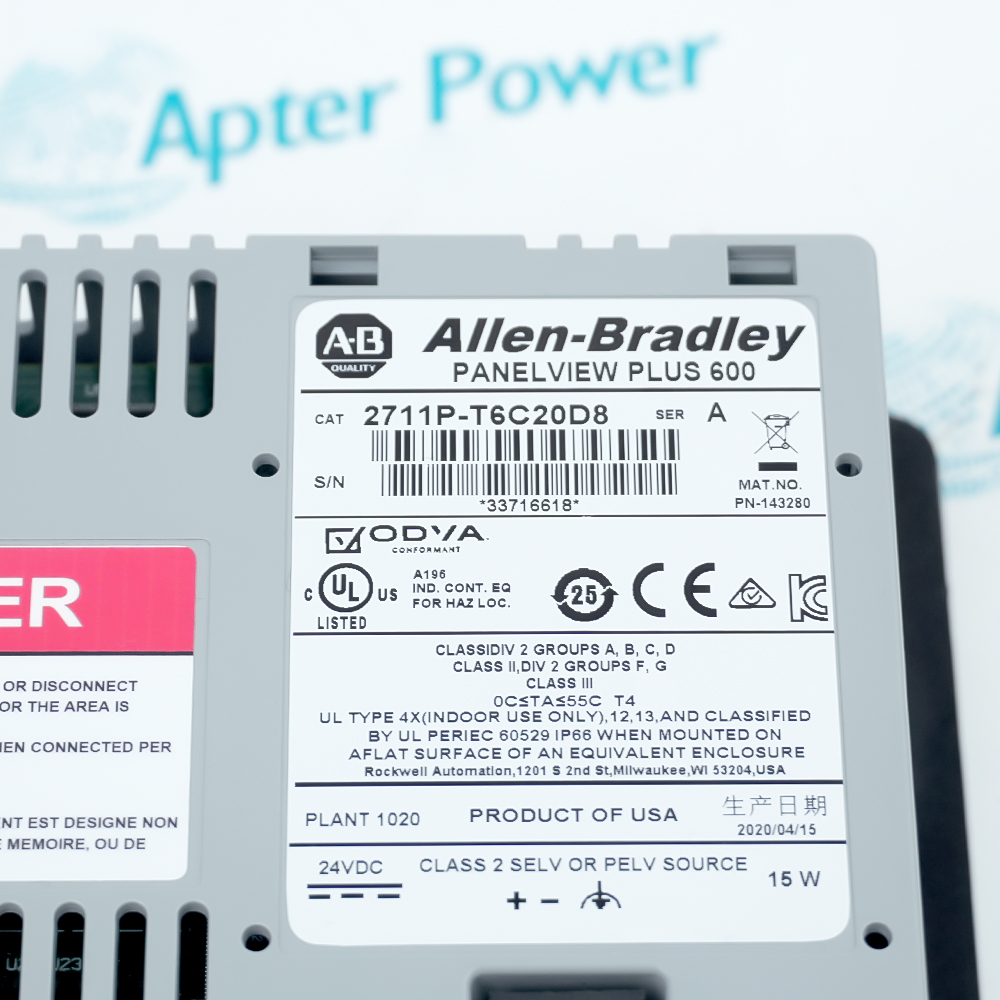
The D8 execution uses nominal 24 V DC power over an 18 to 30 V DC range, with 15 W maximum and 9 W typical consumption. It runs Windows CE 6.0 without the extended features associated with D9. Application files, controller communication settings and terminal configuration should be preserved when replacing an installed unit; Plus 7 and D9 features do not transfer to this reference.
Controller platform reference: Allen-Bradley PanelView Plus 6. Match the terminal and FactoryTalk View ME application.
Technical downloads for Allen-Bradley 2711P-T6C20D8: original technical-reference excerpts and an Apter Power installation and commissioning guide.
The technical reference preserves selected manufacturer pages. The installation guide is compiled by Apter Power for preparation and review; apply the original operating procedures and site controls during work.
Match 2711P-T6C20D8 to the installed hardware and approved configuration before replacement or commissioning.
Confirm the D8 execution

Match 2711P-T6C20D8 and retain its DC-power and touchscreen identity. Do not assume D9 extended operating-system features are present.

Back up the HMI application

Retain the runtime application, network settings and controller communication configuration before replacement.

Use the correct DC source

Provide 18 to 30 V DC from an applicable Class 2, SELV or PELV supply. Verify polarity and grounding against the installation instructions.

Inspect the panel installation

Use the correct cutout, mounting hardware and gasket procedure. Protect connectors and maintain the required enclosure conditions.

Preserve communication settings

Check Ethernet addressing or RS-232 settings and the application communication path. A successful screen startup alone does not prove controller communication.

Validate operator functions

Test display navigation, alarms and permitted commands under controlled conditions. Keep independent machine safety and isolation functions effective.

Alternative Names

2711P T6C20D8

Technical notes

System relationship: Verify the DC source, polarity, grounding, gasket and panel installation.

Configuration boundary: Use the 600 color DC-powered touchscreen and D8 operating-system configuration; Plus 7 and D9 features do not apply.

Technical reference: Rockwell Automation PanelView Plus 6 Specifications, 2711P-TD005I-EN-P (February 2020); PanelView Plus 6 Terminals User Manual, 2711P-UM006I-EN-P.


FAQ View All FAQ

  • What display does 2711P-T6C20D8 use?
    It uses a 5.7-inch color active-matrix TFT with 320 x 240 resolution and a 4-wire analog resistive touchscreen.
  • What power supply is required for 2711P-T6C20D8?
    Use 24 V DC nominal within an 18 to 30 V DC range, supplied by an applicable Class 2, SELV or PELV source.
  • How much DC power does 2711P-T6C20D8 consume?
    Maximum consumption is 15 W and typical consumption is 9 W. Size the supply and enclosure installation for the applicable operating conditions.
  • Which communication interfaces are built into 2711P-T6C20D8?
    The terminal includes 10/100 Mbps Ethernet and RS-232, plus one USB host and one USB device port.
  • Does 2711P-T6C20D8 include extended Windows CE features?
    No. The catalog number ending in 8 uses Windows CE 6.0 without extended features and Microsoft Office file viewers; that capability must not be inferred from D9 configurations.
  • How much memory is available in 2711P-T6C20D8?
    The terminal has 256 MB RAM and 512 MB nonvolatile memory, with approximately 73 MB free user memory.
  • Which runtime software applies to 2711P-T6C20D8?
    FactoryTalk View Machine Edition version 6.10 or later applies to this terminal family. FactoryTalk ViewPoint is not supported on the 400 and 600 terminals.
  • What removable storage interfaces does 2711P-T6C20D8 provide?
    A Secure Digital card slot and a USB host port support applicable removable storage. Follow the terminal procedures for file transfer and safe media handling.
Related reading

Related cases and sourcing guidance

View all case studies
SPEAK TO OUR TEAM
Let’s find the right solution for you.
Send us the part number, quantity and delivery destination. Our team will help confirm availability and lead time.
  • Whatsapp: +86 18030235313

    Send us a message.
  • sales13@apterpower.com

    Complete our online form.
  • +86 18030235313

    Speak to our team in your native language.