Get Parts Quote
Name
Company *
Phone *
Email *
Address
City
State / Province / Region
Zipcode
Country
Quantity *
Part Number *
Manufacturer
Preferred Condition
Additional Information
Cancel

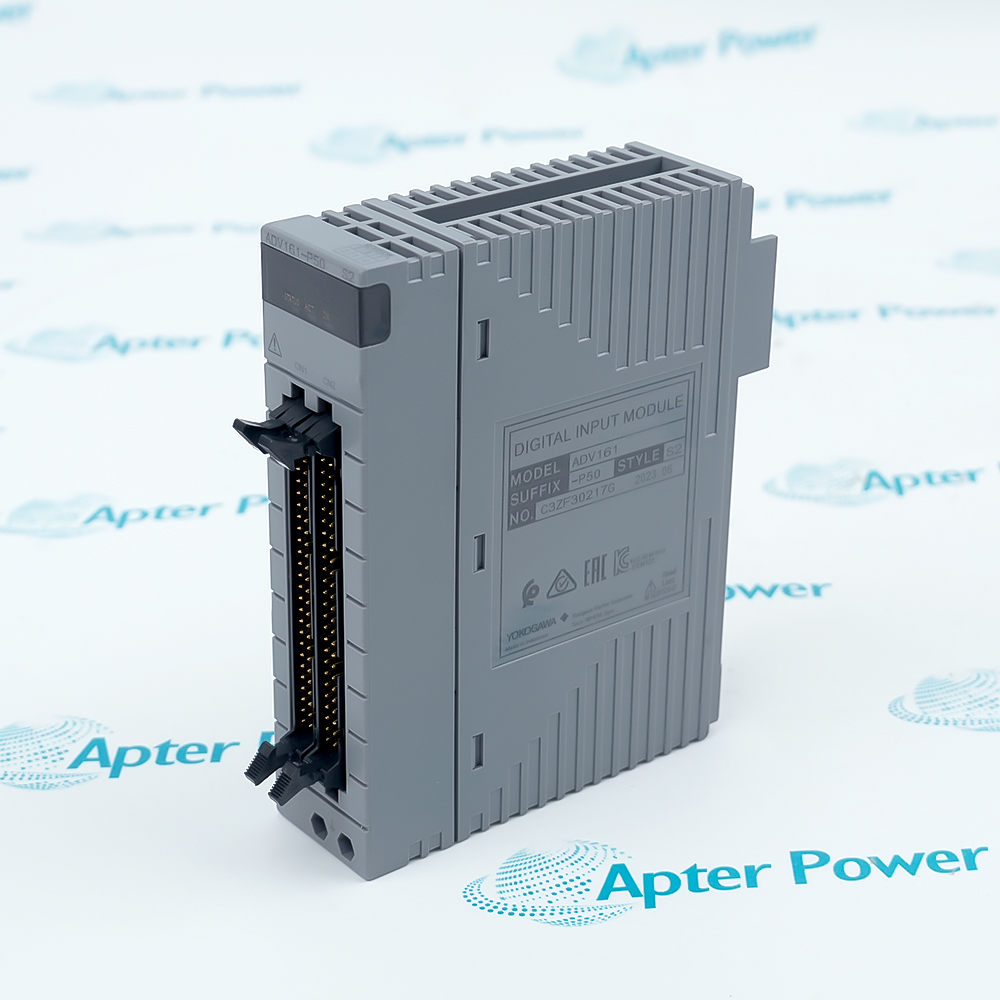
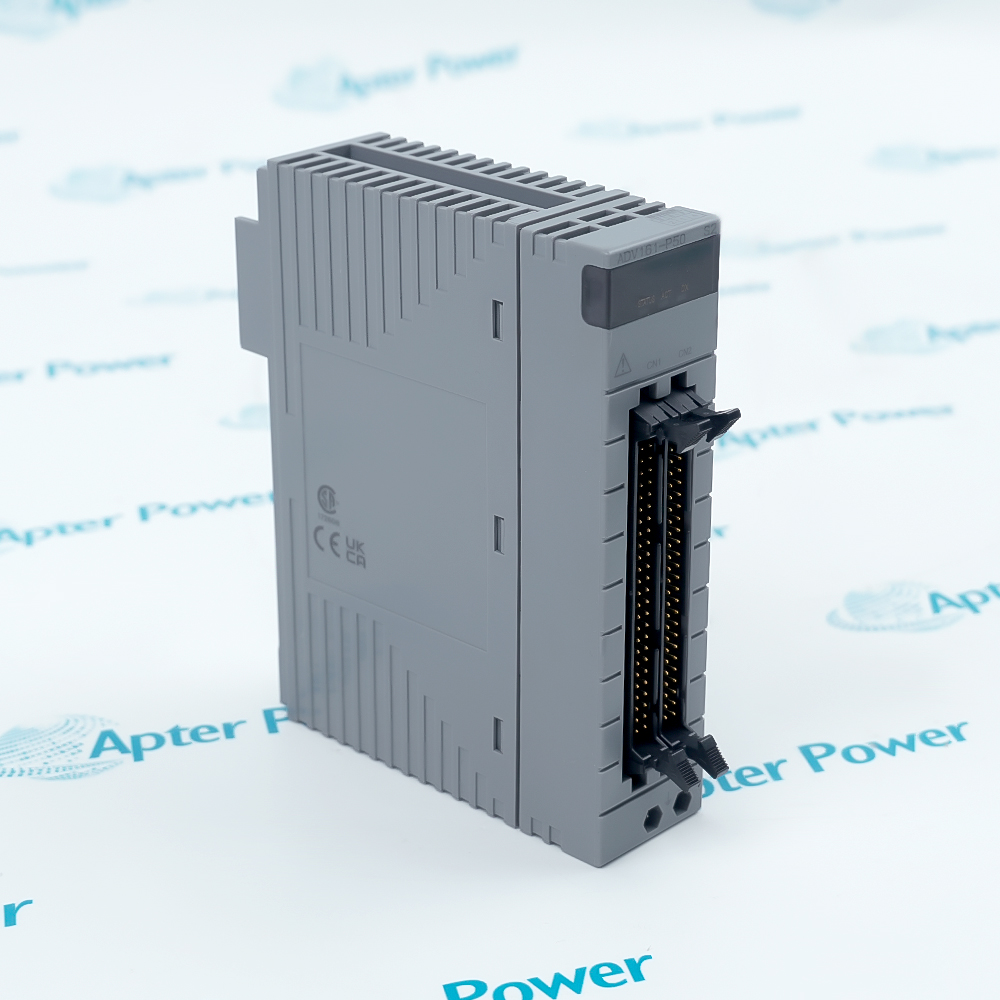
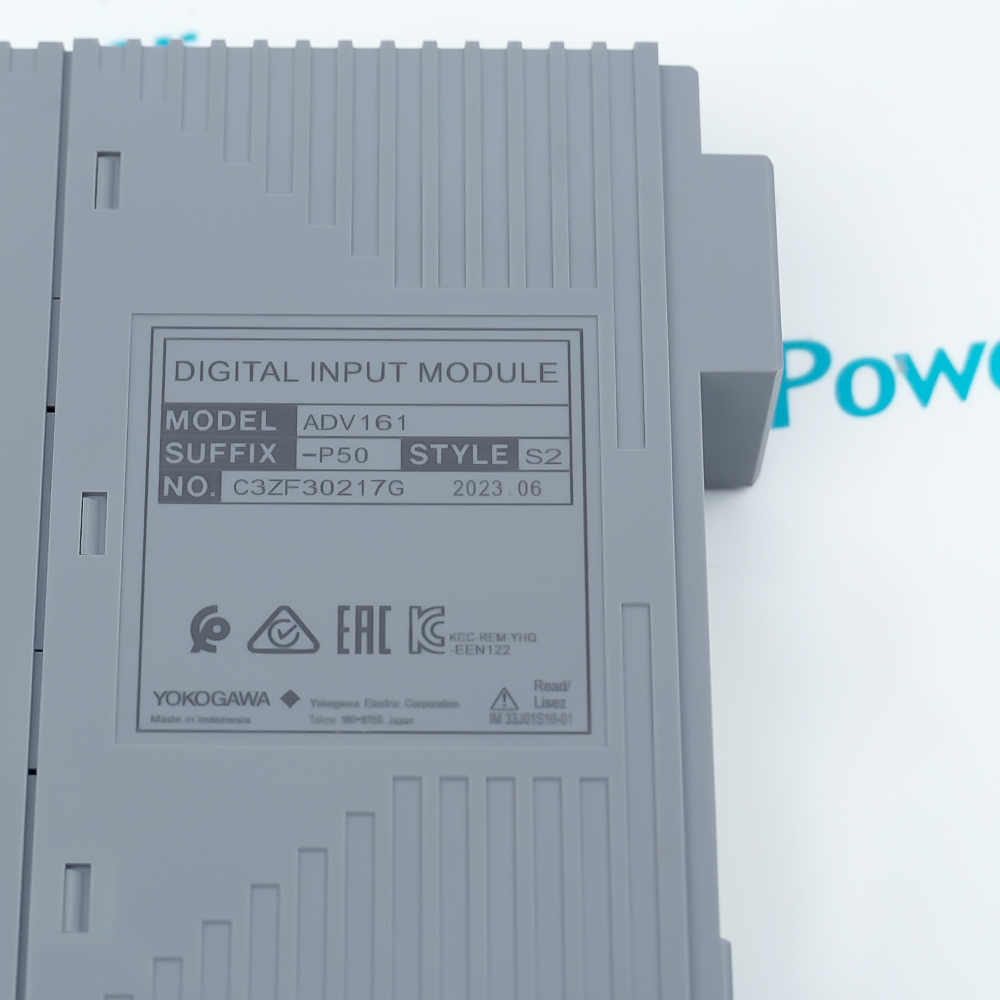
ADV161-P50 S2

64-Channel Isolated Digital Input Module
In Stock
Ships by Tuesday, September 22
Fast Shipping Available

Product Describe:

Yokogawa ADV161-P50 S2 is a 64-channel 24 V DC isolated digital input module for CENTUM field control stations. The -P execution supports pushbutton-input operation through the documented connector and cable arrangement.

Ask our team:

Get a quick price for: ADV161-P50 S2
Quantity*
Upload (gif, jpg, jpeg, png, bmp, doc, docx, xls, xlsx, ppt, pdf, csv)
For more information on how your data is processed and stored by Apterpower please read our privacy policy.

Technical specifications for ADV161-P50 S2

Technical specifications for ADV161-P50 S2

  • Manufacturer:
    Yokogawa
  • Product Category:
    DCS System
  • Spare Part Number:
    ADV161-P50
  • Estimated shipping dimensions:
    3.2x12x13cm
  • Weight:
    0.28 kg
  • Tariff Code:
    8537101190
  • Counliy of origin:
    Japan
  • Input channels:
    64
  • Input groups:
    2 groups of 32
  • Nominal input:
    24 V DC
  • Isolation:
    Isolated channels
  • Input ON:
    20-26.4 V DC
  • Input OFF:
    5.0 V DC maximum
  • Input current:
    2.5 mA +/-20% per channel
  • Field connector:
    MIL connector / AKB337 cable

Information

Information

Overview Manuals Common Applications Product Precautions
ADV161-P50 S2 acquires sixty-four isolated 24 V DC digital inputs for a configured CENTUM field control station.
  • Acquires sixty-four isolated digital inputs
  • Separates the inputs into two documented groups
  • Supports the selected pushbutton-input execution
  • Integrates with the CENTUM field control station

The module connects field signals through the documented MIL connector and AKB337 cable arrangement. Commissioning verifies the slot, two input groups, field voltage, pushbutton-input execution, channel map and CENTUM diagnostics.

Important Notice: Confirm Yokogawa ADV161-P50 S2, CENTUM host, sixty-four-point map, two groups, 24 V DC field supply, -P pushbutton execution, MIL connectors, AKB337 cables, commons, grounding, I/O definition and point-test results before commissioning.

Apter Power Yokogawa ADV161-P50 S2 Manuals and Guides

The first document presents model-specific technical and system data. The second provides a distinct installation, connection, commissioning and acceptance workflow.

Process interlock acquisition
Collects documented equipment and permissive states for CENTUM logic.
Pushbutton station inputs
Receives maintained or momentary field commands through the selected execution.
Alarm contact monitoring
Transfers discrete field alarms into the approved FCS I/O map.
Digital input modernization
Restores a 64-point module position with complete point-test evidence.
Read the applicable Yokogawa installation instructions before work. Verify ADV161-P50 S2, the installed host system and all configured field interfaces before isolation, wiring or commissioning.
1
Confirm Yokogawa ADV161-P50 S2 and the assigned CENTUM FCS slot.
2
Place the process and affected interlocks in the approved maintenance state.
3
Isolate both field groups and apply ESD controls.
4
Record all sixty-four channel assignments, commons, MIL connectors and AKB337 cables.
5
Confirm the 24 V DC field supply and pushbutton-input configuration.
6
Restore the approved FCS hardware and I/O definition.
7
Review module recognition, group status and channel diagnostics.
8
Simulate each assigned input and confirm the intended CENTUM logic response.

Alternative Names

Alternative Names

ADV161-P50; ADV161

Technical notes

Technical notes

Record both 32-channel groups, MIL connectors, AKB337 cable positions, field commons and pushbutton-input configuration before removing ADV161-P50 S2. Restore the approved FCS slot and I/O definition, then simulate every assigned input and confirm normal diagnostics.

FAQS

  • How should 64 input points be verified for Yokogawa ADV161-P50 S2?
    Confirm Yokogawa ADV161-P50 S2, CENTUM host, sixty-four-point map, two groups, 24 V DC field supply, -P pushbutton execution, MIL connectors, AKB337 cables, commons, grounding, I/O definition and point-test results before commissioning.
  • Which record controls two 32-channel blocks on Yokogawa ADV161-P50 S2?
    Record both 32-channel groups, MIL connectors, AKB337 cable positions, field commons and pushbutton-input configuration before removing ADV161-P50 S2. Restore the approved FCS slot and I/O definition, then simulate every assigned input and confirm normal diagnostics.
  • What must be preserved for pushbutton input option when servicing Yokogawa ADV161-P50 S2?
    Record all sixty-four channel assignments, commons, MIL connectors and AKB337 cables.
  • How is field voltage isolated before work on Yokogawa ADV161-P50 S2?
    Place the process and affected interlocks in the approved maintenance state. Isolate both field groups and apply ESD controls.
  • What official check applies to MIL connector cable for Yokogawa ADV161-P50 S2?
    Confirm the 24 V DC field supply and pushbutton-input configuration.
  • How is module slot restored after fitting Yokogawa ADV161-P50 S2?
    Restore the approved FCS hardware and I/O definition.
  • Which diagnostic confirms I/O diagnostics for Yokogawa ADV161-P50 S2?
    Review module recognition, group status and channel diagnostics.
  • What proves point-test evidence is accepted for Yokogawa ADV161-P50 S2?
    Simulate each assigned input and confirm the intended CENTUM logic response.
Trusted by 5,000+ plants worldwide | Backed by our vast inventory of top-tier control parts, modules and cards, fast shipments are dispatched to cover your urgent needs. ABOUT US >>
Disclaimer: We are not an authorized distributor or distributor of the product manufacturer of this website, The product may have older date codes or be an older series than that available direct from the factory or authorized dealers. Because our company is not an authorized distributor of this product, the Original Manufacturer`s warranty does not apply.While many DCS PLC products will have firmware already installed, Our company makes no representation as to whether a DSC PLC product will or will not have firmware and, if it does have firmware, whether the firmware is the revision level that you need for your application. Our company also makes no representations as to your ability or right to download or otherwise obtain firmware for the product from our company, its distributors, or any other source. Our company also makes no representations as to your right to install any such firmware on the product. Our company will not obtain or supply firmware on your behalf. It is your obligation to comply with the terms of any End-User License Agreement or similar document related to obtaining or installing firmware.

Product Browsing History

We’re Here When You Need Us

From product insights to customer service needs, our experienced service team will focus on getting you what you need quickly

Enquire

Complete our online form.

Call Us

Speak to one of our team.

Live Chat

Send us a message.