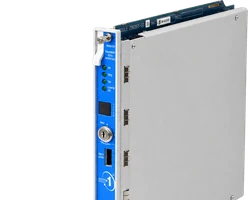
Speak to a sourcing specialist
sales13@apterpower.com
Get a quick price for 6ES7590-1AB60-0AA0
E-mail *
Mobile *
Company
Content *
Quantity *
Upload (gif, jpg, jpeg, png, bmp, doc, docx, xls, xlsx, ppt, pdf, csv)
For more information on how your data is processed and stored by Apterpower please read our privacy policy

What happens after you enquire

  • 1

    Requirement review

    We review the part number, quantity and delivery requirements and ask for any missing details.
  • 2

    Quotation and availability

    We confirm the proposed item, condition, availability, price and estimated lead time in the quotation.
  • 3

    Order confirmation and dispatch

    Once the quotation and purchasing details are agreed, your contact will coordinate the order and available dispatch information.

Technical specifications for 6ES7590-1AB60-0AA0

  • Manufacturer:
    Siemens
  • Product Category:
    PLC Systems
  • Spare Part Number:
    6ES7590-1AB60-0AA0
  • Estimated shipping dimensions:
    16x14.3x1.5cm
  • Weight:
    0.25 kg
  • Tariff Code:
    8537101190
  • Counliy of origin:
    Germany
  • Rail length:
    160 mm
  • Material:
    Aluminum
  • Surface execution:
    Galvanically isolated
  • Grounding hardware:
    Grounding screw included
  • Integrated accessory rail:
    35 mm DIN profile

Information

Overview Manuals Common Applications Product Precautions
Siemens 6ES7590-1AB60-0AA0 is a 160 mm SIMATIC S7-1500 mounting rail. It supports and grounds the configured controller and I/O station within the control cabinet.
  • Provides the mechanical carrier for a compact S7-1500 station
  • Maintains module alignment and backplane-connector engagement
  • Provides a defined grounding point for the assembled station
  • Carries compatible terminals, circuit breakers, or relays on its integrated profile

6ES7590-1AB60-0AA0 installs with S7-1500 CPU, S7-1500 signal and technology modules, system power supply, grounding conductor in an engineered SIMATIC S7-1500 automation system configuration.

The commissioning workflow covers installed-hardware matching, controlled start-up and functional verification for this simatic s7-1500 mounting rail.

Important Notice: Confirm the complete 6ES7590-1AB60-0AA0 marking, installed-system configuration, field connections and controlled functional test before commissioning or replacement.

Apter Power 6ES7590-1AB60-0AA0 Manuals and Guides
Apter Power 6ES7590-1AB60-0AA0 Product Technical Reference PDFApter Power 6ES7590-1AB60-0AA0 Installation and Verification PDF
The first document is an Apter Power model-specific technical reference. The second supports model-specific installation, configuration and engineering verification.
Compact S7-1500 controller stationsProvides the mechanical carrier for a compact S7-1500 station
Machine-control cabinet assemblyMaintains module alignment and backplane-connector engagement
Distributed automation panel retrofitProvides a defined grounding point for the assembled station
Laboratory and OEM controller mountingCarries compatible terminals, circuit breakers, or relays on its integrated profile
Read the applicable Siemens installation instructions before work. Verify 6ES7590-1AB60-0AA0 and the installed SIMATIC S7-1500 automation system configuration.
1Confirm 6ES7590-1AB60-0AA0 and the 160 mm execution before panel work.
2Isolate cabinet power and protect nearby electronics from drilling debris.
3Use a flat mounting surface and prevent rail distortion during fastening.
4Install and test the rail grounding screw and protective conductor.
5Confirm the planned S7-1500 module sequence fits the available rail length.
6Seat each module and backplane connector without forcing the locking mechanism.
7Maintain ventilation and wiring clearances around the assembled station.
8Verify station recognition and diagnostics after the mechanical installation.

Technical notes

Mount the 160 mm rail on a flat conductive cabinet surface, install the supplied grounding connection, and verify module order and connector engagement before energizing the S7-1500 station.

FAQ View All FAQ

  • How can an engineer function-test 6ES7590-1AB60-0AA0 after installation?
    Apply a controlled input, reference, or limited output appropriate to simatic s7-1500 mounting rail, observe the system indication and diagnostics, and confirm the intended process response.
  • What should be checked if 6ES7590-1AB60-0AA0 reports an unstable or incorrect value?
    Check seating, supply, grounding, shielding, matched components, mechanical installation, and the signal path before changing configuration or replacing additional hardware.
  • Can 6ES7590-1AB60-0AA0 be replaced by a visually similar model without review?
    No. Verify the complete part number, electrical execution, connector arrangement, companion hardware, and approved software or rack configuration.
  • What commissioning evidence should be retained for 6ES7590-1AB60-0AA0?
    Retain the full 6ES7590-1AB60-0AA0 identity, as-left wiring and settings, measured functional-test results, final diagnostics, and authorization to return the affected equipment to service.
  • Which installed hardware must be matched before fitting 6ES7590-1AB60-0AA0?
    Match the complete 6ES7590-1AB60-0AA0 marking to S7-1500 CPU and S7-1500 signal and technology modules, then confirm the assigned SIMATIC S7-1500 automation system position and approved system configuration.
  • How should the field connections for 6ES7590-1AB60-0AA0 be recorded before replacement?
    Record terminal or connector identity, polarity, shield, cable tag, channel assignment, and the as-found diagnostic state before disconnecting 6ES7590-1AB60-0AA0.
  • What isolation is required before installing 6ES7590-1AB60-0AA0?
    Place compact s7-1500 controller stations in the approved maintenance state, isolate every applicable power, signal, and stored-energy source, and prove the work area safe.
  • Which configuration check is essential when commissioning 6ES7590-1AB60-0AA0?
    Restore only the approved model-specific channel, range, address, scale, or interface settings and compare them with the physical installation before enabling the process function.
SPEAK TO OUR TEAM
Let’s find the right solution for you.
Send us the part number, quantity and delivery destination. Our team will help confirm availability and lead time.
  • Whatsapp: +86 18030235313

    Send us a message.
  • sales13@apterpower.com

    Complete our online form.
  • +86 18030235313

    Speak to our team in your native language.