Speak to a sourcing specialist
sales13@apterpower.com
Get a quick price for 4200N
E-mail *
Mobile *
Company
Content *
Quantity *
Upload (gif, jpg, jpeg, png, bmp, doc, docx, xls, xlsx, ppt, pdf, csv)
For more information on how your data is processed and stored by Apterpower please read our privacy policy

What happens after you enquire

  • 1

    Requirement review

    We review the part number, quantity and delivery requirements and ask for any missing details.
  • 2

    Quotation and availability

    We confirm the proposed item, condition, availability, price and estimated lead time in the quotation.
  • 3

    Order confirmation and dispatch

    Once the quotation and purchasing details are agreed, your contact will coordinate the order and available dispatch information.

Technical specifications for 4200N

  • Manufacturer:
    Invensys
  • Product Category:
    DCS Systems
  • Spare Part Number:
    4200N
  • Estimated shipping dimensions:
    2.2x40.5x40cm
  • Weight:
    1.88 kg
  • Tariff Code:
    8537101190
  • Counliy of origin:
    USA
  • Product role:
    Primary fiber-optic Remote Extender Module
  • Standard-model mapping:
    4200
  • Set designation:
    4200-3 primary RXM set
  • Installed location:
    RXM chassis near the Main Chassis
  • Supported remote locations:
    Up to three RXM or expansion chassis per primary set
  • Remote medium:
    Point-to-point fiber-optic cabling
  • Maximum published distance:
    7.5 miles (12 km)
  • RXM power modules:
    Two per RXM chassis
  • RXM I/O capacity:
    Six I/O module slot sets
  • Qualification class:
    Tricon v10 nuclear 1E equipment table
  • Connector control:
    ST connectors fully seated and locked

Information

Overview Manuals Common Applications Product Precautions
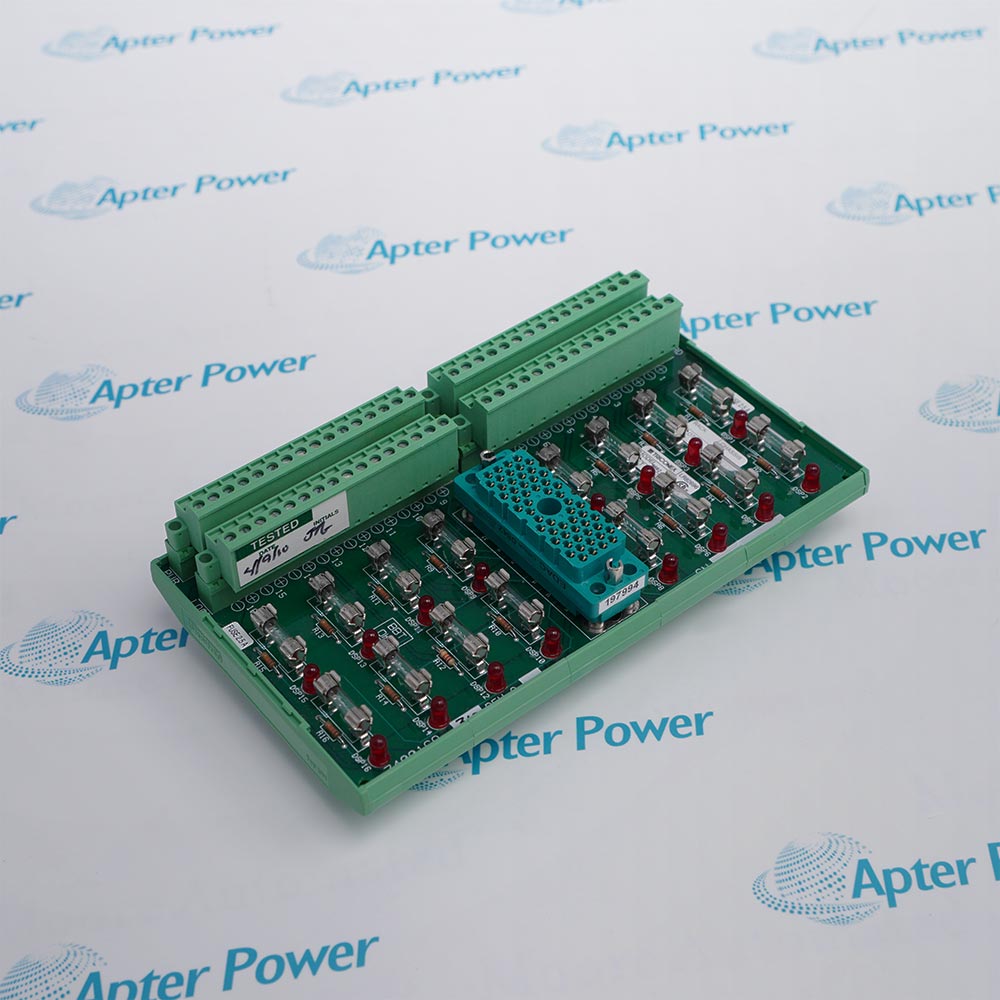
TRICONEX 4200N originates the qualified fiber-optic expansion link that carries remote I/O traffic away from the main-controller location.
  • Serves as the primary module in a 4200-3 RXM set
  • Uses point-to-point fiber-optic communication
  • Supports as many as three remote RXM or expansion chassis locations
  • Permits a published link distance of up to 7.5 miles (12 km)

The primary set is installed in the RXM chassis nearest the Main Chassis, where two Power Modules and up to six I/O slot sets support the local expansion arrangement. Fiber-channel identity, transmit/receive routing and ST connector locking must remain consistent with the qualified system record.

Important Notice: Confirm the complete 4200N identity, installed system record and approved companion hardware before replacement or commissioning.

TRICONEX 4200N Manuals & Downloads
TRICONEX 4200N Technical Reference (PDF)TRICONEX 4200N Installation & Commissioning Guide (PDF)

The first document presents exact-model technical evidence, while the second organizes a separate controlled installation and commissioning workflow.


Installed Tricon systems
Controlled service where the approved system records explicitly identify 4200N.
Planned maintenance
Like-for-like inspection or replacement work that preserves the documented primary extender module arrangement.
Lifecycle-managed spares
Exact-identity spare control for operating installations that retain the TRICONEX 4200N designation.
Commissioning verification
Functional checks that confirm the recorded interface, configuration and diagnostics after 4200N is installed.
Read the applicable TRICONEX instructions before work. Verify 4200N and the installed system configuration before isolation or replacement.
1
Record the complete TRICONEX 4200N marking and installed position before work.
2
Place the controller and affected process function in the approved safe maintenance state.
3
Verify the documented system version, companion hardware and interface assigned to 4200N.
4
Isolate the applicable controller and field energy in accordance with the approved procedure.
5
Inspect connectors, keys, cable assemblies and mechanical retention before installation.
6
Install 4200N only in the recorded location without changing the approved architecture.
7
Restore power under control and confirm the specified indicators, communications and diagnostics.
8
Document the final identity, configuration and functional acceptance results before release.

Technical notes

For 4200N, the verified dataset records qualified designation as 4200N and standard-model mapping as 4200. These values must be applied only after the complete installed marking, cabinet record and approved system architecture have been reconciled.

FAQ View All FAQ

  • What function does TRICONEX 4200N perform?
    TRICONEX 4200N performs the documented role of a primary extender module within the applicable installed-system architecture.
  • Which qualified designation is specified for 4200N?
    The manufacturer specifies the qualified designation for 4200N as 4200N.
  • How does the manufacturer define the standard-model mapping of 4200N?
    The manufacturer specifies the standard-model mapping for 4200N as 4200.
  • What set designation applies to the TRICONEX 4200N?
    The manufacturer specifies the set designation for 4200N as 4200-3 primary RXM set.
  • Where does 4200N fit with respect to installed location?
    The manufacturer specifies the installed location for 4200N as RXM chassis near the Main Chassis.
  • Why must the supported remote locations be checked on 4200N?
    The manufacturer specifies the supported remote locations for 4200N as Up to three RXM or expansion chassis per primary set.
  • When replacing 4200N, which remote medium must match the record?
    The manufacturer specifies the remote medium for 4200N as Point-to-point fiber-optic cabling.
  • What does the manual state about the maximum published distance for 4200N?
    The manufacturer specifies the maximum published distance for 4200N as 7.5 miles (12 km).
Manufacturers

Product Browsing History

Revisit the products you recently viewed on Apter Power.
SPEAK TO OUR TEAM
Let’s find the right solution for you.
Send us the part number, quantity and delivery destination. Our team will help confirm availability and lead time.
  • Whatsapp: +86 18030235313

    Send us a message.
  • sales13@apterpower.com

    Complete our online form.
  • +86 18030235313

    Speak to our team in your native language.