Get Parts Quote
Name
Company *
Phone *
Email *
Address
City
State / Province / Region
Zipcode
Country
Quantity *
Part Number *
Manufacturer
Preferred Condition
Additional Information
Cancel

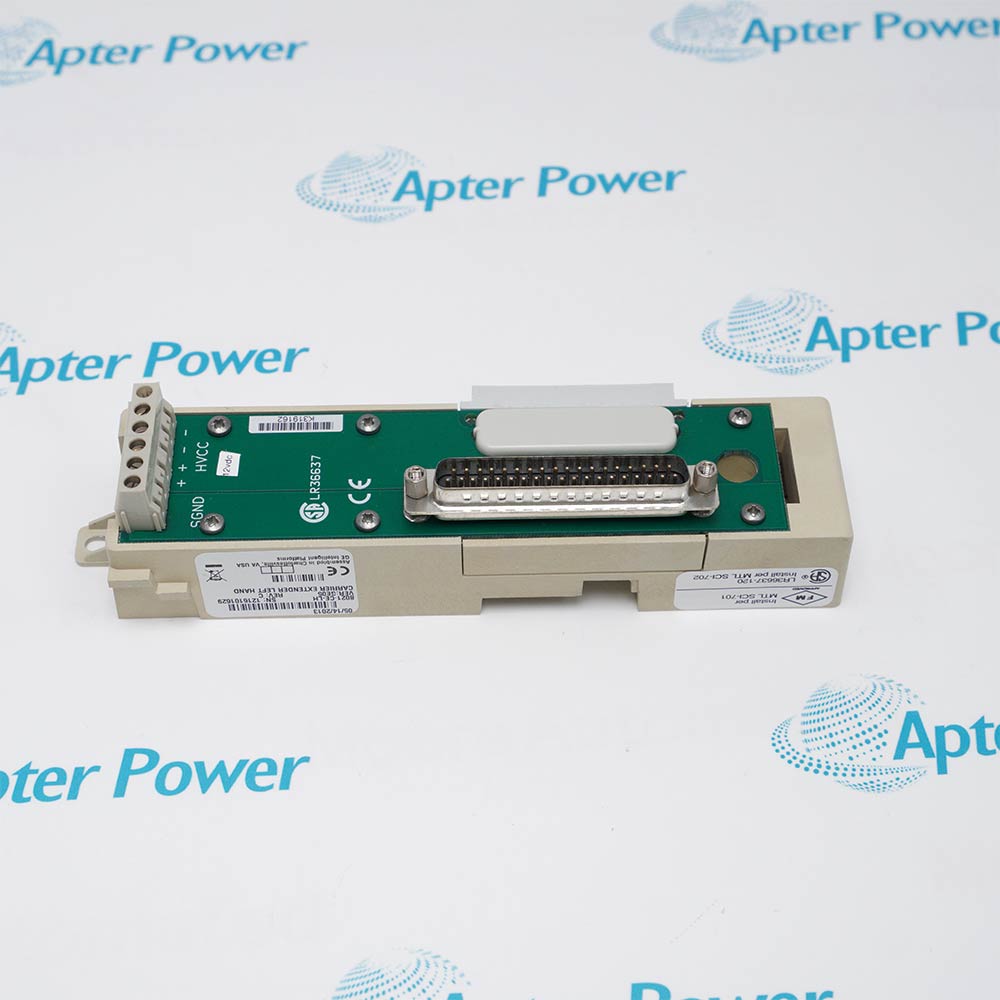
IC670MDL640

GE Fanuc sixteen-point 24 VDC positive/negative discrete input module
In Stock
Ships by Tuesday, September 22
Fast Shipping Available

Product Describe:

GE IC670MDL640 is ge fanuc sixteen-point 24 vdc positive/negative discrete input module. It senses sixteen 24 VDC field states using one selected positive- or negative-logic arrangement and reports two bytes of input data.

Ask our team:

Get a quick price for: IC670MDL640
Quantity*
Upload (gif, jpg, jpeg, png, bmp, doc, docx, xls, xlsx, ppt, pdf, csv)
For more information on how your data is processed and stored by Apterpower please read our privacy policy.

Technical specifications for IC670MDL640

Technical specifications for IC670MDL640

  • Manufacturer:
    General Electric
  • Product Category:
    PLC Systems
  • Spare Part Number:
    IC670MDL640
  • Estimated shipping dimensions:
    5.5x8.6x8.2cm
  • Weight:
    0.22 kg
  • Tariff Code:
    8537101190
  • Counliy of origin:
    USA
  • Input points:
    16; single group
  • Logic selection:
    All positive or all negative
  • Rated voltage:
    24 V DC
  • Input-voltage range:
    0 to 30 V DC
  • Typical input current:
    7.5 mA per point at 24 V DC
  • Input data:
    16 bits; 2 bytes
  • Input impedance:
    3 kohm typical
  • Positive on-state voltage:
    +15 to +30 V DC
  • Negative on-state voltage:
    -15 to -30 V DC
  • Off-state magnitude:
    0 to 5 V DC
  • On-state current:
    3.0 to 8.0 mA
  • Off-state current:
    0 to 1.5 mA
  • On/off response:
    6 ms typical; 10 ms maximum
  • BIU current:
    75 mA typical; 83 mA maximum

Information

Information

Overview Manuals Common Applications Product Precautions
GE IC670MDL640 is ge fanuc sixteen-point 24 vdc positive/negative discrete input module. It senses sixteen 24 VDC field states using one selected positive- or negative-logic arrangement and reports two bytes of input data.
  • Provides sixteen 24 VDC inputs
  • Supports positive or negative logic for the whole group
  • Transfers two bytes of discrete data
  • Filters and optically isolates the field-input state

IC670MDL640 operates with 24 V DC field supply, Sixteen source or sink input devices, Field Control terminal block, Compatible BIU or MFP.

Engineered applications include positive- or negative-logic 24 VDC input acquisition field station, Remote I/O cabinet integration, Installed-base module renewal, Controlled commissioning and diagnostics.

Important Notice: Wire all sixteen points for the same positive or negative logic, confirm supply polarity and verify the 15 V on-state threshold before acceptance.

Apter Power IC670MDL640 Manuals and Guides

Apter Power IC670MDL640 Technical Data and System Reference PDFIC670MDL640 Field Installation and Commissioning Workbook PDF

The first document presents model-specific technical data and system identity. The second provides a separate installation, wiring and commissioning workflow.

positive- or negative-logic 24 VDC input acquisition field station

Performs the documented positive- or negative-logic 24 vdc input acquisition function at a distributed Field Control station.

Remote I/O cabinet integration

Exchanges configured process data with the host through the installed bus interface.

Installed-base module renewal

Restores an exact catalog-number position while preserving terminal and data identity.

Controlled commissioning and diagnostics

Supports staged wiring, configuration, diagnostic and functional verification.

Read the applicable GE Fanuc Field Control instructions before work. Verify IC670MDL640, its terminal assignment and the installed station configuration.
1

Verify the complete IC670MDL640 catalog marking and assigned Field Control position before work.

2

Place the connected positive- or negative-logic 24 VDC input acquisition process in its approved maintenance state before disturbing the station.

3

Isolate BIU and field power, then confirm a safe condition at the IC670MDL640 terminal block.

4

Label and record individual point conductors, group commons and field-power feeds before disconnecting any conductor from IC670MDL640.

5

Use ESD controls and protect the module connector, terminal block keying and exposed electronics.

6

Restore only the documented input/output defaults, data reference and fault reporting; do not copy settings from an adjacent module.

7

Energize in a controlled sequence and review PWR, channel, module and network diagnostics.

8

Complete point-by-point state, response-time and diagnostic checks and retain the final result before returning the process to service.

Technical notes

Technical notes

Wire all sixteen points for the same positive or negative logic, confirm supply polarity and verify the 15 V on-state threshold before acceptance.

FAQS

  • What Field Control function is assigned to IC670MDL640?
    IC670MDL640 is ge fanuc sixteen-point 24 vdc positive/negative discrete input module. It senses sixteen 24 VDC field states using one selected positive- or negative-logic arrangement and reports two bytes of input data.
  • Which station hardware must be paired with IC670MDL640?
    Use IC670MDL640 with the documented Field Control terminal block, compatible BIU or MFP, and the installed 24 v dc field supply.
  • Which IC670MDL640 identity should be checked before installation?
    Confirm the full IC670MDL640 catalog marking and the catalog number value IC670MDL640 against the installed station record.
  • How should field wiring be transferred when replacing IC670MDL640?
    Label and record individual point conductors, group commons and field-power feeds before disconnecting any conductor from IC670MDL640.
  • Which configuration item is critical when commissioning IC670MDL640?
    Restore only the documented input/output defaults, data reference and fault reporting; do not copy settings from an adjacent module.
  • What diagnostic checks apply to IC670MDL640?
    Energize in a controlled sequence and review PWR, channel, module and network diagnostics.
  • How should the IC670MDL640 signal path be functionally tested?
    Complete point-by-point state, response-time and diagnostic checks and retain the final result before returning the process to service.
  • Can IC670MDL640 be replaced by a visually similar Field Control module?
    No direct substitution should be assumed. Match IC670MDL640, its terminal assignment, data allocation, signal type, power arrangement, and the documented biu current value 75 mA typical; 83 mA maximum before migration.
Trusted by 5,000+ plants worldwide | Backed by our vast inventory of top-tier control parts, modules and cards, fast shipments are dispatched to cover your urgent needs. ABOUT US >>
Disclaimer: We are not an authorized distributor or distributor of the product manufacturer of this website, The product may have older date codes or be an older series than that available direct from the factory or authorized dealers. Because our company is not an authorized distributor of this product, the Original Manufacturer`s warranty does not apply.While many DCS PLC products will have firmware already installed, Our company makes no representation as to whether a DSC PLC product will or will not have firmware and, if it does have firmware, whether the firmware is the revision level that you need for your application. Our company also makes no representations as to your ability or right to download or otherwise obtain firmware for the product from our company, its distributors, or any other source. Our company also makes no representations as to your right to install any such firmware on the product. Our company will not obtain or supply firmware on your behalf. It is your obligation to comply with the terms of any End-User License Agreement or similar document related to obtaining or installing firmware.

We’re Here When You Need Us

From product insights to customer service needs, our experienced service team will focus on getting you what you need quickly

Enquire

Complete our online form.

Call Us

Speak to one of our team.

Live Chat

Send us a message.