Get Parts Quote
Name
Company *
Phone *
Email *
Address
City
State / Province / Region
Zipcode
Country
Quantity *
Part Number *
Manufacturer
Preferred Condition
Additional Information
Cancel

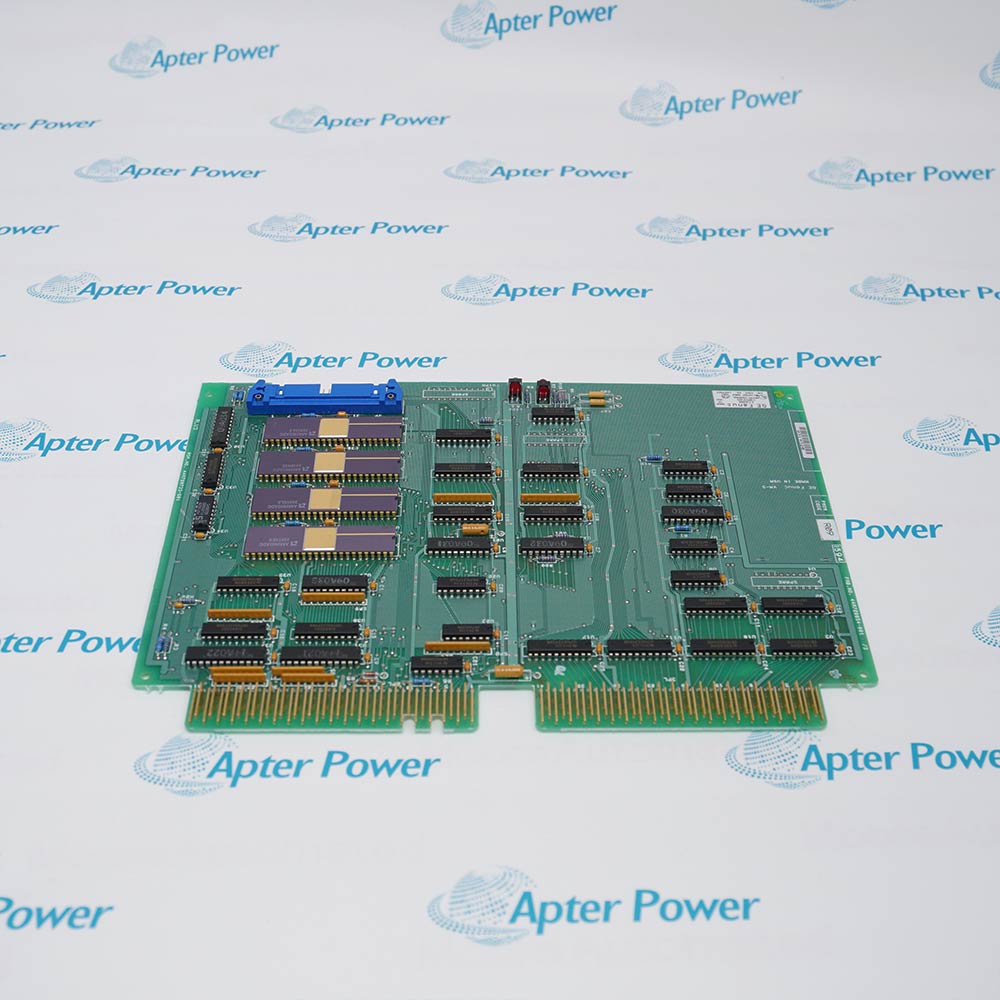
IC695CHS016

PACSystems RX3i 16-Slot Universal Backplane
In Stock
Ships by Tuesday, September 22
Fast Shipping Available

Product Describe:

GE IC695CHS016 is a PACSystems RX3i sixteen-slot universal backplane. It provides the rack infrastructure for controller, I/O and option-module interconnection.

Ask our team:

Get a quick price for: IC695CHS016
Quantity*
Upload (gif, jpg, jpeg, png, bmp, doc, docx, xls, xlsx, ppt, pdf, csv)
For more information on how your data is processed and stored by Apterpower please read our privacy policy.

Technical specifications for IC695CHS016

Technical specifications for IC695CHS016

  • Manufacturer:
    General Electric
  • Product Category:
    PLC Systems
  • Spare Part Number:
    IC695CHS016
  • Estimated shipping dimensions:
    60.5x14x2.1cm
  • Weight:
    2.06 kg
  • Tariff Code:
    8537101190
  • Counliy of origin:
    USA
  • Backplane platform:
    PACSystems RX3i
  • Universal module positions:
    16 slots
  • Backplane buses:
    PCI and serial
  • Supported module families:
    IC695, IC693 and IC694
  • Isolated auxiliary input:
    +24 V terminal strip
  • Grounding facilities:
    Backplane grounding point and integral grounding bar
  • Expansion connection:
    Serial Expansion connector
  • Rightmost special position:
    IC695LRE001 only
  • Minimum ordinary-location enclosure:
    NEMA/UL Type 1 or IEC 60529 IP20
  • Pollution degree:
    2
  • Hazardous-location classification:
    Class I, Division 2, Groups A, B, C, D
  • ATEX installation:
    Zone 2, Group IIC, IP54 enclosure
  • Latest documented catalog revision:
    IC695CHS016-JC
  • Compatible head ends:
    IC695CPE330; IC695CPE302/305/310; IC695PNS001-Bxxx; IC695PNS101

Information

Information

Overview Manuals Common Applications Product Precautions
GE IC695CHS016 is a 16-slot PACSystems RX3i universal backplane. It mechanically supports the RX3i rack and distributes backplane power and PCI/serial communication paths among the controller, I/O and option modules.
  • Carries both PCI-based IC695 traffic and serial IC693/IC694 I/O traffic
  • Provides sixteen documented positions for an engineered RX3i rack layout
  • Distributes backplane power, control and I/O communication among installed modules
  • Supports serial expansion through the dedicated right-end connection position

IC695CHS016 installs with compatible RX3i head-end controller or PROFINET scanner, approved RX3i power supply, IC695 PCI modules and qualified IC693/IC694 serial modules, IC695LRE001 when serial expansion is required in an engineered PACSystems RX3i Universal Backplanes configuration.

The commissioning workflow covers installed-hardware matching, controlled start-up and functional verification for this pacsystems rx3i 16-slot universal backplane.

Important Notice: Confirm the complete IC695CHS016 marking, installed-system configuration, field connections and controlled functional test before commissioning or replacement.


Apter Power IC695CHS016 Manuals and Guides
Apter Power IC695CHS016 Product Technical Reference PDFEmerson IC695CHS016 Official Manual PDF
The first document is an Apter Power model-specific technical reference. The second supports model-specific installation, configuration and engineering verification.
Sixteen-position RX3i central controller racksCarries both PCI-based IC695 traffic and serial IC693/IC694 I/O traffic
Mixed PCI and serial I/O modernization projectsProvides sixteen documented positions for an engineered RX3i rack layout
PROFINET scanner head-end assemblies with local RX3i modulesDistributes backplane power, control and I/O communication among installed modules
Serial expansion and remote-backplane integrationSupports serial expansion through the dedicated right-end connection position
Read the applicable GE installation instructions before work. Verify IC695CHS016 and the installed PACSystems RX3i Universal Backplanes configuration.
1Verify the complete IC695CHS016 revision and the required controller or scanner firmware before rack assembly.
2Install IC695CHS016 as open equipment inside the enclosure rating required for the operating location.
3Isolate rack and field power before inserting, removing or rewiring any backplane-mounted module.
4Bond the backplane grounding point and integral module/shield grounding bar to the cabinet grounding system.
5Align IC695 module PCI connectors carefully and do not force a module into a damaged or misaligned slot.
6Reserve the different rightmost connector position for IC695LRE001 when the serial-expansion function is used.
7Confirm slot numbering, module types and power-supply placement against the approved RX3i hardware configuration.
8After assembly, inspect connector engagement and prove controller, I/O and expansion-bus diagnostics before field energization.

Technical notes

Technical notes

Mount IC695CHS016 in the specified protective enclosure, bond the backplane and shield grounding points, and align every module connector without side loading. Confirm head-end firmware compatibility with the installed backplane revision before energizing the rack.

FAQS

  • How many module positions does IC695CHS016 provide?
    IC695CHS016 is the 16-slot PACSystems RX3i universal backplane identified in Emerson document GFK-2554G.
  • Which module buses are available on IC695CHS016?
    The universal backplane supports the PCI bus used by IC695 modules and the serial bus used by qualified IC693 and IC694 I/O and option modules.
  • What is special about the rightmost position on IC695CHS016?
    The rightmost position uses a different connector and is reserved for the IC695LRE001 RX3i Serial Expansion Module in the documented arrangement.
  • Which head ends are listed for the latest IC695CHS016 revision?
    GFK-2554G lists IC695CPE330, IC695CPE302/305/310, IC695PNS001-Bxxx or later, and IC695PNS101 as compatible head ends, subject to the stated firmware levels.
  • What enclosure is required for IC695CHS016 in an ordinary location?
    The official product information treats IC695CHS016 as open equipment and specifies an ultimate enclosure providing at least NEMA/UL Type 1 or IEC 60529 IP20 protection in a pollution-degree-2 environment.
  • How should grounding be arranged for IC695CHS016?
    Use the dedicated backplane grounding point and integral grounding bar for module and shield grounds, following the RX3i system installation instructions and cabinet grounding design.
  • What must be checked before replacing IC695CHS016?
    Record the complete backplane revision, slot map, controller or scanner firmware, power-supply position, expansion connection and grounding conductors before disassembly.
  • How should engineers commission a rebuilt IC695CHS016 rack?
    Inspect module seating and grounding, verify the configured slot map, energize under controlled conditions and confirm head-end, I/O and expansion-bus diagnostics before connecting the process.
Trusted by 5,000+ plants worldwide | Backed by our vast inventory of top-tier control parts, modules and cards, fast shipments are dispatched to cover your urgent needs. ABOUT US >>
Disclaimer: We are not an authorized distributor or distributor of the product manufacturer of this website, The product may have older date codes or be an older series than that available direct from the factory or authorized dealers. Because our company is not an authorized distributor of this product, the Original Manufacturer`s warranty does not apply.While many DCS PLC products will have firmware already installed, Our company makes no representation as to whether a DSC PLC product will or will not have firmware and, if it does have firmware, whether the firmware is the revision level that you need for your application. Our company also makes no representations as to your ability or right to download or otherwise obtain firmware for the product from our company, its distributors, or any other source. Our company also makes no representations as to your right to install any such firmware on the product. Our company will not obtain or supply firmware on your behalf. It is your obligation to comply with the terms of any End-User License Agreement or similar document related to obtaining or installing firmware.

We’re Here When You Need Us

From product insights to customer service needs, our experienced service team will focus on getting you what you need quickly

Enquire

Complete our online form.

Call Us

Speak to one of our team.

Live Chat

Send us a message.