-
Match the complete marking
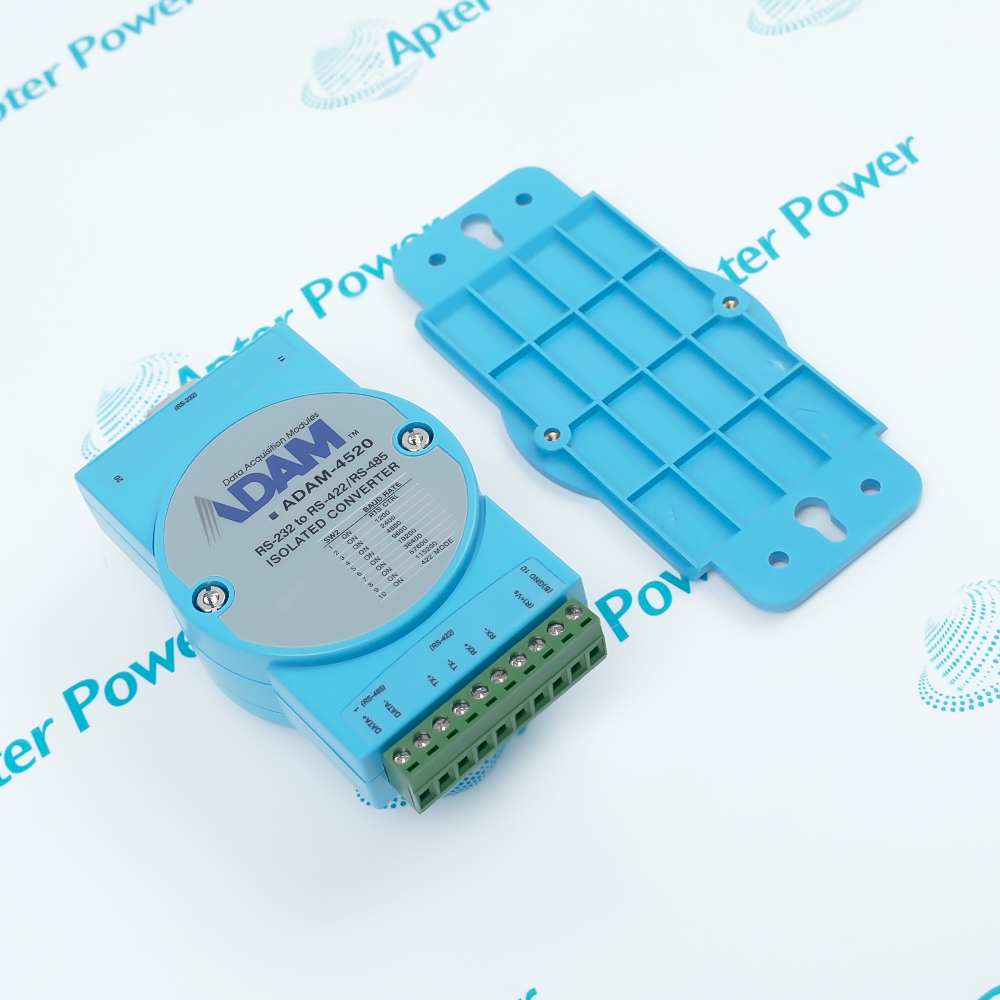
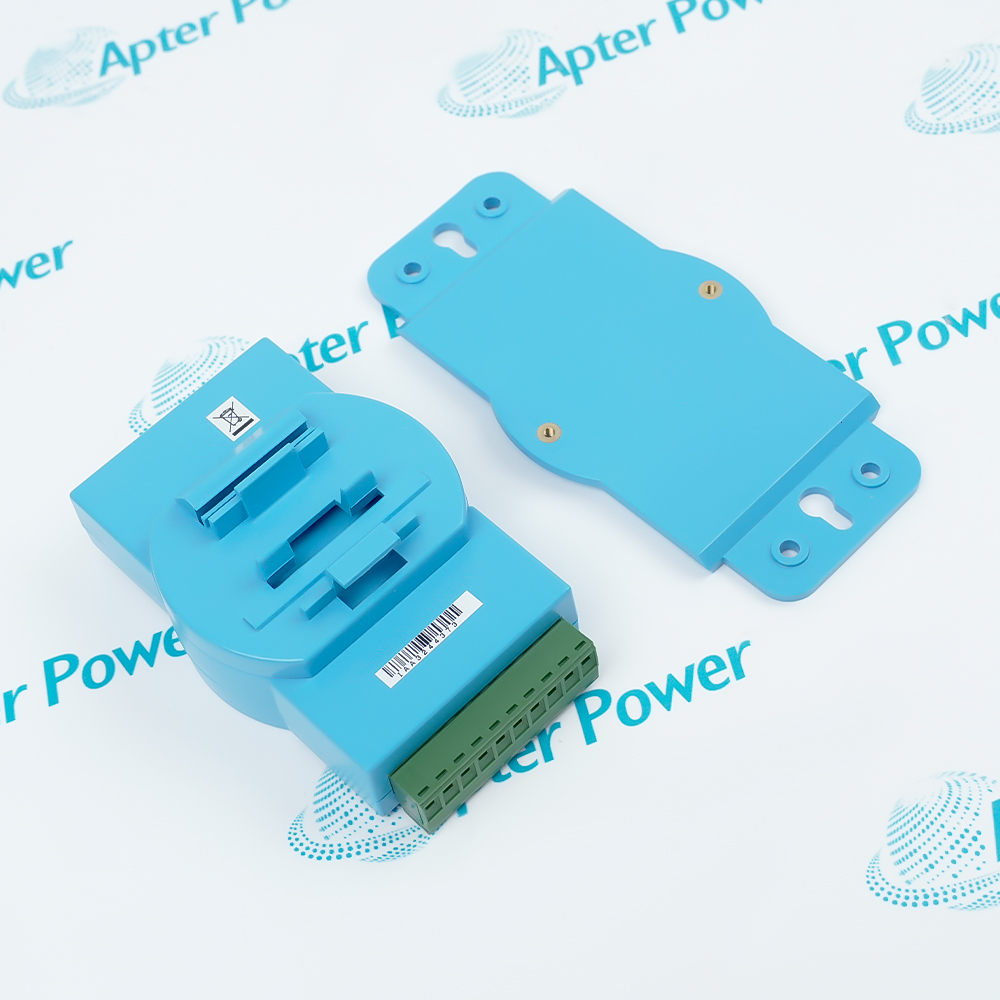
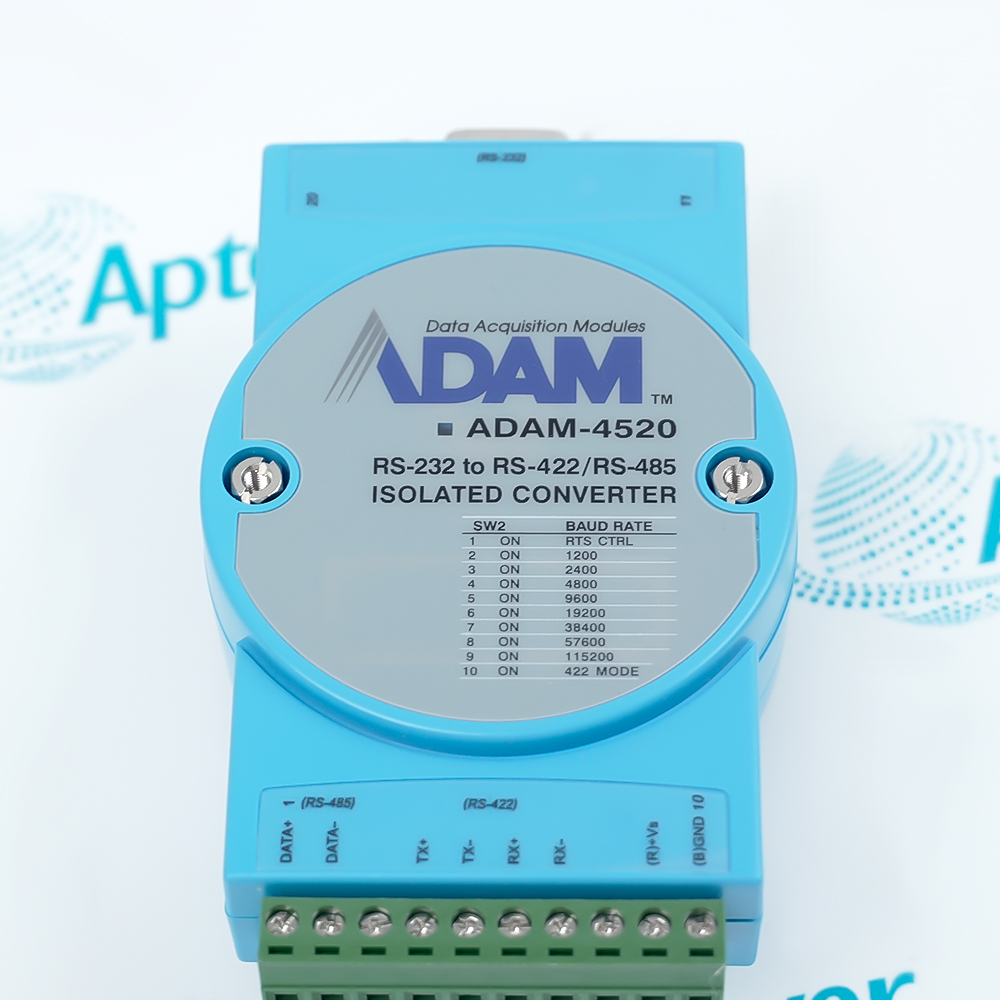
Include ADAM-4520 and any revision or assembly number visible on the unit. Keep the exact reference on your enquiry and quotation.
-
Check the offered item before ordering
Request available label and connector photos. Have your maintenance team compare the offered ADAM-4520 with the installed equipment and applicable Advantech documentation.
Technical specifications for ADAM-4520
-
Manufacturer:Advantech
-
Product Category:General Automation
-
Spare Part Number:ADAM-4520
-
Weight:0.14 kg
-
Tariff Code:8537101190
-
Host interface:RS-232; female DB9
-
Field interface:RS-485 (2-wire) or RS-422 (4-wire)
-
Field connector:Plug-in screw terminal; #14-22 AWG
-
Selectable speed modes:1,200 / 2,400 / 4,800 / 9,600 / 19.2k / 38.4k / 57.6k / 115.2k bps
-
Additional modes:RTS control and RS-422
-
Data format options:9, 10, 11 or 12 bits; 10-bit factory setting
-
Factory baud setting:9,600 bps
-
RS-485 direction control:Automatic internal sensing
-
Isolation voltage:3,000 VDC
-
RS-485 line protection:Transient suppression
-
Power input:10-30 VDC, unregulated; reverse-polarity protection
-
Typical power consumption:0.8 W at 24 VDC
-
Maximum power consumption:1 W at 24 VDC
-
Operating temperature:-10 to +70 deg C
-
Storage temperature:-25 to +85 deg C
-
Operating humidity:5-95% RH
-
Mounting:DIN-rail adapter or panel
-
Maximum stated network reach:1,200 m with suitable serial cabling
-
Status indication:Power and data-flow LEDs
Information
- Advantech ADAM-4520 bridges a host RS-232 port to an isolated RS-422 or RS-485 field link. Internal data-flow sensing manages two-wire RS-485 transmission direction without a separate flow-control command.
Host connection: Female DB9 RS-232
Field connection: 2-wire RS-485 or 4-wire RS-422 screw terminals
SW1 selects 9-, 10-, 11- or 12-bit character framing, with 10 bits as the factory setting. SW2 selects one of eight fixed speeds from 1,200 to 115,200 bps, plus RTS-control and RS-422 modes; the factory speed is 9,600 bps. Match both switches to the host and all field nodes before commissioning.
The plug-in field terminal accepts #14–22 AWG conductors. Power and data-flow LEDs support local diagnosis. The manufacturer's stated 1,200 m reach depends on suitable serial wiring and the actual network design; verify signal integrity at the installed baud rate rather than treating the maximum distance as universal.
-
Advantech ADAM-4520 technical reference
Original Advantech data sheet - PDF, 1 page. Interfaces, switch modes, electrical ratings, environmental limits and wiring reach. -
ADAM-4520 engineering technical data
Isolated serial-interface ratings, communication limits, wiring options and integration checks. Apter Power PDF, 1 page.
Commissioning context: The applications below describe serial-network roles. Verify the actual host and remote-device configuration; electrical conversion alone does not establish application-protocol compatibility.
-
RS-232 host to RS-485 multidrop
Connect the host DB9 to a two-wire field segment. Internal direction sensing manages transmit turnaround; check node addressing, termination and biasing in the installed network. -
RS-232 host to RS-422 link
Select four-wire mode for separate transmit and receive pairs. Verify pair crossover, common reference and end-device framing before acceptance. -
Isolated serial boundary
Use the isolated field interface where host and remote equipment need electrical separation. Coordinate protective earthing, surge measures and shielding with the plant design. -
Field service and replacement
Record SW1/SW2 positions, host pin use and field-terminal wiring before exchange. Reproduce the speed and framing, then prove traffic in both directions.
Measure the supply at ADAM-4520 terminals under load and keep it within 10-30 VDC. Isolate power before moving conductors.
Select two-wire RS-485 or four-wire RS-422 to match the installed field devices and conductor arrangement.
Set SW1/SW2 to the host and remote-node framing and speed; do not assume factory switch positions match the running channel.
Confirm cable routing, shielding, termination and biasing for the actual topology and baud rate.
Use #14-22 AWG conductors at the plug-in field connector. Check polarity and strain relief before restoring power.
Use power and data-flow indicators for first checks, then verify messages in both directions at the operating speed.
Alternative Names
Technical notes
Configuration: Record SW1 and SW2 positions before replacement. Match the host data format and selected field mode to the installed network.
Connection: Use the DB9 host connector and correctly identified RS-422/485 screw terminals; protect the serial cabling from interference.
Technical reference: Advantech ADAM-4510/S, ADAM-4520 and ADAM-4521 data sheet (2021); ADAM-4510/4510S/4520 Startup Manual, Ed. 9.

FAQ View All FAQ
-
How should ADAM-4520 be configured when the host and field devices use different serial frame lengths?Record the installed host framing before replacement. Select 9, 10, 11 or 12 data-format bits with SW1, then make the host port and every connected field device agree; the factory 10-bit format is intended for the standard ADAM network.
-
What should be checked if ADAM-4520 passes data in one direction but not the other on an RS-485 link?Confirm field pair polarity and host framing first. During a transmission, compare the data-flow LED with the startup-manual direction table; a return path that never produces its expected indication points to receive wiring, the remote device or link configuration.
-
When would the RTS-control selection on ADAM-4520 be needed?Use that selectable mode only if the existing host application intentionally controls transmit direction with RTS. For an ordinary two-wire RS-485 installation, the converter can sense direction internally; preserve the installed SW2 setting and verify a round-trip exchange.
-
How can an engineer distinguish an RS-422 wiring issue from a baud-setting issue on ADAM-4520?Confirm whether the field link is four-wire RS-422 or two-wire RS-485 and compare transmit and receive pairs against the wiring diagram. In RS-422 mode the manual says the baud selector need not be set; test both directions before changing other settings.
-
Why can ADAM-4520 communicate at the bench yet fail after installation on a long field cable?Inspect cable type, route, shielding and end-device wiring. Advantech recommends shielded twisted pair for RS-485 and states a network reach up to 1,200 m; the achievable link depends on the installed cable and electrical environment. Confirm the error rate under operating conditions.
-
What should be retained before swapping an ADAM-4520 in an existing network?Photograph the original unit SW1/SW2 positions, RS-232 connector and field-terminal labels. The module is not host-addressable for these settings, so restore the documented format and speed or mode before connecting the replacement, then test two-way traffic.
-
How should an ADAM-4520 power problem be isolated without confusing it with a serial-link fault?Measure the supply at the module terminals under load, observe the power indicator and verify polarity. If power is stable, test the RS-232 host side and field side separately; avoid changing framing until supply and physical wiring have been checked.
-
What evidence would confirm an ADAM-4520 installation after commissioning?Record switch positions, field mode, host framing, supply measured at the connector, and successful messages in both directions. Check the data-flow LED against the documented direction states and retain the final wiring record for future replacement.
Supporting new and legacy automation
-
Please try to be as accurate as possible with your search.
-
We can quote you on 1000s of specialist parts, even if they are not listed on our website.
-
We can't find any results for “”.
Related cases and sourcing guidance
View all case studiesYou May Also Like
Product Browsing History
-
Whatsapp: +86 18030235313
Send us a message. -
sales13@apterpower.com
Complete our online form. -
+86 18030235313
Speak to our team in your native language.