-
Match the complete marking
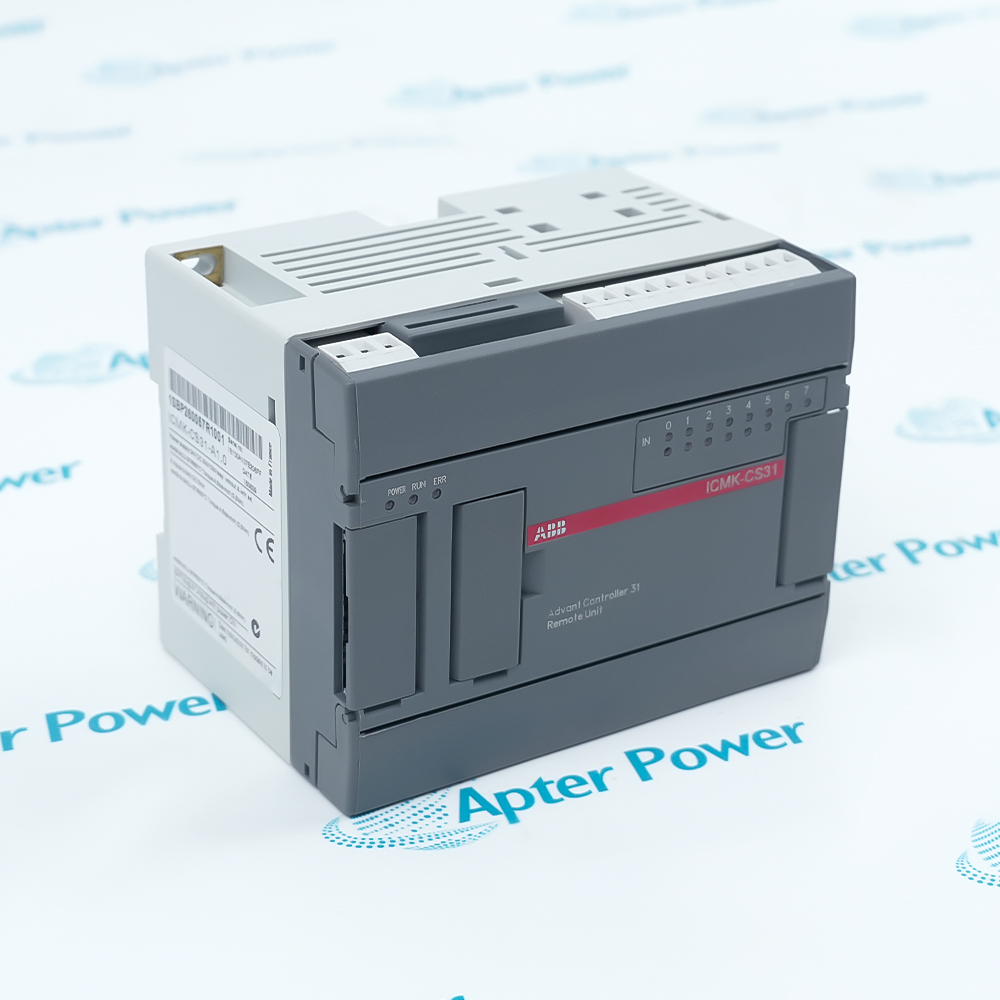
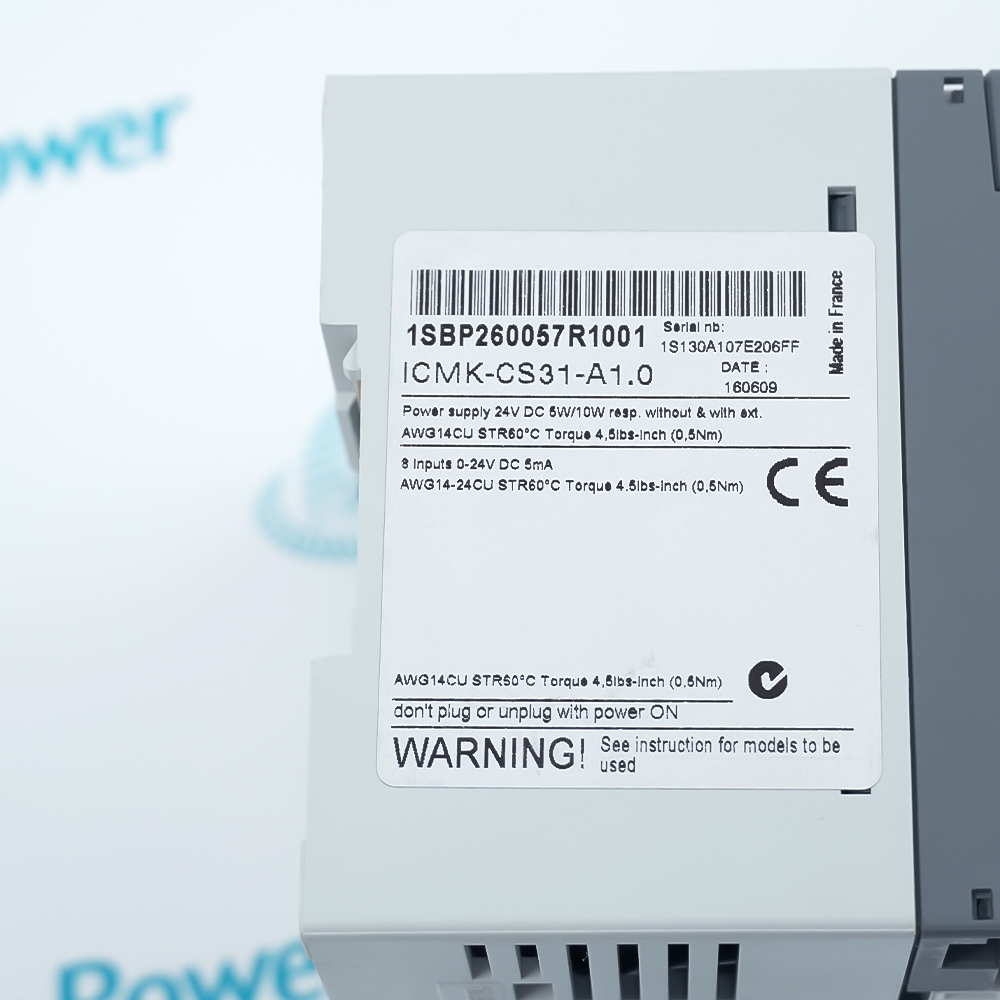
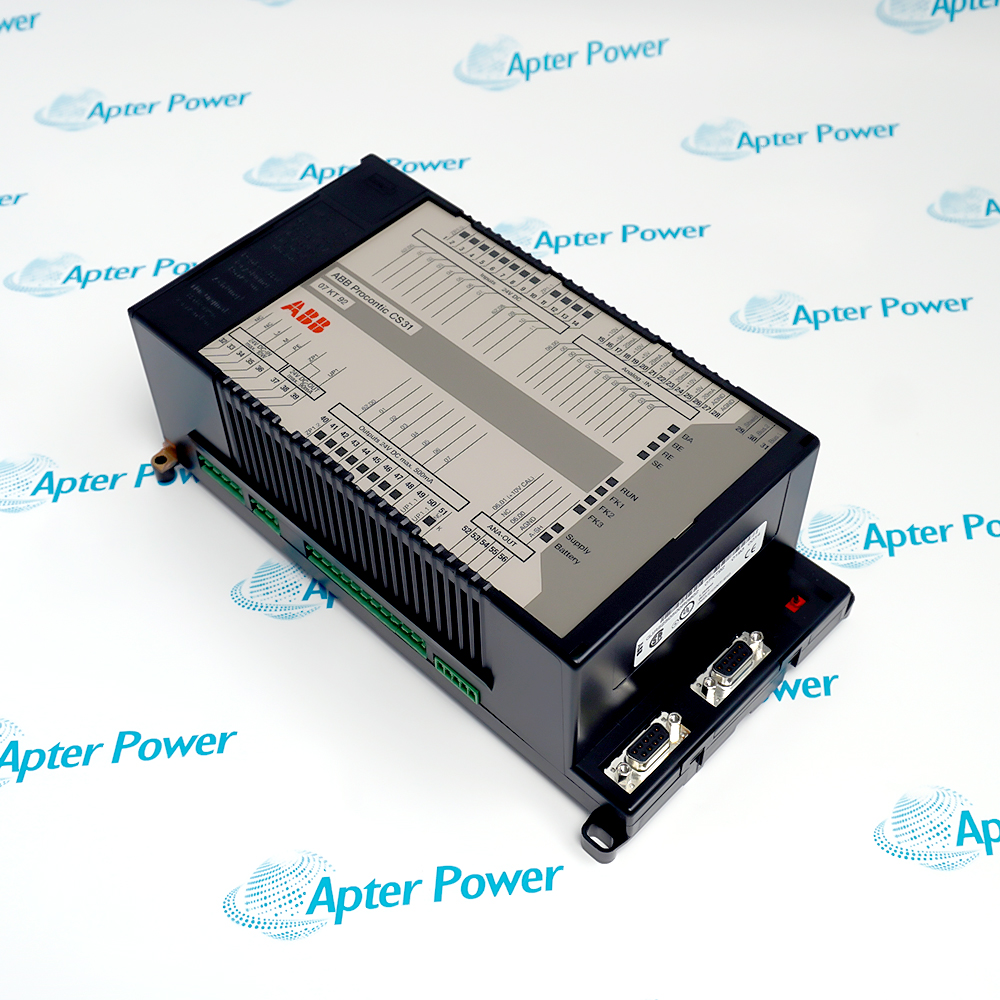
Include ICMK-CS31-A1.0 1SBP260057R1001 and any revision or assembly number visible on the item. Keep the exact reference on your enquiry and quotation.
-
Check the offered item before ordering
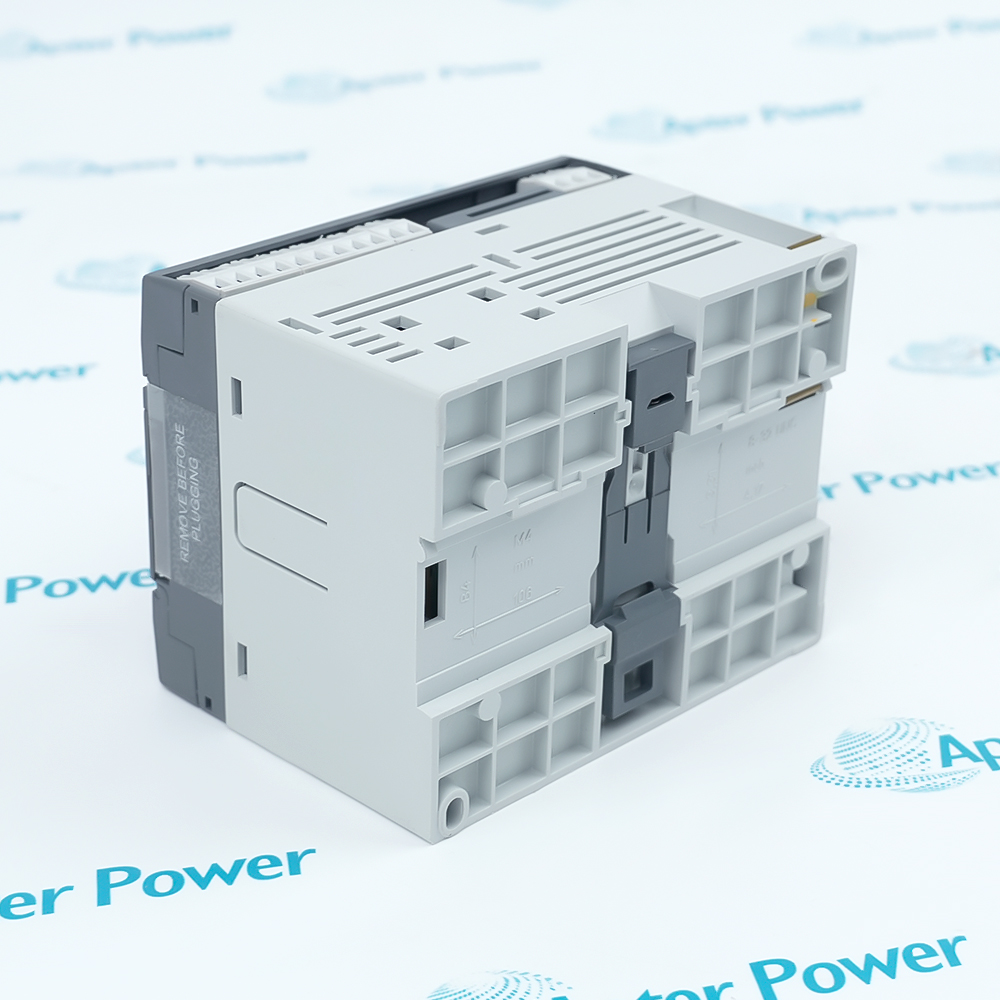
Request available label and connector photos. Have your maintenance team compare the offered ICMK-CS31-A1.0 1SBP260057R1001 with the installed equipment and applicable ABB documentation.
Technical specifications for ICMK-CS31-A1.0 1SBP260057R1001
-
Manufacturer:ABB
-
Product Category:PLC Systems
-
Spare Part Number:ICMK-CS31-A1.0 1SBP260057R1001
-
Weight:0.45 kg
-
Tariff Code:8537101190
-
Order code:1SBP260057R1001
-
System family:AC31 / CS31 remote I/O
-
Supply rating:24 V DC (nameplate)
-
Power, without extensions:6 W (nameplate)
-
Power, with extensions:10 W (nameplate)
-
Input voltage marking:0–24 V DC
-
Input current marking:5 mA
-
Terminal torque:0.5 N·m (4.5 lb-in)
-
Configuration inputs:8 isolated 24 V DC inputs; PNP/NPN
-
Outputs on remote unit:None; process I/O requires applicable extensions
-
Input low level:0–5 V DC
-
Input high level:15–30 V DC
-
Supply wiring:AWG 14 copper; 60 °C
-
Input wiring:AWG 14–24 copper; 60 °C
-
Minimum input filtering:5 ms
-
Input isolation:1500 V AC to internal electronics
-
Connection restriction:Do not plug or unplug with power ON
-
Bus interface:CS31; RS485 shielded twisted pair
-
Bus termination:120 ohm, 1/4 W at each bus end
-
Bus address setting:Two rotary switches; units and tens
-
Horizontal operating temperature:0 to +55 °C
-
Vertical operating temperature:0 to +40 °C
-
Storage temperature:-40 to +75 °C
-
Protection rating:IP20
-
Mounting:35 mm DIN rail or M4 screws
-
Terminal capacity:Up to 2.5 mm²; removable terminal blocks
Information
- ABB ICMK-CS31-A1.0 1SBP260057R1001 is supplied under the requested complete marking. The supplied nameplate specifies 24 V DC. This CS31 remote interface is used with selected AC31 extension units in configured Series 30 replacement arrangements.
Supply rating: 24 V DC (nameplate)
Local inputs: Eight configuration inputs; no onboard outputs
The eight isolated inputs select configuration functions such as module type, analog mode, temperature mode and upper-channel assignment. They should not be treated as eight additional process inputs. The remote unit itself has no outputs; the required process channels are provided by applicable extension units and their configured bus mapping.
The supplied ICMK-CS31-A1.0 1SBP260057R1001 nameplate specifies 24 V DC, with power marked 6 W without extensions and 10 W with extensions. The eight inputs are marked 0–24 V DC, 5 mA. Two rotary switches set the CS31 address, and POWER, RUN and ERR indications support commissioning checks. Match the actual revision and terminal diagram before applying series reference values.
-
ABB ICMK-CS31-A1.0 1SBP260057R1001 technical reference
Original manufacturer excerpt - PDF, 9 pages. CS31 series configuration and variant comparison; the supplied unit uses its 24 V DC nameplate rating. -
ABB ICMK-CS31-A1.0 1SBP260057R1001 installation guide
Prepared by Apter Power - PDF, 4 pages. Identity checks, installation, configuration, commissioning and maintenance handover.
Replacement assessment: The applications below require the ABB configuration tables and an installed-system comparison. The retained ICMK-CS31-A1.0 marking alone does not establish interchangeability.
-
Series 30 maintenance conversion
Use the documented ICMK-CS31 and extension combinations for supported Series 30 replacement cases, retaining the required central-program behavior. -
Distributed CS31 process I/O
Connect applicable extension modules through the remote unit and preserve the installed bus address and process-channel assignment. -
Configured analog acquisition
Set the documented configuration inputs for the selected analog extension and signal mode; verify range and channel mapping before energizing the field circuits. -
Remote-station fault diagnosis
Use POWER, RUN and ERR together with the central-controller status to distinguish supply, bus-message and configuration problems.
The supplied ICMK-CS31-A1.0 1SBP260057R1001 nameplate specifies 24 V DC. Match the supply terminals and wiring diagram; do not apply AC power based on the order code alone.
Isolate the DC supply and affected field circuits before wiring. Preserve the terminal identification and apply the site electrical safe-work procedure.
Connect Bus 1 to Bus 1 and Bus 2 to Bus 2 using shielded twisted pair. Follow the ABB shield connection and terminate only the ends of the bus.
Set the rotary tens and units switches to the address required by the replaced station and central program. Avoid duplicate bus addresses.
Use the documented input-state combination for the actual extension modules. Inputs 5 and 6 are reserved; do not invent a function for them.
Respect 0–55 °C horizontal or 0–40 °C vertical operation. Prove supply, bus communication, configuration and each affected process channel before return to service.
Alternative Names
Technical notes
Identity boundary: The supplied ICMK-CS31-A1.0 1SBP260057R1001 nameplate specifies 24 V DC. Its power marking is 6 W without extensions and 10 W with extensions; input marking is 0–24 V DC, 5 mA.
I/O configuration: The eight local inputs are used for configuration. The ICMK-CS31 has no onboard outputs, and its process I/O depends on the applicable extension units.
Technical reference: ABB AC31 Technical Documentation – ICMK-CS31 Remote Unit, 1SBC121001M0201-b (02.07), for series configuration. Supply, power and input-current values follow the supplied ICMK-CS31-A1.0 1SBP260057R1001 nameplate. Other entries are ICMK-CS31 series references; confirm their applicability to the installed revision and configuration. Do not select supply wiring from the order code alone.

FAQ View All FAQ
-
What supply voltage is marked on ICMK-CS31-A1.0 1SBP260057R1001?The supplied unit nameplate specifies 24 V DC. Match its supply terminals and wiring diagram before energizing; do not apply an AC supply based on the order code alone.
-
Are the eight inputs on ICMK-CS31-A1.0 1SBP260057R1001 normal process inputs?In the documented ICMK-CS31 arrangement, the eight local inputs are configuration inputs. Their states select extension and channel modes; they are not eight additional freely assigned process inputs.
-
Does ICMK-CS31-A1.0 1SBP260057R1001 include onboard outputs?The documented ICMK-CS31 remote unit has no outputs. Process I/O is supplied by the applicable AC31 extension modules and the chosen configuration.
-
How is the CS31 address set for ICMK-CS31-A1.0 1SBP260057R1001?Two rotary switches set the tens and units of the CS31 address. Preserve the address required by the central-controller program and the replaced station, and check for duplicate addresses.
-
What termination is required with ICMK-CS31-A1.0 1SBP260057R1001?Use shielded twisted-pair CS31 wiring, retain Bus 1 and Bus 2 continuity, and fit a 120 ohm, 1/4 W termination at each end of the bus. Intermediate stations must not add end termination.
-
How does mounting orientation affect ICMK-CS31-A1.0 1SBP260057R1001?For the ICMK-CS31 series, horizontal operation is specified from 0 to +55 °C and vertical operation from 0 to +40 °C. Confirm the installed revision limits, cabinet temperature and mounting position.
-
What do the RUN and ERR indicators mean on ICMK-CS31-A1.0 1SBP260057R1001?RUN blinking indicates receipt of a valid message. ERR on indicates an error, while ERR blinking indicates a configuration error. Diagnose these states with the central controller and extension arrangement.
-
Can ICMK-CS31-A1.0 1SBP260057R1001 replace every Series 30 CS31 unit?No. ABB describes selected replacement arrangements using the remote unit and appropriate extensions, with rewiring required. Verify the exact replaced unit, central-unit support, configuration inputs and process-channel map.
Supporting new and legacy automation
-
Please try to be as accurate as possible with your search.
-
We can quote you on 1000s of specialist parts, even if they are not listed on our website.
-
We can't find any results for “”.
You May Also Like
Product Browsing History
-
Whatsapp: +86 18030235313
Send us a message. -
sales13@apterpower.com
Complete our online form. -
+86 18030235313
Speak to our team in your native language.