Speak to a sourcing specialist
sales13@apterpower.com

6GK1143-0TA00

SINEC CP 1430 TF Communications Processor
In Stock
Ships by Saturday, November 7
Fast Shipping Available
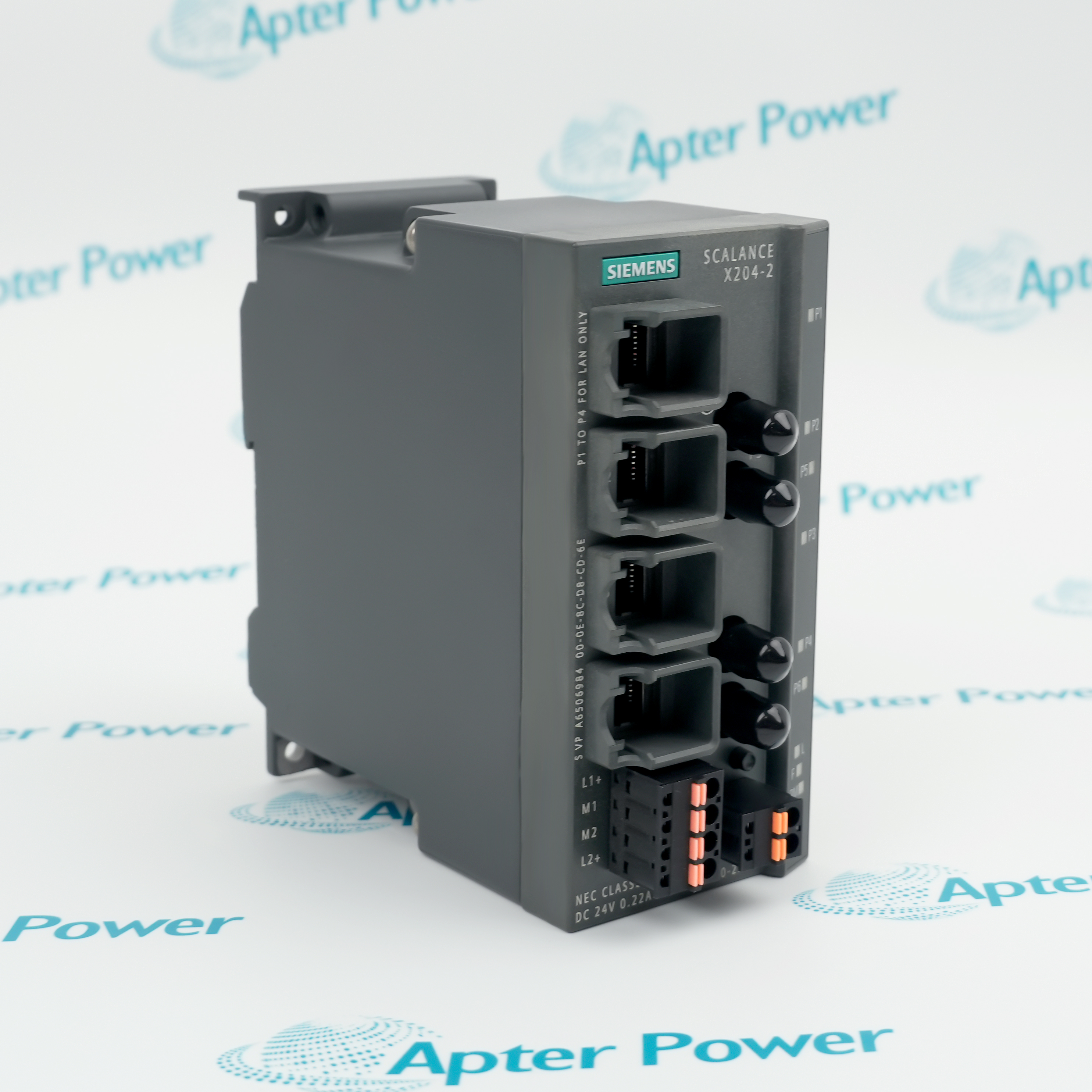
Product image is representative; revision or series may vary. Contact us to request a specific version.

Product Describe:

Siemens 6GK1143-0TA00 is the basic SINEC CP 1430 TF communications processor for connecting SIMATIC S5 controllers to Industrial Ethernet. It is configured with the NCM COM 1430 TF engineering package for the retained SINEC installation.
Get a quick price for 6GK1143-0TA00
E-mail *
Mobile *
Company
Content *
Quantity *
Upload (gif, jpg, jpeg, png, bmp, doc, docx, xls, xlsx, ppt, pdf, csv)
For more information on how your data is processed and stored by Apterpower please read our privacy policy

What happens after you enquire

  • 1

    Requirement review

    We review the part number, quantity and delivery requirements and ask for any missing details.
  • 2

    Quotation and availability

    We confirm the proposed item, condition, availability, price and estimated lead time in the quotation.
  • 3

    Order confirmation and dispatch

    Once the quotation and purchasing details are agreed, your contact will coordinate the order and available dispatch information.

Technical specifications for 6GK1143-0TA00

  • Manufacturer:
    Siemens
  • Product Category:
    General Automation
  • Spare Part Number:
    6GK1143-0TA00
  • Estimated shipping dimensions:
    2.1x20.5x25.4cm
  • Weight:
    0.46 kg
  • Tariff Code:
    8537101190
  • Counliy of origin:
    Germany
  • Product designation:
    SINEC CP 1430 TF
  • Execution:
    Basic
  • Host family:
    SIMATIC S5
  • Network family:
    SINEC Industrial Ethernet
  • Engineering software:
    NCM COM 1430 TF
  • Engineering environment:
    S5-DOS/ST Version 6.x
  • Supported engineering devices:
    PG720 / PG740 / PG760 / compatible PC
  • Exact-model online path:
    Koster box and documented cables
  • Transport connections:
    62 assignable with Basic V3.06B
  • Network media guidance:
    SINEC H1 triaxial or Industrial Twisted Pair
  • Installation:
    Grounded closed metal cabinet
  • ESD handling:
    Required before cabinet access
  • Acceptance:
    Startup, connection establishment and network diagnostics

Information

Overview Manuals Common Applications Product Precautions
Siemens 6GK1143-0TA00 links a SIMATIC S5 rack to the installed SINEC Industrial Ethernet network while preserving the processor firmware, connection database and host startup behavior.
  • Host family: SIMATIC S5.
  • Network family: SINEC Industrial Ethernet.
  • Engineering software: NCM COM 1430 TF.
  • Engineering environment: S5-DOS/ST Version 6.x.

The installed SINEC CP 1430 TF position links the hardware identity, interfaces and retained configuration to one controlled functional path.

Important Notice: Confirm 6GK1143-0TA00, every connected interface and the recorded acceptance result before service release.

Siemens 6GK1143-0TA00 Manuals & Downloads
Siemens 6GK1143-0TA00 Official CP 1430 TF Product Information Excerpt (PDF)Siemens 6GK1143-0TA00 Installation & Commissioning Guide (PDF)

The official excerpt preserves the applicable manufacturer pages; the field guide organizes separate model-specific readiness, connection, verification and handover checks.


SIMATIC S5 Ethernet connection
Connects the retained S5 controller and CP database to the SINEC network.
Legacy network restoration
Reinstates a Basic CP 1430 TF position without changing connection identities.
NCM configuration service
Uses the preserved COM 1430 TF database and compatible engineering environment.
Connection-load diagnostics
Reviews PAFE and ANZW status while verifying controlled network traffic.
Apply these checks to the exact Siemens 6GK1143-0TA00 installation before isolation, replacement or release.
1
Confirm 6GK1143-0TA00 and the CP 1430 TF Basic execution before work.
2
Back up the NCM COM 1430 TF database, connection list, addresses and firmware record.
3
Place the SIMATIC S5 controller and network peers in the approved maintenance state.
4
Isolate the rack and observe ESD precautions before opening the grounded metal cabinet.
5
Record SINEC media, connectors, shield and protective-earth arrangements.
6
Restore the processor, network path and retained connection database without renumbering peers.
7
Review CP startup, PAFE, ANZW and connection-establishment diagnostics under controlled traffic.
8
Verify each required transport path before releasing 6GK1143-0TA00.

Technical notes

Match 6GK1143-0TA00 to the recorded SINEC CP 1430 TF position and every connected interface. Preserve the installed configuration and release only after controlled verification of SIMATIC S5 communication over SINEC Industrial Ethernet.

FAQ View All FAQ

  • What does Siemens 6GK1143-0TA00 connect?
    The CP 1430 TF Basic connects a SIMATIC S5 controller to a SINEC Industrial Ethernet network.
  • Which engineering tool configures Siemens 6GK1143-0TA00?
    Use NCM COM 1430 TF in the documented S5-DOS/ST Version 6.x environment.
  • Which engineering devices support Siemens 6GK1143-0TA00?
    The product information lists PG720, PG740, PG760 and compatible PCs with the required S5-DOS/ST package.
  • Can Siemens 6GK1143-0TA00 use the standard V.24 adapter for online functions?
    No. The exact -0TA00 execution requires the documented Koster box and connecting cables for that online path.
  • How many transport connections can Siemens 6GK1143-0TA00 Basic V3.06B assign?
    The product information states that 62 transport connections can be assigned.
  • Which network media guidance applies to Siemens 6GK1143-0TA00?
    Installation follows the retained SINEC H1 triaxial or Industrial Twisted Pair network arrangement.
  • Which cabinet practice applies to Siemens 6GK1143-0TA00?
    Install the SIMATIC S5 hardware in a grounded closed metal cabinet and observe ESD precautions.
  • What completes commissioning of Siemens 6GK1143-0TA00?
    Confirm CP startup, the restored database, diagnostic status and controlled communication on every required connection.
Related reading

Related cases and sourcing guidance

View all case studies
SPEAK TO OUR TEAM
Let’s find the right solution for you.
Send us the part number, quantity and delivery destination. Our team will help confirm availability and lead time.
  • Whatsapp: +86 18030235313

    Send us a message.
  • sales13@apterpower.com

    Complete our online form.
  • +86 18030235313

    Speak to our team in your native language.