-
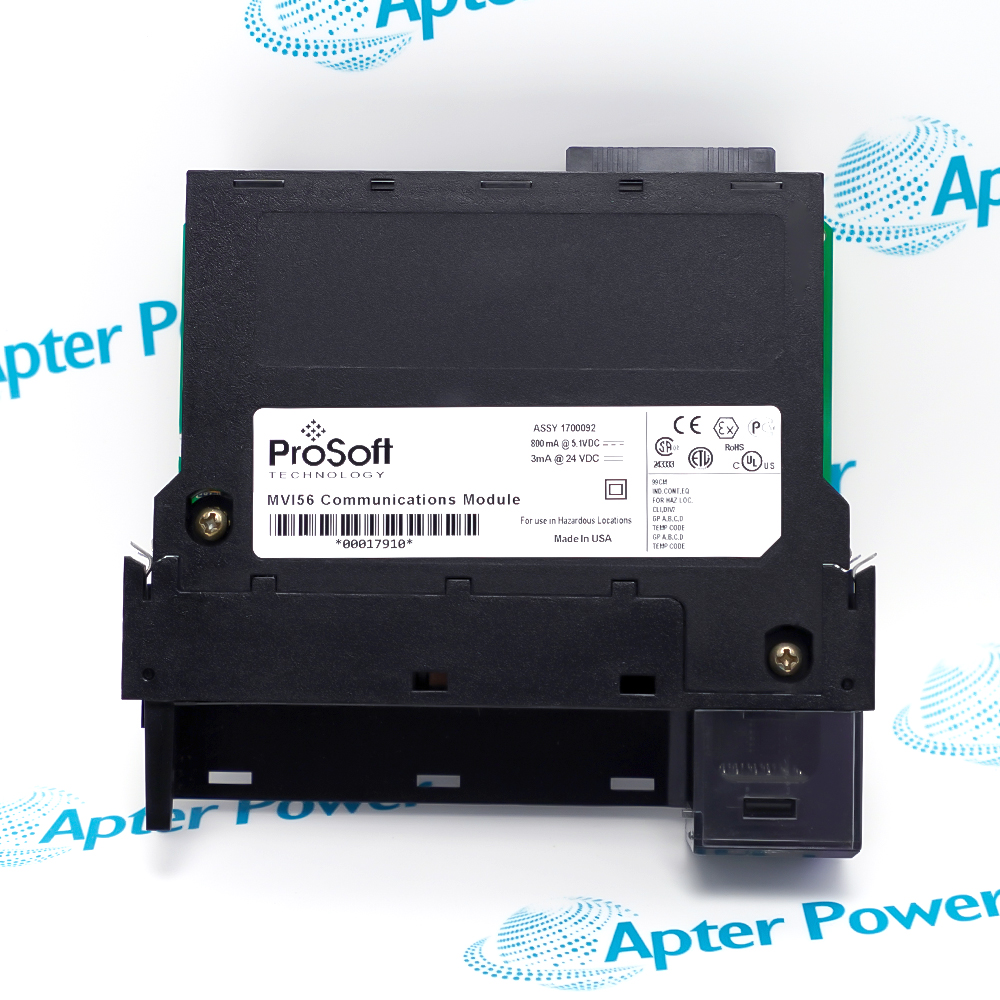
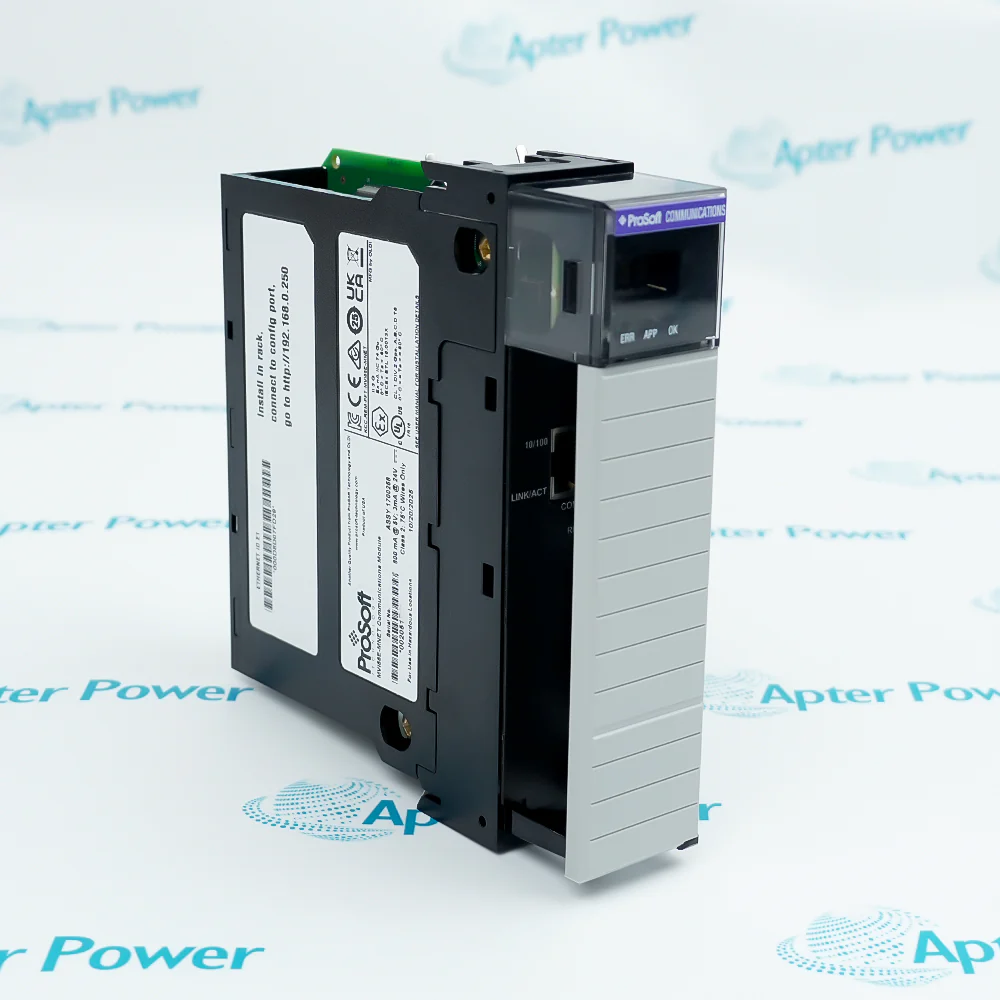
Match the complete marking
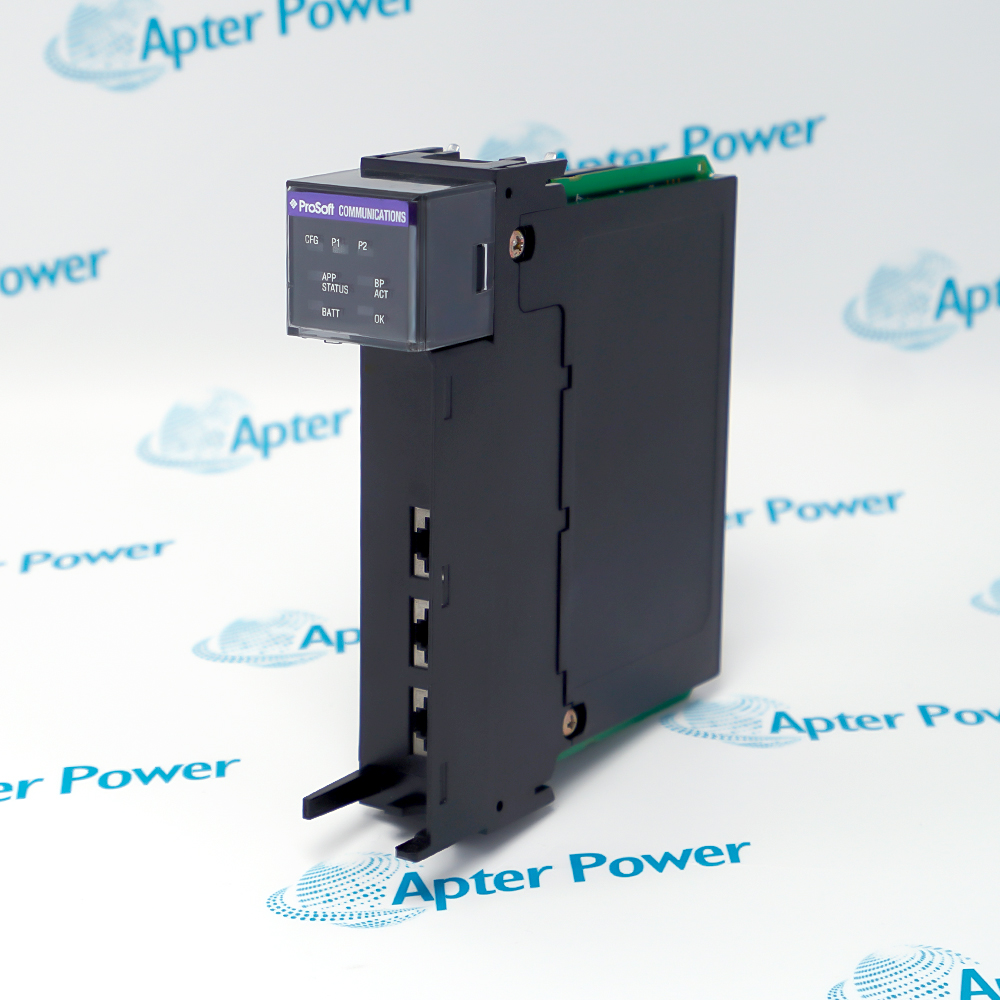
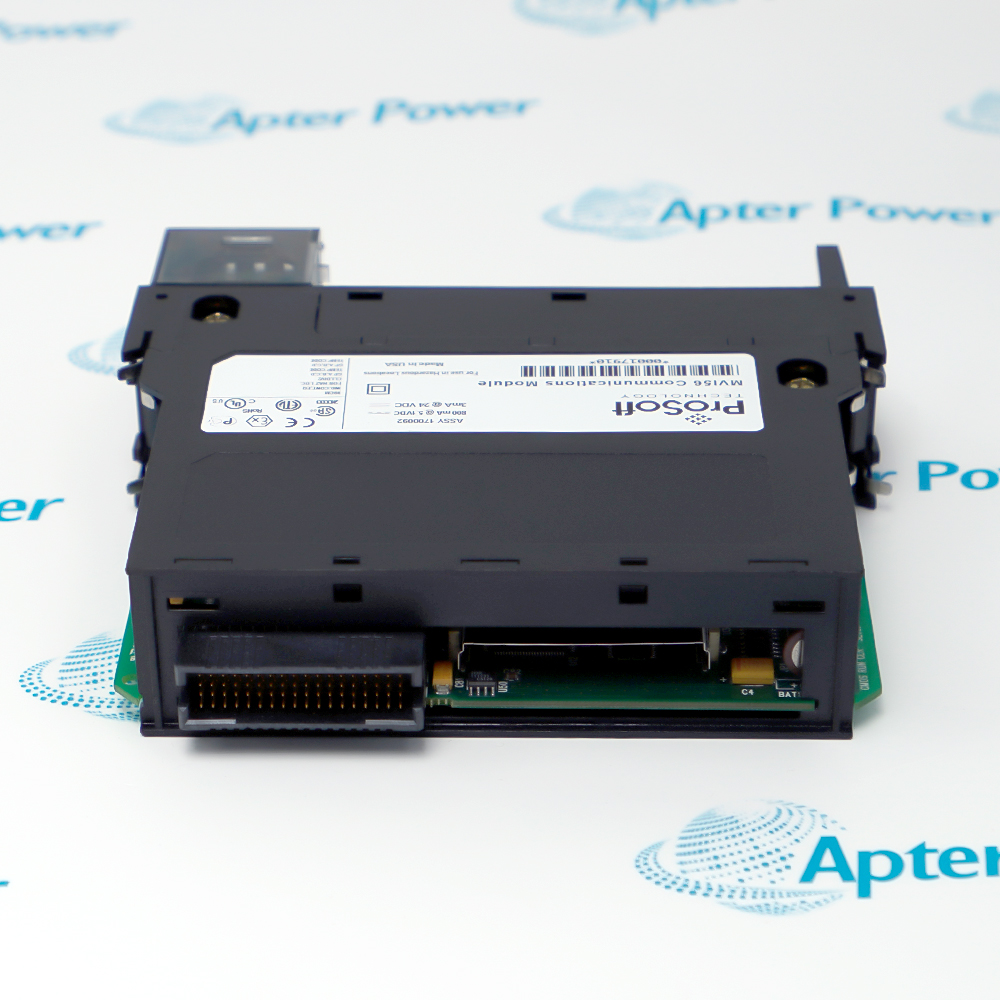
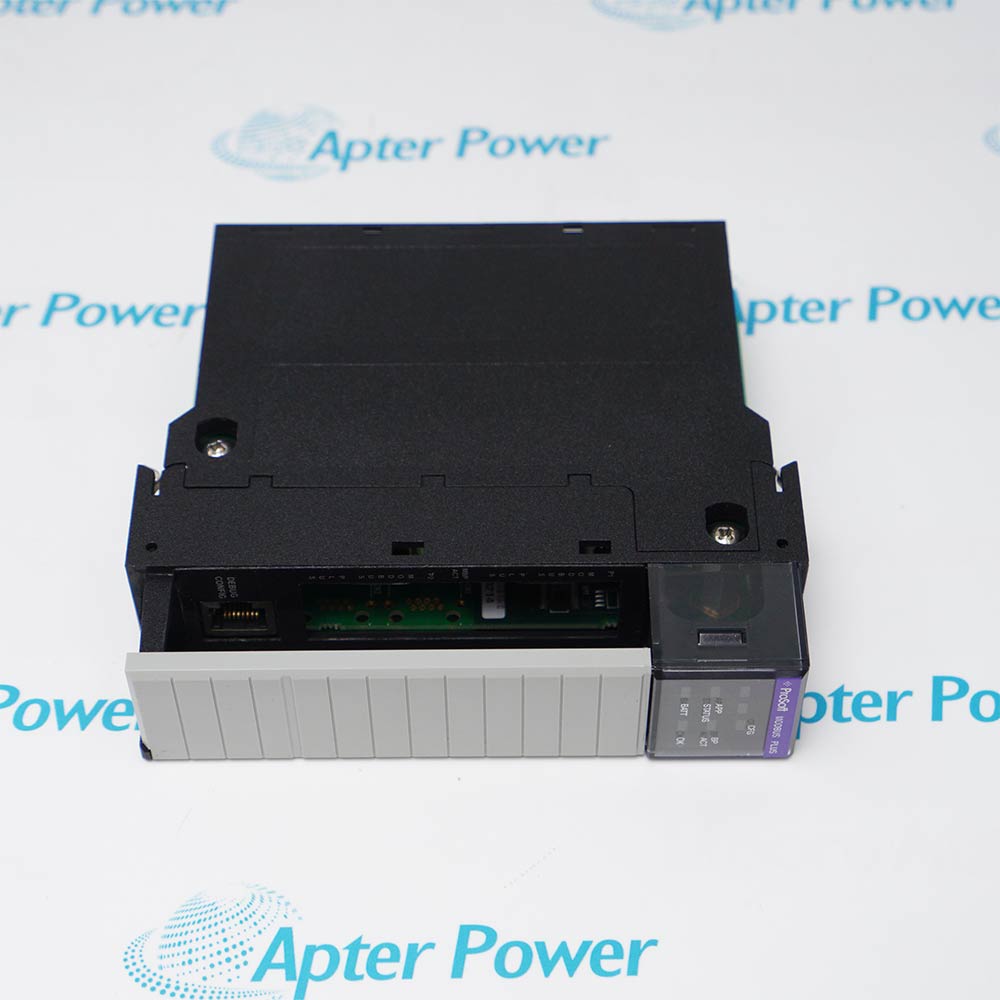
Include MVI56E-GSC and any revision or assembly number visible on the item. Keep the exact reference on your enquiry and quotation.
-
Check the offered item before ordering
Request available label and connector photos. Have your maintenance team compare the offered MVI56E-GSC with the installed equipment and applicable ProSoft documentation.
Technical specifications for MVI56E-GSC
-
Manufacturer:ProSoft
-
Product Category:PLC Systems
-
Spare Part Number:MVI56E-GSC
-
Weight:0.26 kg
-
Tariff Code:8537101190
-
Complete model:MVI56E-GSC
-
Host platform:Allen-Bradley ControlLogix; one 1756 chassis slot
-
Controller firmware:Version 10 or later; verify software and sample-program requirements
-
AOI software requirement:RSLogix 5000 version 16 or later
-
Serial channels:2 independent application ports
-
Serial electrical modes:RS-232, RS-422 or RS-485; jumper selected
-
Serial port connectors:RJ45; use the matching RJ45-to-DB9 adapter and cable
-
Serial baud rate:110 to 115200 bit/s
-
Serial data bits:5, 6, 7 or 8
-
Serial stop bits:1 or 2
-
Serial parity:None, odd or even
-
Handshaking:None, RTS/CTS, DTR/DSR or XON/XOFF
-
Serial message capacity:Up to 4096 bytes per port
-
Receive termination:Termination characters, timeout, intercharacter delay or packet length
-
Termination character count:0–12 characters
-
Receive termination selection:Bitmap; combine applicable conditions
-
RTS on/off delay:0–65535 ms
-
Backplane I/O image:500-byte input; 496-byte output
-
Ethernet service port:10/100BaseT RJ45; automatic crossover detection
-
Configuration tools:Controller configuration tags; ProSoft Configuration Builder diagnostics
-
Backplane current at 5 V DC:800 mA
-
Backplane current at 24 V DC:3 mA
-
Serial isolation:500 V optical isolation from the backplane
-
Operating temperature:0 to +60 °C; MVI56E-GSC
-
Storage temperature:-40 to +85 °C
-
Humidity:5–95% RH, noncondensing
-
Operating shock:30 g
-
Non-operating shock:50 g
-
Vibration:5 g, 10–150 Hz
Information
- ProSoft MVI56E-GSC lets a ControlLogix application exchange serial byte streams with instruments, readers and other ASCII devices. The controller builds outgoing messages and interprets received data through the module I/O image.
Serial channels: Two independent RS-232/422/485 ports
Message handling: Configurable framing and up to 4096 bytes per port
Receive completion can be determined by termination characters, elapsed message timeout, intercharacter delay or a configured packet length. These conditions can be combined in a termination bitmap, with the first satisfied condition completing the message. Stream mode requires particular care because continuous traffic can demand time-critical controller processing; framing should follow the connected device protocol rather than an arbitrary fixed delay.
Port parameters reside in the controller configuration tags and are transferred to the module by the sample logic or Add-On Instruction. AOI integration requires RSLogix 5000 version 16 or later; earlier supported projects use the appropriate sample ladder. The Ethernet service port provides access to ProSoft Configuration Builder diagnostics, communication analysis and module status. Following configuration changes, use the documented warm-boot, cold-boot or power-cycle method and prove the data exchange before releasing the process.
-
ProSoft MVI56E-GSC technical reference
Original manufacturer excerpt - PDF, 10 pages. Jumper selection, chassis installation, serial configuration and MVI56E-GSC technical data. -
ProSoft MVI56E-GSC installation guide
Prepared by Apter Power - PDF, 5 pages. Controller integration, serial wiring, message framing, commissioning and fault isolation.
Device protocol: The application must construct and interpret each device message. An ASCII connection alone does not establish a ready-made protocol driver or interchangeable device configuration.
-
Instrument data collection
Receive formatted serial measurement strings, define the actual message ending and parse the required fields in the controller. -
Barcode and identification readers
Accept reader output through a dedicated serial channel, using the correct baud rate, framing and message boundaries. -
Printer and display commands
Build device-specific ASCII commands in controller logic and transmit them through the selected port, with the required handshaking. -
Independent serial device channels
Configure two different serial devices separately while retaining distinct receive buffers, transmit commands and controller diagnostics.
Allow 800 mA at 5 V DC and 3 mA at 24 V DC on the backplane. Use the standard GSC operating range of 0–60 °C.
Select RS-232, RS-422 or RS-485 separately for each application port before connecting the field cable. Match the adapter and wiring to that electrical mode.
The setup jumper is shipped OFF for firmware write protection. Normal configuration does not require enabling firmware updates.
Check the actual slot, I/O connection and sample ladder or AOI version. AOI projects require RSLogix 5000 version 16 or later.
Configure receive termination for the actual device. Set a nonzero transmit timeout; a zero value can produce transmit error 0400.
Review the backplane failure threshold and application response. After a configured failure shuts down serial communication, use the documented reset procedure and verify restored data exchange.
Alternative Names
Technical notes
Message relationship: The module transports generic ASCII messages; the controller application constructs and interprets device-specific commands and responses.
Configuration boundary: RS-232/422/485 is selected by hardware jumpers. Controller tags define serial parameters and receive termination; the Ethernet port supports configuration access and diagnostics.
Technical reference: ProSoft MVI56E-GSC/GSCXT ControlLogix Platform Enhanced Generic ASCII Serial Communication Module User Manual, October 13, 2025. Values here apply to MVI56E-GSC, not the GSCXT extended-temperature version.

FAQ View All FAQ
-
Does MVI56E-GSC provide a complete device protocol driver?It transfers generic ASCII strings or byte streams. Controller logic must build outgoing commands and interpret incoming messages for the connected device; protocol-specific parsing is not supplied merely by selecting a serial mode.
-
Can the two serial ports of MVI56E-GSC use different settings?Yes. Each application port is configured independently. Match its electrical mode, baud rate, data bits, parity, stop bits and handshake method to its own connected device.
-
How does MVI56E-GSC decide that a received message is complete?Select termination characters, message timeout, intercharacter delay or packet length in the receive termination bitmap. Conditions can be combined, and the first satisfied selected condition completes the message.
-
How much serial data can MVI56E-GSC handle in one message?Each port supports strings or byte streams up to 4096 bytes. Data moves through the controller I/O image using the supplied logic; allow for message segmentation and application processing time.
-
Which programming version is needed for the AOI of MVI56E-GSC?The Add-On Instruction requires RSLogix 5000 version 16 or later. Earlier supported projects use the appropriate sample ladder. Match the controller firmware, I/O definition and project revision before commissioning.
-
What is the Ethernet port on MVI56E-GSC used for?The 10/100BaseT service port supports ProSoft tool access, module status, diagnostics and firmware-related service functions. It is distinct from the two serial application channels.
-
Why can MVI56E-GSC report transmit error 0400?A zero transmit timeout is an invalid setting for normal transmission and can cause error 0400. Configure a suitable nonzero WTimeout value and check the connected device handshaking before retrying.
-
What happens after backplane failures on MVI56E-GSC?A configured nonzero consecutive-failure threshold can shut down serial communication when exceeded. A value of zero disables this shutdown. Restore the controller connection and use the documented reset method before checking application traffic.
Supporting new and legacy automation
-
Please try to be as accurate as possible with your search.
-
We can quote you on 1000s of specialist parts, even if they are not listed on our website.
-
We can't find any results for “”.
You May Also Like
Product Browsing History
-
Whatsapp: +86 18030235313
Send us a message. -
sales13@apterpower.com
Complete our online form. -
+86 18030235313
Speak to our team in your native language.