Get Parts Quote
Name
Company *
Phone *
Email *
Address
City
State / Province / Region
Zipcode
Country
Quantity *
Part Number *
Manufacturer
Preferred Condition
Additional Information
Cancel

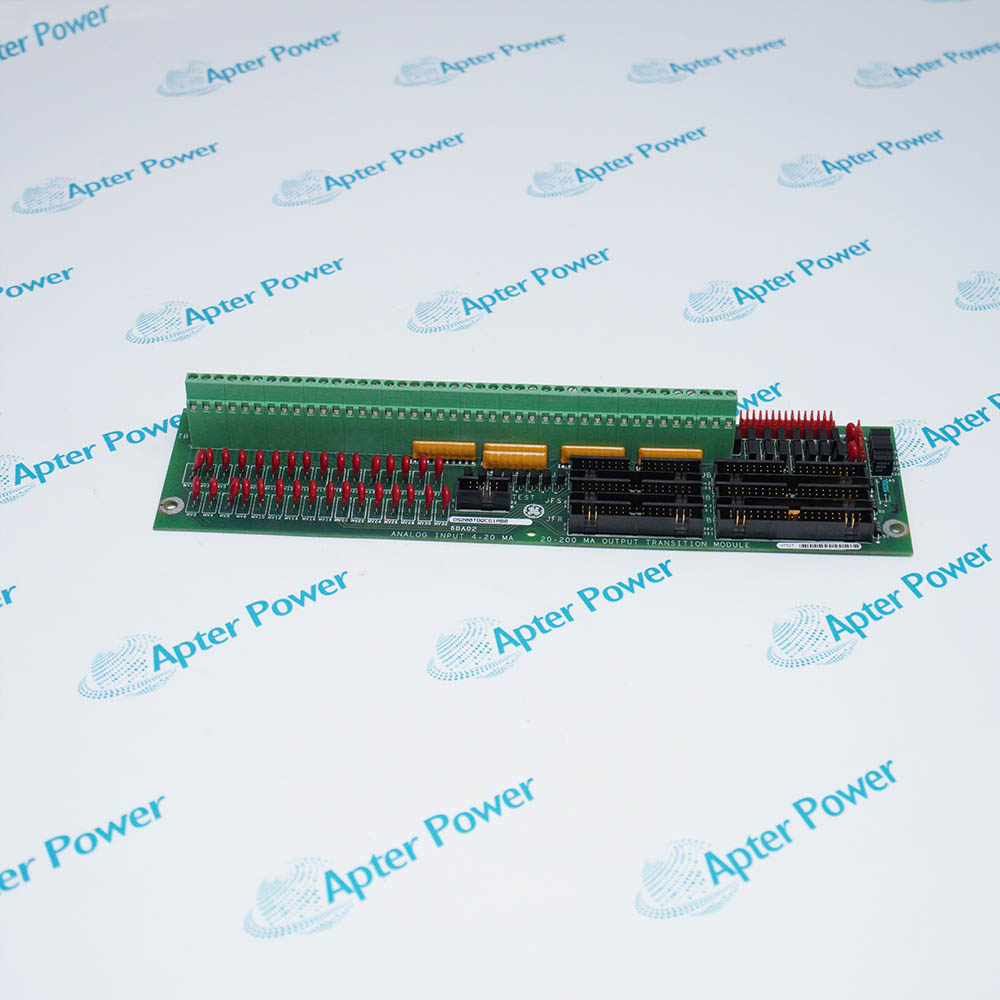
DS200PCCAG9ACB

GE DS200 power connect card assembly
In Stock
Ships by Tuesday, September 22
Fast Shipping Available

Product Describe:

GE DS200PCCAG9ACB is a power connect card assembly for a compatible GE drive. It forms the electrical interface between the drive-control section and the installed power-conversion hardware.

Ask our team:

Get a quick price for: DS200PCCAG9ACB
Quantity*
Upload (gif, jpg, jpeg, png, bmp, doc, docx, xls, xlsx, ppt, pdf, csv)
For more information on how your data is processed and stored by Apterpower please read our privacy policy.

Technical specifications for DS200PCCAG9ACB

Technical specifications for DS200PCCAG9ACB

  • Manufacturer:
    General Electric
  • Product Category:
    Gas turbine control
  • Spare Part Number:
    DS200PCCAG9ACB
  • Estimated shipping dimensions:
    28x21.4x2.3cm
  • Weight:
    0.4 kg
  • Tariff Code:
    8537101190
  • Counliy of origin:
    USA
  • Board family:
    DS200
  • Board designation:
    PCCA
  • Equipment class:
    Power connect card assembly
  • Scaling group:
    G9
  • Primary revision:
    A
  • Secondary revision:
    C
  • Artwork revision:
    B

Information

Information

Overview Manuals Common Applications Product Precautions
GE DS200PCCAG9ACB is ge ds200 power connect card assembly. It forms the documented electrical interconnection between the drive control section and the installed power-conversion hardware.
  • Provides the PCCA power-section interconnection function
  • Uses the G9 scaling-group execution
  • Retains the complete ACB hardware revision
  • Supports controlled power-path continuity checks

DS200PCCAG9ACB is installed with compatible GE drive controller, installed power bridge, documented bus and control connectors, approved drive wiring record.

Engineered applications include Drive power-section restoration, Power-bridge connection verification, PCCA board renewal, Controlled converter start-up.

Important Notice: Discharge the complete drive power section, label every DS200PCCAG9ACB conductor and connector, and match the G9/ACB execution; inspect insulation and fastening before controlled energization and output verification.

Apter Power DS200PCCAG9ACB Manuals and Guides

Apter Power DS200PCCAG9ACB System Technical Reference PDFApter Power DS200PCCAG9ACB Field Installation and Acceptance Workbook PDF

The first document consolidates model-specific technical identity and system context. The second provides a separate field workflow for installation, connection checks and commissioning records.

Drive power-section restoration

Restores the documented interface between control electronics and the power-conversion section.

Power-bridge connection verification

Supports continuity and connector-identity checks after a power-section overhaul.

PCCA board renewal

Preserves the G9 scaling-group arrangement during like-for-like board service.

Controlled converter start-up

Provides an acceptance path from safe isolation through controlled no-load drive energization.

Read the applicable GE equipment instructions before work. Verify DS200PCCAG9ACB and the installed GE DS200 drive power-conversion hardware configuration.
1

Verify the complete DS200PCCAG9ACB marking and the assigned GE DS200 drive power-conversion hardware position before work.

2

Place the connected machine or process in the approved maintenance state before disturbing DS200PCCAG9ACB.

3

Isolate the applicable power and field energy, then confirm a safe state before disconnecting DS200PCCAG9ACB.

4

Record connector, conductor, slot and configuration identities before removal of DS200PCCAG9ACB.

5

Use ESD controls and protect keyed interfaces, exposed contacts and electronic assemblies during handling.

6

Confirm that the installed companion hardware and approved project match the DS200PCCAG9ACB arrangement.

7

Restore power in a controlled sequence and review device, rack and host diagnostics.

8

Prove the intended function and retain the final test result before returning DS200PCCAG9ACB to service.

Technical notes

Technical notes

Discharge the complete drive power section, label every DS200PCCAG9ACB conductor and connector, and match the G9/ACB execution; inspect insulation and fastening before controlled energization and output verification.

FAQS

  • What compatibility checks apply to DS200PCCAG9ACB?
    Match DS200PCCAG9ACB to the exact host platform, assigned position, interfaces, hardware revision and approved project record.
  • How should engineers configure DS200PCCAG9ACB after installation?
    Restore only the approved installed-system settings and assignments; do not transfer parameters from a visually similar catalog number.
  • Which diagnostics should be reviewed when commissioning DS200PCCAG9ACB?
    Check local indications, host diagnostics, interlocks and the complete commanded or measured signal path before automatic operation.
  • How is the functional path of DS200PCCAG9ACB tested?
    Apply a controlled test from the originating command or field condition through the connected hardware and record the final response.
  • What maintenance evidence should be retained for DS200PCCAG9ACB?
    Retain the as-found record, installed position, revision identity, configuration reference, diagnostic state and signed acceptance result.
  • What installed system position is assigned to DS200PCCAG9ACB?
    Confirm the documented GE DS200 drive power-conversion hardware position, complete catalog identity and mating hardware before removing DS200PCCAG9ACB.
  • Which connection records are needed before replacing DS200PCCAG9ACB?
    Record each connector, conductor, shield, polarity, jumper and position identifier in the as-found state.
  • How should energy be isolated before handling DS200PCCAG9ACB?
    Use the host-equipment isolation procedure, remove applicable control and field energy, discharge stored energy and prove the required safe state.
Trusted by 5,000+ plants worldwide | Backed by our vast inventory of top-tier control parts, modules and cards, fast shipments are dispatched to cover your urgent needs. ABOUT US >>
Disclaimer: We are not an authorized distributor or distributor of the product manufacturer of this website, The product may have older date codes or be an older series than that available direct from the factory or authorized dealers. Because our company is not an authorized distributor of this product, the Original Manufacturer`s warranty does not apply.While many DCS PLC products will have firmware already installed, Our company makes no representation as to whether a DSC PLC product will or will not have firmware and, if it does have firmware, whether the firmware is the revision level that you need for your application. Our company also makes no representations as to your ability or right to download or otherwise obtain firmware for the product from our company, its distributors, or any other source. Our company also makes no representations as to your right to install any such firmware on the product. Our company will not obtain or supply firmware on your behalf. It is your obligation to comply with the terms of any End-User License Agreement or similar document related to obtaining or installing firmware.

We’re Here When You Need Us

From product insights to customer service needs, our experienced service team will focus on getting you what you need quickly

Enquire

Complete our online form.

Call Us

Speak to one of our team.

Live Chat

Send us a message.