-
Match the complete marking
Match STK-RPS-150PS, the supported non-PoE switch code, RPS port and dedicated cable before ordering.
-
Check the offered item before ordering
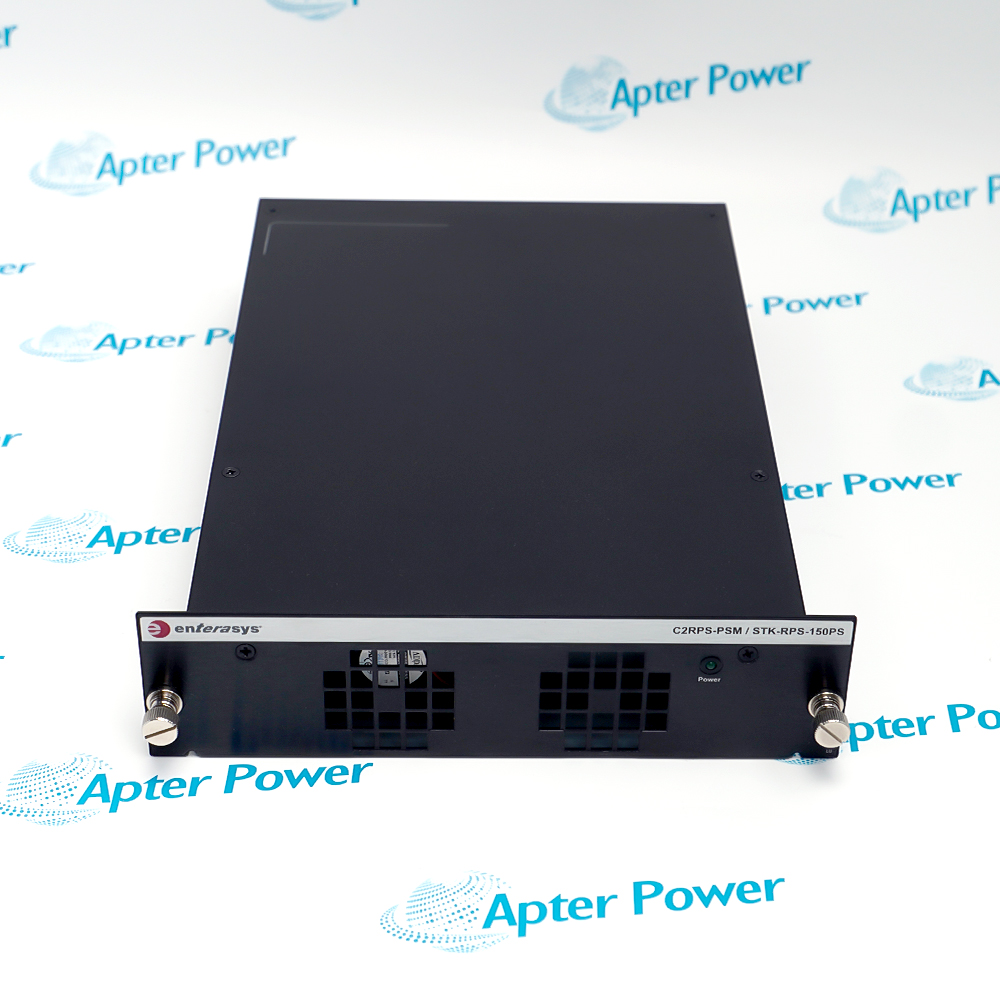
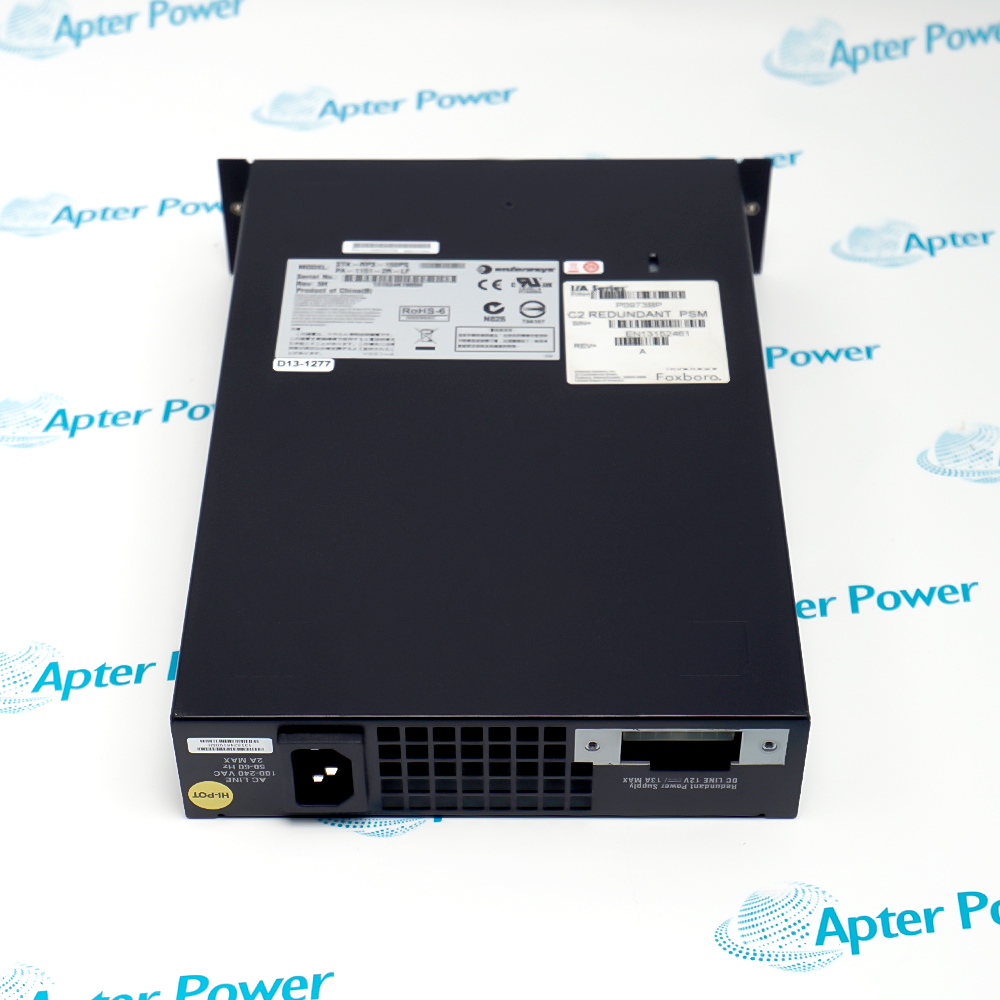
Request photos of the offered STK-RPS-150PS and have your maintenance team compare them with the installed supply and applicable Enterasys A4 documentation before ordering.
Technical specifications for STK-RPS-150PS
-
Manufacturer:ENTERASYS
-
Product Category:General Automation
-
Weight:1.82 kg
-
Tariff Code:8537101190
-
Product role:External redundant power supply for compatible non-PoE switches
-
A4 series application:A4H124-24FX and A4H254-8F8T hardware guide scope
-
AC input voltage:85–264 V AC in the A4 guide
-
AC input frequency:47–63 Hz in the A4 guide
-
DC output voltage:12 V DC
-
Output current:1.0 A minimum; 8.5 A or 13.0 A maximum by application
-
Continuous output power:102 W or 156 W by application in the A4 specification
-
Non-PoE boundary:Do not connect to a PoE-compliant switch
-
RPS cable:Specified cable, 1 m in the A4 connection illustration
-
Shelf option 1:STK-RPS-150CH2 two-slot shelf
-
Shelf option 2:STK-RPS-150CH8 eight-slot shelf
-
Legacy shelf fit:C2RPS-CHAS2 or C2RPS-CHAS8 in the A4 guide
-
Standalone fit:May be installed without an RPS shelf
-
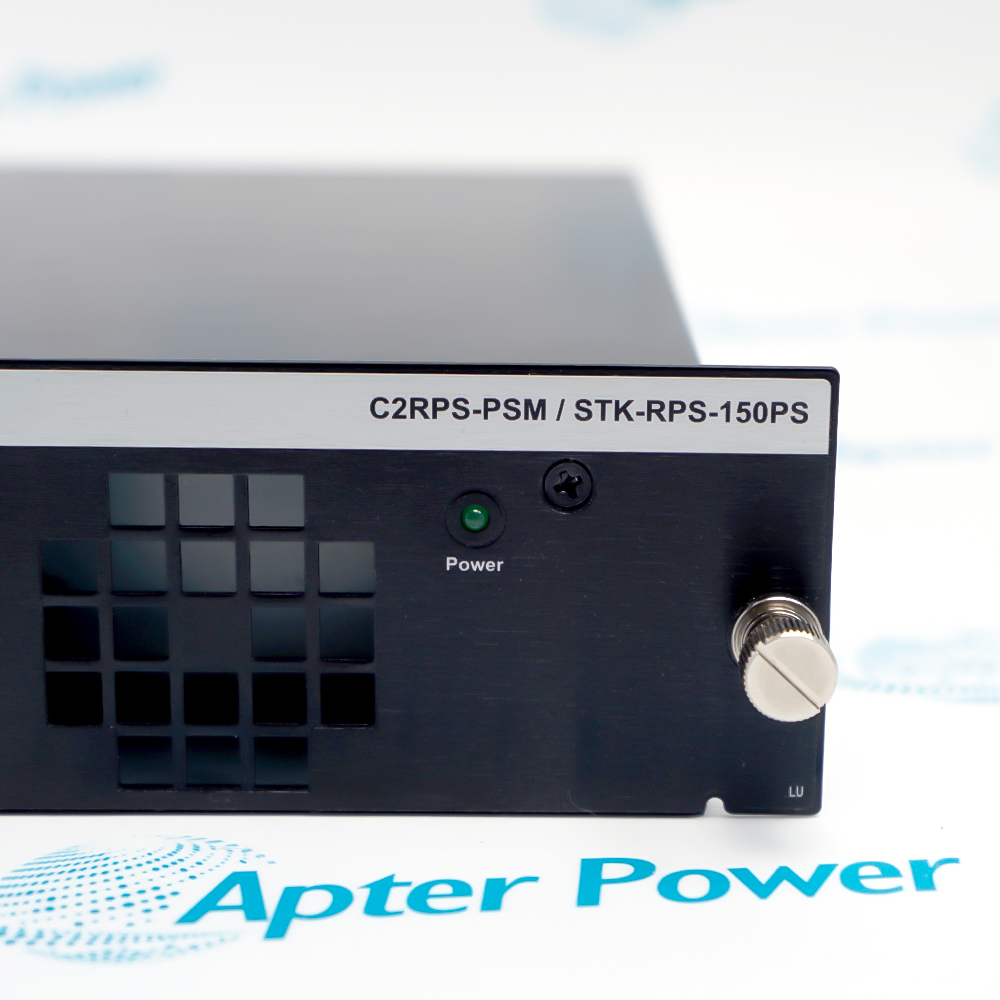
Power indication:Green Power LED indicates connected AC power
-
Switch indication:RPS LED identifies redundant power on the A4 switch
Information
- The STK-RPS-150PS takes AC input and feeds a switch redundant-power connector through its dedicated cable. The installed switch decides whether this external backup path is supported.
System fit: Documented non-PoE switch and approved RPS cable
Installation: Standalone or STK-RPS-150CH2 / CH8 shelf
The supply can stand alone or occupy an STK-RPS-150CH2 two-slot or STK-RPS-150CH8 eight-slot shelf. The older C2RPS-CHAS2 and C2RPS-CHAS8 shelves are also named in the A4 guide. Shelf, power unit, cable and cord are separate items to check against the quotation and installed rack layout.
For an A4 installation, connect the designated RPS cable to the switch and supply, then apply AC power and check the green Power LED. The switch RPS indicator provides a second status check. Extreme documentation restricts STK-RPS-150PS to compatible non-PoE fixed switches; never connect it to a PoE-compliant switch merely because the connector appears to fit.
-
STK-RPS-150PS Technical Reference
Enterasys A4 hardware-guide excerpt · PDF, 6 pages. Non-PoE RPS wiring, A4 application, output data and shelf options. -
STK-RPS-150PS Installation & Commissioning Guide
Apter Power guide · PDF, 5 pages. Identification, dedicated cable, AC checks, indication tests and handover.
Platform applications: A standalone unit or a two- or eight-slot shelf can serve a rack plan, provided the dedicated cable and per-switch compatibility are verified.
-
A4 switch backup power
Pair an A4H124-24FX or A4H254-8F8T with the specified RPS cable and verify both supply and switch indicators. -
Two-supply rack shelf
Use STK-RPS-150CH2 where the rack and supported switch plan call for two supply positions. -
Eight-supply rack shelf
Use STK-RPS-150CH8 when multiple eligible switches need an organized shelf layout and sufficient AC outlets. -
Standalone redundant supply
Mount the power unit without a shelf where permitted, maintaining cable reach, ventilation and service access.
Do not connect STK-RPS-150PS to a PoE-compliant fixed switch; the manufacturer warns that switch damage may result.
Use the RPS cable intended for this unit and switch; do not substitute a generic cable based on plug shape.
Isolate switch and RPS power before mating the RPS cable, then follow the site and manufacturer startup sequence.
Confirm shelf model, captive screws, rack support and AC outlet plan before installing the supply.
After applying AC, inspect the green RPS Power LED and the receiving switch RPS status before declaring redundancy available.
Document switch model, RPS full code, cable, shelf, AC source, LED state and a controlled power-path test.
Alternative Names
Technical notes
Applicability: A4 electrical values and cable instructions are documented for the named A4 switch family; other switch fit needs separate verification.
Safety boundary: The STK-RPS-150PS is a non-PoE supply; use its designated RPS cable.
Technical reference: Enterasys A4 Fast Ethernet Switch Hardware Installation Guide, P/N 9034608-03.

FAQ View All FAQ
-
Can STK-RPS-150PS be connected to a PoE-compliant switch?No. Extreme documentation warns that STK-RPS-150PS is for compatible non-PoE fixed switches and that connection to a PoE-compliant unit can damage the switch. Verify the full switch code before cabling.
-
How is STK-RPS-150PS connected to an A4 switch?Use the specified RPS cable between the rear RPS connectors, then connect AC to the supply. Check its green Power LED and the switch RPS indication; compare the setup with the A4 hardware guide.
-
What should I check if the STK-RPS-150PS Power LED remains off?Confirm the AC outlet is within specification, inspect both cord ends and test with a known-good approved cord. If the indicator remains off, isolate the unit and investigate before treating redundancy as available.
-
Does STK-RPS-150PS require a rack shelf?No. The A4 instructions allow a standalone unit, or STK-RPS-150CH2 and STK-RPS-150CH8 shelves. Check space, cable reach and the quoted hardware before selecting the arrangement.
-
Can STK-RPS-150PS use a generic cable with matching plugs?Do not assume so. The A4 guide calls for the RPS cable supplied for this application. Match its connector and pinout to the switch and power unit, and keep the approved cable identification in the maintenance record.
-
Why does STK-RPS-150PS have two maximum output figures?The A4 specification lists 8.5 A or 13.0 A and 102 W or 156 W continuous by application. Confirm which switch and operating configuration the source table covers; do not assign the larger figure to every installation.
-
What should be checked before installing STK-RPS-150PS in a legacy C2RPS shelf?The A4 guide names C2RPS-CHAS2 and C2RPS-CHAS8 as older shelves. Verify actual shelf marking, power-slot fit, captive screws, rack support and approved cabling before energizing.
-
What records demonstrate successful STK-RPS-150PS commissioning?Keep the complete switch and RPS labels, cable and shelf references, AC source measurements, both indicator states and a controlled backup-power acceptance result. Resolve any unexpected switch status before handover.
Supporting new and legacy automation
-
Please try to be as accurate as possible with your search.
-
We can quote you on 1000s of specialist parts, even if they are not listed on our website.
-
We can't find any results for “”.
Related cases and sourcing guidance
View all case studiesYou May Also Like
Product Browsing History
-
Whatsapp: +86 18030235313
Send us a message. -
sales13@apterpower.com
Complete our online form. -
+86 18030235313
Speak to our team in your native language.