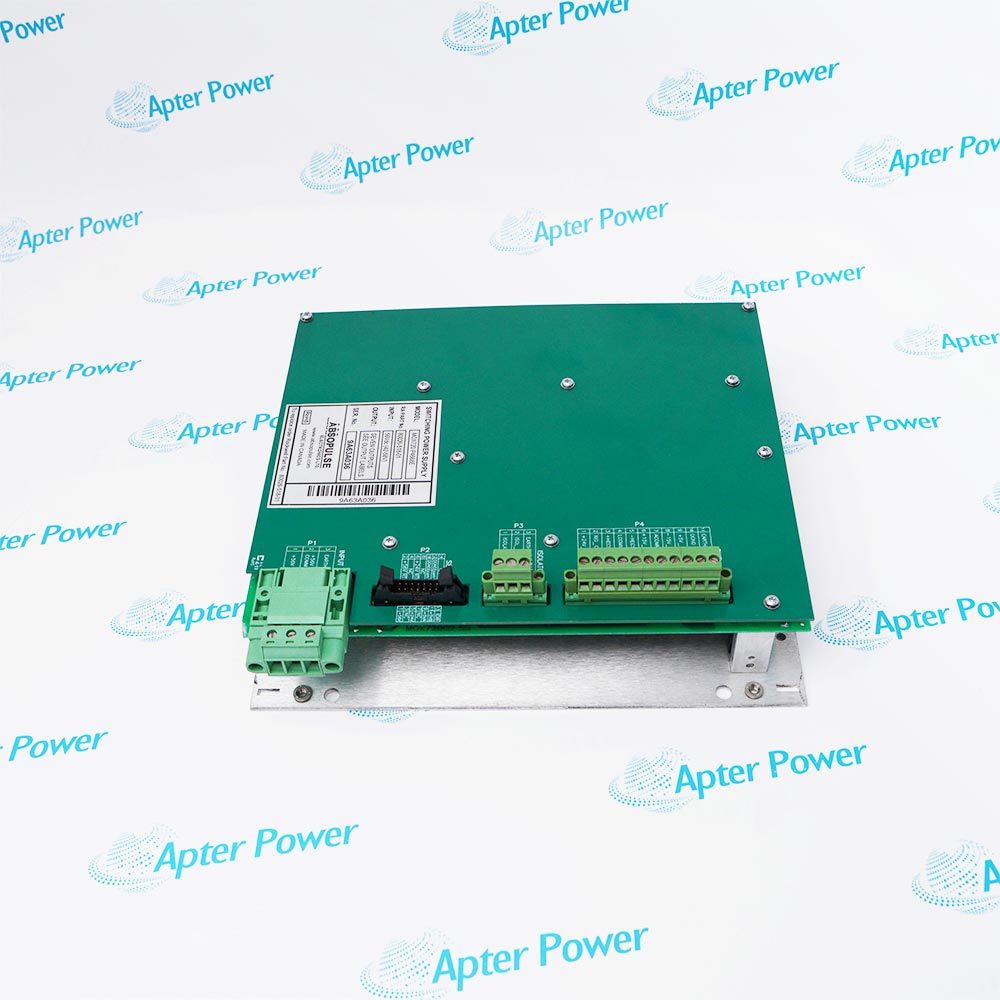
-
Match the complete marking
Include 80190-580-01-R and any revision or assembly number visible on the item. Keep the exact reference on your enquiry and quotation.
-
Check the offered item before ordering
Request available label and connector photos. Have your maintenance team compare the offered 80190-580-01-R with the installed equipment and applicable Allen-Bradley documentation.
Technical specifications for 80190-580-01-R
-
Manufacturer:Allen-Bradley
-
Product Category:General Automation
-
Spare Part Number:80190-580-01-R
-
Weight:0.26 kg
-
Tariff Code:8537101190
-
Control-board function:Drive Processor Module (DPM)
-
Coating:Conformal coating
-
Configuration storage:NVRAM; saved image supported by the DIM
-
DPM service battery reference:346567-Q01
-
Drive warning 96:NVRAM Cleared
-
Drive warning 97:Parameter Range; offending parameter in P597
-
Drive warning 166:RAM Battery Low
-
Drive adapter-loss codes:17 through 22; adapters 1 through 6
Information
- In a PowerFlex 7000 control platform, Allen-Bradley 80190-580-01-R coordinates processing and stored drive configuration. Its relationship with the Drive Identity Module is central to restoring the correct settings after control-board service.
Configuration retention: NVRAM with Drive Identity Module support
Service diagnostic: RAM Battery Low warning 166
The Drive Identity Module holds drive-specific factory defaults and a mirror of the parameters saved to NVRAM. That stored image supports restoration when NVRAM is corrupt and transfer to replacement control hardware. Preserve the correct drive identity and the latest verified parameter set rather than commissioning with unreviewed defaults.
Warning 96 identifies cleared or corrupt parameters initialized to defaults. Warning 97 identifies an out-of-range parameter and records its number in P597. Warning 166 indicates low NVRAM battery power. These drive diagnostics distinguish configuration retention problems from communication loss or analog-conversion faults before a DPM is replaced.
80190-580-01-R Original Technical Excerpt
Original PowerFlex 7000 pages identify the DPM spare and explain configuration, battery and conversion diagnostics. PDF · 5 pages.80190-580-01-R Installation & Verification Guide
Apter Power preparation, connection assessment, diagnostic verification and handover guide. PDF · 5 pages.
Application scope: Use it in drive-control maintenance with the original firmware and configuration boundaries preserved. Diagnostic-code interpretation depends on the drive release and installed options.
Control-board renewal
Restore the processor position while retaining the drive-specific identity, motor data and verified parameter image.Configuration recovery
Reconcile terminal or engineering backups with the DIM image after NVRAM corruption or an interrupted upgrade.Communication diagnosis
Separate adapter 1-6 connection failures from local DPM memory and analog-conversion faults.Planned firmware maintenance
Record the old firmware, configuration and alarm queue before an authorized upgrade and verify restored settings afterward.
Isolate and lock out the drive using the applicable PowerFlex 7000 procedure before access to control hardware.
Retain a readable parameter backup, firmware version and fault history before disconnecting the DPM.
Keep the drive-specific DIM and distinguish its factory defaults from the most recent operating settings.
Use the approved ESD method and protect connector contacts and conformal coating.
Investigate warnings 96 and 97 instead of accepting default values as commissioned settings.
Check communication, parameter retention and all required drive protection functions before service release.
Alternative Names
Technical notes
Configuration recovery: The DIM image and NVRAM contents must correspond to the installed drive. A parameter reload is followed by a parameter-by-parameter engineering review.
Battery diagnostic: RAM Battery Low warning 166 calls for saving the parameters and servicing the battery under the applicable procedure.
Fault separation: Adapter-loss and analog-conversion faults do not prove that the processor module alone is defective.

FAQ View All FAQ
-
What configuration does the DIM preserve for Allen-Bradley 80190-580-01-R?It preserves drive-specific factory defaults and a mirror of the parameter set saved to NVRAM, allowing configuration transfer to replacement control hardware.
-
Why can warning 96 appear after work on Allen-Bradley 80190-580-01-R?The drive parameters have been cleared or found corrupt and initialized to defaults, for example after an upgrade or low battery condition. Restore the verified parameter set before operation.
-
Where is an invalid parameter identified when Allen-Bradley 80190-580-01-R reports warning 97?The offending parameter number is stored in Parameter Error P597. Correct its value and save the approved configuration rather than retaining an unintended default.
-
Does warning 166 on a drive using Allen-Bradley 80190-580-01-R require a parameter backup?Yes. Save the drive parameters before servicing the NVRAM battery, then verify that the intended configuration is retained.
-
Is Allen-Bradley 80190-580-01-R the same component as the DPM battery?No. It is the processor-board assembly. The separate DPM service battery reference is 346567-Q01.
-
How are adapter-loss codes 17-22 relevant to Allen-Bradley 80190-580-01-R?They identify loss of communication between the DPM and adapters 1 through 6. Check the affected connection and adapter before assigning the cause to the DPM.
-
Can Allen-Bradley 80190-580-01-R alone correct an analog-to-digital transfer fault?Not necessarily. Conversion faults can involve the ACB, the DPM or their data path. Use the specific diagnostic code to isolate the fault.
-
What must remain consistent when Allen-Bradley 80190-580-01-R is exchanged?The drive identity, compatible firmware, board revision and approved parameter set must remain consistent with the installed converter and motor.
Supporting new and legacy automation
-
Please try to be as accurate as possible with your search.
-
We can quote you on 1000s of specialist parts, even if they are not listed on our website.
-
We can't find any results for “”.
You May Also Like
Product Browsing History
-
Whatsapp: +86 18030235313
Send us a message. -
sales13@apterpower.com
Complete our online form. -
+86 18030235313
Speak to our team in your native language.