Speak to a sourcing specialist
sales13@apterpower.com
Get a quick price for DSQC604 3HAC12928-1
E-mail *
Mobile *
Company
Content *
Quantity *
Upload (gif, jpg, jpeg, png, bmp, doc, docx, xls, xlsx, ppt, pdf, csv)
For more information on how your data is processed and stored by Apterpower please read our privacy policy

What happens after you enquire

  • 1

    Requirement review

    We review the part number, quantity and delivery requirements and ask for any missing details.
  • 2

    Quotation and availability

    We confirm the proposed item, condition, availability, price and estimated lead time in the quotation.
  • 3

    Order confirmation and dispatch

    Once the quotation and purchasing details are agreed, your contact will coordinate the order and available dispatch information.

Technical specifications for DSQC604 3HAC12928-1

  • Manufacturer:
    ABB
  • Product Category:
    Robot Systems
  • Spare Part Number:
    DSQC604 3HAC12928-1
  • Estimated shipping dimensions:
    8x15.6x20cm
  • Weight:
    2.32 kg
  • Tariff Code:
    8537101190
  • Counliy of origin:
    Sweden
  • Controller platform:
    IRC5
  • Input diagnostic range:
    172 V < U < 276 V
  • Output diagnostic range:
    +24 V < U < +27 V
  • Minimum connected load:
    0.5-1 A on at least one DC output
  • Status indication:
    DCOK LED
  • Normal DCOK state:
    Steady green

Information

Overview Manuals Common Applications Product Precautions
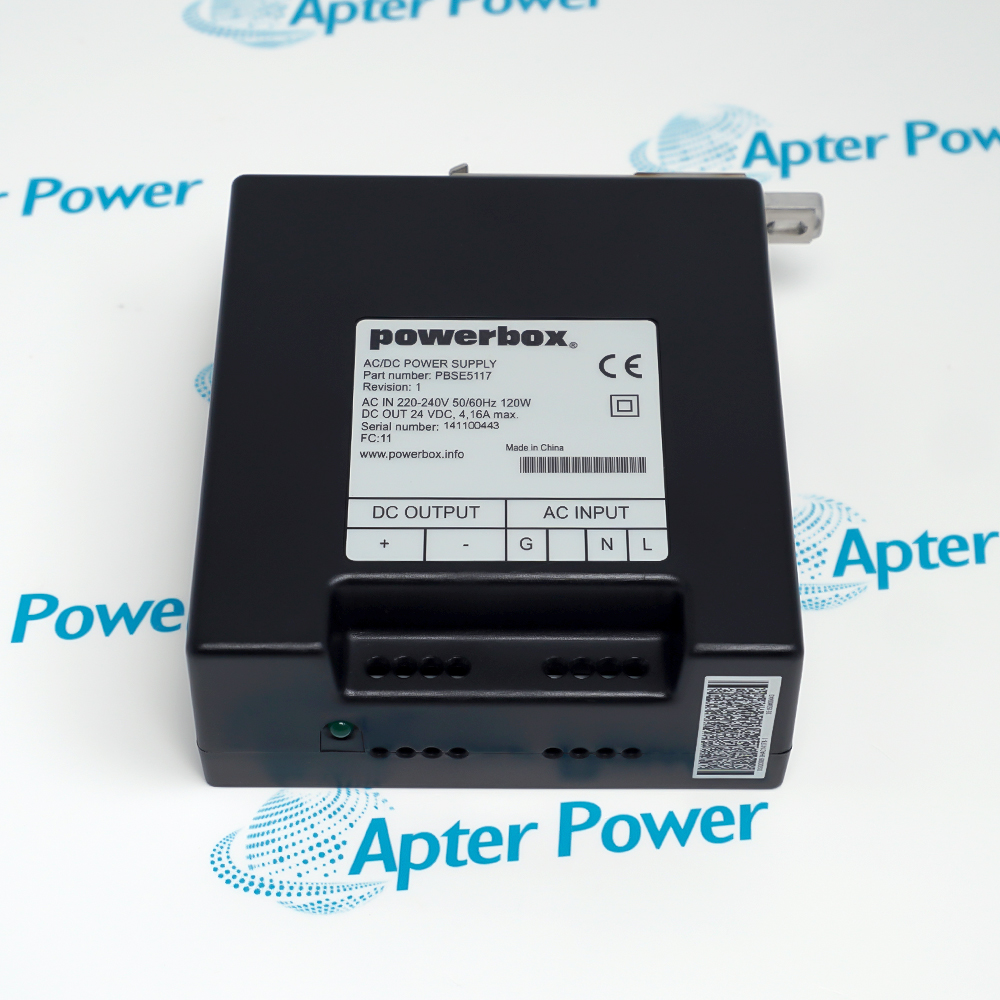
ABB DSQC604 3HAC12928-1 supports the low-voltage control side of an IRC5 cabinet, where supply faults can affect several connected control units at once.
  • Provides separately connected DC output paths.
  • Uses a green DCOK indication during normal supply operation.
  • Requires a minimum load on at least one DC output.
  • Allows output-by-output checks while a sufficient load remains connected.

A pulsing indicator can result from disconnected loads or an output short circuit. Fault isolation should distinguish the supply itself from the wiring and downstream units before a replacement is selected.

Important Notice: Measure the supply under the required load before interpreting a pulsing DC OK indicator.

ABB DSQC604 3HAC12928-1 Manuals & Downloads
ABB DSQC604 3HAC12928-1 Manufacturer Technical Reference — Excerpt (PDF)ABB DSQC604 3HAC12928-1 Installation & Commissioning Guide (PDF)

The technical reference and field guide cover complementary aspects of this product. Select the document for the task being performed.


Control-module power
Supply the low-voltage control circuits of the matched IRC5 cabinet.
Multiple-unit supply diagnosis
Separate a shared supply fault from a faulty connected unit.
No-start investigation
Check control power when the controller lacks normal status indications.
Power-supply replacement
Restore the assigned control-supply position while retaining its output connections.
Installation and service checks for ABB DSQC604 3HAC12928-1.
1
Disconnect mains before disconnecting or replacing the power supply.
2
Inspect FlexPendant errors and warnings before fault isolation.
3
Do not assume a pulsing DCOK LED proves an internal supply failure.
4
Maintain a 0.5-1 A load on at least one DC output during the specified voltage test.
5
Check downstream circuits for shorts before reconnecting the supply.
6
Use the 172-276 V input window as a diagnostic criterion for this procedure.
7
Check each output against the +24 to +27 V diagnostic window.
8
Restore all output connections and confirm stable control operation after replacement.

Technical notes

Separate a no-load indication from a shorted downstream circuit. The input and output figures above are troubleshooting windows, not a declaration of absolute electrical ratings.

FAQ View All FAQ

  • What can a pulsing green DCOK LED on ABB DSQC604 3HAC12928-1 mean?
    The supply may have no connected load or a short circuit on an output; inspect the connected circuits before condemning the supply.
  • Why should ABB DSQC604 3HAC12928-1 remain loaded during an output-voltage test?
    It requires 0.5-1 A on at least one DC output to operate correctly, so an entirely unloaded test can give a misleading result.
  • Which output readings are expected during troubleshooting of ABB DSQC604 3HAC12928-1?
    The voltage-check procedure expects each tested output to be above +24 V and below +27 V while the required load remains connected.
  • Does an unlit DCOK LED always require immediate replacement of ABB DSQC604 3HAC12928-1?
    No. If all outputs remain at the correct voltage, the indicator condition still indicates a fault, but the troubleshooting procedure does not require instant replacement solely for that condition.
  • How should a suspected short circuit around ABB DSQC604 3HAC12928-1 be localized?
    With power safely isolated, check both the supply outputs and the inputs of surrounding units, distinguishing a shorted load from a fault inside the supply.
  • When a loaded output is incorrect, what input-voltage check helps diagnose ABB DSQC604 3HAC12928-1?
    The input diagnostic window is above 172 V and below 276 V. A result outside that window calls for investigation of the cabinet feed and connections before attributing the output fault to the supply. This is a troubleshooting criterion, not a replacement for the rated-input specification.
  • Can steady-green DCOK on ABB DSQC604 3HAC12928-1 replace electrical output measurements?
    No. Steady green indicates normal supply operation, but the diagnosis also checks all relevant DC outputs with the required load connected. Interpret the indication and measured voltages together.
  • Which connector set must retain its assignment during ABB DSQC604 3HAC12928-1 replacement?
    Preserve the X1-X4 connector assignments. With the supply safely isolated, identify each connection before removal and restore it to the same position on the replacement unit.
Related reading

Related cases and sourcing guidance

View all case studies
Manufacturers

Product Browsing History

Revisit the products you recently viewed on Apter Power.
SPEAK TO OUR TEAM
Let’s find the right solution for you.
Send us the part number, quantity and delivery destination. Our team will help confirm availability and lead time.
  • Whatsapp: +86 18030235313

    Send us a message.
  • sales13@apterpower.com

    Complete our online form.
  • +86 18030235313

    Speak to our team in your native language.