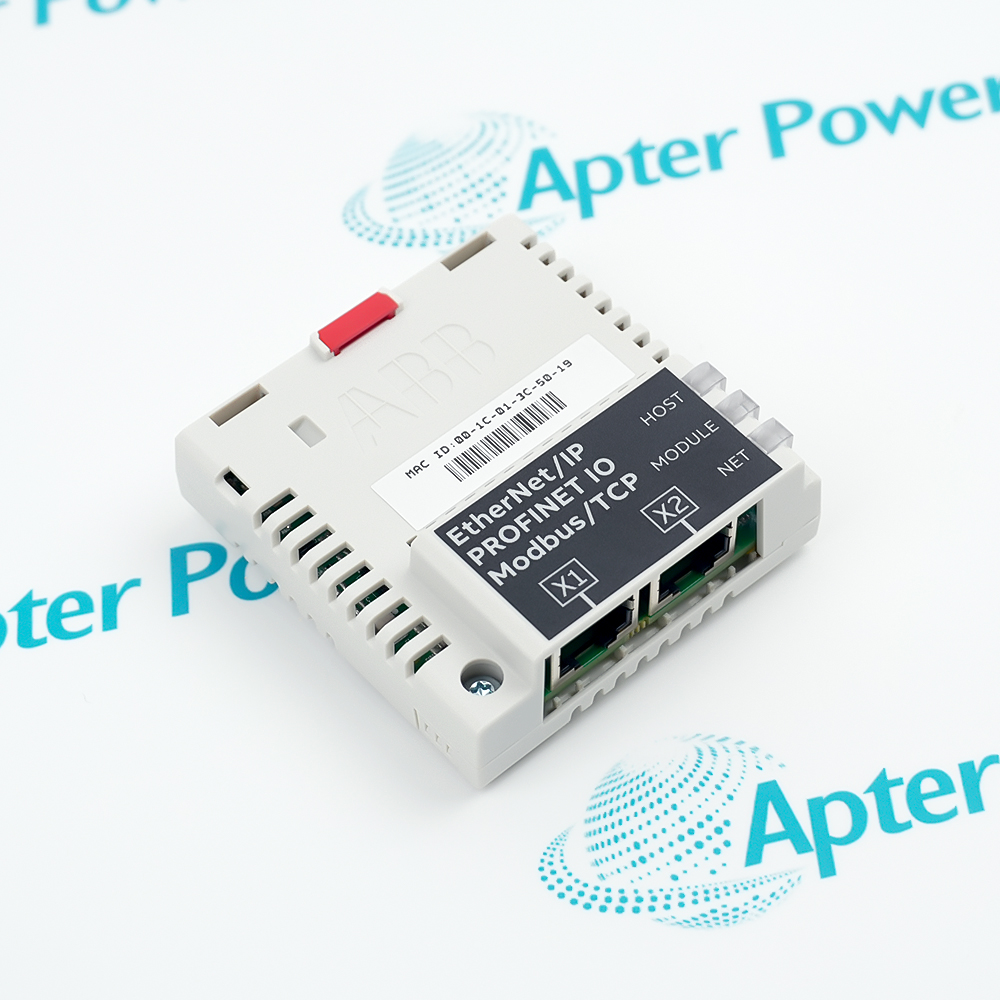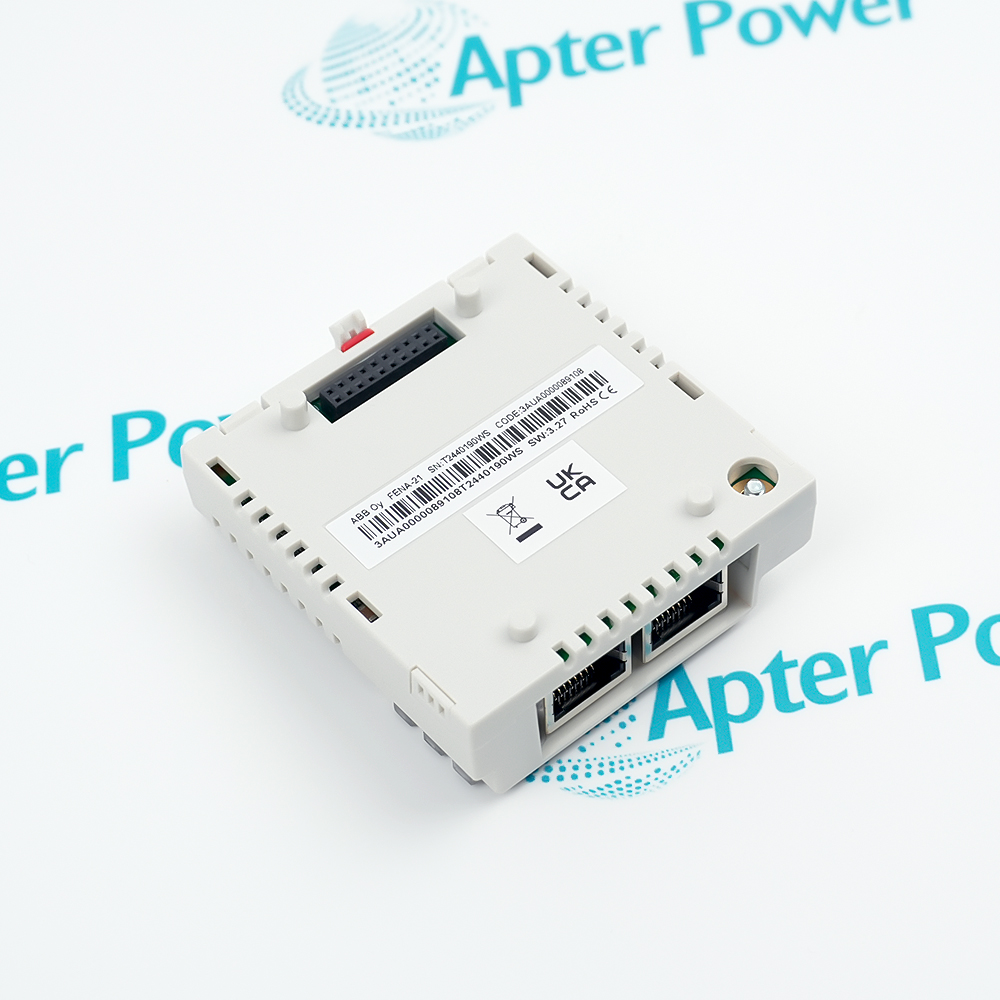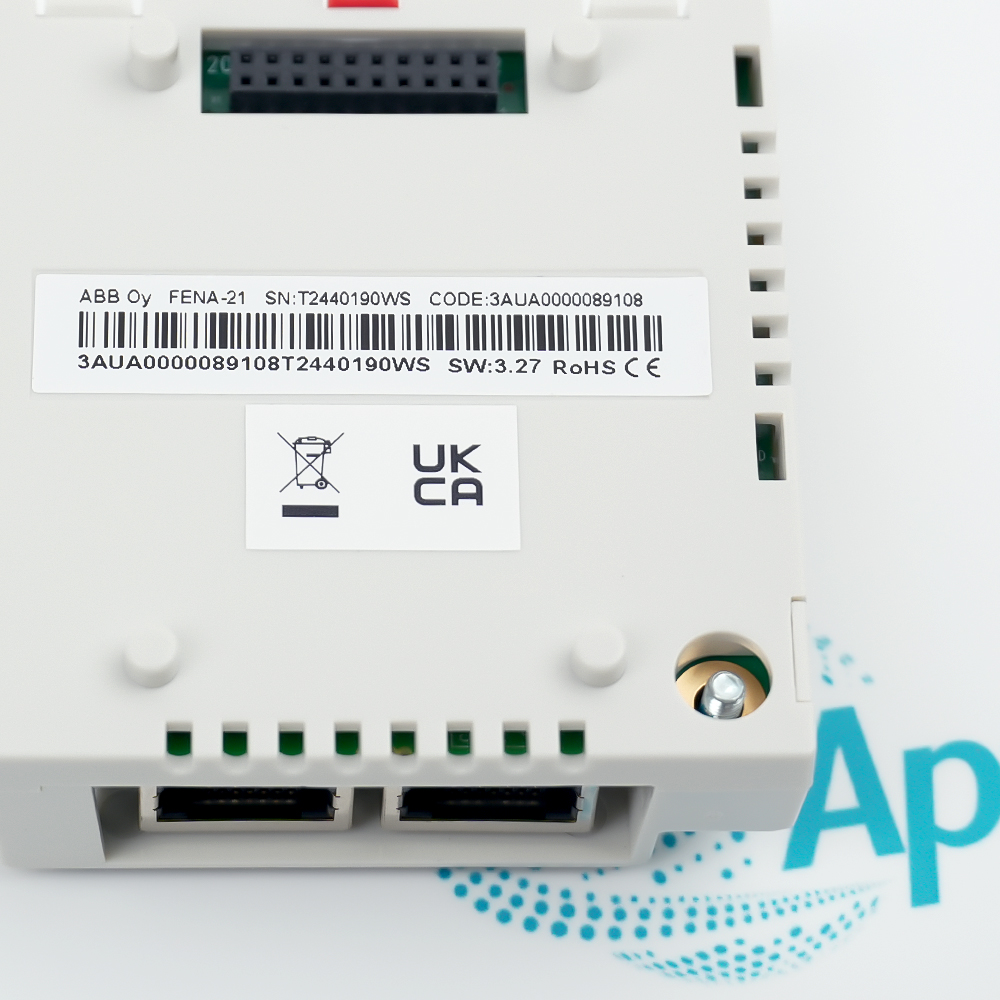
-
Match the complete marking
Include the complete FENA-21 marking, hardware revision and installed drive type in the enquiry. Compare the offered adapter with the actual option-slot and network arrangement.
-
Check the offered item before ordering
Request label and connector photographs. Have your maintenance team compare the offered FENA-21 with the installed equipment and applicable ABB drive and Ethernet-adapter instructions.
Technical specifications for FENA-21
-
Manufacturer:ABB
-
Product Category:General Automation
-
Spare Part Number:FENA-21
-
Weight:0.05 kg
-
Tariff Code:8537101190
-
Ethernet ports:2 × RJ-45: X1 and X2
-
Drive connector:20-pin internal connector
-
Supply from drive:3.3 V ±5%; maximum 400 mA
-
Ethernet transfer rate:10 or 100 Mbit/s
-
PROFINET link mode:100 Mbit/s, full duplex
-
Maximum Ethernet segment:100 m including patching
-
Maximum daisy-chain nodes:50 FENA-21 nodes
-
Network protocols:Modbus/TCP; EtherNet/IP; PROFINET IO
-
Ring protocols:DLR for EtherNet/IP; MRP for PROFINET IO
-
Cable category:CAT5 or higher
-
Cable types:UTP, FTP or STP
-
Link negotiation:Automatic speed negotiation and Auto-MDIX
-
Diagnostic indicators:Three bicolor LEDs: HOST, MODULE, NETWORK/NET
-
Mounting screw torque:0.8 N·m
-
Protection class:IP20
-
Environmental limits:Applicable drive installation limits
-
Modbus/TCP service port:502; selected Modbus/TCP operation
-
EtherNet/IP explicit service:TCP 44818
-
EtherNet/IP implicit service:UDP 2222
-
PROFINET service ports:34962–34964; selected PROFINET IO operation
Information
- ABB FENA-21 places drive control and feedback on the same configured network path. Its second port supports onward connection, while the chosen protocol determines the applicable ring-redundancy method.
Topology choice: Daisy chains are available across supported protocols; ring behavior is protocol-specific.
Installation dependency: Slot seating and the mounting screw establish the drive connection and shield-related frame contact.
FENA-21 supports a daisy chain with all three communication protocols. Device Level Ring is associated with EtherNet/IP, while Media Redundancy Protocol is associated with PROFINET IO. A simple chain can lose its downstream path when an intermediate device is powered off; use the intended ring architecture where the application requires continuity.
Automatic Ethernet speed detection is available, but PROFINET IO requires 100 Mbit/s full-duplex operation. Adapter software, the selected drive firmware and the controller project determine the usable protocol functions. Verify the complete command-and-feedback path, including the configured response to a communication interruption, before enabling normal remote control.
FENA-21 Official User Manual Excerpt
Original English ABB safety, compatibility, FENA-21 interface, installation and Ethernet technical information. PDF · 10 pages.FENA-21 Installation & Verification Guide
Apter Power guide to drive-option installation, Ethernet topology, process-data mapping and interruption/recovery testing. PDF · 5 pages.
Application scope: Apply each topology within its own protocol rules. Daisy chaining, EtherNet/IP DLR and PROFINET MRP are different network arrangements and require the corresponding system configuration.
Remote drive command and feedback
Exchange start/stop commands, references and actual values through the selected communication profile and approved control-source settings.EtherNet/IP ring networks
Use the supported DLR arrangement where the controller and network design require a protocol-aware ring rather than an ordinary daisy chain.PROFINET IO integration
Coordinate device identity, process data and the 100 Mbit/s full-duplex link; apply MRP only within the intended redundant network design.Daisy-chained drive cells
Connect X2 onward to the next adapter’s X1 while accounting for segment length, node count and the effect of an intermediate power loss.
Check the drive option slot, software compatibility and supported adapter protocol before installation.
Follow the drive’s electrical safety procedure and verify the safe state before installing or removing the option.
Seat the adapter and lock correctly; tighten the mounting screw to 0.8 N·m without over-tightening.
Avoid parallel runs with motor cabling and protect cables at entries.
Record the address, selected protocol, profile and process-data assignment before a replacement.
Test the authorized communication interruption and restoration response before returning remote control to service.
Alternative Names
Technical notes
Chain failure boundary: An unpowered or failed intermediate device can disconnect the rest of a daisy chain. This is a topology consequence, not a guarantee of fault-tolerant switching.
Frame connection: The mounting screw also provides an electrical connection used for cable-shield termination. A loose screw can impair EMC performance or operation.
Protocol-specific acceptance: Verify command source, reference scaling, status interpretation and fault response for the selected protocol rather than accepting the Ethernet link indicator alone.

FAQ View All FAQ
-
Why can a powered-down drive interrupt devices beyond FENA-21 in a chain?The downstream path passes through intermediate adapters. If one device is powered off or fails, the rest of that chain can lose network access. Assess an appropriate supported ring topology when that consequence is unacceptable.
-
Can the same ring settings be used for EtherNet/IP and PROFINET on FENA-21?No. FENA-21 supports DLR with EtherNet/IP and MRP with PROFINET IO. Match the network configuration and supervisory functions to the selected protocol, then verify the intended fault and recovery behavior.
-
Why can a working Ethernet link to FENA-21 still fail a drive-control test?Link establishment does not confirm drive control-source selection or process-data mapping. Compare the command source, communication profile, reference scaling and status interpretation before testing remote operation.
-
How should patch-panel cabling be counted for a FENA-21 connection?Include patch leads and panel cabling in the total segment length, rather than considering only the main cable run. Keep the complete segment within the 100 m maximum and verify its negotiated link mode.
-
What should be investigated if FENA-21 links at 10 Mbit/s in a PROFINET application?PROFINET IO uses 100 Mbit/s full duplex. Check the cable path and connected port configuration and confirm the required link mode before accepting cyclic communication.
-
Why is the mounting screw on FENA-21 part of the electrical installation?It also connects the adapter to the drive frame for cable-shield termination. Confirm correct seating and 0.8 N·m tightening; a loose connection can degrade EMC performance, while excessive force can damage the assembly.
-
Can FENA-21 be powered by an external 24 V supply at an Ethernet connector?No such supply connection is provided by this interface. The adapter receives 3.3 V from the drive through its internal connector. Use the supported drive-slot installation and do not apply field supply voltage to the network ports.
-
What should a replacement test of FENA-21 prove beyond restored process values?Verify the intended command authority, reference direction and scaling, status and fault handling, and the configured behavior during network loss and recovery. Perform the interruption test only in the approved process state.
Supporting new and legacy automation
-
Please try to be as accurate as possible with your search.
-
We can quote you on 1000s of specialist parts, even if they are not listed on our website.
-
We can't find any results for “”.
Related cases and sourcing guidance
View all case studies-
Honeywell FC-RUSIO-3224 Delivered for an Oman Government ProjectRead case > -
Receiving Inspection and Acceptance of Replacement Control ModulesRead case > -
24 Siemens Spare Parts Delivered to an Australian Waste Management FacilityRead case > -
ATV930C16N4 Heavy Drive Packing and Insured ShippingRead case >
You May Also Like
Product Browsing History
-
Whatsapp: +86 18030235313
Send us a message. -
sales13@apterpower.com
Complete our online form. -
+86 18030235313
Speak to our team in your native language.