Vibro-Meter MPC4: Verify the Version and IOC4T Requirement
MPC4 identifies a product family, while the full label and version define the card being requested. Review those details together with the existing VM600 rack and corresponding IOC4T I/O before approving the supply scope.
Manufacturer
Vibro-Meter
Model
MPC4
System
VM600
Function
Machinery protection card
Associated I/O
Corresponding IOC4T card
01
Identify the MPC4 version
The family includes different versions; MPC4 alone is not a complete offer comparison.
02
Review the associated I/O
Check the corresponding IOC4T and the existing rack arrangement with the responsible engineer.
03
Keep the technical scope explicit
Identify what is being replaced and what stays installed before planning the supply.
Why the Version Needs Attention
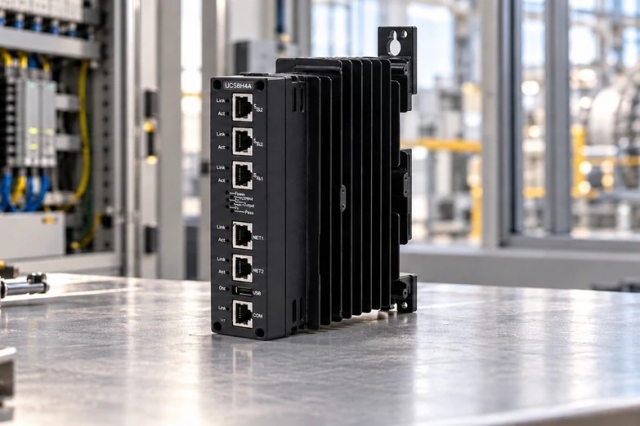
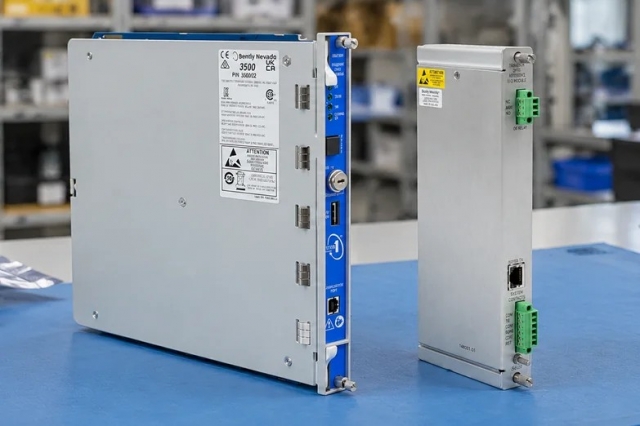
A front-panel photograph can identify the MPC4 family without showing enough information to approve a replacement. The full nameplate, version and system arrangement provide a stronger starting point. Collect that information from the installed equipment and confirm the required scope with the engineer responsible for the VM600 system.
MPC4 Version, VM600 Arrangement and Corresponding IOC4T
The Vibro-Meter MPC4 is a machinery protection card used in the VM600 system with its corresponding IOC4T input/output card. Manufacturer documentation distinguishes standard, separate-circuits and safety versions. Do not infer the version or a full ordering reference from MPC4 alone. Record the actual label information and ask the technical owner to review the required card, associated I/O and configuration.
Full identification
Use MPC4 together with the complete installed and offered nameplate information; do not invent an ordering reference.
Associated I/O
Identify the corresponding IOC4T and confirm whether it is retained or included in the supply request.
Technical scope
Review version, configuration and rack requirements with the responsible engineer before accepting a difference.
Define the VM600 Replacement Scope
01 / Installed card
Capture the complete identification
Obtain readable photographs of the installed MPC4 label and relevant version information.
02 / Associated I/O
Record the IOC4T arrangement
Identify the corresponding I/O card and the existing rack arrangement, including what will remain installed.
03 / Requirement
Agree the replacement scope
Ask the technical owner to confirm the required MPC4 version and whether any associated hardware is part of the enquiry.
04 / Offer review
Compare the actual offered card
Request its nameplate, condition and available revision information. Refer differences to the technical approver.
05 / Supply plan
Connect approval with availability
Confirm the approved scope, remaining release conditions and estimated dispatch. Include all required items in the arrival plan.
06 / Receipt
Retain a traceable comparison
Check received identification against the approved offer and route any discrepancy to the order contact before installation.
A Defined MPC4 and I/O Supply Scope
The approved scope should identify the required MPC4 version, the corresponding IOC4T and any items that remain in service. Carry that list into the quotation and receiving checks so the card family name does not hide an unresolved version or I/O question.
The MPC4 family name starts the enquiry; the full identification supports the decision.
Keep the installed information, approved offer and receiving comparison together.
Three questions for an MPC4 enquiry
Correct card
Is the offered MPC4 the required version?
Compare full nameplates and have the engineer review the version, IOC4T arrangement and configuration requirements.
Delivery planning
Can the approved scope support the planned work?
Check availability and release conditions for the card and any required associated hardware. Include technical review and receiving in the schedule.
Responsibility
Who handles a version or supply discrepancy?
Name a technical approver for the system requirement and an order contact for product and delivery questions. Retain the approved scope when reporting an issue.
Records to Keep
Installed MPC4
The complete label and relevant version information.
IOC4T arrangement
Identification and the associated rack context.
Required scope
Items to replace, retain or include in the order.
Offered card
Actual-unit label, condition and available revision details.
Technical approval
The accepted offer and any defined conditions.
Delivery and receipt
Shipping information and identification comparison.
Do not infer a standard, separate-circuits or safety version from an MPC4 family description alone.