Speak to a sourcing specialist
sales13@apterpower.com

F3RP45-2P/L1

VxWorks CPU Module
In Stock
Ships by Sunday, November 29
Fast Shipping Available
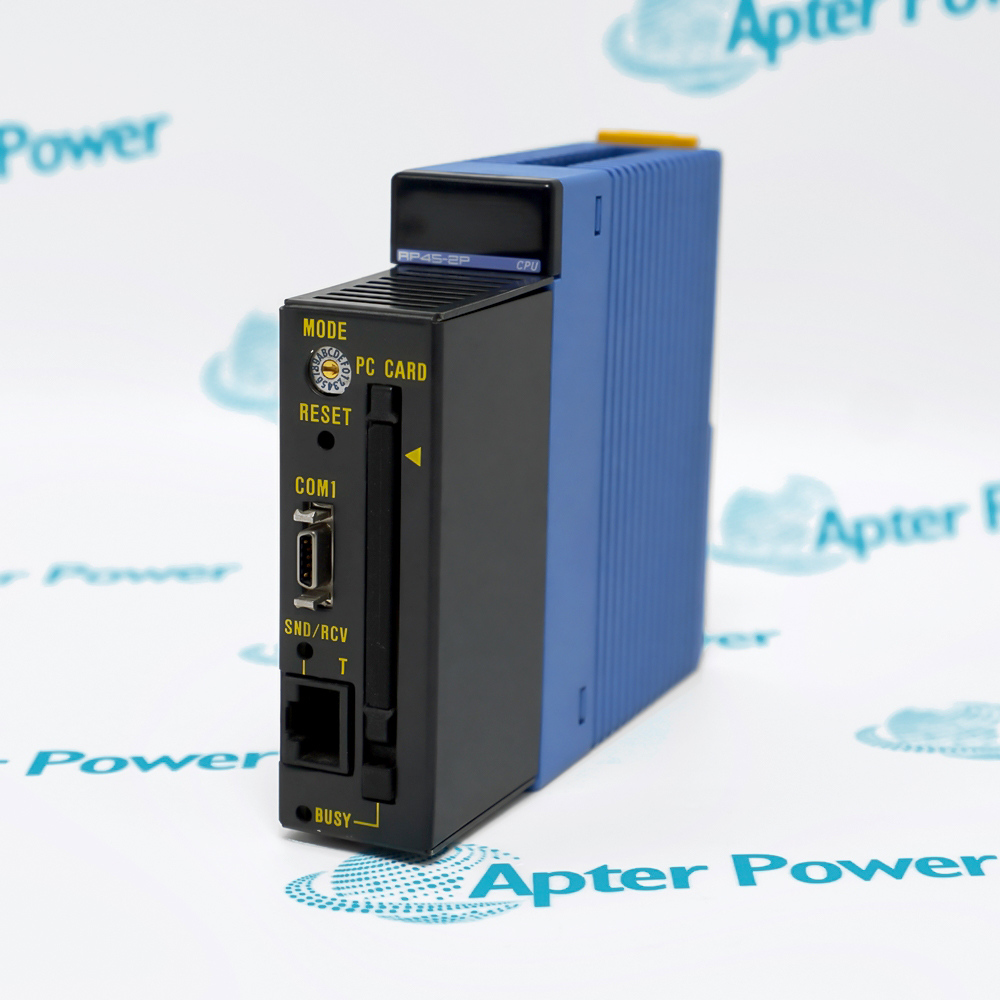
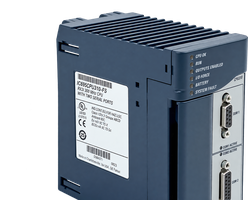
Yokogawa F3RP45-2PL1 CPU module front view with blue housing, MODE dial, RESET, COM1 port and PC CARD slot
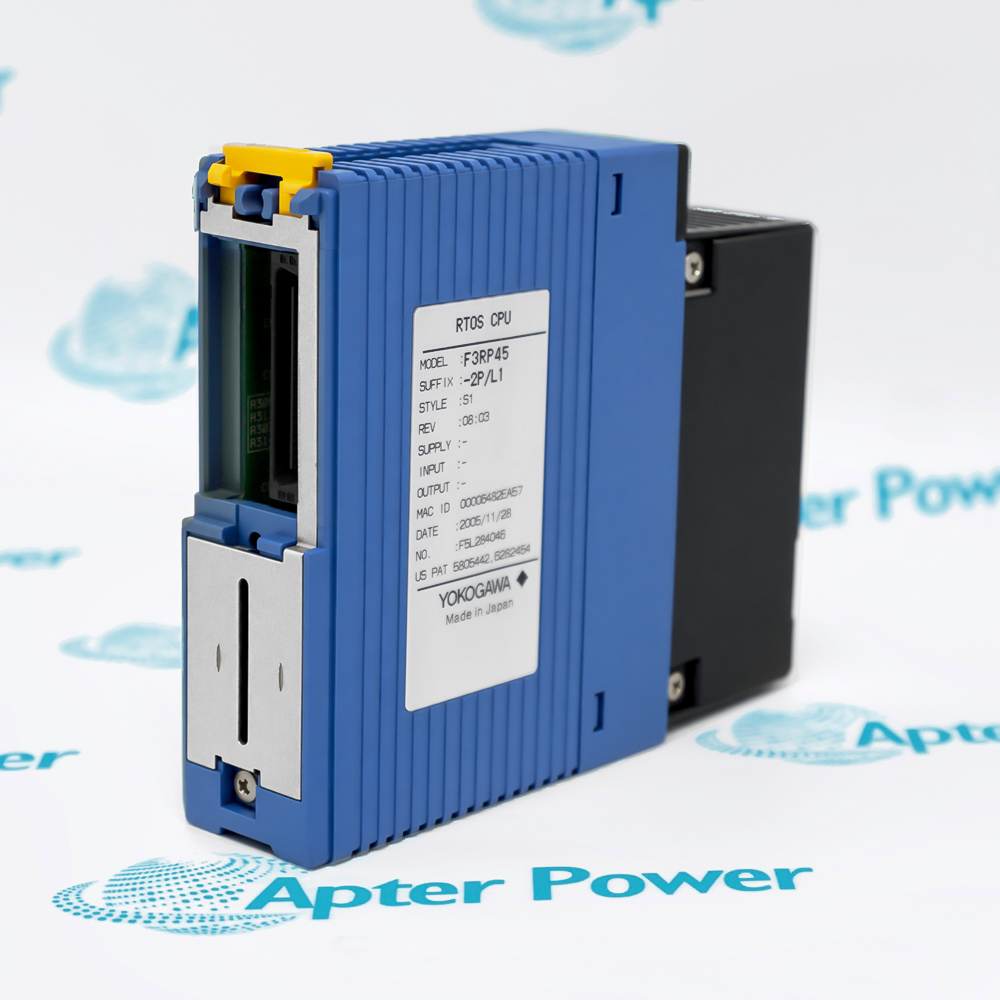
Yokogawa F3RP45-2PL1 RTOS CPU nameplate close-up, MODEL F3RP45, SUFFIX -2P/L1, STYLE S1, Made in Japan
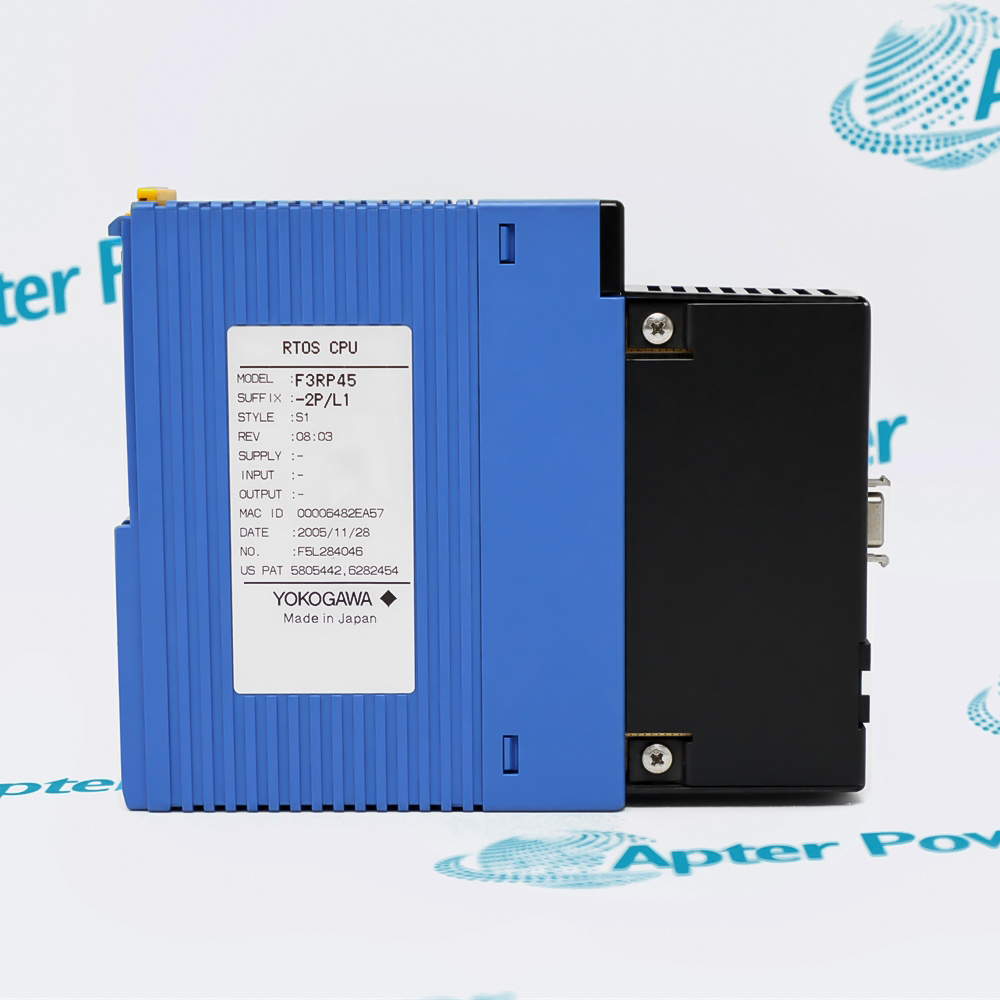
Yokogawa F3RP45-2PL1 RTOS CPU straight side view with blue housing and black rear section with D-sub port
Product image is representative; revision or series may vary. Contact us to request a specific version.

Product Describe:

Yokogawa F3RP45-2P/L1 is a legacy FA-M3 VxWorks CPU execution built on the documented F3RP45-2P base module.
Get a quick price for F3RP45-2P/L1
E-mail *
Mobile
Company
Content *
Quantity *
Upload (gif, jpg, jpeg, png, bmp, doc, docx, xls, xlsx, ppt, pdf, csv)
For more information on how your data is processed and stored by Apterpower please read our privacy policy

What happens after you enquire

  • 1

    Requirement review

    We review the part number, quantity and delivery requirements and ask for any missing details.
  • 2

    Quotation and availability

    We confirm the proposed item, condition, availability, price and estimated lead time in the quotation.
  • 3

    Order confirmation and dispatch

    Once the quotation and purchasing details are agreed, your contact will coordinate the order and available dispatch information.

Technical specifications for F3RP45-2P/L1

  • Manufacturer:
    Yokogawa
  • Product Category:
    PLC Systems
  • Spare Part Number:
    F3RP45-2P/L1
  • Estimated shipping dimensions:
    3x12.7x10.3cm
  • Weight:
    0.2 kg
  • Tariff Code:
    8537101190
  • Counliy of origin:
    Japan
  • CPU family:
    FA-M3 VxWorks CPU
  • Base module:
    F3RP45-2P
  • System platform:
    FA-M3 / e-RT3
  • Lifecycle status:
    Sales and support ended
  • Module handling:
    System power off for installation or removal
  • ESD control:
    Static discharge required before handling
  • Installation environment:
    Pollution degree 2

Information

Overview Manuals Common Applications Product Precautions
F3RP45-2P/L1 runs the retained real-time control application in an FA-M3 station, so the operating environment, ROM data and installed module identity must travel together during service.
  • Runs a retained VxWorks real-time control application.
  • Uses the documented F3RP45-2P base hardware.
  • Occupies an FA-M3/e-RT3 CPU position.
  • Requires application and hardware records to be preserved because the base model is discontinued.

F3RP45-2P/L1 should be matched to the documented system position, companion hardware and retained project configuration before the channel or station is returned to control.

Important Notice: Preserve the complete F3RP45-2P/L1 identity and verify its documented electrical, network or signal response before release.

Yokogawa F3RP45-2P/L1 Manuals & Downloads
Yokogawa F3RP45-2P/L1 Official Technical Reference Excerpt (PDF)Yokogawa F3RP45-2P/L1 Installation & Commissioning Guide (PDF)

The first document covers the product function, system role and technical selection. The installation guide covers identification, connection checks, commissioning and the acceptance record.

Legacy machine control
Maintains an installed FA-M3 VxWorks application.
Special-purpose sequencing
Executes the retained real-time program and I/O exchange.
CPU spare strategy
Keeps a verified replacement for an obsolete controller position.
Migration planning
Provides the baseline hardware and application record for a controlled upgrade.
Before installing Yokogawa F3RP45-2P/L1, confirm the documented system, interfaces and controlled configuration.
1
Record the full F3RP45-2P/L1 label and installed slot.
2
Back up the VxWorks application and all boot media.
3
Capture connected I/O, serial interfaces and network settings.
4
Turn off FA-M3 system power before removal or insertion.
5
Discharge static electricity before touching the module.
6
Preserve protective earth and noise-separation wiring.
7
Restore the exact boot and application configuration.
8
Verify startup, I/O exchange and machine interlocks before release.

Alternative Names

F3RP45-2P/L1 F3RP452PL1 Yokogawa F3RP45-2PL1 FA-M3 F3RP45

Technical notes

Preserve the complete F3RP45-2P/L1 identity and verify its documented electrical, network or signal response before release.

FAQ View All FAQ

  • Which base hardware underlies Yokogawa F3RP45-2P/L1?
    The official lifecycle record identifies F3RP45-2P as the base VxWorks CPU module.
  • What operating-system family is associated with Yokogawa F3RP45-2P/L1?
    The F3RP45-2P base belongs to Yokogawa's VxWorks-compatible CPU family.
  • Where is Yokogawa F3RP45-2P/L1 installed?
    It occupies a CPU position in an FA-M3 or e-RT3 modular control station.
  • Why must the application image be retained before changing Yokogawa F3RP45-2P/L1?
    The real-time program, boot configuration and I/O relationships are part of the working controller execution.
  • What lifecycle constraint applies to Yokogawa F3RP45-2P/L1?
    Yokogawa lists the F3RP45-2P base model as discontinued with support ended.
  • When may Yokogawa F3RP45-2P/L1 be removed from its base?
    Removal or insertion should occur only after FA-M3 system power is switched off under the approved procedure.
  • Which handling control protects Yokogawa F3RP45-2P/L1 electronics?
    Discharge static electricity and use the site's approved ESD controls before touching the module.
  • What test closes a Yokogawa F3RP45-2P/L1 replacement?
    Confirm normal boot, application execution, I/O exchange, communication and every affected machine interlock.
Manufacturers

You May Also Like

Explore related automation components available through Apter Power.
SPEAK TO OUR TEAM
Let’s find the right solution for you.
Send us the part number, quantity and delivery destination. Our team will help confirm availability and lead time.
  • Whatsapp: +86 18030235313

    Send us a message.
  • sales13@apterpower.com

    Complete our online form.
  • +86 18030235313

    Speak to our team in your native language.