OverviewManualsCommon ApplicationsProduct Features
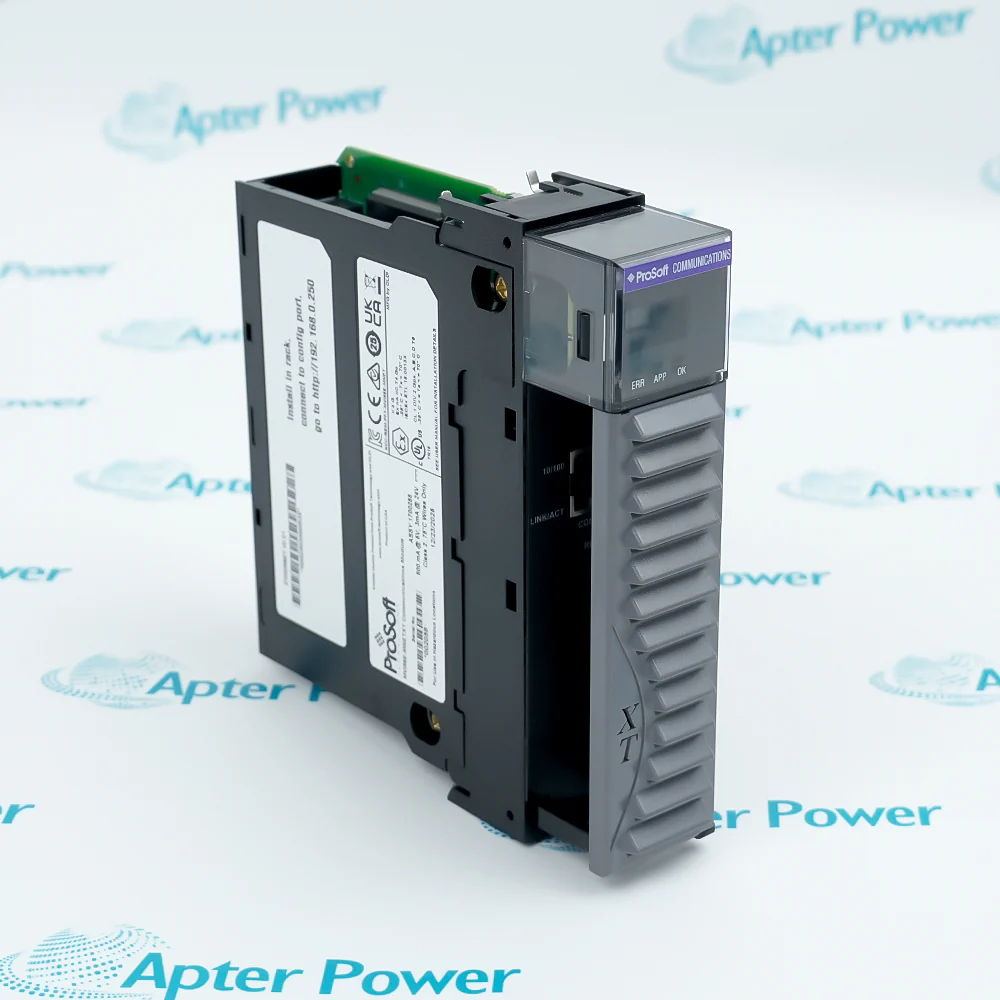
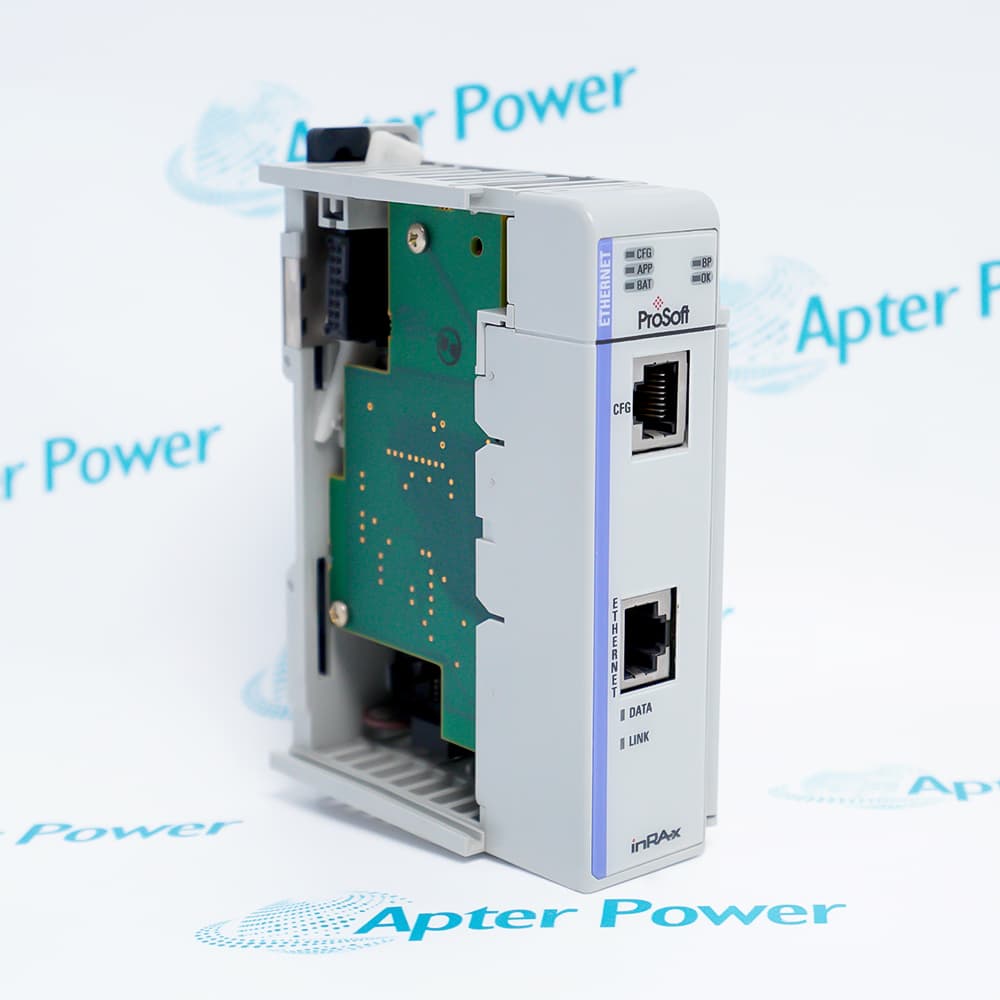
The MVI56E-MNETXT is part of the new XT series, designed to work at extreme temperatures and in harsh or caustic environments. XT series modules operate over a wider temperature range than the standard MVI56E series.
ProSoft Configuration Builder
CIPconnect-enabled
Personality Module
The MVI56E-MNETXT is designed for the Logix-XT™ control platform, allowing it to operate in extreme environments and at higher operating temperatures. It has a conformal coating to protect it from harsh or caustic conditions.
Important Notice: Other accessories, manuals, cables, calibration data, software, etc. are not included with this equipment unless listed in the above stock item description.
PROSOFT MVI56E-MNETXT NETWORK INTERFACE MODULE Manuals, Datasheets, Drivers, Link
Important Notice: Other accessories, manuals, cables, calibration data, software, etc. are not included with this equipment unless listed in the above stock item description.
Oil Gas
The module features a Conformal Coating, providing protection against salt spray, moisture, and corrosive gases.
Severe Environments
This equipment is designed for extreme industrial environments. Its extended operating temperature range of -25°C to 70°C ensures stable operation even in harsh outdoor sites without air conditioning.
Mining Industry
Suitable for use in mining environments containing potentially explosive dust or gases. The robust hardware design withstands the high-intensity shocks and continuous vibrations generated during mining equipment operation.
Water Wastewater
With IP20 protection and excellent electromagnetic interference immunity, it is suitable for widely distributed water treatment pump stations, enabling data pass-through between remote water quality monitoring stations and a central control system.
Power Generation
Supports up to 20 client connections and large-volume data exchange with 10,000 registers, meeting the stringent real-time requirements of power plants.
Manufacturing Plants
Compatible with standard ControlLogix and Logix-XT racks, allowing for hot-swappable maintenance in complex automated factory production lines.
MVI56E products are backward compatible with existing MVI56 products, ladder logic, and module configuration files already in use. This allows you to easily swap and upgrade products while benefiting from an array of new features designed to improve interoperability and enhance ease of use.
• ProSoft Configuration Builder (PCB): New Windows software for diagnostics,connecting via the module's Ethernet port or CIPconnect®, to upload/downloadmodule configuration information and access troubleshooting features and functions.
• ProSoft Discovery Service (PDS): Utility software to find and display a list of MVI56E modules on the network and to temporarily change an IP address to connect with a module's web page.
• CIPconnect-enabled: Allows PC-to-module configuration and diagnostics from the Ethernet network through a ControlLogix 1756-ENBT EtherNet/IP™ module.
• Personality Module: An industrial compact flash memory card storing the module’s complete configuration and Ethernet settings, allowing quick and easy replacement.
• LED Scrolling Diagnostic Display: 4-character, alphanumeric display, providing standard English messages for status and alarm data, and for processor and network communication status.
The MVI56E-MNETXT is a Modbus TCP/IP interface module for the ControlLogix platform, used to transfer data between the ControlLogix processor and Modbus TCP/IP devices.
How can configuration data be viewed or printed?
The configuration can be viewed by selecting “View Configuration,” and printing is performed through the print dialog in the configuration window.
How is data written to a register using MVI56E-MNETXT?
Function Code 06 is used to “modify the contents of a holding register.” The module retransmits the query as a response after the register has been altered.
What happens in broadcast mode for MVI56E-MNETXT?
When using server address zero (broadcast mode), “all server controllers will load the specified register with the contents specified.”
How is the module configured in a ControlLogix system?
The module is configured by creating the module in the project and importing the Add-On Instruction, which also imports associated data types and controller tags.
Manufacturers
Supporting new and legacy automation
Whether you're maintaining existing equipment or sourcing parts for current systems, we provide fast, dependable supply you can rely on.
Please try to be as accurate as possible with your search.
We can quote you on 1000s of specialist parts, even if they are not listed on our website.