Speak to a sourcing specialist
sales13@apterpower.com

SM-PROFIBUS-DP-V1

PROFIBUS Interface
Ships by Saturday, November 7
Emerson SM-PROFIBUS-DP-V1 (1)
Emerson SM-PROFIBUS-DP-V1 (2)
Emerson SM-PROFIBUS-DP-V1 (3)
Emerson SM-PROFIBUS-DP-V1 (1)
Emerson SM-PROFIBUS-DP-V1 (2)
Emerson SM-PROFIBUS-DP-V1 (3)
Product image is representative; revision or series may vary. Contact us to request a specific version.

Product Describe:

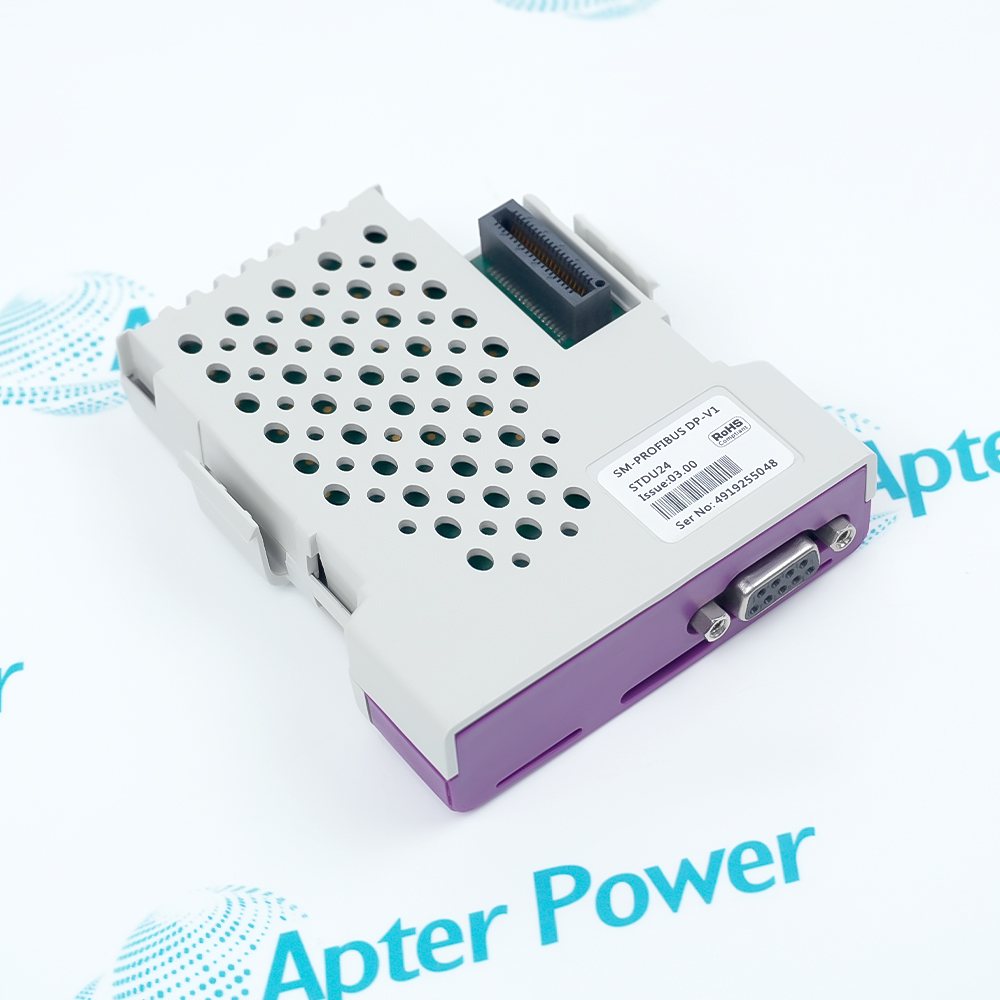
Emerson SM-PROFIBUS-DP-V1 connects a supported Control Techniques drive to a PROFIBUS-DP network, providing cyclic process data and DP-V1 acyclic parameter access.
  • Manufacturer part number
    SM-PROFIBUS-DP-V1
  • Shipping
    Swift global dispatch
  • Condition
    New, original product
  • Shipping size (est.)
    15cm × 12cm × 5cm
  • Country of Origin
    USA
Get a quick price for SM-PROFIBUS-DP-V1
E-mail *
Mobile *
Company
Content *
Quantity *
Upload (gif, jpg, jpeg, png, bmp, doc, docx, xls, xlsx, ppt, pdf, csv)
For more information on how your data is processed and stored by Apterpower please read our privacy policy

What happens after you enquire

  • 0

    Review your reference

    Send the complete SM-PROFIBUS-DP-V1 marking, quantity and label photos so the application configuration can be checked.
  • 1

    Confirm the offer

    Review the quoted condition, included items and expected dispatch date. Confirm the module and any PROFIBUS connector in the quotation; the host drive, network cable and master configuration are separate.
  • 2

    Arrange dispatch

    Confirm delivery details and receive the tracking reference when the shipment is arranged.
  • Match the complete marking

    Include SM-PROFIBUS-DP-V1 and any revision or assembly number visible on the item. Keep the exact reference on your enquiry and quotation.
  • Check the offered item before ordering

    Request available label and connector photos. Have your maintenance team compare the offered SM-PROFIBUS-DP-V1 with the installed equipment and applicable Control Techniques documentation.

Technical specifications for SM-PROFIBUS-DP-V1

  • Manufacturer:
    Emerson
  • Product Category:
    Servo Drives
  • Spare Part Number:
    SM-PROFIBUS-DP-V1
  • Weight:
    0.25 kg
  • Tariff Code:
    8537101190
  • Network role:
    PROFIBUS-DP slave
  • Supported drives:
    Unidrive SP, Commander SK, Affinity, Digitax ST and Mentor MP
  • Module identification:
    403 in parameter MM.01
  • Cyclic data capacity:
    Up to 32 input and 32 output words; 16-bit words, cyclic-only configuration
  • Non-cyclic access:
    DP-V1 acyclic channel; legacy modes also available
  • PROFIdrive support:
    Profiles V2 and V4
  • V4 functions:
    Standard telegram 1, PNU access, drive identification, fault buffer and I&M
  • Communication rates:
    9.6 kbit/s to 12 Mbit/s at supported PROFIBUS rates
  • Rate selection:
    Automatic detection of the master network rate
  • Node addresses:
    1 to 125; 0 and 126 reserved
  • Network capacity:
    Up to 125 addressed nodes
  • Segment capacity:
    32 devices maximum, including repeaters
  • Network connector:
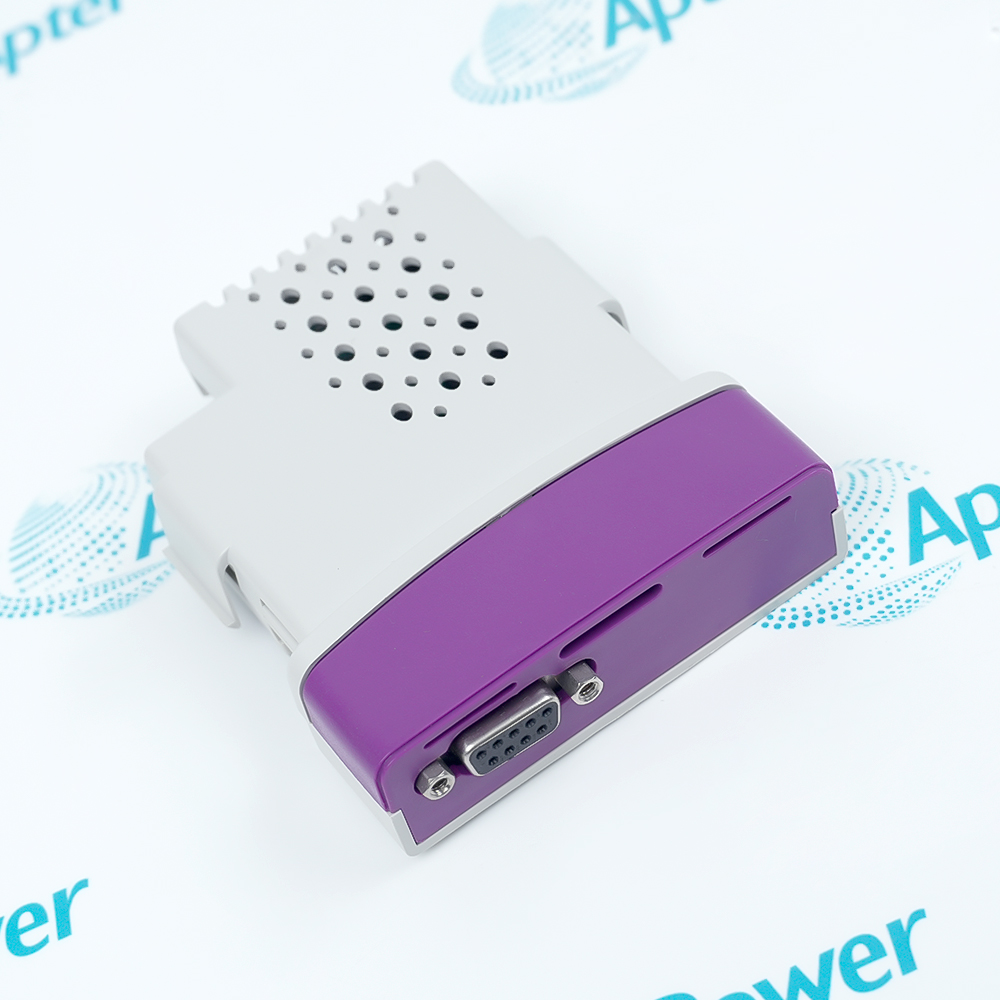
    9-way female D-type
  • Data pins:
    Pin 3: B, positive/red; pin 8: A, negative/green
  • Termination supply:
    Pin 6: isolated +5 V; pin 5: isolated 0 V; termination use only
  • Other connector signals:
    Pin 4: CNTR-P/RTS; pin 1 and shell: shield
  • Termination:
    Both ends of each segment; termination must remain powered
  • Maximum segment at 3/6/12 Mbit/s:
    100 m with approved cable
  • Maximum segment at 1.5 Mbit/s:
    200 m with approved cable
  • Maximum segment at 500 kbit/s:
    400 m with approved cable
  • Maximum segment at 187.5 kbit/s:
    1000 m with approved cable
  • Maximum segment at 93.75 kbit/s or below:
    1200 m with approved cable
  • GSD requirement:
    DP-V1 GSD and DPV1 slave configuration for DP-V1 features
  • Power source:
    Host drive internal supply

Information

Overview Downloads Applications / Compatibility Product Precautions
  • Emerson SM-PROFIBUS-DP-V1 integrates a supported drive into a PLC-controlled PROFIBUS network, exchanging operating commands and feedback while allowing parameter access through the DP-V1 acyclic channel.
Network role: PROFIBUS-DP slave
Process data: Up to 32 input and 32 output words
Parameter services: DP-V1 acyclic access
The module supports Unidrive SP, Commander SK, Affinity, Digitax ST and Mentor MP. It draws power from the host drive and identifies itself with module code 403. Parameters are accessed through the menu assigned to the installed option slot; firmware is identified through MM.02 and MM.51. Preserve the complete DP-V1 label when selecting a replacement because the earlier DP-only module has different capabilities.

Cyclic exchange can carry up to 32 input and 32 output 16-bit words in a cyclic-only configuration. The drive and master must use matching word counts and mappings. DP-V1 acyclic access operates alongside cyclic data, while legacy non-cyclic modes consume part of the available cyclic allocation. PROFIdrive V2 and V4 are supported; V4 includes standard telegram 1, PNU access, drive identification, a fault buffer and identification and maintenance functions.

The module automatically detects supported network rates from 9.6 kbit/s to 12 Mbit/s. The network permits up to 125 addressed nodes, with no more than 32 devices including repeaters in one segment. Use a unique address from 1 to 125, approved cable and powered termination at both ends. Install the appropriate DP-V1 GSD and configure a DPV1 slave in the master; a DP-V0 GSD does not enable the DP-V1 features.
Controller platform reference: Control Techniques Solutions Modules. Match the host drive and DP-V1 configuration.
Technical downloads for Emerson SM-PROFIBUS-DP-V1: a manufacturer technical excerpt and an Apter Power installation and commissioning guide.
The technical reference preserves selected manufacturer pages. The installation guide is compiled by Apter Power for preparation and review; apply the original operating procedures and site controls during work.
Commission the module as part of the complete drive and PROFIBUS system. Keep electrical isolation, cable design and master configuration consistent.
Isolate before fitting

Disconnect AC power and wait at least ten minutes; verify the drive DC bus is fully discharged before fitting or removing the module.

Retain the exact suffix

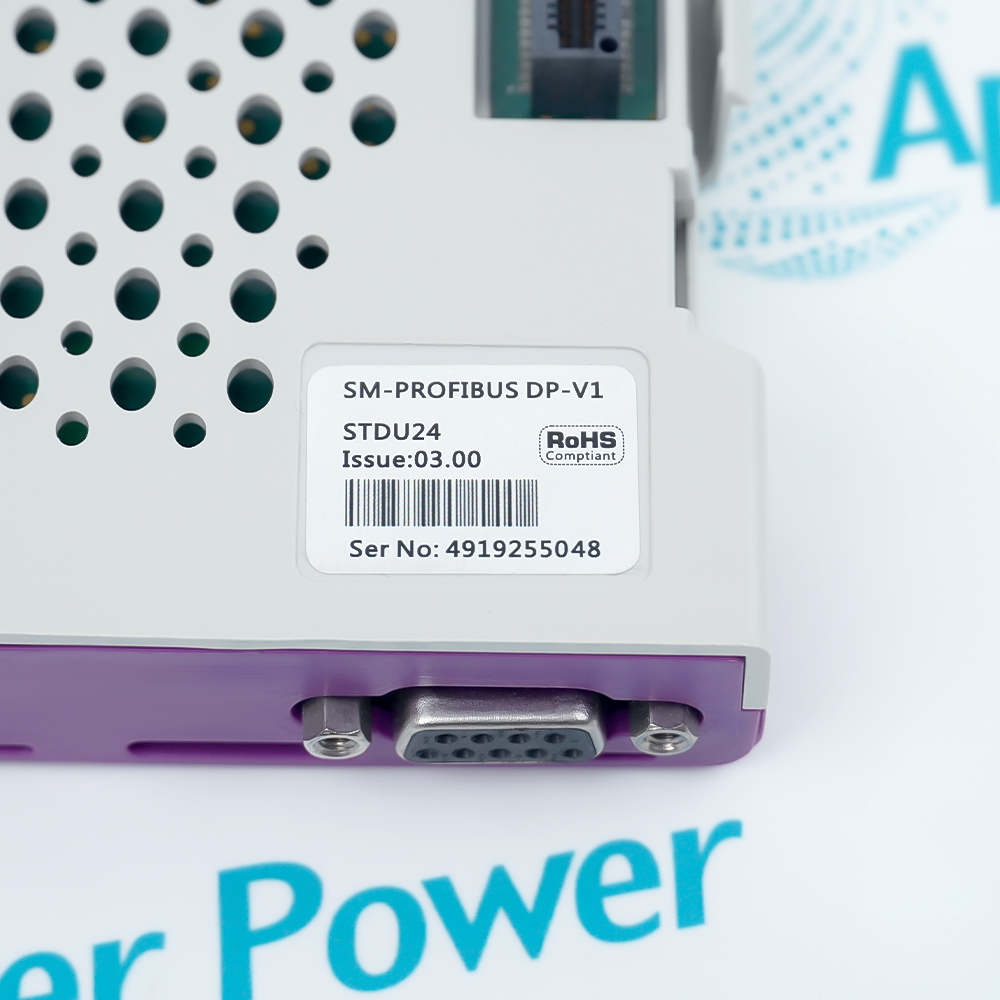
Confirm SM-PROFIBUS-DP-V1 on the label. Do not assign DP-V1 capabilities to the earlier DP-only module.

Use the correct GSD

Install the matching DP-V1 GSD and select a DPV1 slave in the master to enable DP-V1 services.

Maintain powered termination

Terminate both ends of each segment. Plan the termination supply so that switching off an end drive does not disable required termination.

Respect segment limits

Keep within the cable length for the selected rate and the 32-device segment limit, including repeaters. Avoid spur connections.

Prove the process-data mapping

Set unique addresses and matching data sizes, then verify commands and feedback in both directions before releasing the machine.

Alternative Names

SM PROFIBUS DP V1 SM-PROFIBUS DP-V1 SMPROFIBUSDPV1 Emerson SM-PROFIBUS-DP-V1 Control Techniques SM-PROFIBUS DP-V1

Technical notes

Installation: Isolate the drive supply and allow at least ten minutes for discharge before installing or removing the module. Follow the host drive instructions and verify the DC bus is fully discharged.

Network configuration: Use approved PROFIBUS cable and connectors, powered termination at both segment ends and unique addresses. Match the input/output word counts and mapping in the drive and master.

Technical reference: Control Techniques SM-PROFIBUS DP-V1 User Guide, 0471-0008-11, Issue 11. DP-V1 services require the matching GSD and master configuration.


FAQ View All FAQ

  • Which drives support Emerson SM-PROFIBUS-DP-V1?
    The user guide covers Unidrive SP, Commander SK, Affinity, Digitax ST and Mentor MP. Match the host version and available option slot to its drive instructions.
  • How is the SM-PROFIBUS-DP-V1 module identified?
    The complete label includes DP-V1 and its module identification code is 403 in MM.01. MM.02 and MM.51 provide the firmware version components.
  • How much cyclic data can SM-PROFIBUS-DP-V1 exchange?
    A cyclic-only configuration supports up to 32 input and 32 output 16-bit words. Legacy non-cyclic modes reduce the cyclic allocation; the master and drive must use the same data sizes.
  • Why are SM-PROFIBUS-DP-V1 acyclic services unavailable with some GSD files?
    DP-V1 features require the appropriate DP-V1 GSD and a DPV1 slave configuration in the master. A DP-V0 GSD does not expose those features.
  • How does SM-PROFIBUS-DP-V1 select the PROFIBUS data rate?
    The module detects and synchronizes to the master network rate automatically. MM.04 indicates the detected rate; a value of -1 means it is waiting to detect network activity.
  • Which SM-PROFIBUS-DP-V1 D-type pins carry the PROFIBUS data pair?
    Pin 3 is B, positive/red, and pin 8 is A, negative/green. Pins 6 and 5 provide isolated +5 V and 0 V for termination only; pin 1 and the shell connect the shield.
  • What are the network addressing and segment limits for SM-PROFIBUS-DP-V1?
    Use unique addresses from 1 to 125; 0 and 126 are reserved. A segment supports no more than 32 devices including repeaters, and the complete network supports up to 125 addressed nodes.
  • What should be checked when SM-PROFIBUS-DP-V1 communicates but exchanges incorrect data?
    Compare word counts and parameter mappings in the master and drive, including the chosen non-cyclic mode and data width. Then prove data flow in both directions under controlled commissioning conditions.
Related reading

Related cases and sourcing guidance

View all case studies
Manufacturers

Product Browsing History

Revisit the products you recently viewed on Apter Power.
SPEAK TO OUR TEAM
Let’s find the right solution for you.
Send us the part number, quantity and delivery destination. Our team will help confirm availability and lead time.
  • Whatsapp: +86 18030235313

    Send us a message.
  • sales13@apterpower.com

    Complete our online form.
  • +86 18030235313

    Speak to our team in your native language.