-
Match the complete marking
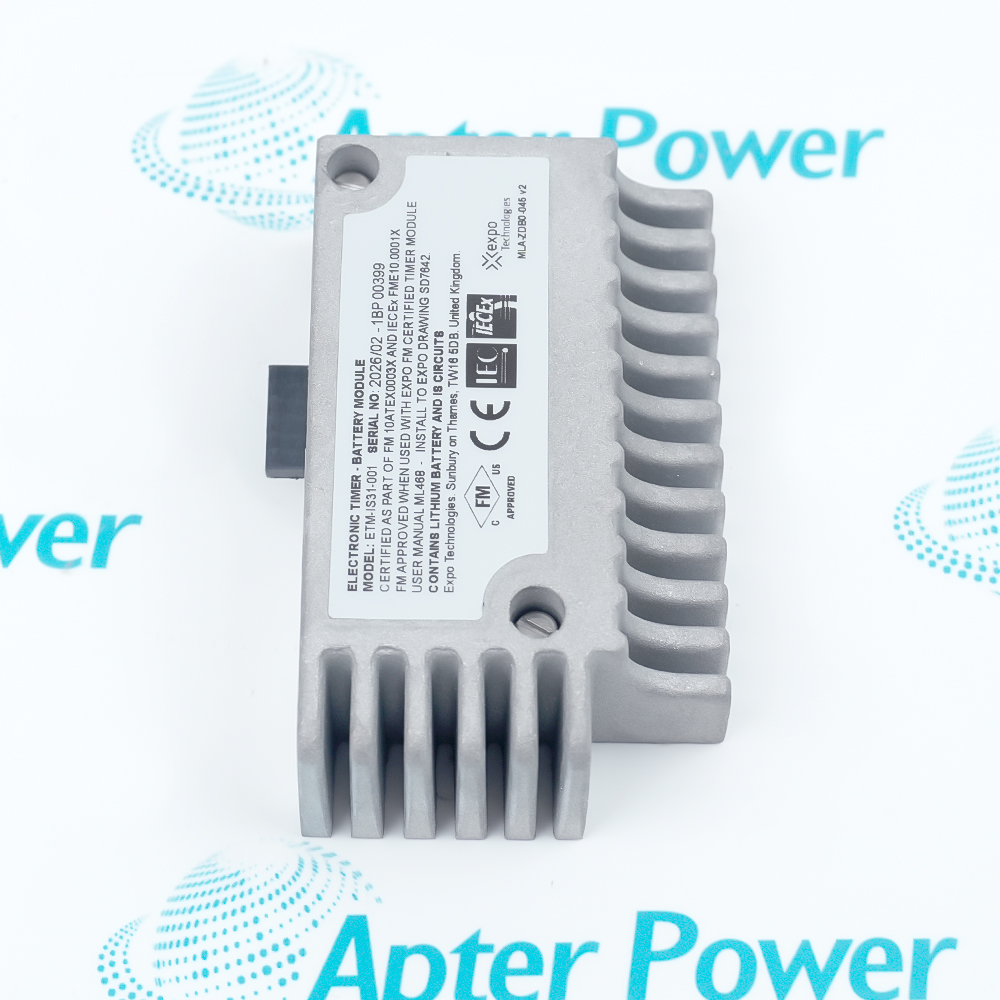
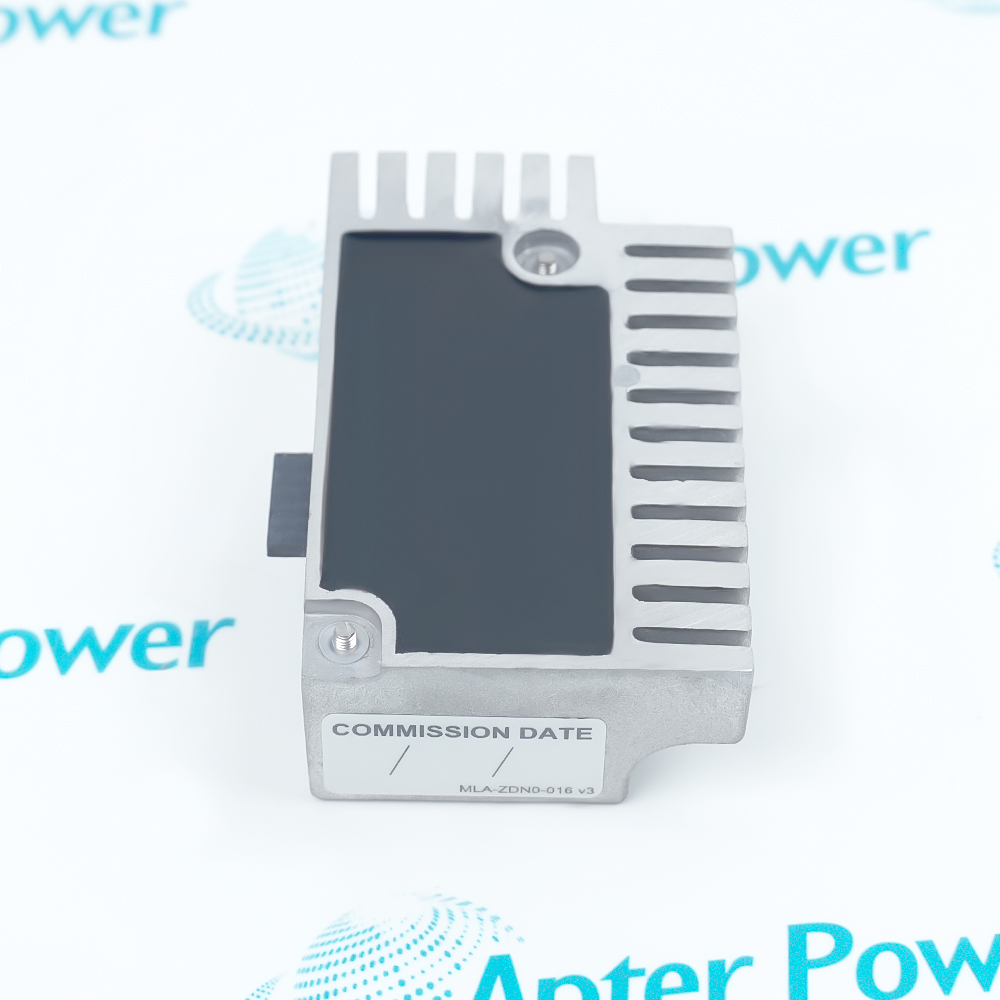
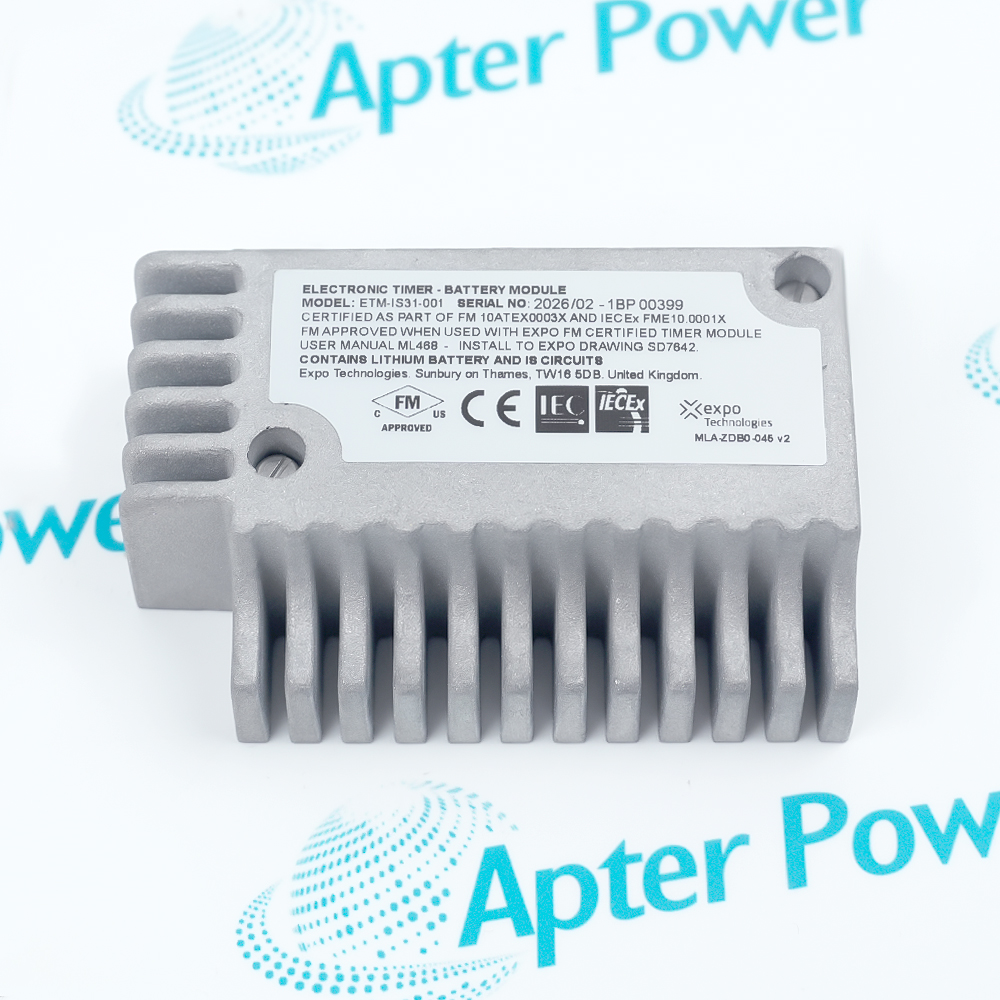
Include ETM-IS31-001 and any revision or certification marking visible on the battery pack. Keep the same complete reference on your enquiry and quotation.
-
Check the offered item before ordering
Request current pack label and connector photos. Have your maintenance team compare the offered ETM-IS31-001 with the installed timer, equipment variant and applicable Expo documentation.
Technical specifications for ETM-IS31-001
-
Manufacturer:EXPO
-
Product Category:General Automation
-
Spare Part Number:ETM-IS31-001
-
Weight:1 kg
-
Tariff Code:8537101190
-
Component type:Intrinsically safe timer battery pack
-
Primary pairing:D818 electronic timer arrangement
-
Ex Print variants:PR-1xE-A and PR-1xE-G only
-
Separate timer item:AGE-GE00-168 electronic timer assembly
-
D818 maintenance interval:Replace battery at least every 3 years
-
Purge-cycle restriction:Do not replace during purge cycle
-
Post-replacement action:Repeat commissioning checks
-
D818 fault indication:Cycle starts but does not complete: battery is one possible cause
Information
- ETM-IS31-001 is a replaceable battery pack in specified Expo electronic timer arrangements. Its service procedure depends on the installed D818 or Ex Print equipment variant.
Inspection focus: Match the pack marking, timer revision and equipment variant
Service sequence: Controlled access, pack exchange and renewed commissioning
Fault isolation: If timing still fails, continue diagnosis beyond the battery pack
In the D818 service procedure, a discharged timer battery is one possible cause when a purge cycle begins but does not complete. Diagnosis must also consider the full purge system and its other listed fault causes.
Expo also identifies ETM-IS31-001 for PR-1xE-A and PR-1xE-G Ex Print versions. That fit statement does not extend to other printer versions or establish the electrical rating or certification of an unmarked pack.
-
Apter Power technical reference for EXPO ETM-IS31-001
Apter Power technical reference - PDF, 2 pages. Documented product identity, system role and applicable technical details. -
EXPO ETM-IS31-001 installation guide
Prepared by Apter Power - PDF, 2 pages. Identification, installation checks, commissioning and fault isolation.
Application scope: Use only in the Expo timer and equipment variants that identify this exact battery pack; suitability follows the complete installed marking and service procedure.
-
D818 timer maintenance
Replace the listed IS battery pack in the documented electronic timer maintenance procedure. -
Purge fault response
Consider battery condition when the D818 purge cycle starts but repeatedly fails to finish, alongside other system checks. -
Ex Print service
Use with the specified PR-1xE-A or PR-1xE-G variants where Expo identifies this pack. -
Planned battery renewal
Schedule replacement within the D818 maintenance interval and repeat commissioning checks after the change.
Compare ETM-IS31-001 and the installed timer identity before opening the enclosure.
Do not exchange the battery during an active D818 purge cycle; follow the applicable safe-work sequence.
Apply the equipment certification, hazardous-area and site isolation instructions before access.
Use the specified retaining-screw and plug procedure; avoid forcing the connector or damaging the timer assembly.
If the purge still fails, examine the timer assembly and other listed causes instead of assuming a battery fault.
Repeat the D818 commissioning checks after battery replacement before returning the purge function to service.
Alternative Names
Technical notes
Installation relationship: ETM-IS31-001 serves the specified Expo electronic timer; the battery and timer assembly are separate service parts.
Service control: For the D818 arrangement, do not replace the battery during purge and repeat commissioning tests after replacement.
Technical reference: Expo Technologies D818 Electronic Timer user manual and Ex Print user manual. Apply the maintenance steps to the identified equipment variant.

FAQ View All FAQ
-
Why may an Expo D818 purge cycle start but fail to finish with ETM-IS31-001 installed?A discharged electronic timer battery is a documented possible cause. Confirm the battery condition under the D818 troubleshooting procedure and evaluate other purge faults before replacing parts.
-
When should ETM-IS31-001 be replaced in the D818 electronic timer arrangement?The D818 maintenance instructions call for battery replacement at least every three years; use the site maintenance schedule and the installed equipment revision to plan the service.
-
Can ETM-IS31-001 be changed while a D818 purge cycle is running?The D818 procedure says not to replace the battery during a purge cycle. Follow the approved safe-work sequence and repeat commissioning checks after the change.
-
Is ETM-IS31-001 the same part as the electronic timer assembly?No. Expo lists ETM-IS31-001 as the IS battery pack and AGE-GE00-168 as a separate electronic timer assembly. Diagnose which component requires replacement.
-
Which Ex Print variants identify ETM-IS31-001 as the IS battery pack?The Expo Ex Print spare-parts list identifies the PR-1xE-A and PR-1xE-G variants only. Check the complete installed printer variant before ordering.
-
What should be checked when reconnecting ETM-IS31-001 to the timer?Follow the specified plug and retaining-screw procedure, check connector seating without forcing it, and inspect the timer and cable for damage before commissioning.
-
Does ETM-IS31-001 alone establish an intrinsically safe system approval?No. The pack must be used within the complete approved timer and equipment arrangement; verify the supplied pack marking and installed certification conditions.
-
What verifies proper operation after ETM-IS31-001 is replaced?Repeat the applicable D818 commissioning tests and confirm the purge cycle reaches its required completion state, with alarms and indicators behaving as specified for the installed system.
Supporting new and legacy automation
-
Please try to be as accurate as possible with your search.
-
We can quote you on 1000s of specialist parts, even if they are not listed on our website.
-
We can't find any results for “”.
Related cases and sourcing guidance
View all case studiesYou May Also Like
Product Browsing History
-
Whatsapp: +86 18030235313
Send us a message. -
sales13@apterpower.com
Complete our online form. -
+86 18030235313
Speak to our team in your native language.