-
Match the complete marking
Include 1771-SDN and its visible revision or assembly identity in your enquiry. Keep the complete reference on the quotation. -
Check the offered item before ordering
Request available label and connector photos. Have your maintenance team compare the offered 1771-SDN with the installed equipment and applicable Allen-Bradley documents.
Technical specifications for 1771-SDN
-
Manufacturer:Allen-Bradley
-
Product Category:PLC Systems
-
Spare Part Number:1771-SDN
-
Weight:0.15 kg
-
Tariff Code:8537101190
-
Offered unit series:Series B
-
Offered firmware marking:Revision G
-
Function:Two-channel DeviceNet scanner
-
Processor interface:PLC-5 / 1771 backplane
-
Backplane supply:5 V DC
-
Backplane current:1.2 A at 5 V DC, nameplate
-
DeviceNet power limit:25 V DC maximum, nameplate
-
DeviceNet draw:90 mA maximum per channel, nameplate
-
Network connectors:Two DeviceNet channel connections
-
Chassis family:Compatible 1771 I/O chassis
-
Replacement boundary:Series C uses a B-compatibility switch setting
Information
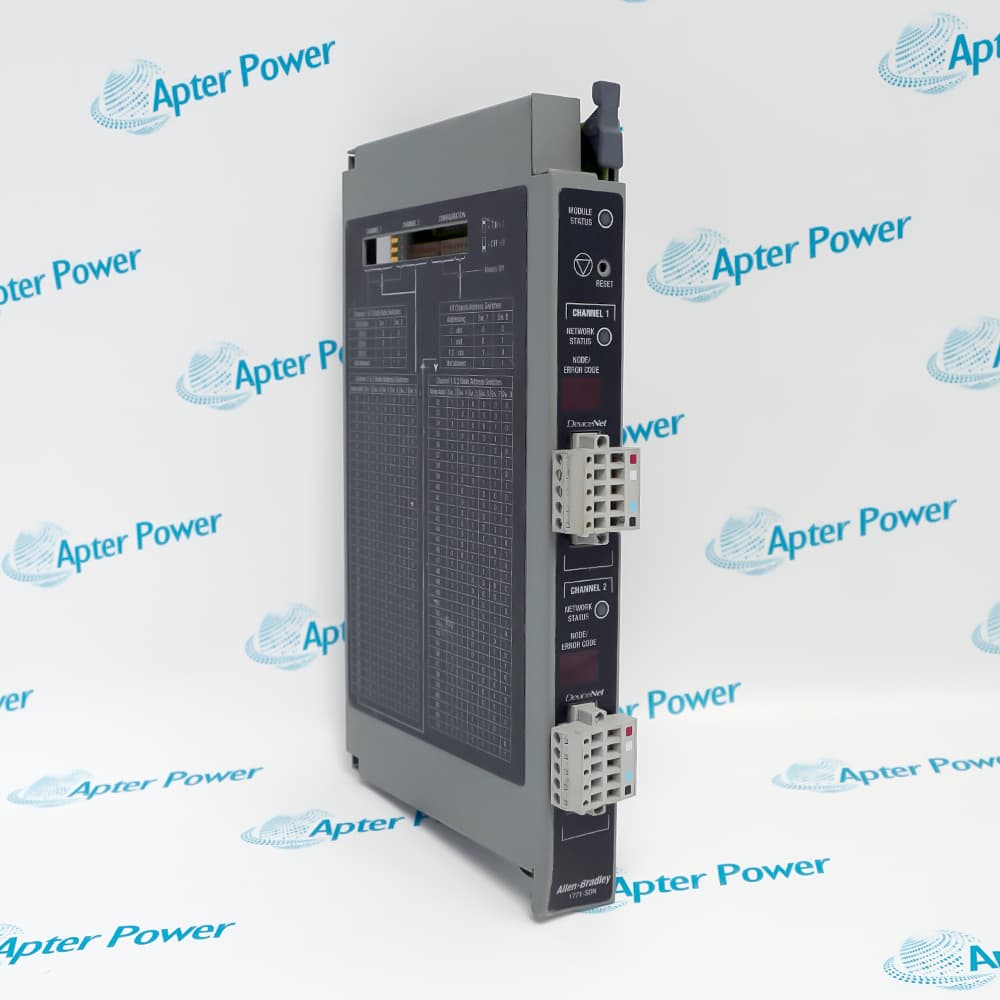
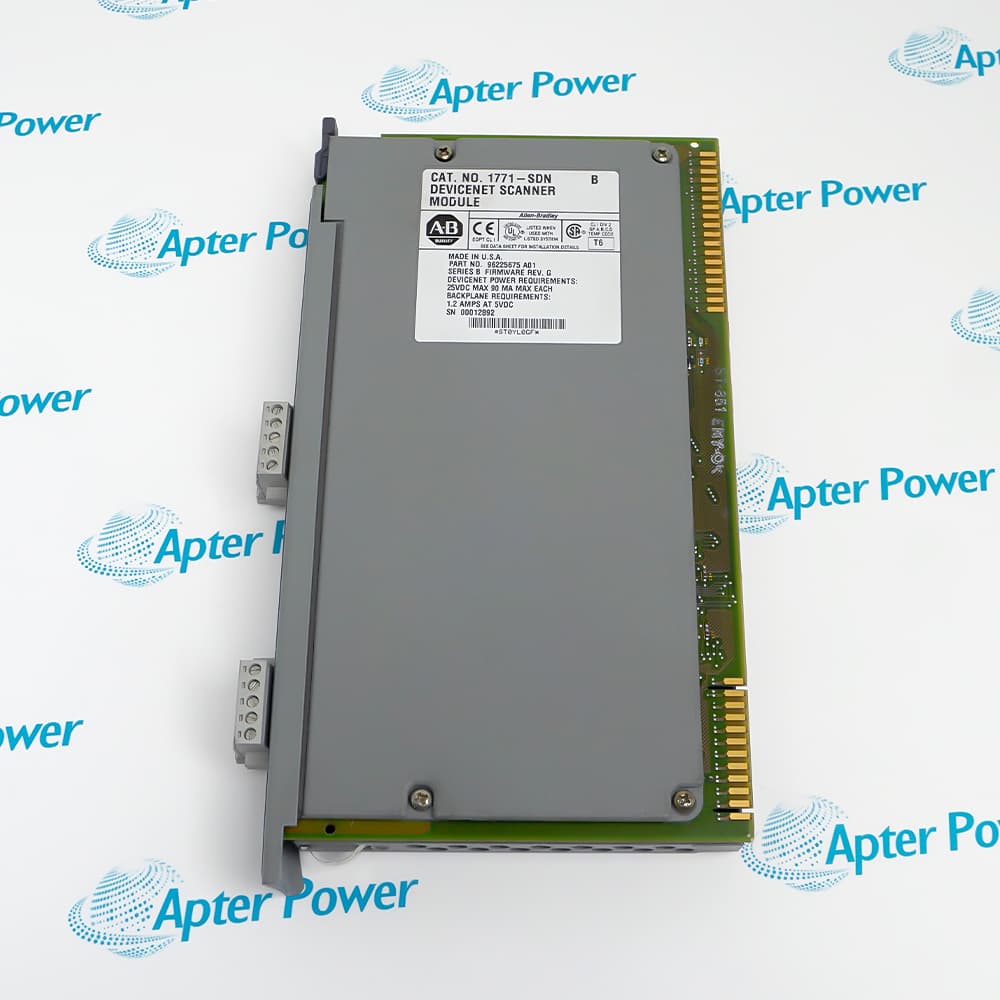
- Allen-Bradley 1771-SDN. This scanner bridges two DeviceNet networks to the PLC-5 through a 1771 I/O chassis; the pictured unit carries a Series B nameplate.
Offered unit series: Series B
Offered firmware marking: Revision G
Function: Two-channel DeviceNet scanner
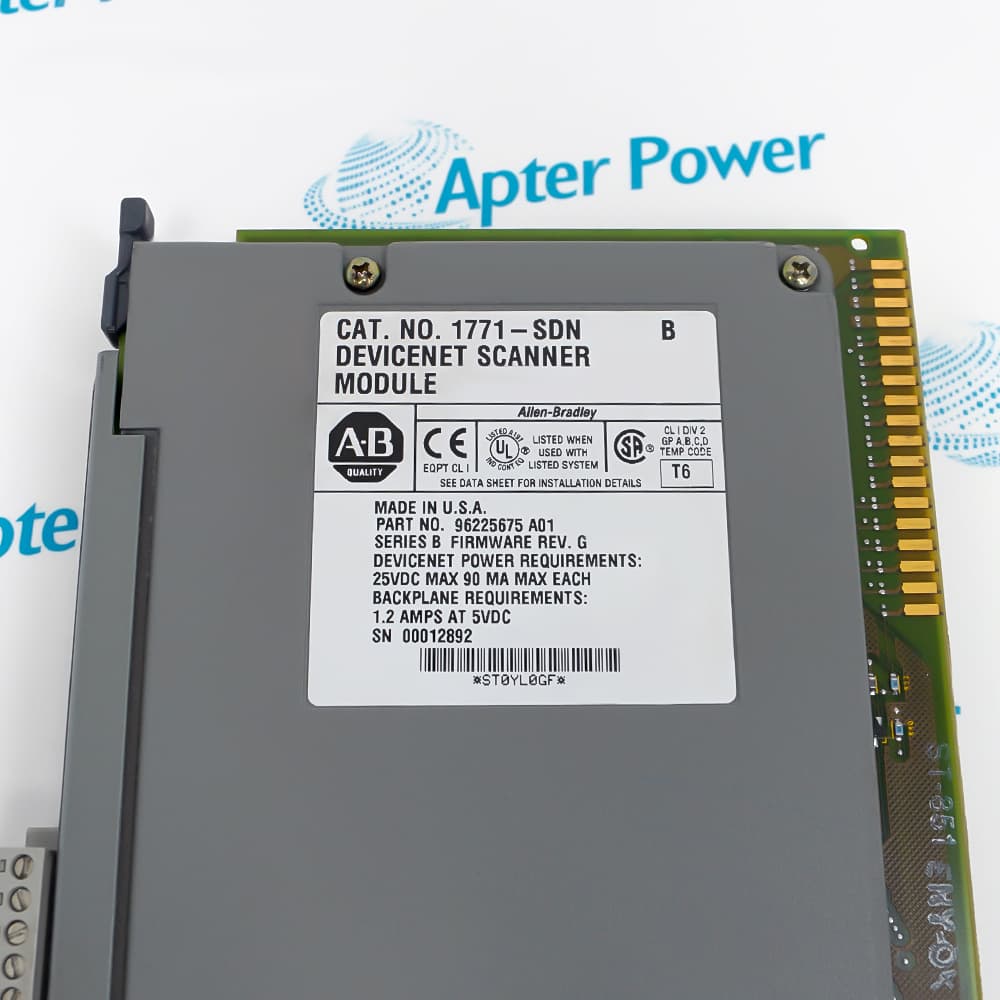
The offered label states CAT. NO. 1771-SDN, SERIES B and FIRMWARE REV. G. It specifies 1.2 A from the 5 V DC backplane, with DeviceNet power no higher than 25 V DC and a maximum 90 mA draw for each channel. These are the pictured Series B values; do not substitute the lower Series C backplane figure from a later manual.
Rockwell documents that a Series C scanner can replace Series A or B only when its configuration switch selects the earlier-series compatibility mode. For a Series B exchange, preserve chassis addressing, channel settings, network wiring, scan lists and PLC block-transfer mapping. Commission both channels and compare their actual network status before returning the machine to service.
-
Allen-Bradley 1771-SDN technical reference
Prepared by Apter Power - PDF, 5 pages. Exact-model technical data and source boundaries. -
Allen-Bradley 1771-SDN installation guide
Prepared by Apter Power - PDF, 5 pages. Identity, installed-system checks, commissioning and handover.
Revision boundary: The pictured 1771-SDN is Series B, firmware G; a Series C spare requires its documented earlier-series compatibility setting.
-
Dual network scanning
Use the two scanner channels for separately configured DeviceNet networks. -
Mapped field I/O
Exchange configured field-device input and output data with PLC-5 logic through the chassis backplane. -
Installed-base service
Retain the Series B node, rate, scan-list and block-transfer settings when replacing the photographed unit. -
Series C replacement
Use Rockwell’s compatibility-switch procedure before substituting a Series C scanner for Series B.
Follow the machine and chassis isolation procedure before removing the scanner.
Confirm Series B and firmware G on the offered unit; record the installed revision.
Allow 1.2 A at 5 V DC for the photographed Series B unit.
Keep DeviceNet power within the nameplate maximum of 25 V DC.
Record both sets of network addresses, rates, cabling and scan lists before exchange.
Test both channel status displays and PLC I/O data after commissioning.
Alternative Names
Technical notes
Series B identity: The offered label reads 1771-SDN, Series B, firmware revision G; later /C details are kept separate.
Power relationship: Nameplate: 1.2 A from the 5 V DC backplane and up to 90 mA DeviceNet draw per channel at no more than 25 V DC.
Technical reference: Rockwell Automation 1771-SDN DeviceNet Scanner Module Installation Instructions, 1771-IN014B-EN-P; offered unit nameplate.

FAQ View All FAQ
-
What is the function of Allen-Bradley 1771-SDN?It is a two-channel DeviceNet scanner that exchanges configured field I/O data with a compatible PLC-5 system through a 1771 chassis.
-
Which series is shown on the offered Allen-Bradley 1771-SDN label?The photographed unit is marked Series B, firmware revision G.
-
How many DeviceNet channels does Allen-Bradley 1771-SDN have?The offered scanner has two DeviceNet channel connections, each requiring its own network settings and checks.
-
What backplane current is marked on Allen-Bradley 1771-SDN Series B?The photographed Series B label specifies 1.2 A at 5 V DC.
-
What DeviceNet power limit is marked on Allen-Bradley 1771-SDN?The label states 25 V DC maximum and 90 mA maximum per channel for DeviceNet power requirements.
-
Can a Series C unit replace Allen-Bradley 1771-SDN Series B directly?Rockwell describes a Series C replacement path, but its configuration switch must select Series B-compatible operation before replacement.
-
What configuration should be preserved when replacing Allen-Bradley 1771-SDN?Record chassis addressing, both channel node and rate settings, scan lists, network wiring and PLC transfer mapping.
-
How should Allen-Bradley 1771-SDN be checked after installation?Confirm scanner and both network status indications, then prove field-device data exchange against the PLC application.
Supporting new and legacy automation
-
Please try to be as accurate as possible with your search.
-
We can quote you on 1000s of specialist parts, even if they are not listed on our website.
-
We can't find any results for “”.
You May Also Like
Product Browsing History
-
Whatsapp: +86 18030235313
Send us a message. -
sales13@apterpower.com
Complete our online form. -
+86 18030235313
Speak to our team in your native language.