Get Parts Quote
Name
Company *
Phone *
Email *
Address
City
State / Province / Region
Zipcode
Country
Quantity *
Part Number *
Manufacturer
Preferred Condition
Additional Information
Cancel

AB9001-B

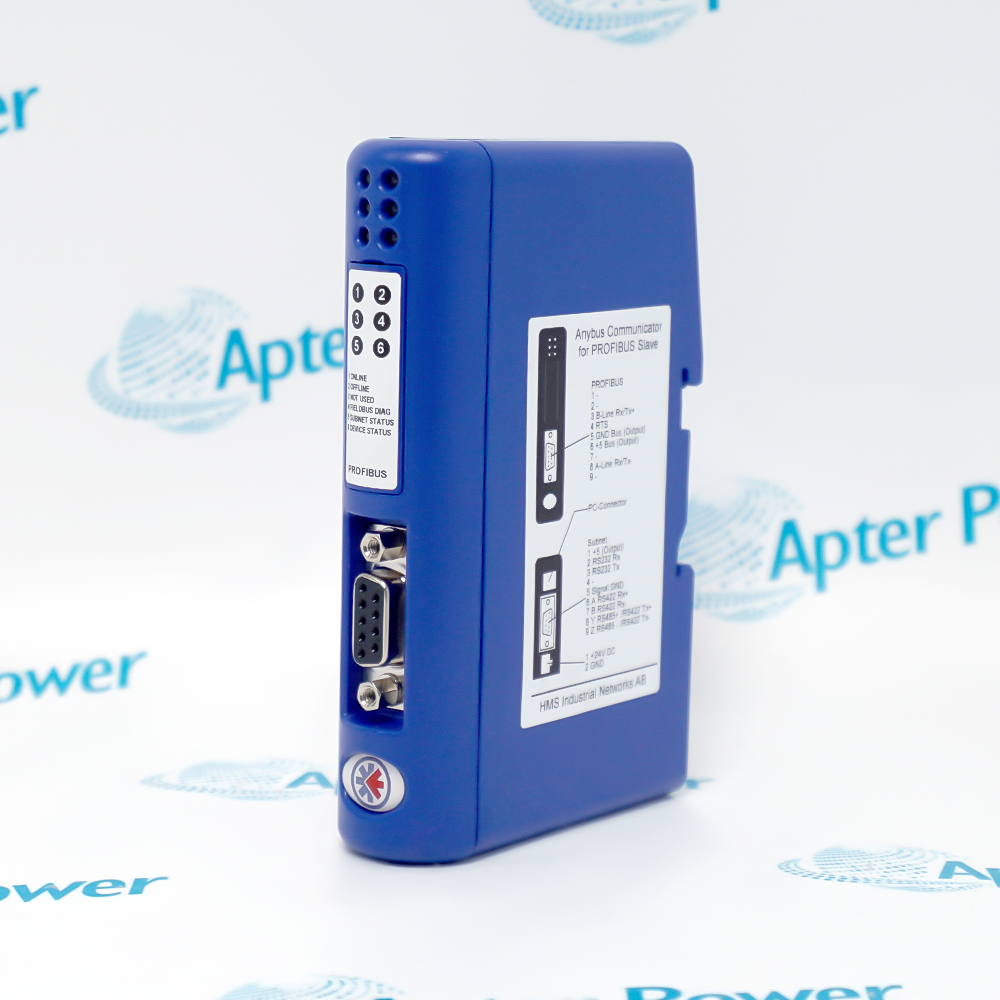
Anybus X-gateway Modbus TCP Client to PROFIBUS Slave
In Stock
Ships by Tuesday, September 22
Fast Shipping Available

Product Describe:

Anybus AB9001-B is an X-gateway that connects Modbus TCP server devices to a PROFIBUS control system. It operates as a Modbus TCP client on Ethernet and as a PROFIBUS DP or DP-V1 slave.

Ask our team:

Get a quick price for: AB9001-B
Quantity*
Upload (gif, jpg, jpeg, png, bmp, doc, docx, xls, xlsx, ppt, pdf, csv)
For more information on how your data is processed and stored by Apterpower please read our privacy policy.

Technical specifications for AB9001-B

Technical specifications for AB9001-B

  • Manufacturer:
    ANYBUS
  • Product Category:
    General Automation
  • Spare Part Number:
    AB9001-B
  • Estimated shipping dimensions:
    11.4×4.4×12.7 cm
  • Weight:
    0.16 kg
  • Tariff Code:
    8537101190
  • Counliy of origin:
    Sweden
  • Modbus TCP role:
    Master / Client
  • PROFIBUS role:
    DP / DP-V1 Slave
  • Ethernet bandwidth:
    10/100 Mbit/s
  • Minimum transaction cycle:
    10 ms
  • Modbus TCP transactions:
    64
  • Modbus TCP input data:
    256 bytes
  • Modbus TCP output data:
    256 bytes
  • PROFIBUS input data:
    244 bytes
  • PROFIBUS output data:
    244 bytes
  • PROFIBUS address range:
    0 to 125
  • PROFIBUS baud rate:
    9.6 kbit/s to 12 Mbit/s
  • Ethernet connectors:
    2 x RJ45
  • PROFIBUS connector:
    9-pin female D-sub
  • Power connector:
    3-pin 5.08 mm Phoenix plug
  • Maximum current:
    300 mA at 24 V DC
  • Operating temperature:
    -25 to 60 degC
  • Protection class:
    IP20
  • Mounting:
    DIN rail EN 50022
  • Net weight:
    160 g

Information

Information

Overview Manuals Common Applications Product Precautions
AB9001-B bridges Modbus TCP server devices into a PROFIBUS DP or DP-V1 control network through two independently configured interfaces.
  • Connects Modbus TCP server devices to a PROFIBUS master
  • Maps separate input and output data areas between the two networks
  • Supports PROFIBUS DP-V1 acyclic services and diagnostics
  • Uses browser-free gateway configuration through the documented configuration manager

The gateway uses two RJ45 Ethernet ports for Modbus TCP client communication and a 9-pin D-sub port for the PROFIBUS slave interface. Installation and commissioning cover 24 V DC power, DIN-rail mounting, Modbus server addresses and functions, PROFIBUS node and GSD, I/O byte allocation, isolation and diagnostic status.

Important Notice: Confirm AB9001-B, the installed gateway hardware and firmware, DIN-rail position, 24 V DC power and grounding, both RJ45 Ethernet links, Modbus TCP server addresses and function codes, PROFIBUS D-sub connector, node address, GSD and byte map, configuration-manager file, successor compatibility and controlled end-to-end data-validation results before commissioning.

Apter Power AB9001-B Manuals and Guides

The first document is an Apter Power model-specific engineering reference. The second opens the exact manufacturer manual or datasheet for this product.


Modbus TCP device integration
Maps documented Ethernet device data into a PROFIBUS PLC process image.
Legacy PROFIBUS cell modernization
Retains an installed PROFIBUS controller while adding Ethernet-connected field equipment.
Multi-server data concentration
Coordinates the approved Modbus TCP transaction list before presenting values to the master.
Gateway replacement and migration
Provides an as-found mapping reference before migration to the official replacement gateway.
Read the applicable Anybus installation instructions before work. Verify AB9001-B, the installed host system and all configured field interfaces before isolation, wiring or commissioning.
1
Confirm AB9001-B on the product label and record the installed firmware and configuration file.
2
Isolate the 24 V DC supply and connected network equipment before removing conductors.
3
Record both RJ45 connections, IP settings, server addresses and the complete transaction list.
4
Record the PROFIBUS node address, GSD, baud-rate behavior and input/output byte allocation.
5
Use ESD controls and inspect the DIN-rail latch, power plug, D-sub and Ethernet connectors.
6
Restore protective separation and route communication cables away from interference sources.
7
Load the approved gateway configuration before reconnecting the PLC and field devices.
8
Verify every mapped byte, PROFIBUS diagnostics, Modbus exception handling and controlled process response.

Alternative Names

Alternative Names

Anybus X-gateway AB9001-B AB9001B

Technical notes

Technical notes

Mount AB9001-B on the documented DIN rail, isolate the 24 V DC supply and record the two Ethernet connections, PROFIBUS node address, GSD and byte mapping before exchange. Restore the Modbus TCP transaction list and PROFIBUS I/O map, then validate each data word and gateway diagnostic in a controlled sequence.

FAQS

  • What networks does AB9001-B connect?
    AB9001-B connects Modbus TCP server devices on Ethernet to a PROFIBUS DP or DP-V1 master by operating as a Modbus TCP client and PROFIBUS slave.
  • How much process data can AB9001-B exchange?
    The official datasheet specifies 256 bytes of Modbus TCP input and output data, and 244 bytes of PROFIBUS input and output data. The configured mapping must stay within both interfaces' limits.
  • Which Modbus functions are supported by AB9001-B?
    The official datasheet lists functions 1, 2, 3, 4, 5, 6, 15, 16 and 23. Configure only the functions and addresses approved for each connected server.
  • How is AB9001-B addressed on PROFIBUS?
    Use the recorded PROFIBUS node assignment within the documented 0 to 125 range and ensure the same address and GSD definition are present in the master project.
  • What should be backed up before replacing AB9001-B?
    Back up the gateway configuration and record IP settings, server addresses, transaction commands, byte mapping, PROFIBUS node, GSD, connector positions, firmware and diagnostic state.
  • How should AB9001-B be wired and mounted?
    Mount it on EN 50022 DIN rail, use the 3-pin 5.08 mm power plug for the documented 24 V DC supply, connect Ethernet through the RJ45 ports and PROFIBUS through the 9-pin female D-sub.
  • How is AB9001-B validated after installation?
    Confirm power and network status, master recognition and Modbus server communication, then compare every mapped input and output byte and review exception and PROFIBUS diagnostic behavior.
  • What should be checked when migrating from AB9001-B to its successor?
    HMS identifies ABC3200-A as the replacement. Recreate the protocol roles, transaction list, byte order, I/O sizes, IP settings, PROFIBUS node and master mapping, then run controlled end-to-end data tests.
Trusted by 5,000+ plants worldwide | Backed by our vast inventory of top-tier control parts, modules and cards, fast shipments are dispatched to cover your urgent needs. ABOUT US >>
Disclaimer: We are not an authorized distributor or distributor of the product manufacturer of this website, The product may have older date codes or be an older series than that available direct from the factory or authorized dealers. Because our company is not an authorized distributor of this product, the Original Manufacturer`s warranty does not apply.While many DCS PLC products will have firmware already installed, Our company makes no representation as to whether a DSC PLC product will or will not have firmware and, if it does have firmware, whether the firmware is the revision level that you need for your application. Our company also makes no representations as to your ability or right to download or otherwise obtain firmware for the product from our company, its distributors, or any other source. Our company also makes no representations as to your right to install any such firmware on the product. Our company will not obtain or supply firmware on your behalf. It is your obligation to comply with the terms of any End-User License Agreement or similar document related to obtaining or installing firmware.

Product Browsing History

We’re Here When You Need Us

From product insights to customer service needs, our experienced service team will focus on getting you what you need quickly

Enquire

Complete our online form.

Call Us

Speak to one of our team.

Live Chat

Send us a message.