Get Parts Quote
Name
Company *
Phone *
Email *
Address
City
State / Province / Region
Zipcode
Country
Quantity *
Part Number *
Manufacturer
Preferred Condition
Additional Information
Cancel

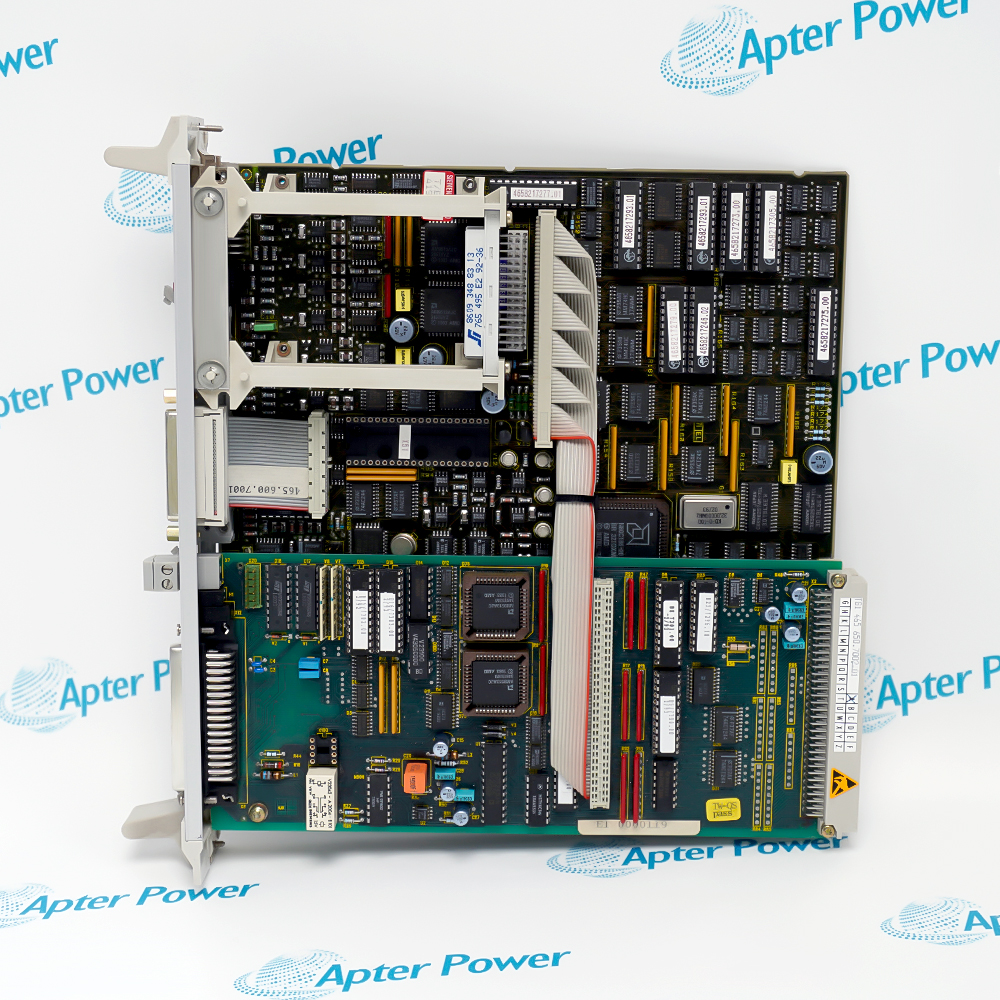
6DD1681-0AE2

Digital Interface Module
In Stock
Ships by Monday, October 26
Fast Shipping Available

Product Describe:

Siemens 6DD1681-0AE2 is an SB10 interface module for eight 24 V DC digital signal paths. It connects SIMATIC TDC or FM 458-1 DP components to plant-side terminals.

Ask our team:

Get a quick price for: 6DD1681-0AE2
Quantity*
Upload (gif, jpg, jpeg, png, bmp, doc, docx, xls, xlsx, ppt, pdf, csv)
For more information on how your data is processed and stored by Apterpower please read our privacy policy.

Technical specifications for 6DD1681-0AE2

Technical specifications for 6DD1681-0AE2

  • Manufacturer:
    Siemens
  • Product Category:
    DCS System
  • Spare Part Number:
    6DD1681-0AE2
  • Estimated shipping dimensions:
    4.5×15.5×13cm
  • Weight:
    0.24 kg
  • Tariff Code:
    8537101190
  • Counliy of origin:
    Germany
  • Designation:
    SB10
  • Signal paths:
    8 digital signals
  • Signal voltage:
    24 V DC
  • Electrical isolation:
    No
  • X1:
    10-pin ribbon connector: 8 signals plus 1P and 1M
  • X2:
    2 x 8-pole plant connector
  • X3 supply:
    +24 V at 1P; 0 V at 1M
  • Maximum X3 conductor:
    2.5 mm²
  • Diagnostics:
    LED displays and X5 double test socket
  • Mounting:
    Snap-on rail enclosure

Information

Information

Overview Manuals Common Applications Product Precautions
At the cabinet boundary, Siemens 6DD1681-0AE2 provides a direct signal path, so commissioning must preserve reference potentials and account for the absence of galvanic isolation.
  • Eight digital signal paths
  • 24 V DC signal level
  • No galvanic isolation
  • Rail-mounted interface housing

The controlled engineering path is SIMATIC TDC / FM 458-1 DP → SC62 or SC66 cable → SB10 terminal interface → Plant digital signals; preserve the approved system record and verify the intended final response before release.

Important Notice: Check the non-isolated common reference and all X1/X2/X3/X5 assignments before reconnecting field signals.

Siemens 6DD1681-0AE2 Manuals & Downloads
Siemens 6DD1681-0AE2 Official Technical Reference Excerpt (PDF)Siemens 6DD1681-0AE2 Installation & Commissioning Guide (PDF)

Important Notice: The official Siemens hardware manual documents the SB10 interface module and its connections; the ApterPower guide provides a separate exact-model field sequence for preparation, connection checks, functional proving and acceptance.

Digital signal breakout
Transfer eight controller-side digital signals to field terminals.
Commissioning visibility
Use LED indication while checking program and field states.
Cabinet retrofit
Maintain a documented SB10 terminal interface during controlled replacement.
FM 458-1 DP integration
Connect application-module digital signals to plant wiring.
Apply these exact-model controls to Siemens 6DD1681-0AE2 before isolation, replacement, reconnection, energization and final release.
1
Isolate X3 supply and connected plant circuits before service.
2
Treat controller and plant sides as non-isolated electrical paths.
3
Verify 1P and 1M polarity before reconnecting the supply.
4
Use only the documented X1, X2, X3 and X5 assignments.
5
Confirm the SC62 or SC66 cable identity and orientation.
6
Keep the X3 conductor cross-section within 2.5 mm².
7
Check LED states against measured signals rather than using indication alone.
8
Test all eight channels and archive the as-left terminal map.

Technical notes

Technical notes

The SB10 interface is non-isolated; verify common reference, polarity and each X1/X2/X3/X5 connection against the cabinet drawings. Prove all eight digital signal paths after restart.

FAQS

  • How many 24 V DC digital signals are handled by Siemens 6DD1681-0AE2?
    The SB10 provides eight 24 V DC digital signal paths.
  • What common-reference risk follows from the non-isolated design of Siemens 6DD1681-0AE2?
    The SIMATIC and plant sides share the documented non-isolated signal reference, so polarity and common reference must be preserved.
  • Which controller-side cables connect Siemens 6DD1681-0AE2 to SIMATIC TDC or FM 458-1 DP?
    Siemens specifies SC62 or SC66 interface cables.
  • Which field signals terminate at X3 on Siemens 6DD1681-0AE2?
    X3 supplies 1P at +24 V and 1M at 0 V on the SIMATIC side.
  • What conductor cross-section is permitted at X3 on Siemens 6DD1681-0AE2?
    The documented maximum is 2.5 mm².
  • Which test points support signal checks on Siemens 6DD1681-0AE2?
    The module provides LED displays and an X5 double test socket for 1P and 1M.
  • Which connector kit is paired with the supply connection of Siemens 6DD1681-0AE2?
    The SM11 parts kit, article 6DD1680-0BB0, is specified for the supply connection.
Trusted by 5,000+ plants worldwide | Backed by our vast inventory of top-tier control parts, modules and cards, fast shipments are dispatched to cover your urgent needs. ABOUT US >>
Disclaimer: We are not an authorized distributor or distributor of the product manufacturer of this website, The product may have older date codes or be an older series than that available direct from the factory or authorized dealers. Because our company is not an authorized distributor of this product, the Original Manufacturer`s warranty does not apply.While many DCS PLC products will have firmware already installed, Our company makes no representation as to whether a DSC PLC product will or will not have firmware and, if it does have firmware, whether the firmware is the revision level that you need for your application. Our company also makes no representations as to your ability or right to download or otherwise obtain firmware for the product from our company, its distributors, or any other source. Our company also makes no representations as to your right to install any such firmware on the product. Our company will not obtain or supply firmware on your behalf. It is your obligation to comply with the terms of any End-User License Agreement or similar document related to obtaining or installing firmware.

Product Browsing History

We’re Here When You Need Us

From product insights to customer service needs, our experienced service team will focus on getting you what you need quickly

Enquire

Complete our online form.

Call Us

Speak to one of our team.

Live Chat

Send us a message.