Get Parts Quote
Name
Company *
Phone *
Email *
Address
City
State / Province / Region
Zipcode
Country
Quantity *
Part Number *
Manufacturer
Preferred Condition
Additional Information
Cancel

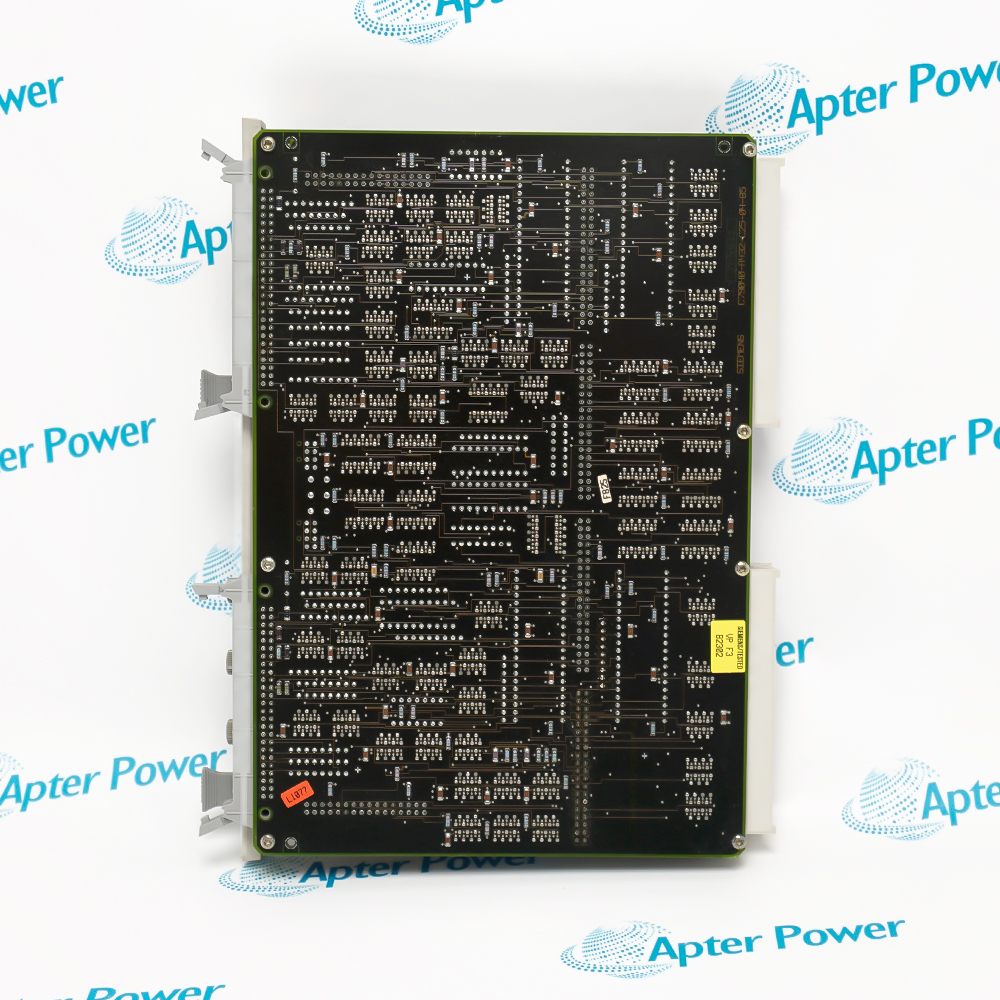
6NG4207-8PS02

Time Memory Module
In Stock
Ships by Monday, October 26
Fast Shipping Available

Product Describe:

Siemens 6NG4207-8PS02 provides long-range time counting and scheduled time functions in a compatible legacy automation system.

Ask our team:

Get a quick price for: 6NG4207-8PS02
Quantity*
Upload (gif, jpg, jpeg, png, bmp, doc, docx, xls, xlsx, ppt, pdf, csv)
For more information on how your data is processed and stored by Apterpower please read our privacy policy.

Technical specifications for 6NG4207-8PS02

Technical specifications for 6NG4207-8PS02

  • Manufacturer:
    Siemens
  • Product Category:
    General Automation
  • Spare Part Number:
    6NG4207-8PS02
  • Estimated shipping dimensions:
    24.3×3.0×18.2 cm
  • Weight:
    0.6 kg
  • Tariff Code:
    8537101190
  • Counliy of origin:
    Germany
  • Product type:
    Date and Time Memory Module
  • Counting capacity:
    10 ms to 99 years
  • Clock function:
    Summer/winter time switchover
  • Backup battery:
    Not required
  • Functional role:
    Host-system time base
  • Configuration:
    Verify against installed engineering records
  • Installation basis:
    Exact host slot and connector assignment

Information

Information

Overview Manuals Common Applications Product Precautions
Siemens 6NG4207-8PS02 provides long-range time counting and scheduled time functions in a compatible legacy automation system.
  • Counting capacity from 10 ms to 99 years
  • Summer/winter time switchover
  • No backup battery required
  • Legacy system time function

Use Siemens 6NG4207-8PS02 only in the documented host system and preserve the exact revision, connections and configuration during maintenance.

Important Notice: Verify the complete Siemens 6NG4207-8PS02 nameplate and current system documentation before installation or replacement.

Siemens 6NG4207-8PS02 Manuals & Downloads
6NG4207-8PS02 Technical Reference (PDF)6NG4207-8PS02 Installation & Commissioning Guide (PDF)

The Technical Reference consolidates exact-model identity, system role and engineering data. The Installation & Commissioning Guide organizes safe preparation, replacement checks and acceptance steps.

Event Timing
Provides the documented time base for events.
Long-Duration Counters
Supports milliseconds through multi-year intervals.
Scheduled Operations
Maintains configured date and time behavior.
Legacy System Repair
Supports exact-model lifecycle maintenance.
Apply these checks specifically to Siemens 6NG4207-8PS02 and the documented installed system.
1
Verify the exact 6NG4207-8PS02 model and host slot.
2
Record current date, time and configuration.
3
Back up the host project or parameter record.
4
Isolate power and use ESD controls.
5
Do not assume protocols from unrelated modules.
6
Check module and connector condition.
7
Restore summer/winter time behavior as documented.
8
Compare timestamps and scheduled functions after commissioning.

Technical notes

Technical notes

Use the complete 6NG4207-8PS02 identity. Verify the physical nameplate, installed revision and exact system documentation before replacement; unsupported values are intentionally not inferred.

FAQS

  • What is Siemens 6NG4207-8PS02?
    It is a date and time memory module for a compatible legacy automation system.
  • What time range does Siemens 6NG4207-8PS02 cover?
    The published exact-model description states a counting capacity from 10 ms to 99 years.
  • Does Siemens 6NG4207-8PS02 require a backup battery?
    The published exact-model description states that no backup battery is required.
  • Does Siemens 6NG4207-8PS02 support seasonal time switching?
    Yes, summer/winter time switchover is part of the published exact-model description.
  • What should be tested after replacing Siemens 6NG4207-8PS02?
    Check the time value, seasonal setting, event timestamps and each configured scheduled function.
  • What should be recorded before removing Siemens 6NG4207-8PS02?
    Record the current date, time, seasonal-time setting, host slot and configured scheduled functions.
  • How should the counting range of Siemens 6NG4207-8PS02 be verified?
    Test only the time functions used by the installed project and compare their results with the engineering record.
  • What commissioning evidence is useful for Siemens 6NG4207-8PS02?
    Capture the restored clock value, event timestamps and the result of each scheduled-function test.
Trusted by 5,000+ plants worldwide | Backed by our vast inventory of top-tier control parts, modules and cards, fast shipments are dispatched to cover your urgent needs. ABOUT US >>
Disclaimer: We are not an authorized distributor or distributor of the product manufacturer of this website, The product may have older date codes or be an older series than that available direct from the factory or authorized dealers. Because our company is not an authorized distributor of this product, the Original Manufacturer`s warranty does not apply.While many DCS PLC products will have firmware already installed, Our company makes no representation as to whether a DSC PLC product will or will not have firmware and, if it does have firmware, whether the firmware is the revision level that you need for your application. Our company also makes no representations as to your ability or right to download or otherwise obtain firmware for the product from our company, its distributors, or any other source. Our company also makes no representations as to your right to install any such firmware on the product. Our company will not obtain or supply firmware on your behalf. It is your obligation to comply with the terms of any End-User License Agreement or similar document related to obtaining or installing firmware.

Product Browsing History

We’re Here When You Need Us

From product insights to customer service needs, our experienced service team will focus on getting you what you need quickly

Enquire

Complete our online form.

Call Us

Speak to one of our team.

Live Chat

Send us a message.