With more than 30.000 high-quality spare parts, they can be sold immediately. Our large inventory allows us to quickly meet customer needs, thereby reducing downtime and protecting production schedules. Our timely delivery time provides you with security and save money.
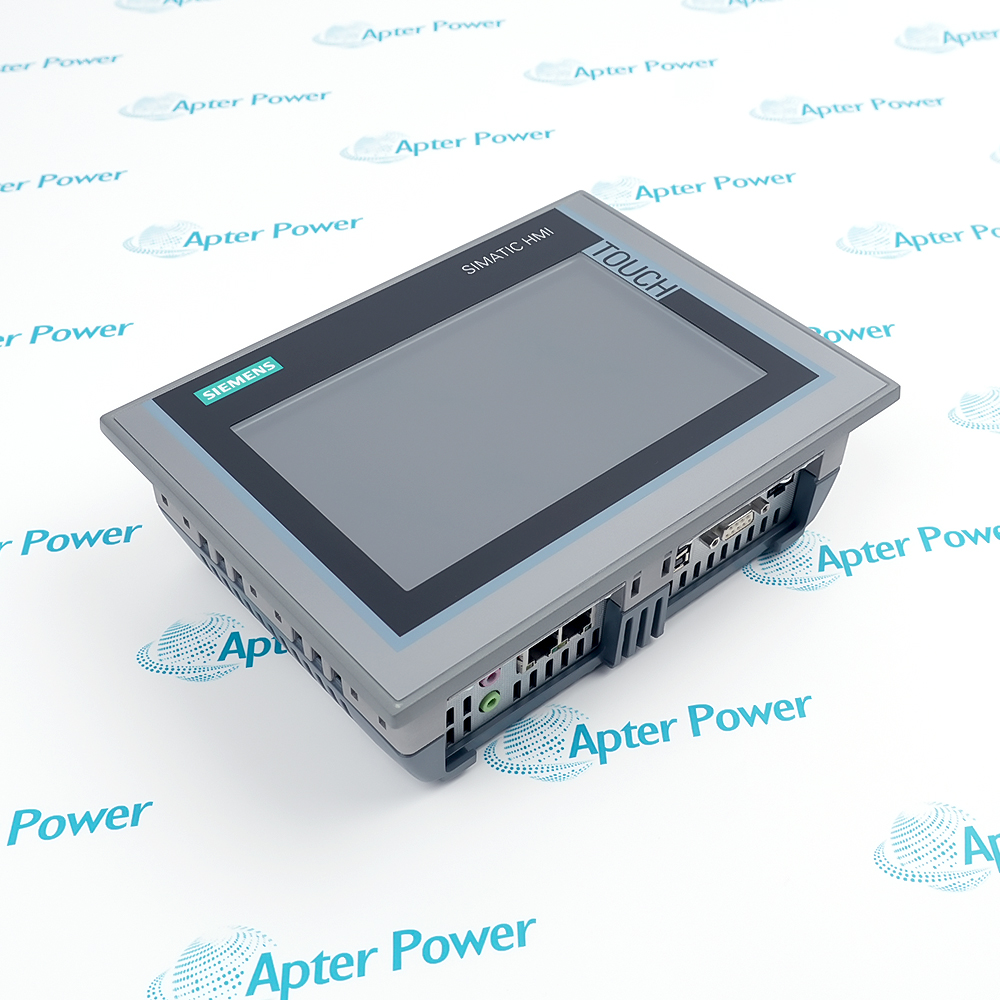
The 6AV2124-0JC01-0AX0 is a classic Human-Machine Interface (HMI) controller introduced by SIEMENS for mid-to-high-end industrial automation applications, with its official product name designated as SIMATIC HMI TP900 Comfort (9-inch Comfort Panel). As a core mainstay of the SIEMENS HMI family, the Comfort Panels are built specifically to achieve complex control, excellent display performance, and highly efficient networking in harsh industrial environments.
Supports 16 million color TFT true color widescreen
Native integration of PDF, Word, and Excel viewers
The SIMATIC TP900 Comfort features 12 MB of configuration memory and a dual-port PROFINET interface, enabling it to manage complex recipes and high-precision trend data. It also supports Sm@rtServer remote control and VB scripting capabilities. Compliant with FDA 21 CFR Part 11 audit trail standards and possessing robust physical shock resistance, this panel is a core terminal for advanced machine-level control in modern smart factories.
This touchscreen achieves seamless integration, efficient diagnostics, and excellent software migration compatibility through the Siemens TIA Portal platform, facilitating the digital transformation of factories. Its built-in PROFIenergy energy management significantly reduces operational energy consumption, ensuring the long-term technological value of enterprise assets.
Important Notice: Other accessories, manuals, cables, calibration data, software, etc. are not included with this equipment unless listed in the above stock item description.
Siemens 6AV2124-0JC01-0AX0 SIMATIC HMI TP900 Comfort Manuals, Datasheets, Drivers, Link
Important Notice: Other accessories, manuals, cables, calibration data, software, etc. are not included with this equipment unless listed in the above stock item description.
Automotive Manufacturing
Serves as the main operator panel for workshop workstations, monitoring robot arm trajectories, welding parameters, and assembly line status.
Pharmaceutical
Complies with FDA GMP regulations, manages process recipes, records audit trail data, and controls sterile environments.
Semiconductor
Monitors ultra-clean room environmental conditions and operates precision automated handling and front-end wafer processing equipment.
Oil and Gas
Monitors oil/gas pipeline pressure, valve status, and Emergency Shutdown (ESD) triggers near flammable and explosive environments (when equipped with explosion-proof enclosures).
Plastics and Rubber Extrusion
Manages multi-zone mold temperatures and displays real-time extrusion speed and pressure closed-loop curves using a detailed graphical interface.
Power and New Energy
Connects with protection, measurement, and control devices to display substation single-line diagrams or dynamic yaw and generation status of wind turbines.
During the use of 6AV2124-0JC01-0AX0, attention must be paid to ensuring a stable 24V DC power supply and reliable grounding to prevent electromagnetic interference. It must be vertically installed strictly according to the cutout dimensions (250x166mm) while ensuring the sealing gasket is secure to maintain the front panel's IP65 protection rating.
Additionally, never use sharp or hard objects to tap the screen to protect the resistive touchscreen. Users should regularly back up configuration programs and historical data via SD card or USB. Since this model is phasing out, it is recommended to plan an upgrade and replacement strategy toward the MTP900 Unified in advance.
The 6AV2124-0JC01-0AX0 intelligent control panel, based on its underlying physical architecture, integrates dual RJ45 circular communication ports, an RS 422/485 serial interface, and a USB 2.0 host interface for connecting external mice, keyboards, or barcode scanners. For data management, the device supports local archiving and full backup of recipe data, alarm records, and historical trends via dedicated storage media. Furthermore, it is natively compatible with the VBScript language, and with its built-in diagnostic buffer, it can record and provide real-time feedback on system events and hardware status.
It is a 9-inch Comfort Panel (HMI) manufactured by SIEMENS, used as a human-machine interface in industrial automation systems.
How do I use the 6AV2124-0JC01-0AX0?
Install it flush into a control cabinet panel, connect a 24V DC power supply, link it to the PLC via network or fieldbus cables, and operate buttons or view graphical production data on the screen.
What software is required to program screens for 6AV2124-0JC01-0AX0?
It requires WinCC Comfort, WinCC Advanced, or WinCC Professional within the SIEMENS TIA Portal (V11 or higher).
How much configuration memory does 6AV2124-0JC01-0AX0 have?
It has 12 MB of user configuration memory.
What underlying operating system does 6AV2124-0JC01-0AX0 run on?
It runs on Microsoft's Windows CE 6.0 embedded operating system.
Trusted by 5,000+ plants worldwide | Backed by our vast inventory of top-tier control parts, modules and cards, fast shipments are dispatched to cover your urgent needs. ABOUT US >>
Disclaimer: We are not an authorized distributor or distributor of the product manufacturer of this website, The product may have older date codes or be an older series than that available direct from the factory or authorized dealers. Because our company is not an authorized distributor of this product, the Original Manufacturer`s warranty does not apply.While many DCS PLC products will have firmware already installed, Our company makes no representation as to whether a DSC PLC product will or will not have firmware and, if it does have firmware, whether the firmware is the revision level that you need for your application. Our company also makes no representations as to your ability or right to download or otherwise obtain firmware for the product from our company, its distributors, or any other source. Our company also makes no representations as to your right to install any such firmware on the product. Our company will not obtain or supply firmware on your behalf. It is your obligation to comply with the terms of any End-User License Agreement or similar document related to obtaining or installing firmware.


 Videos
 News
News Applications