











Get Parts Quote
Name
Company *
Phone *
Email *
Address
City
State / Province / Region
Zipcode
Country
Quantity *
Part Number *
Manufacturer
Preferred Condition
Additional Information
Cancel

6GK1561-2AA00

CP 5612 Communications Processor
In Stock
Ships by Wednesday, September 9
Fast Shipping Available

Product Describe:

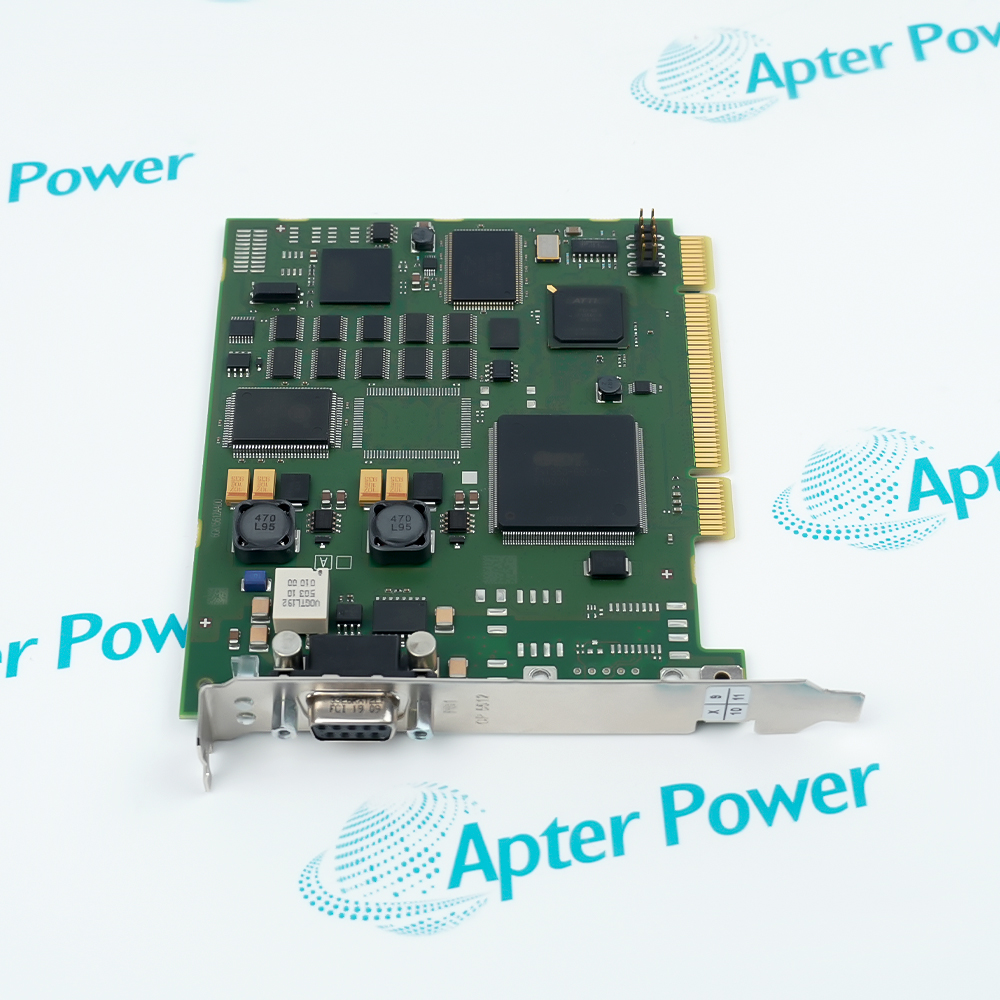
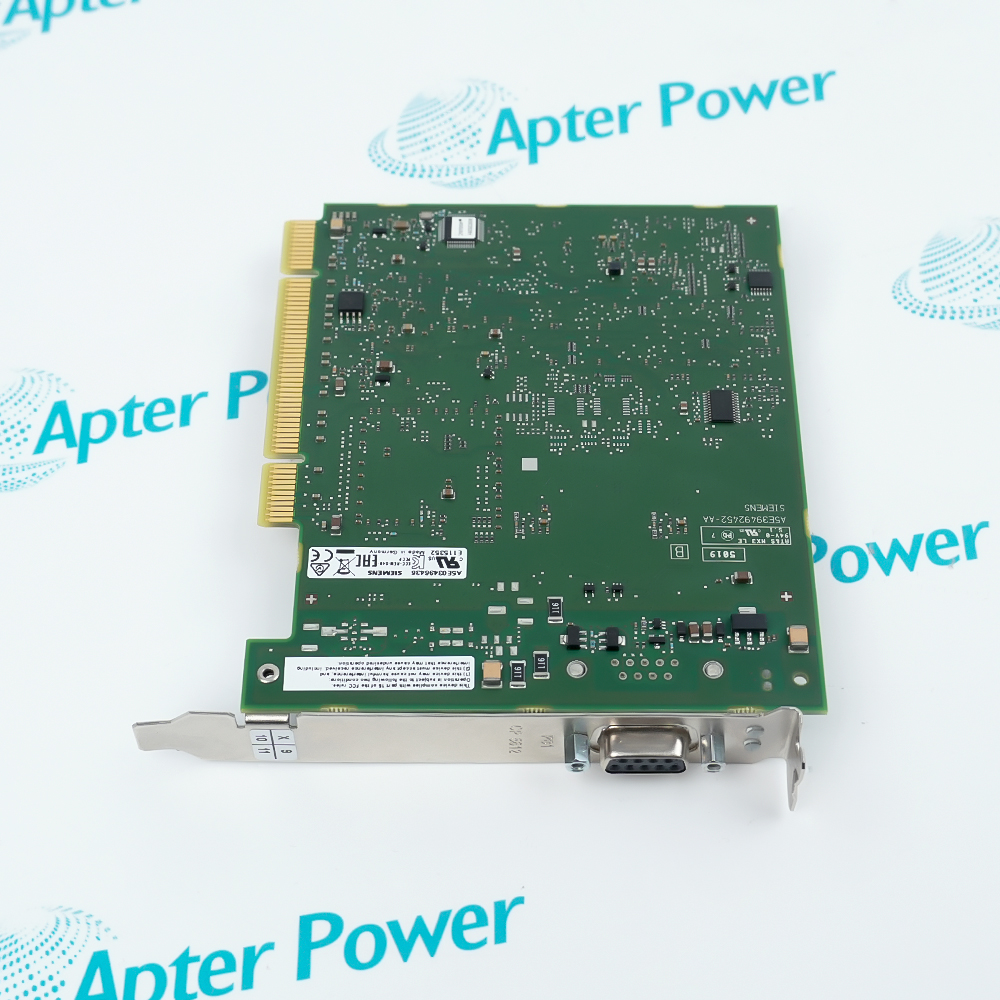
Siemens 6GK1561-2AA00 is a CP 5612 PCI communications processor. It connects a compatible PG or PC to PROFIBUS or MPI automation networks.

Ask our team:

Get a quick price for: 6GK1561-2AA00
Quantity*
Upload (gif, jpg, jpeg, png, bmp, doc, docx, xls, xlsx, ppt, pdf, csv)
For more information on how your data is processed and stored by Apterpower please read our privacy policy.

Technical specifications for 6GK1561-2AA00

Technical specifications for 6GK1561-2AA00

  • Manufacturer:
    Siemens
  • Product Category:
    PLC Systems
  • Spare Part Number:
    6GK1561-2AA00
  • Estimated shipping dimensions:
    2.1x13.7x12.5cm
  • Weight:
    0.1 kg
  • Tariff Code:
    8537101190
  • Counliy of origin:
    Germany
  • Product family:
    CP 5612
  • Product type:
    Communications processor
  • Host bus:
    PCI 32-bit
  • PCI keying:
    3.3/5 V universal key
  • PCI clock:
    33/66 MHz
  • Industrial network:
    PROFIBUS; MPI
  • Transfer rate:
    9.6 kbit/s to 12 Mbit/s
  • Network interfaces:
    1
  • Physical interface:
    RS-485
  • Connector:
    9-pin Sub-D socket
  • Backplane supply:
    3.3 V DC; 12 V DC
  • 3.3 V tolerance:
    +/-9%
  • 12 V tolerance:
    +/-8%
  • Current at 3.3 V:
    0.15 A maximum
  • Current at 12 V:
    0.25 A maximum
  • Power loss:
    3.5 W
  • Operating temperature:
    5 to 55 degC
  • Storage temperature:
    -20 to +60 degC
  • Transport temperature:
    -20 to +60 degC
  • Relative humidity:
    95% at 25 degC; non-condensing
  • Ingress protection:
    IP00
  • Card format:
    PCI
  • Same-design cards per PC:
    1
  • Operating-system support:
    32-bit; 64-bit

Information

Information

Overview Manuals Common Applications Product Precautions
Siemens 6GK1561-2AA00 is a SIMATIC NET CP 5612 PCI communications processor. It connects a compatible PG or PC to PROFIBUS or MPI for automation communication, commissioning and diagnostics.
  • Connects an industrial PC or programming device to PROFIBUS or MPI
  • Handles cyclic and engineering communication through one RS-485 network port
  • Fits a 32-bit PCI slot with universal 3.3/5 V keying
  • Supports network rates from commissioning speed through 12 Mbit/s

6GK1561-2AA00 installs with PG/PC with one compatible 32-bit PCI slot, PROFIBUS or MPI network cable and approved 9-pin connector, Configured SIMATIC engineering or communication software, Terminated RS-485 bus with documented node address and transmission rate in an engineered SIMATIC NET CP 5612 configuration.

The commissioning workflow covers installed-hardware matching, controlled start-up and functional verification for this cp 5612 communications processor.

Important Notice: Confirm the complete 6GK1561-2AA00 marking, installed-system configuration, field connections and controlled functional test before commissioning or replacement.


Apter Power 6GK1561-2AA00 Manuals and Guides
Apter Power 6GK1561-2AA00 Product Technical Reference PDFApter Power 6GK1561-2AA00 Installation and Verification PDF
The first document is an Apter Power model-specific technical reference. The second supports model-specific installation, configuration and engineering verification.
PROFIBUS engineering stationLinks a Siemens engineering workstation to configured PROFIBUS nodes for setup, diagnostics and service tasks.
MPI commissioning workstationProvides an MPI path between a compatible PG/PC and installed SIMATIC automation equipment.
Industrial PC network interfaceAdds a single RS-485 PROFIBUS/MPI interface to a host computer with the required PCI slot and driver environment.
Plant maintenance communicationSupports controlled access to installed automation networks while preserving the documented bus address, rate and termination plan.
Read the applicable Siemens installation instructions before work. Verify 6GK1561-2AA00 and the installed SIMATIC NET CP 5612 configuration.
1Verify the complete 6GK1561-2AA00 marking and confirm a compatible 32-bit PCI host slot before installation.
2Shut down the host, isolate mains power and follow ESD controls before handling the CP 5612 card.
3Seat the universal-key PCI edge connector squarely and secure the bracket without stressing the board.
4Use an approved 9-pin PROFIBUS/MPI connector and preserve the documented RS-485 shield and grounding arrangement.
5Confirm that bus termination is enabled only at the physical ends of the segment before energizing the network.
6Restore the recorded node address, transfer rate, driver and application assignment before communication tests.
7Check host diagnostics and the network error counters before changing additional devices on the segment.
8Prove engineering access and cyclic communication under controlled conditions before returning the workstation to service.

Technical notes

Technical notes

Install 6GK1561-2AA00 only in a compatible 32-bit PCI slot with host power isolated and ESD controls active. Restore the recorded interface assignment, bus address, transfer rate and termination state before controlled communication testing.

FAQS

  • What host slot is required for Siemens 6GK1561-2AA00?
    Siemens 6GK1561-2AA00 uses a 32-bit PCI interface with 3.3/5 V universal keying and supports 33 or 66 MHz PCI operation. Confirm the host computer slot and clearance before installation.
  • Which networks can Siemens 6GK1561-2AA00 connect to?
    Siemens 6GK1561-2AA00 provides one RS-485 communications interface for PROFIBUS or MPI. The configured network type, node address and transmission rate must match the installed system.
  • What PROFIBUS speed range is supported by Siemens 6GK1561-2AA00?
    The CP 5612 data sheet specifies transmission rates from 9.6 kbit/s through 12 Mbit/s. Use the exact rate configured for the connected bus segment.
  • How is Siemens 6GK1561-2AA00 connected to the fieldbus?
    The card uses one 9-pin Sub-D socket with an RS-485 electrical interface. Use the approved PROFIBUS/MPI connector, cable, shield connection and termination arrangement.
  • What should be recorded before replacing Siemens 6GK1561-2AA00?
    Record the complete article number, PCI slot, installed driver, application assignment, bus address, transfer rate, connector orientation, shield treatment and termination state.
  • How should engineers handle ESD risk on Siemens 6GK1561-2AA00?
    Power down the host and use the prescribed electrostatic-discharge controls while handling the exposed PCI card. Hold it by the edges and protect both the edge connector and Sub-D interface.
  • What should be checked if Siemens 6GK1561-2AA00 cannot communicate after installation?
    Check PCI seating, driver recognition, application-to-interface assignment, node address, selected bus rate, connector pinning, cable shield, segment termination and the connected device diagnostics.
  • Can more than one Siemens 6GK1561-2AA00 be installed in the same PC?
    The Siemens technical data lists one same-design CP 5612 plug-in card per PC. Confirm the supported host and software configuration before planning another interface.
Trusted by 5,000+ plants worldwide | Backed by our vast inventory of top-tier control parts, modules and cards, fast shipments are dispatched to cover your urgent needs. ABOUT US >>
Disclaimer: We are not an authorized distributor or distributor of the product manufacturer of this website, The product may have older date codes or be an older series than that available direct from the factory or authorized dealers. Because our company is not an authorized distributor of this product, the Original Manufacturer`s warranty does not apply.While many DCS PLC products will have firmware already installed, Our company makes no representation as to whether a DSC PLC product will or will not have firmware and, if it does have firmware, whether the firmware is the revision level that you need for your application. Our company also makes no representations as to your ability or right to download or otherwise obtain firmware for the product from our company, its distributors, or any other source. Our company also makes no representations as to your right to install any such firmware on the product. Our company will not obtain or supply firmware on your behalf. It is your obligation to comply with the terms of any End-User License Agreement or similar document related to obtaining or installing firmware.

Product Browsing History

We’re Here When You Need Us

From product insights to customer service needs, our experienced service team will focus on getting you what you need quickly

Enquire

Complete our online form.

Call Us

Speak to one of our team.

Live Chat

Send us a message.
