-
Match the complete marking
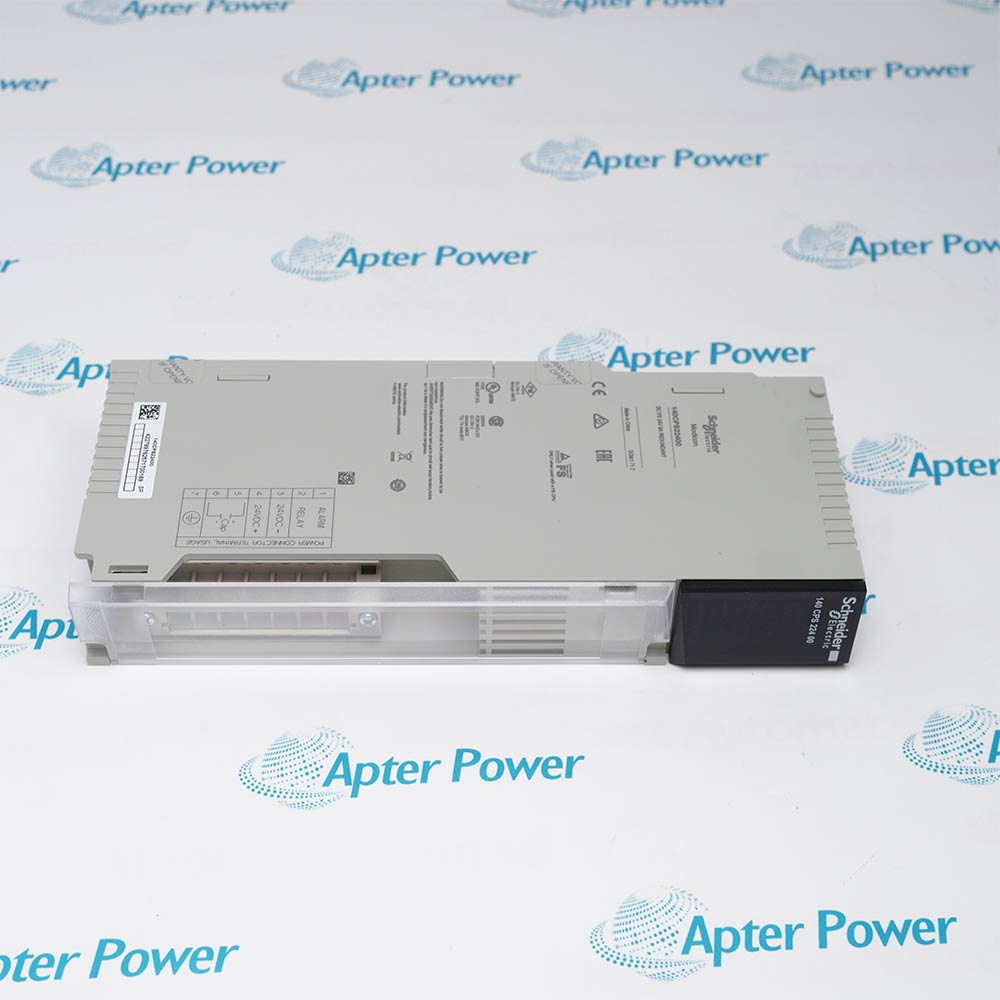
Match the complete Schneider Electric 140CRP93200 marking and installed configuration. Confirm CRP93200 and both coaxial path assignments.
-
Check the offered item before ordering
Request available label and connector photos. Have your maintenance team compare the offered 140CRP93200 with the installed equipment and applicable Schneider Electric documents.
Technical specifications for 140CRP93200
-
Manufacturer:Schneider Electric
-
Product Category:PLC Systems
-
Spare Part Number:140CRP93200
-
Weight:0.42 kg
-
Tariff Code:8537101190
-
Coaxial channels:2
-
Maximum remote drops:31
-
I/O capacity per drop:64 input words / 64 output words
-
Data transfer rate:1.544 Mbit/s
-
Coaxial termination:Internal 75 Ω
-
Dynamic range:35 dB
-
Typical bus current:750 mA
-
Typical dissipation:3.8 W
Information
- Schneider Electric 140CRP93200 provides separate A and B communication paths so technicians can distinguish a failed coaxial branch from a complete loss of remote-I/O exchange.
Channel connectors: Two F-type female connectors with right-angle adapters
Coaxial shield: Connected to chassis ground
The two coaxial connectors support the dual-cable arrangement. Each path requires the correct cable-system design and termination; one healthy path should not conceal an unresolved error on the other. The coaxial shield is tied to chassis ground, so grounding and cable routing are part of network acceptance.
Ready indicates successful power-up diagnostics, while Com Act indicates remote-network communication. Error A and Error B identify losses associated with the respective channel. Record the diagnostic state and drop behavior during an approved single-path test, then restore both paths before normal service.
140CRP93200 Original Technical Excerpt
Schneider Electric Quantum Hardware Reference 35013379, 12/2013, CRP93X00. Selected original pages retain the relevant technical context. PDF · 4 pages.140CRP93200 Installation & Verification Guide
Apter Power installation workbook covering map the remote drops, inspect both coaxial routes, restore the cpu-side head, validation and handover. PDF · 5 pages.
Application scope: The following use cases describe supported roles within that arrangement. The rio head; adapters, coaxial cables and termination components are separate must be identified separately in the offered scope.
Dual-cable remote I/O
Exchange CPU data with correctly configured coaxial RIO drops through two network paths.Mixed legacy drops
Maintain supported drop families within the approved network and word allocations.Cable-path diagnostics
Separate A and B route failures through channel-specific indications and controlled testing.Remote rack refurbishment
Preserve the CPU-side head role and remote-adapter identities during maintenance.
Record CPU configuration, drop types, addresses and word allocations, and label both coaxial paths.
Under the network maintenance plan, inspect the head seating, shield bonding, connectors and cable-system terminations.
Install the exact head in the CPU backplane and reconnect the labelled A/B paths. Restore the retained configuration without changing unrelated drop assignments.
Use the approved controlled path test and compare Error A/B, Com Act and representative I/O values. Record the behavior of affected drops.
Reconnect both paths, clear resolved faults through the approved procedure and verify all required drops are communicating.
Retain the final tested settings, physical connections and accepted operating response for 140CRP93200.
Alternative Names
Technical notes
RIO topology: Keep the head in the controlling CPU backplane and preserve the approved drop map. Do not mix this role with DIO or Ethernet adapters.
Cable-system integrity: Retain the correct coaxial impedance, shield arrangement and connector installation. Verify both paths after a network intervention.
Data acceptance: Confirm representative remote input and output words as well as diagnostics. Record path-specific results before returning the network to service.

FAQ View All FAQ
-
Can a Ready indication on 140CRP93200 prove all remote drops are communicating?Ready confirms power-up diagnostics. Check Com Act, channel error indications and actual drop data to establish network operation.
-
How should an Error A indication on 140CRP93200 be isolated?Examine the A-channel cable route, connectors and affected drop communication while preserving the other path under an approved test plan. Do not assume the entire head has failed.
-
Why must both paths of 140CRP93200 be tested after a cable repair?A working path can sustain communication while the other remains defective. Validate each path separately, then restore and confirm the complete dual-cable arrangement.
-
Can 140CRP93200 be placed in a remote rack as though it were a drop adapter?It is the CPU-side RIO head. Remote racks require the appropriate drop adapter; their similar appearance does not establish an interchangeable role.
-
What must be retained before replacing 140CRP93200 in a mixed-drop network?Keep the drop identities, addresses, word allocations and cable topology. Mixed supported drop families still require correct configuration and cable-system design.
-
Why does coax shield bonding matter for 140CRP93200?The shield connects to chassis ground. Poor bonding or an unsuitable cable path can affect noise immunity and network reliability.
-
What does a Com Act blink sequence add to 140CRP93200 diagnosis?The sequence can identify an internal or communications error category. Record the complete pattern and compare it with the error table before resetting the head.
-
Why should I/O values be checked during 140CRP93200 acceptance rather than LEDs alone?A live network indication does not prove that each application word maps to the correct remote point. Trace representative inputs and outputs to their configured drops.
Supporting new and legacy automation
-
Please try to be as accurate as possible with your search.
-
We can quote you on 1000s of specialist parts, even if they are not listed on our website.
-
We can't find any results for “”.
Related cases and sourcing guidance
View all case studiesYou May Also Like
Product Browsing History
-
Whatsapp: +86 18030235313
Send us a message. -
sales13@apterpower.com
Complete our online form. -
+86 18030235313
Speak to our team in your native language.