Get Parts Quote
Name
Company *
Phone *
Email *
Address
City
State / Province / Region
Zipcode
Country
Quantity *
Part Number *
Manufacturer
Preferred Condition
Additional Information
Cancel

IMASI23

Universal Analog Input Module
In Stock
Ships by Wednesday, September 9
Fast Shipping Available

Product Describe:

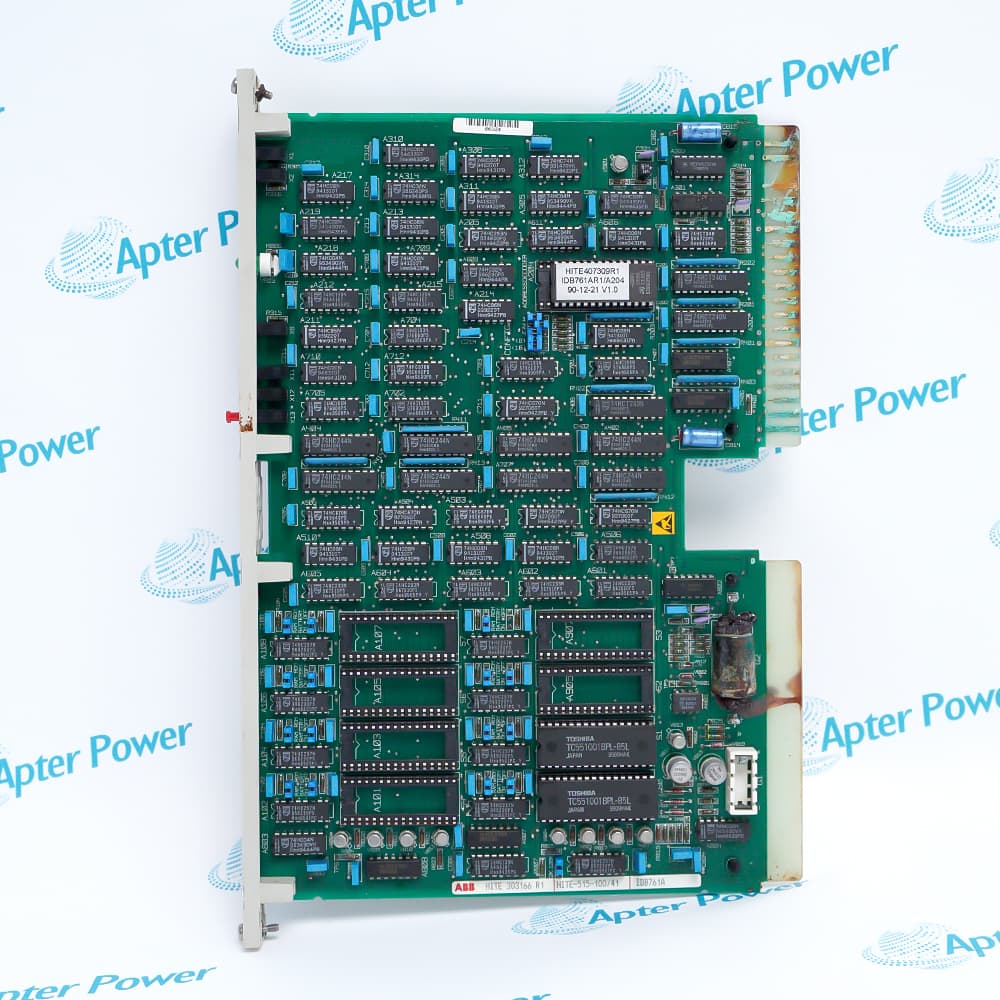
ABB IMASI23 is a Harmony rack analog input module for current, voltage, millivolt, thermocouple and RTD measurements. It processes field inputs and exchanges their values with the rack controller over the I/O expander bus.

Ask our team:

Get a quick price for: IMASI23
Quantity*
Upload (gif, jpg, jpeg, png, bmp, doc, docx, xls, xlsx, ppt, pdf, csv)
For more information on how your data is processed and stored by Apterpower please read our privacy policy.

Technical specifications for IMASI23

Technical specifications for IMASI23

  • Manufacturer:
    ABB
  • Product Category:
    DCS System
  • Spare Part Number:
    IMASI23
  • Estimated shipping dimensions:
    3.6x31.5x17.7cm
  • Weight:
    0.46 kg
  • Tariff Code:
    8537101190
  • Counliy of origin:
    Sweden
  • Current input:
    4-20 mA
  • Voltage ranges:
    0-5 VDC; 1-5 VDC; 0-10 VDC
  • Millivolt range:
    0-100 mVDC
  • Temperature inputs:
    Thermocouple; RTD

Information

Information

Overview Manuals Common Applications Product Precautions
ABB IMASI23 provides the Universal Analog Input Module function within Harmony Rack I/O installations.
  • Combines multiple analog signal families in one rack module
  • Conditions field measurements before controller access
  • Uses the Harmony mounting-unit backplane connection
  • Supports temperature and electrical process variables

IMASI23 operates with Harmony module mounting unit, matched termination device, I/O expander bus, Harmony multifunction controller.
Typical engineered duties include Process transmitter input racks, Millivolt sensor acquisition, Thermocouple measurement panels, RTD temperature monitoring.

Important Notice: IMASI23 must be commissioned with the exact channel signal definition, termination arrangement and controller database used by the installed Harmony rack.

Apter Power IMASI23 Manuals and Datasheet

Important Notice: These are two separate Apter Power documents prepared from product-specific ABB technical information. Confirm the physical nameplate, installed-system requirements and supplied accessories before configuration or installation.

IMASI23 Process transmitter input racks
Combines multiple analog signal families in one rack module
IMASI23 Millivolt sensor acquisition
Conditions field measurements before controller access
IMASI23 Thermocouple measurement panels
Uses the Harmony mounting-unit backplane connection
IMASI23 RTD temperature monitoring
Supports temperature and electrical process variables
Read the applicable ABB installation instructions before work. Verify IMASI23 and the installed-system configuration.
1
Confirm IMASI23 and the assigned Harmony rack position.
2
Set the configured electrical or temperature-sensor family for each active channel.
3
Match the field terminal arrangement to the approved loop drawings.
4
Confirm rack address, controller database and engineering scaling before start-up.
5
Inspect the mounting-unit backplane and I/O expander-bus connection.
6
Check field polarity, shielding and temperature-sensor compensation wiring.
7
Apply power through the rack start-up procedure and review module diagnostics.
8
Inject representative field values and record channel scaling and alarms.

Alternative Names

Alternative Names

IMASI-23 ASI23

Technical notes

Technical notes

IMASI23 engineering must match each configured signal family to the assigned termination device, Harmony rack position and controller database. Verify channel scaling, sensor wiring and module diagnostics during commissioning.

FAQS

  • Which signal families are supported by IMASI23?
    ABB lists current, voltage, millivolt, thermocouple and RTD input families for IMASI23.
  • Can IMASI23 read a 4-20 mA transmitter?
    Yes. Select the current-input configuration and apply the project loop-power arrangement.
  • Which voltage ranges can be configured on IMASI23?
    The ABB overview lists 0-5 VDC, 1-5 VDC and 0-10 VDC ranges.
  • How should an IMASI23 temperature channel be commissioned?
    Confirm sensor type, termination wiring, compensation method and engineering-unit scaling.
  • What rack interface carries IMASI23 data?
    The Harmony I/O expander bus links the rack module to the controller through the mounting-unit backplane.
  • What must be checked before replacing IMASI23?
    Compare the full identifier, channel configuration, termination hardware, cable assignment and rack address.
  • How should IMASI23 wiring changes be controlled?
    Use the loop drawings and preserve shield, polarity and terminal assignments for every channel.
  • What proves an IMASI23 installation is ready?
    Stable module status plus verified channel values, scaling and alarm behavior complete the commissioning evidence.
Trusted by 5,000+ plants worldwide | Backed by our vast inventory of top-tier control parts, modules and cards, fast shipments are dispatched to cover your urgent needs. ABOUT US >>
Disclaimer: We are not an authorized distributor or distributor of the product manufacturer of this website, The product may have older date codes or be an older series than that available direct from the factory or authorized dealers. Because our company is not an authorized distributor of this product, the Original Manufacturer`s warranty does not apply.While many DCS PLC products will have firmware already installed, Our company makes no representation as to whether a DSC PLC product will or will not have firmware and, if it does have firmware, whether the firmware is the revision level that you need for your application. Our company also makes no representations as to your ability or right to download or otherwise obtain firmware for the product from our company, its distributors, or any other source. Our company also makes no representations as to your right to install any such firmware on the product. Our company will not obtain or supply firmware on your behalf. It is your obligation to comply with the terms of any End-User License Agreement or similar document related to obtaining or installing firmware.

Product Browsing History

We’re Here When You Need Us

From product insights to customer service needs, our experienced service team will focus on getting you what you need quickly

Enquire

Complete our online form.

Call Us

Speak to one of our team.

Live Chat

Send us a message.