











Get Parts Quote
Name
Company *
Phone *
Email *
Address
City
State / Province / Region
Zipcode
Country
Quantity *
Part Number *
Manufacturer
Preferred Condition
Additional Information
Cancel
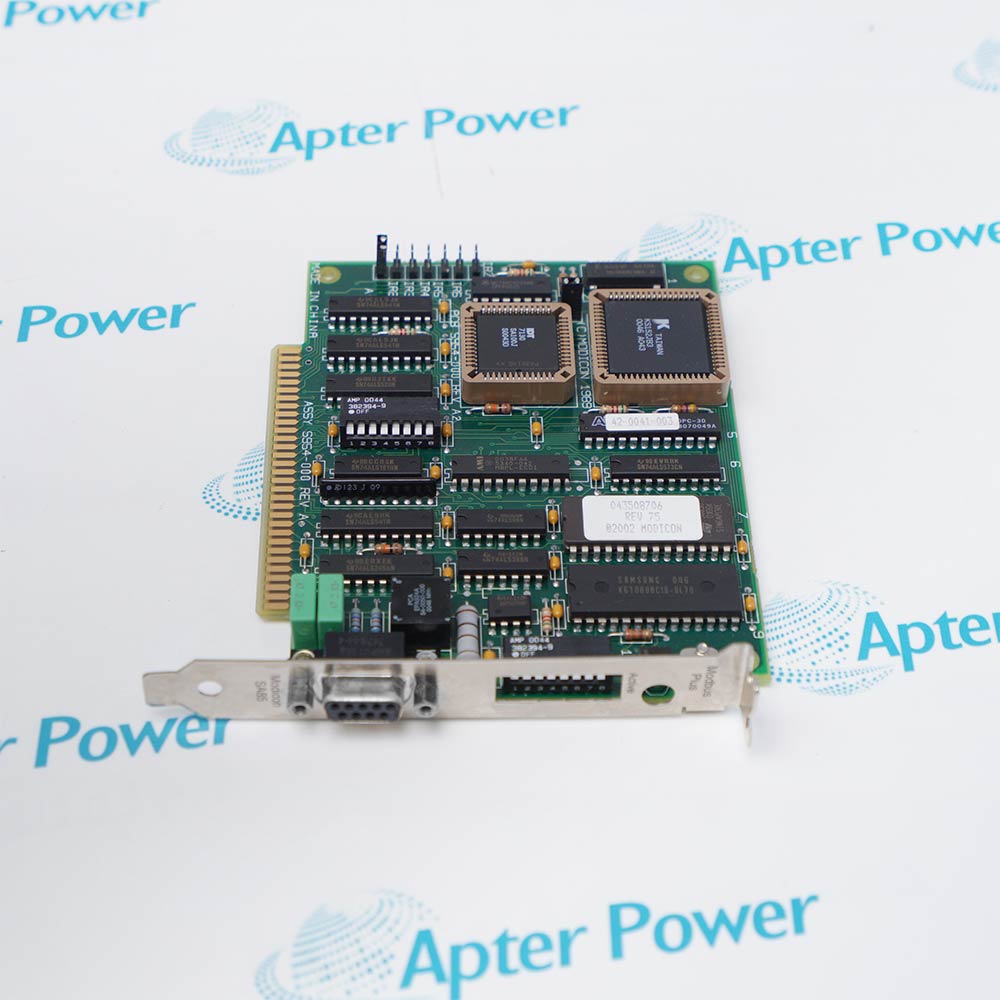
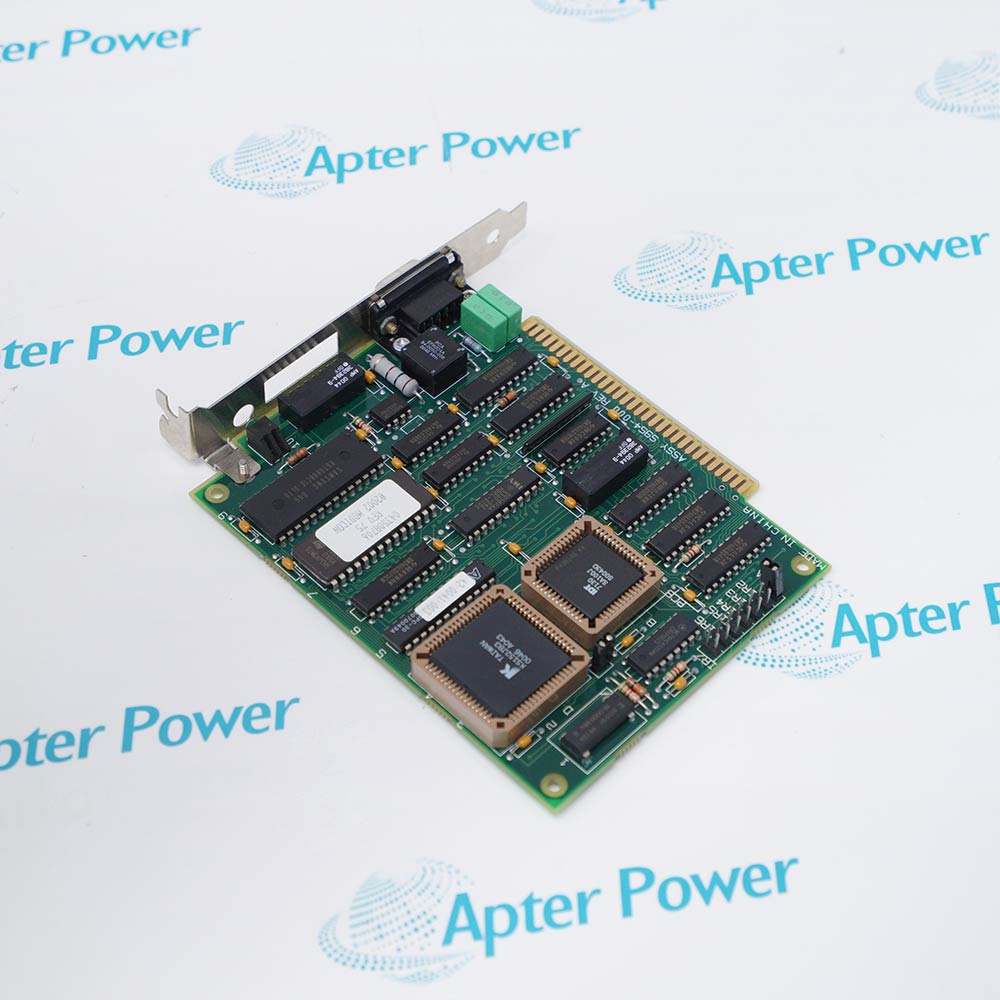
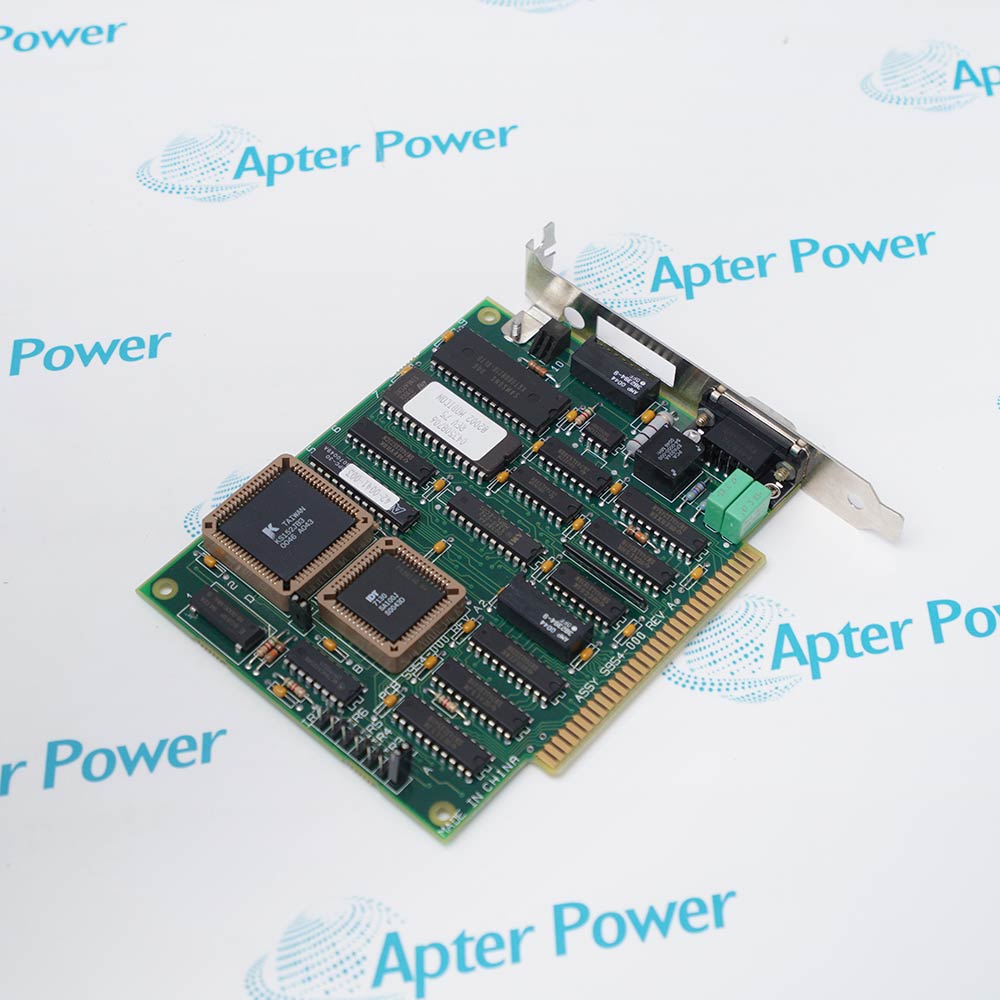
Schneider Electric AM-SA85-000
Product image is representative; revision or series may vary. Contact us to request a specific version.

AM-SA85-000

Network Adapter
In Stock
Ships by Wednesday, October 28
Fast Shipping Available

Product Describe:

Schneider Electric AM-SA85-000 is a single-channel ISA host adapter for connecting a computer to a Modbus Plus network. Its usable communication path depends on the installed SA85 driver and the configuration of the host application.

Ask our team:

Get a quick price for: AM-SA85-000
Quantity*
Upload (gif, jpg, jpeg, png, bmp, doc, docx, xls, xlsx, ppt, pdf, csv)
For more information on how your data is processed and stored by Apterpower please read our privacy policy.

Technical specifications for AM-SA85-000

Technical specifications for AM-SA85-000

  • Manufacturer:
    Schneider Electric
  • Product Category:
    PLC Systems
  • Spare Part Number:
    AM-SA85-000
  • Estimated shipping dimensions:
    2.5x12.7x14.0cm
  • Weight:
    0.2 kg
  • Tariff Code:
    8537101190
  • Counliy of origin:
    France
  • Host bus:
    ISA
  • Network protocol:
    Modbus Plus
  • Network channels:
    1
  • Original supply identity:
    Adapter only
  • Replacement kit:
    AM-SA85-030: AM-SA85-000 adapter and driver-suite CD
  • Address configuration:
    On-board DIP switches: memory address and station address
  • Legacy Citect board type:
    MBPLUS
  • Legacy Citect board identifier:
    Matches SA85.SYS /n option when multiple boards are used
  • Legacy Citect routing format:
    Five-part PLC route: p.p.p.p.p
  • Legacy Citect virtual ports:
    Up to 8 per board; each can address multiple units
  • Legacy Citect driver files:
    SA85.SYS, DOS_MP.EXE, MBPLUS.DLL
  • Q1683 driver interrupt:
    0x5B with /r2; applies to the documented legacy Citect setup
  • Q1683 timeout:
    2000 ms
  • Q1683 poll time:
    20 ms
  • Q1683 watch time:
    30 seconds
  • Q1683 pending requests:
    2
  • Q1683 transfer block:
    238 bytes
  • Q1683 StringReverse:
    0: no byte swapping within string words

Information

Information

Overview Manuals Common Applications Product Precautions
Schneider Electric AM-SA85-000 connects an ISA-equipped host computer to a single Modbus Plus channel. Driver loading, board selection and PLC routing must agree with the host application's documented setup.
  • Provides the ISA host path into a Modbus Plus network.
  • Uses board-level address settings alongside application configuration.
  • Supports addressed PLC communication through the installed SA85 driver.
  • Separates board identification, virtual ports and destination routing.

For the legacy Citect versions covered by Q1683, the board, port and I/O-device forms form one linked communication chain. Check that chain against the loaded SA85.SYS and DOS_MP components before diagnosing PLC data exchange.

Important Notice: Q1683 describes CitectSCADA 1.00-3.00 settings; its interrupt and timing values are not universal recommendations for other software or operating systems.

Schneider Electric AM-SA85-000 Manuals & Downloads
Schneider Electric AM-SA85-000 Technical Reference (PDF)Schneider Electric AM-SA85-000 Installation & Commissioning Guide (PDF)

The technical reference identifies the ISA adapter and the legacy driver/configuration fields; the installation guide follows the supported Citect board, port, route and variable-verification sequence.


Legacy Citect PLC accessConnects a supported CitectSCADA host to Modicon PLCs through the documented MBPLUS driver configuration.
Bridged Modbus Plus routesSupports the destination path entered in the I/O-device form when a PLC is reached through a Modbus Plus bridge.
Multi-device pollingAllows multiple Modbus Plus units behind virtual ports, with port allocation matched to the supported host configuration.
ISA workstation renewalRestores the existing single-channel host interface while retaining the applicable address and driver setup.
Verify AM-SA85-000 as the single-channel ISA adapter before host work. Use the driver and application instructions for the installed software; the Q1683 settings describe a legacy Citect environment.
1
Use an ISA-compatible host; do not treat a PCI SA85 product as the same physical interface.
2
Retain the on-board memory and station-address settings and check them against the host configuration.
3
For the Q1683 Citect setup, match SA85.SYS to interrupt 0x5B and the /r2 option.
4
Load DOS_MP from WINSTART.BAT before starting Windows in the documented legacy setup.
5
Keep the Citect board address consistent with the SA85.SYS /n identifier when more than one board is installed.
6
Link each port to the correct board name and each I/O device to the intended port name.
7
Use the actual five-part PLC route; do not replace a bridged path with only the final PLC node.
8
Check digital and register addresses plus string byte order against the intended PLC data before enabling application writes.

Technical notes

Technical notes

AM-SA85-000 is not a dual-channel Profibus card or a PCI adapter. Legacy Citect setup values below apply to the software versions identified in Q1683, not automatically to newer operating systems or driver packages.

FAQS

  • Will AM-SA85-000 fit a PCI-only host computer?
    AM-SA85-000 uses ISA, so a PCI-only slot is not its host interface. Keep it separate from PCI or PCIe Modbus Plus adapter references.
  • Which driver startup settings are used for AM-SA85-000 in the Q1683 Citect configuration?
    That legacy setup uses SA85.SYS with software interrupt 0x5B and /r2, then loads DOS_MP from WINSTART.BAT before Windows. These settings apply to the Citect versions named in Q1683.
  • How is a second AM-SA85-000 selected in the legacy Citect board form?
    The board address must match the board number supplied with the SA85.SYS /n option. The port form then references that board's unique name.
  • How is a bridged PLC path entered for AM-SA85-000 communication?
    Enter the PLC's Modbus Plus route in the I/O-device address field. Q1683 gives a direct node as 1 and a PLC at node 2 through bridge node 5 as 5,2; the route has up to five parts.
  • Can one AM-SA85-000 virtual port serve more than one Modbus Plus unit?
    Yes. Q1683 allows multiple units per virtual port and up to eight ports per board. It recommends a separate virtual port for each unit when maximizing performance.
  • Should baud rate and parity be entered in the AM-SA85-000 Citect port form?
    Q1683 marks baud rate, data bits, stop bits and parity as unused in this MBPLUS port form. Do not apply serial Modbus RTU settings to those fields.
  • How does AM-SA85-000 string handling avoid byte reversal in the documented Citect setup?
    Set MBPLUS StringReverse to 0 for the Q1683 configuration. This keeps the bytes within string words from being swapped; verify the resulting PLC string representation.
  • What changes when ordering AM-SA85-030 instead of AM-SA85-000?
    AM-SA85-030 is the kit containing the AM-SA85-000 single-channel adapter together with a Modbus Plus driver-suite CD. The older AM-SA85-000 supply identity refers to the adapter alone.
Trusted by 5,000+ plants worldwide | Backed by our vast inventory of top-tier control parts, modules and cards, fast shipments are dispatched to cover your urgent needs. ABOUT US >>
Disclaimer: We are not an authorized distributor or distributor of the product manufacturer of this website, The product may have older date codes or be an older series than that available direct from the factory or authorized dealers. Because our company is not an authorized distributor of this product, the Original Manufacturer`s warranty does not apply.While many DCS PLC products will have firmware already installed, Our company makes no representation as to whether a DSC PLC product will or will not have firmware and, if it does have firmware, whether the firmware is the revision level that you need for your application. Our company also makes no representations as to your ability or right to download or otherwise obtain firmware for the product from our company, its distributors, or any other source. Our company also makes no representations as to your right to install any such firmware on the product. Our company will not obtain or supply firmware on your behalf. It is your obligation to comply with the terms of any End-User License Agreement or similar document related to obtaining or installing firmware.

Product Browsing History

We’re Here When You Need Us

From product insights to customer service needs, our experienced service team will focus on getting you what you need quickly

Enquire

Complete our online form.

Call Us

Speak to one of our team.

Live Chat

Send us a message.
