Get Parts Quote
Name
Company *
Phone *
Email *
Address
City
State / Province / Region
Zipcode
Country
Quantity *
Part Number *
Manufacturer
Preferred Condition
Additional Information
Cancel

IC698ETM001

Ethernet Interface
In Stock
Ships by Tuesday, October 27
Fast Shipping Available

Product Describe:

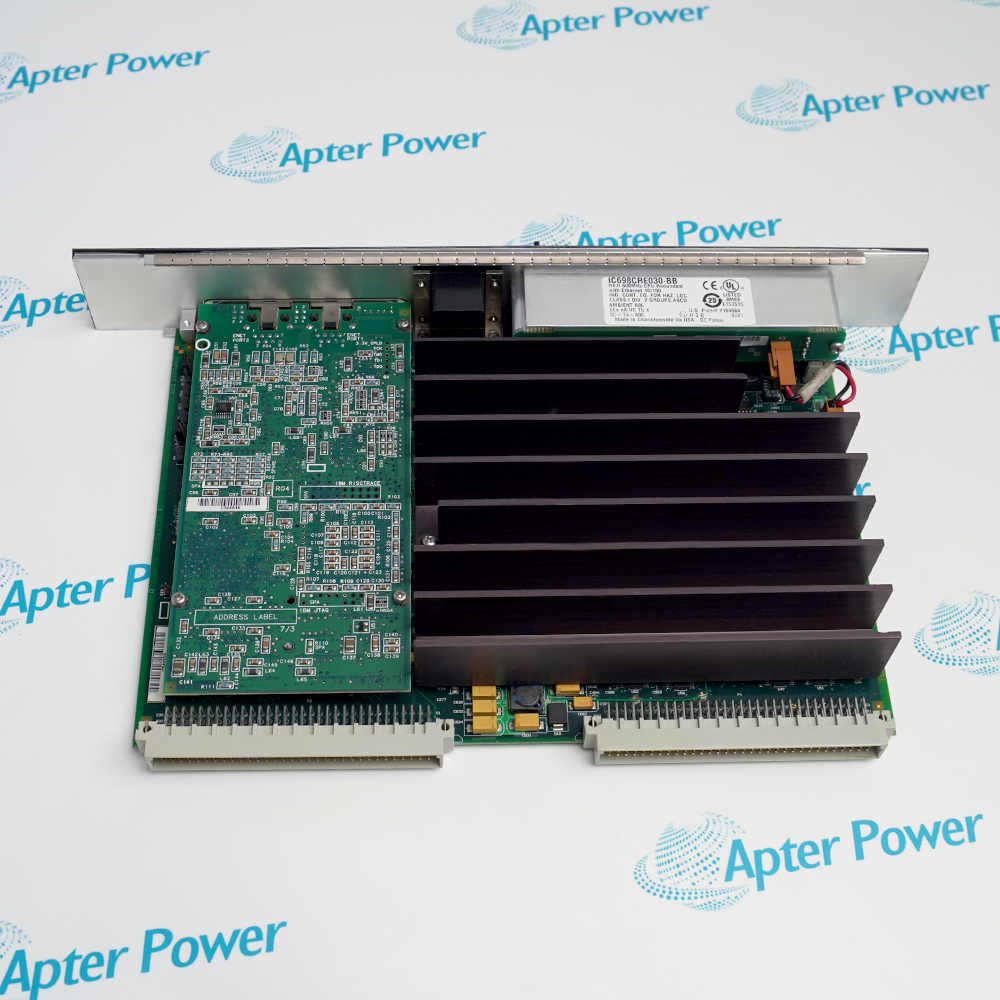
GE IC698ETM001 provides a dedicated PACSystems RX7i Ethernet path with two auto-negotiating copper ports and controller-facing network services. It supports EGD, SRTP, programming access and Station Manager diagnostics without serving as a Series 90-70 LAN module replacement.

Ask our team:

Get a quick price for: IC698ETM001
Quantity*
Upload (gif, jpg, jpeg, png, bmp, doc, docx, xls, xlsx, ppt, pdf, csv)
For more information on how your data is processed and stored by Apterpower please read our privacy policy.

Technical specifications for IC698ETM001

Technical specifications for IC698ETM001

  • Manufacturer:
    General Electric
  • Product Category:
    PLC Systems
  • Spare Part Number:
    IC698ETM001
  • Estimated shipping dimensions:
    2x17.5x29.1cm
  • Weight:
    0.32 kg
  • Tariff Code:
    8537101190
  • Counliy of origin:
    USA
  • Product family:
    PACSystems RX7i
  • Module function:
    Ethernet interface module
  • Ethernet ports:
    2 × RJ45
  • Physical layer:
    10BaseT / 100BaseTX
  • Port mode:
    Full duplex with automatic speed, duplex and crossover negotiation
  • Industrial data service:
    Ethernet Global Data (EGD)
  • Controller communication:
    SRTP over TCP/IP
  • Engineering functions:
    Programming, hardware configuration, Station Manager and diagnostics

Information

Information

Overview Manuals Common Applications Product Precautions
GE IC698ETM001 is the RX7i rack Ethernet module used when the controller requires an additional managed communications interface beyond its embedded port. Its internal switch presents two full-duplex 10BaseT/100BaseTX RJ45 connections while the module coordinates deterministic EGD exchanges and SRTP-based controller access.
  • Two RJ45 ports with an internal Ethernet switch
  • 10BaseT/100BaseTX speed and duplex auto-negotiation
  • Ethernet Global Data production and consumption
  • SRTP programming, configuration and diagnostic services

The operating chain runs from PACSystems RX7i rack → IC698ETM001 Ethernet interface → Switched RJ45 network path → EGD / SRTP peers and engineering station; document each boundary and prove the intended final response before release.

Important Notice: Preserve the RX7i addressing plan and keep the two switched ports in a tree topology during commissioning.

GE IC698ETM001 Manuals & Downloads
GE IC698ETM001 Technical Reference (PDF)GE IC698ETM001 Installation & Commissioning Guide (PDF)

The Technical Reference is a four-page GE GFK-2266B excerpt covering IC698ETM001 compatibility and operating restrictions. The separate field guide organizes installation readiness, network checks and acceptance evidence.

RX7i network expansion
Adds a separate Ethernet interface where the CPU's embedded port is not sufficient.
EGD data exchange
Produces and consumes configured Ethernet Global Data among industrial controllers.
Programming access
Carries controller programming and hardware-configuration traffic over TCP/IP.
Network diagnostics
Supports Station Manager inspection and fault investigation on the RX7i network.
Apply these controls specifically to GE IC698ETM001 before isolation, replacement, reconnection, energization and final release.
1
Configure a valid IP address, subnet mask and gateway before connecting IC698ETM001 to the plant network.
2
Do not place Series 90-70 IC697CMM741 or IC697CMM742 LAN modules in an RX7i rack as substitutes for IC698ETM001.
3
Keep the two IC698ETM001 Ethernet paths in a tree topology; do not connect them directly or indirectly into a ring.
4
Record the existing hardware configuration and EGD exchange definitions before replacing the module.
5
Allow a restart or firmware operation to finish before pressing the Ethernet Restart control again.
6
Confirm the target IP in the engineering project after storing a hardware configuration that changes addressing.
7
Verify SRTP timeout behavior under the actual network load rather than assuming Series 90-70 timing.
8
After installation, prove both RJ45 links, EGD exchange status, programming access and Station Manager communication.

Technical notes

Technical notes

Retain the assigned IP data, EGD exchange definitions and Station Manager records with the RX7i project. Release the interface only after both copper links and the configured EGD and SRTP paths have been exercised.

FAQS

  • What network services does GE IC698ETM001 provide?
    It supports EGD data exchange, SRTP TCP/IP communication, controller programming, hardware configuration and Station Manager diagnostics.
  • How many Ethernet ports are available on GE IC698ETM001?
    The module provides two full-duplex RJ45 ports connected through an internal switch.
  • Does GE IC698ETM001 select Ethernet speed automatically?
    Yes. The ports automatically negotiate 10 or 100 Mbit/s operation, duplex mode and crossover.
  • Can GE IC698ETM001 be replaced by an IC697CMM742?
    No. GE identifies the RX7i Ethernet module as the supported additional interface and does not support Series 90-70 LAN interface modules in an RX7i rack.
  • What must be configured before GE IC698ETM001 joins a network?
    Set the correct IP address, subnet mask and gateway in the controlled RX7i hardware configuration or through the approved commissioning method.
  • Can the two GE IC698ETM001 ports be wired as a ring?
    No. The connected Ethernet infrastructure must remain a tree; a ring can duplicate packets and repeatedly reset the module.
  • What should be backed up before changing GE IC698ETM001?
    Preserve the RX7i hardware configuration, Ethernet addressing, EGD exchanges, Station Manager settings and current diagnostic logs.
  • Which acceptance checks are appropriate for GE IC698ETM001?
    Confirm both physical links, correct addressing, EGD production and consumption, SRTP access, programming connectivity and diagnostic status.
Trusted by 5,000+ plants worldwide | Backed by our vast inventory of top-tier control parts, modules and cards, fast shipments are dispatched to cover your urgent needs. ABOUT US >>
Disclaimer: We are not an authorized distributor or distributor of the product manufacturer of this website, The product may have older date codes or be an older series than that available direct from the factory or authorized dealers. Because our company is not an authorized distributor of this product, the Original Manufacturer`s warranty does not apply.While many DCS PLC products will have firmware already installed, Our company makes no representation as to whether a DSC PLC product will or will not have firmware and, if it does have firmware, whether the firmware is the revision level that you need for your application. Our company also makes no representations as to your ability or right to download or otherwise obtain firmware for the product from our company, its distributors, or any other source. Our company also makes no representations as to your right to install any such firmware on the product. Our company will not obtain or supply firmware on your behalf. It is your obligation to comply with the terms of any End-User License Agreement or similar document related to obtaining or installing firmware.

Product Browsing History

We’re Here When You Need Us

From product insights to customer service needs, our experienced service team will focus on getting you what you need quickly

Enquire

Complete our online form.

Call Us

Speak to one of our team.

Live Chat

Send us a message.