











Get Parts Quote
Name
Company *
Phone *
Email *
Address
City
State / Province / Region
Zipcode
Country
Quantity *
Part Number *
Manufacturer
Preferred Condition
Additional Information
Cancel
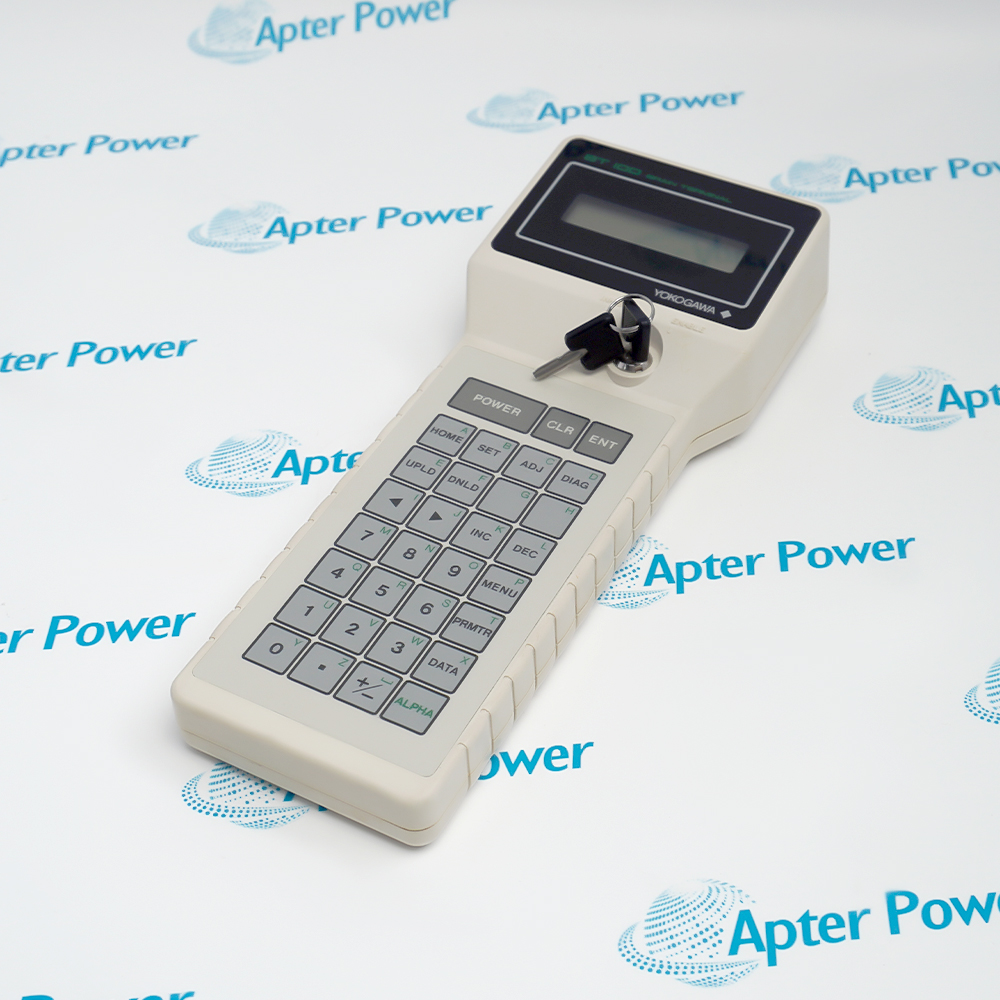
Yokogawa BT100
Yokogawa BT100
Yokogawa BT100
Yokogawa BT100
Yokogawa BT100
Yokogawa BT100
Product image is representative; revision or series may vary. Contact us to request a specific version.

BT100

BRAIN Terminal
In Stock
Ships by Thursday, October 22
Fast Shipping Available

Product Describe:

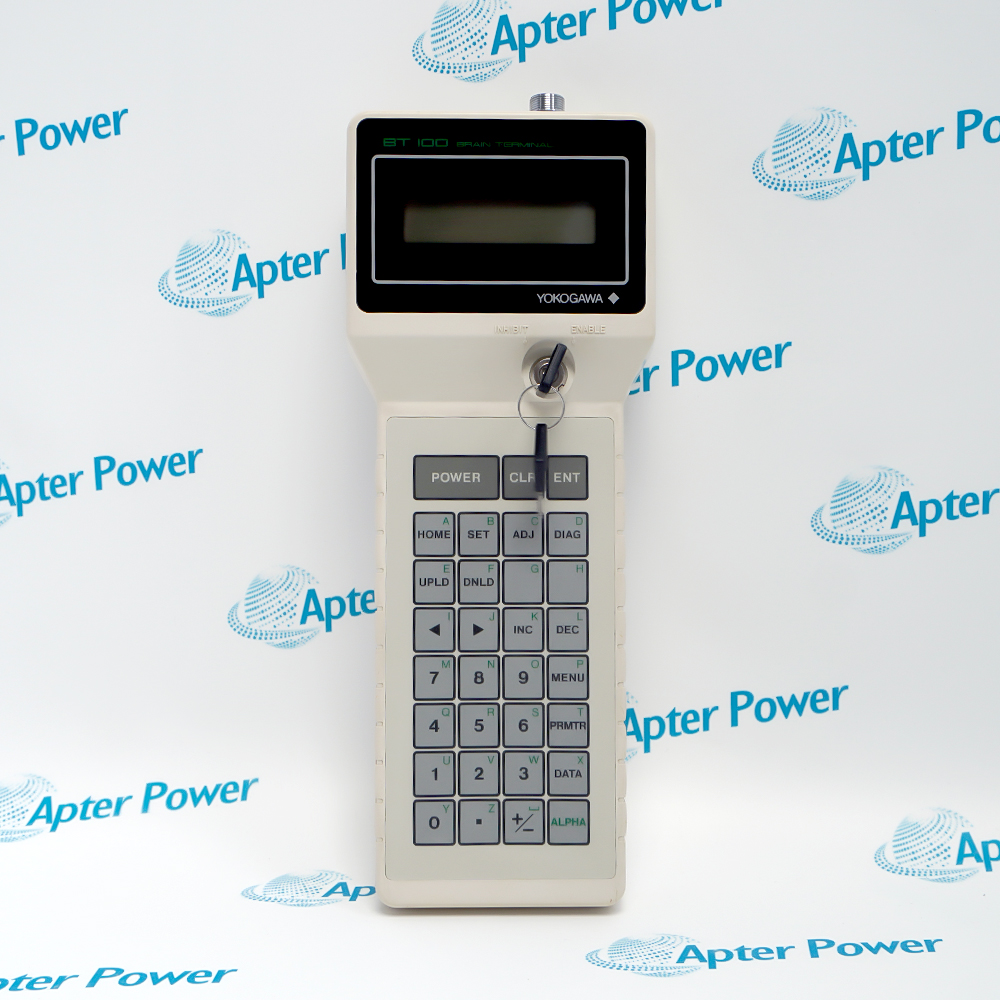
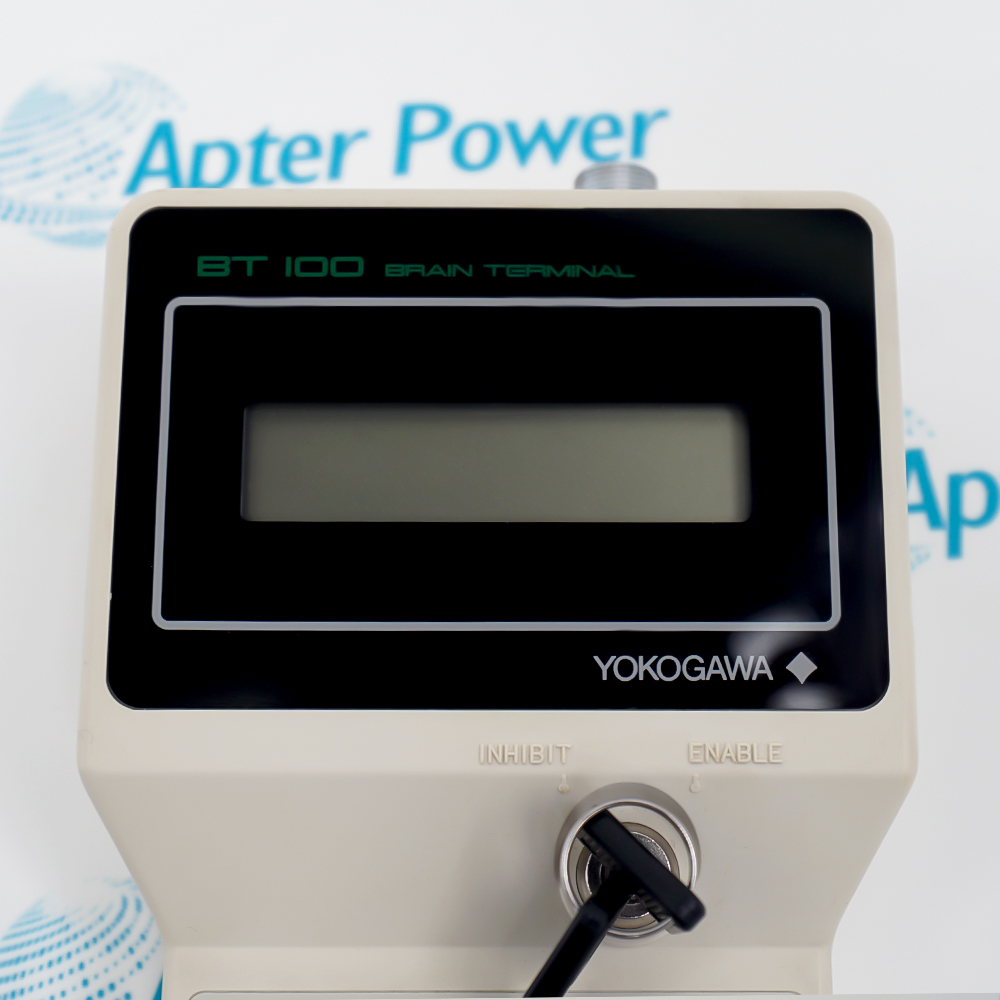
Yokogawa BT100 is a portable BRAIN Terminal used to view, set and transfer parameters for supported BRAIN-compatible field instruments. Its keypad, two-line display and non-volatile memory support controlled field-instrument setup and service work.

Ask our team:

Get a quick price for: BT100
Quantity*
Upload (gif, jpg, jpeg, png, bmp, doc, docx, xls, xlsx, ppt, pdf, csv)
For more information on how your data is processed and stored by Apterpower please read our privacy policy.

Technical specifications for BT100

Technical specifications for BT100

  • Manufacturer:
    Yokogawa
  • Product Category:
    General Automation
  • Spare Part Number:
    BT100
  • Estimated shipping dimensions:
    10×4.4×26cm
  • Weight:
    0.42 kg
  • Tariff Code:
    8537101190
  • Counliy of origin:
    Japan
  • Device type:
    BRAIN Terminal
  • Display:
    LCD, 16 characters x 2 lines
  • Startup indication:
    Model No., Tag No., Self-check
  • Menu navigation:
    MENU and PMTR keys
  • Parameter review:
    INC and DEC keys
  • Character entry:
    ALPHA key, alphabetic/numeric modes
  • Write confirmation:
    ENT key x 2
  • Setting transfer:
    UPLD/DNLD via non-volatile memory
  • Automatic power-off:
    About 5 minutes idle
  • Cable interface:
    Top-mounted communication cable

Information

Information

Overview Manuals Common Applications Product Precautions
Yokogawa BT100 serves as the technician's handheld access point to a BRAIN instrument's identification, self-check and parameter menus. It supports on-site verification before a setting change or controlled configuration transfer.
  • Portable BRAIN parameter-setting terminal
  • Sixteen-character by two-line LCD
  • Upload and download through non-volatile memory
  • Automatic power-off after about five idle minutes

Use Yokogawa BT100 only in the documented BRAIN-compatible field instruments context, with the field wiring, controller configuration and acceptance checks reconciled before service.

Important Notice: Confirm the complete BT100 identifier and the installed interface conditions; do not substitute a nearby model without a documented engineering review.

Yokogawa BT100 Manuals & Downloads
BT100 Technical Reference (PDF)BT100 Installation & Commissioning Guide (PDF)

Important Notice: The Technical Reference consolidates exact-model engineering data and interfaces; the Installation & Commissioning Guide organizes preparation, wiring checks and acceptance steps.


Field-instrument setup
Reads and changes documented parameters such as model-related configuration, tag and operating settings on a supported BRAIN device.
Commissioning checks
Displays instrument identification and self-check information before parameter review or controlled adjustment.
Maintenance comparison
Uploads an approved parameter set so technicians can compare or preserve settings during service work.
Like-for-like configuration transfer
Downloads stored settings only between instruments whose exact model, range and configuration have been verified as compatible.
Apply these checks specifically to Yokogawa BT100 before installation, wiring changes, energization or return to service.
1
Confirm the physical label reads Yokogawa BT100 before using this procedure.
2
Verify the target instrument explicitly supports BRAIN communication and BT100 operation.
3
Use the cable and connection points specified in the exact field-instrument manual.
4
Record the current tag, range and parameter values before changing or downloading data.
5
Press ENT twice only after reviewing the displayed parameter and intended new value.
6
Do not download one instrument's stored data into another until model, suffix, range and configuration compatibility are confirmed.
7
Do not infer hazardous-area approval or connection practice from the BT100 model name; follow the instrument and site safety documents.
8
Complete a controlled functional check after changes and retain the before-and-after parameter record.

Technical notes

Technical notes

Exact-model content for Yokogawa BT100 is based only on the cited manufacturer documentation. Verify the installed unit, wiring and system configuration before replacement or commissioning.

FAQS

  • What is Yokogawa BT100?
    It is a portable BRAIN Terminal for viewing, setting and transferring parameters on supported BRAIN-compatible field instruments.
  • What does Yokogawa BT100 display when it starts?
    It shows Model No., Tag No. and Self-check before menu operation.
  • How are menus and parameters navigated on Yokogawa BT100?
    Use MENU to select a main menu and PMTR to move through parameters; INC and DEC review available choices.
  • How is a changed value saved with Yokogawa BT100?
    After the correct parameter and value are displayed, press ENT twice to store the change.
  • What do UPLD and DNLD do on Yokogawa BT100?
    UPLD stores instrument settings in BT100 non-volatile memory; DNLD transfers the stored set to a compatible instrument.
  • When does Yokogawa BT100 turn itself off?
    It normally powers off after about five minutes without a key press, except during continuously updated displays.
  • Can Yokogawa BT100 settings be downloaded to any BRAIN instrument?
    No. Confirm the receiving instrument complete model, suffix, range and parameter structure before using DNLD.
  • Which communicator succeeds Yokogawa BT100?
    BT200 Device Smart Communicator succeeds BT100 after its discontinuation.
Trusted by 5,000+ plants worldwide | Backed by our vast inventory of top-tier control parts, modules and cards, fast shipments are dispatched to cover your urgent needs. ABOUT US >>
Disclaimer: We are not an authorized distributor or distributor of the product manufacturer of this website, The product may have older date codes or be an older series than that available direct from the factory or authorized dealers. Because our company is not an authorized distributor of this product, the Original Manufacturer`s warranty does not apply.While many DCS PLC products will have firmware already installed, Our company makes no representation as to whether a DSC PLC product will or will not have firmware and, if it does have firmware, whether the firmware is the revision level that you need for your application. Our company also makes no representations as to your ability or right to download or otherwise obtain firmware for the product from our company, its distributors, or any other source. Our company also makes no representations as to your right to install any such firmware on the product. Our company will not obtain or supply firmware on your behalf. It is your obligation to comply with the terms of any End-User License Agreement or similar document related to obtaining or installing firmware.

Product Browsing History

We’re Here When You Need Us

From product insights to customer service needs, our experienced service team will focus on getting you what you need quickly

Enquire

Complete our online form.

Call Us

Speak to one of our team.

Live Chat

Send us a message.
