Industrial and commercial power systems live or die on the quality of their control backbone. When you are managing UPS systems, static inverters, switchgear, and power protection equipment, the Siemens PLC is often the brain coordinating it all. Getting that PLC to play nicely with HMIs, gateways, relays, and analytics platforms is less about “plug and play” and more about disciplined compatibility and cross-referencing work.
From a reliability standpoint, I treat every third-party device connected to a Siemens PLC as a potential single point of failure unless it is proven compatible, correctly mapped, and thoroughly tested. This guide walks through how to do that using practices and examples drawn directly from Siemens guidance, integrator experience, and community tutorials, with a particular eye on power-critical environments.
The Role of Siemens PLCs in Power-Critical Systems
Siemens PLCs are industrial digital computers built to withstand extreme temperatures, vibration, and electrical interference while they monitor inputs, execute logic, and drive outputs in real time. As described in Siemens-focused overviews from CertLibrary and Empowered Automation, you see them in automotive plants, water treatment, energy grids, transportation systems, building automation, and power generation. Those same characteristics make them natural controllers for UPS systems, switchboards, and power quality infrastructure.
A typical Siemens PLC system combines a CPU, input modules for sensors and switches, output modules for actuators, a power supply, and communication interfaces that connect to HMIs, SCADA, or other PLCs. Siemens’ SIMATIC families cover the spectrum: compact S7‑1200 controllers, high-performance S7‑1500, and legacy S7‑300/400 platforms. TIA Portal and STEP 7 provide the unified software environment for configuration, programming, diagnostics, and commissioning.
For power applications, the fundamental needs are deterministic behavior, fast reaction to faults, and robust diagnostics. Siemens’ own performance analysis shows that modern SIMATIC controllers have bit-processing times at least ten times faster than what was state-of-the-art a decade ago, with the smallest current CPU executing bit operations in about 6 nanoseconds and top-end CPU 1518 around 0.3 nanoseconds. More important than raw speed, multicore architectures let communication tasks and user logic execute on different cores, dramatically reducing jitter, which Siemens defines as cycle-to-cycle variation in program execution time. In power protection, jitter translates almost directly into uncertainty about how quickly you clear a fault or switch a path.
When you add compatible components around a PLC—HMIs, gateways, EtherNet/IP adapters, MQTT bridges—you are not just extending functionality; you are consuming CPU time, introducing new failure modes, and creating more places where poor cross-referencing can break determinism. That is why compatibility in this context is a reliability engineering problem, not a shopping exercise.
What “Siemens PLC Compatible” Really Means
Compatibility is often treated as a yes-or-no label, but in a Siemens PLC environment it has multiple dimensions that you must consider systematically.
Hardware and Generation Compatibility
The first dimension is whether a component can interface cleanly with the specific controller family and firmware you are using.
Empowered Automation describes the SIMATIC portfolio as a scalable ladder: S7‑1200 for compact tasks, S7‑1500 for high performance and complex logic, S7‑300 for modular general-purpose systems, and S7‑400 for large, high-availability applications. Siemens’ performance-focused content further notes that the latest S7‑1200 G2 controllers are more than twice as fast as the previous generation at the same price point and share a common internal architecture with S7‑1500, which supports almost one hundred percent program compatibility between generations.
From a component-integration standpoint, that common architecture and the reduced performance brackets in the S7‑1500 line mean two things. First, you can often migrate to newer CPUs with minimal program changes, which helps when older modules go obsolete. Second, controller selection is less about raw speed and more about quantity structure and communication interfaces, which directly affects how many HMIs, gateways, and peer devices you can attach.
When you are replacing controllers, Siemens’ integrator-oriented guidance stresses starting with a disciplined installed-base assessment. That means inventorying every PLC, I/O module, field device, network, and firmware version, and mapping their interfaces to SCADA, MES, or other systems. Only then do you select the migration strategy and map the old I/O and logic to the new platform. For power-critical systems, this level of rigor is non-negotiable; you need to know exactly which power relays, trip coils, and metering devices are wired or networked into each PLC before you decide what “compatible replacement” actually means.
Software, Languages, and Programming Standards
The second dimension involves software and programming environments. Siemens centers its ecosystem on TIA Portal, which unifies configuration, programming, diagnostics, and monitoring for SIMATIC PLCs, particularly S7‑1200 and S7‑1500. Industrial Automation Co. highlights how TIA Portal’s Project Tree, Inspector Window, Program Editor, and Online Tools give you a single place to manage hardware configuration, code, and online diagnostics.
Siemens PLCs support multiple IEC 61131‑3 languages, including Ladder Diagram, Function Block Diagram, Structured Text, and Sequential Function Chart. Siemens publishes extensive programming guidelines for S7‑1200 and S7‑1500 that emphasize optimized blocks, data types, libraries, symbolic addressing, and standardized naming. A Siemens training course dedicated to “Standardization in the TIA Portal for more efficiency and error-free machines” underscores that the manufacturer itself considers uniform interfaces and program structures a key lever for reliability.
For compatible components, the practical implication is straightforward. The more standardized your tag names, data blocks, and libraries are, the easier it is to map them to third-party HMIs, gateways, and field devices without confusion. When an HMI or an EtherNet/IP adapter references a tag, it should be referencing a symbolic name that already encodes what that signal is and where it belongs in the power system. Without that discipline, every integration becomes a one-off translation exercise, and that is where mistakes creep in.
Network and Protocol Compatibility
The third dimension is communication. Siemens PLCs speak multiple protocols depending on the hardware and environment. SZCT’s performance-optimization guidance points to Profibus for robust high-speed fieldbus links to distributed devices, Profinet for higher data rates and better integration with IT networks, and EtherNet/IP to connect with a broader range of industrial devices. Siemens’ own S7 integration content also highlights the S7 protocol over TCP/IP, which is commonly used when connecting to external systems through tools like Node‑RED.
On the IT/OT boundary, MQTT is a popular choice for sending PLC data to enterprise or cloud systems. EMQX’s background on Siemens PLC–MQTT integration notes that you typically either run an MQTT client in the PLC or, more commonly, use an edge gateway that converts S7 or OPC UA data into MQTT messages. Security is part of compatibility too: TLS encryption and authentication are critical considerations once your power system data leaves the plant network.
If “compatible” is not backed by a clear plan for which protocol is used where, what the addressing model looks like, and how security is enforced, you are setting yourself up for surprises in the field.
Component Categories Around a Siemens PLC
With that framework in mind, it helps to look at the main categories of components that commonly sit around a Siemens PLC in power and industrial environments, and how they integrate according to the documented examples.
HMIs and Operator Panels
Power operators live in front of HMIs, so the HMI–PLC relationship is central. A RealPars guide demonstrates how to integrate an RS PRO HMI with Siemens S7‑1200 and S7‑1500 PLCs over Ethernet. All configuration is done in TIA Portal for the PLC and in piStudio for the HMI.
On the PLC side, you assign a PROFINET Ethernet address on the same subnet as the HMI. Siemens’ Protection and Security settings must be set to Full access, and PUT/GET communication must be permitted, otherwise the HMI cannot read or write tags. The PLC project defines tags such as memory bits, global inputs, and global outputs associated with the control logic.
On the HMI side, you create a project that targets Siemens S7‑1200 over Ethernet, configure the PLC IP address in the communication settings, and assign an IP address to the HMI itself. Bit Switch objects are then bound to PLC memory locations such as M0.0 and M0.1, while Bit Lamps visualize inputs like I0.0 and outputs like Q0.0. Labeling those elements clearly, using Text objects, is part of the integration, not an afterthought.
DMC’s pre-deployment recommendations add two details that matter in real projects. First, configure S7‑1200/1500 CPUs for a warm restart into RUN mode in the PLC properties so that power cycling alone can recover a system without a programmer present. Second, WinCC HMIs ship with a default password policy that permanently locks an account after three bad logon attempts, requiring a full project re-download to recover; they recommend either disabling this limit or increasing it significantly. In power-critical systems, locking operators out of their HMI because of a few mistyped passwords is a compatibility issue every bit as real as a mismatched IP address.
From a cross-reference perspective, you should be able to trace each HMI object back to a PLC tag, and each PLC tag back to a physical or logical point in your UPS or switchgear system. When an operator taps “Bypass Close” on the screen, you need full confidence about which coil or contactor that Bit Switch ultimately energizes.
EtherNet/IP and Other Field Devices
Not every device in a Siemens-based system speaks Profinet or the S7 protocol. Many intelligent field devices, including some power-related adapters and modules, expose EtherNet/IP interfaces. A SolisPLC tutorial on integrating EtherNet/IP field devices with Siemens PLCs uses an ET200SP MF adapter and an S7‑1200 as the reference design and introduces a reusable Ethernet IP Scanner function block.
Because TIA Portal does not have native graphical configuration for EtherNet/IP scanners, the solution uses a global data block that holds an array of adapter configuration records. Each record describes an EtherNet/IP adapter’s IP address, vendor code, product type, product code, and firmware revision, all taken from the device’s ODVA-standard Electronic Data Sheet. It also includes the Requested Packet Interval, input and output data sizes, and any configuration data length.
At runtime, the Ethernet IP Scanner block is called from a cyclic interrupt OB with a deterministic time base, which ensures predictable update rates and low jitter. A watch table helps you monitor and control the block; setting an Enable flag to true initiates communication, while setting it to false cleanly shuts all EtherNet/IP connections and freezes the current data.
In this context, “compatible component” does not just mean that the adapter supports EtherNet/IP. It means that its EDS parameters have been correctly transcribed into the Siemens data block, that the PLC’s Ethernet interface has the right IP and subnet, and that the input and output byte counts match what your power device actually sends and expects. A single error in a vendor code or assembly ID is enough to keep a device permanently inactive, even though everything appears wired correctly.
Edge Gateways, Node‑RED, and MQTT
Higher-level monitoring and coordination increasingly rely on dashboards and cloud connectivity. FlowFuse’s guide to integrating Siemens S7 PLCs with Node‑RED illustrates how to use the S7 protocol over TCP/IP as a bridge. In this setup, the Siemens PLC remains the authoritative controller, but Node‑RED reads and writes data via the node‑red‑contrib‑s7 module.
Several prerequisites are crucial for compatibility. The PLC must allow PUT/GET communication from remote partners and be configured for full access to permit unrestricted data exchange. Data blocks that Node‑RED will access must have the Optimized Block Access option disabled. Node‑RED itself runs on a separate device on the same network as the PLC, and the firewall must allow traffic on the standard S7 port.
The S7 node in Node‑RED uses a slightly different addressing scheme than TIA Portal. For example, the FlowFuse material shows that addresses such as DB5.DBX0.0 in TIA correspond to DB5,X0.0 in the S7 node. Siemens’ I, Q, and M areas also map over directly but may use different prefixes in Node‑RED.
A short cross-reference table helps clarify these mappings:
| Concept | TIA or Step7 address | Node‑RED S7 node address | Data type and note |
| Boolean bit in a data block | DB5.DBX0.1 | DB5,X0.1 | Single bit of byte 0 in DB5 |
| Byte value in a data block | DB23.DBB1 | DB23,BYTE1 | Unsigned byte in DB23 |
| Signed 16‑bit integer in a data block | DB42.DBW3 | DB42,INT3 | Signed 16‑bit number in DB42 |
| Unsigned 16‑bit integer in a data block | DB57.DBW4 | DB57,WORD4 | Unsigned 16‑bit number in DB57 |
| Signed 32‑bit integer in a data block | DB13.DBD5 | DB13,DINT5 | Signed 32‑bit number in DB13 |
| Real (32‑bit float) in a data block | DB21.DBD7 | DB21,REAL7 | Floating point value in DB21 |
| Boolean input bit | I1.0 | I1.0 | Bit 0 of byte 1 in the input area |
| Boolean output bit | Q2.1 | Q2.1 | Bit 1 of byte 2 in the output area |
| Boolean memory bit | M3.2 | M3.2 | Bit 2 of byte 3 in the memory area |
| Little‑endian 16‑bit value in data block | DB57.DBW4 | DB57,RWORD4 | Unsigned 16‑bit number with little‑endian ordering |
For larger systems, the FlowFuse example recommends aggregating multiple status bits into a single word or double word in the PLC and reading that aggregated value in Node‑RED. When data is mission-critical and cannot be lost, they suggest implementing a FIFO stack or buffer in the PLC so that data is retained during outages and drained when connectivity resumes.
On the MQTT side, EMQX’s conceptual overview explains that Siemens PLC–MQTT integration typically uses either built-in function blocks or an external edge node that converts S7 or OPC UA into MQTT messages. Recommended practices include hierarchical topic structures, consistent JSON payloads, and careful selection of QoS levels—often QoS 1 when lost telemetry is unacceptable. Security guidance centers on TLS encryption and strong authentication.
The cross-reference work here is twofold. First, you align PLC addresses with Node‑RED S7 node addresses and verify data types. Second, you map those Node‑RED tags into MQTT topics with clear names and schemas that reflect your power system structure. That is how a status bit for a static bypass breaker ends up as a reliable, timestamped field in a cloud analytics dashboard rather than a misinterpreted integer.
Summary of Component Integration Layers
Across these examples, a pattern emerges. Each layer has a native Siemens anchor and a set of compatibility checks.
| Component layer | Native Siemens anchor | Compatible component example | What must be cross‑referenced | Example source or publisher |
| Operator interface | S7‑1200 or S7‑1500 tags in TIA Portal | RS PRO HMI configured in piStudio | IP subnet, PUT/GET and Full access settings, tag addresses, HMI object labels | RealPars training content |
| PLC network and I/O layer | S7‑1200 CPU with Ethernet interface | EtherNet/IP adapter such as ET200SP MF | IP address, vendor code, product type and code, RPI, input/output data sizes | SolisPLC tutorial |
| Edge and integration | TIA-based program for S7‑1200 or S7‑1500 | Node‑RED with node‑red‑contrib‑s7 | PLC IP, S7 port, data block structure, Node‑RED address strings | FlowFuse integration guide |
| Data and analytics | Siemens PLC data modeled in tags and DBs | MQTT broker and consumer applications | MQTT topics, payload schemas, QoS, security credentials | EMQX MQTT integration background |
In a power system deployment, you might replace the EtherNet/IP adapter with a metering device or the HMI with another vendor’s panel, but the cross-reference principles remain the same.
Building a Cross-Reference Strategy for Siemens-Based Power Systems
A workable cross-reference plan is more than a set of tables; it is a process embedded in your engineering workflow.
Start with Installed-Base Assessment
The Siemens controller replacement guide emphasizes beginning with a thorough installed-base assessment. That means inventorying all controllers, I/O, field devices, networks, firmware versions, and application code. It also means documenting relationships to SCADA, MES, and ERP systems.
Applied to power systems, that translates to knowing exactly which UPS, inverter, breaker, or relay each PLC point belongs to, and which HMIs and gateways expose those points. Before you decide to swap an S7‑300 for an S7‑1500 or add an MQTT gateway, you should already have a clear mapping between PLC tags and power hardware.
Standardize Programming, Tagging, and Libraries
Siemens’ programming guidelines for S7‑1200 and S7‑1500, along with the DI‑STAND training, strongly advocate for standardized programming styles, symbolic addressing, and library usage. The Simatic S7 style guide defines consistent conventions for tag names, block names, and commenting. Siemens’ own blog notes that this is not just for team projects; even solo programmers struggle to interpret their own code a year later without standards.
Industrial Automation Co. echoes this by recommending modular applications built from small, coherent function blocks, data blocks that retain critical values, and symbolic tags instead of raw addresses. TIA Portal libraries let you package frequently used blocks and tags and reuse them across projects.
For component compatibility, the payoff is straightforward. When you integrate an RS PRO HMI, a Node‑RED flow, or an EtherNet/IP adapter, you are mapping into well-defined tags and structures that mean the same thing across your projects. The cross-reference document becomes stable and understandable, and your power system becomes easier to troubleshoot under pressure.
Respect Application Criticality When Choosing Practices
A Stack Overflow discussion on Siemens PLC best practices makes an important point: there is no universal check list of “right” practices. In a small, low-risk brewery, you might accept loops, generic subroutines, and a handful of warnings; a bad batch of beer is unpleasant but not life-threatening. In a global insulin production plant, by contrast, the same constructs are unacceptable; the standards may forbid loops, unused tags, and even minor warnings to maximize clarity and auditability.
For power-critical systems supplying hospitals or data centers, you should treat the environment more like the insulin plant than the brewery. That means favoring simple, explicit logic over clever abstractions, minimizing dependencies, and designing diagnostics so that a technician can understand what is wrong with a breaker or UPS feed by inspecting a small, clearly labeled section of code and its associated HMI and gateway mappings.
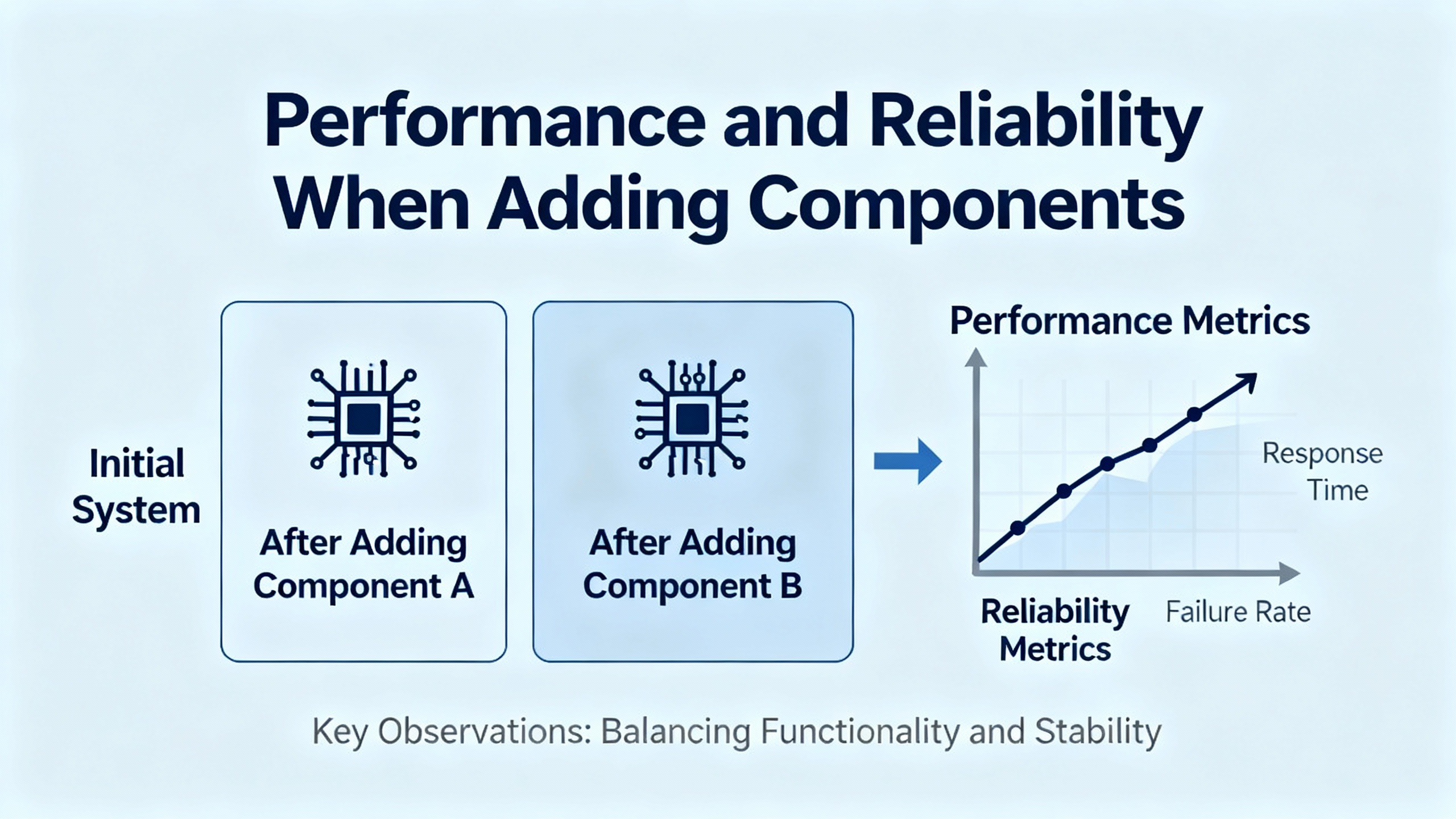
Performance and Reliability When You Add Components
Attaching third-party components to a Siemens PLC almost always increases communication load and complexity. Managing performance and reliability becomes part of your compatibility strategy.
Managing Jitter and Scan Time
Siemens’ performance analysis underscores how communication tasks can consume a large share of CPU resources in modern data-hungry applications, increasing jitter if you are not careful. Jitter, defined as the cycle-to-cycle variation in execution time of the control program, can cause non-uniform process reactions. In a power system, that might appear as inconsistent transfer times or protective actions.
SZCT’s guidance on optimizing Siemens PLC performance advises matching hardware to application needs, minimizing unnecessary loops, and ordering logic such that critical tasks execute first. It also emphasizes the importance of understanding PLC scan time, which sets the baseline for how quickly your control logic cycles. When you add Node‑RED polling or EtherNet/IP scanner calls, those tasks must be scheduled so they do not starve the core power-protection logic.
Multicore architectures in newer SIMATIC CPUs provide some relief by allowing communication and user logic to run on separate cores, making execution more deterministic. But you still must configure scan tasks, interrupts, and communication blocks carefully; compatibility is not just about whether the interface works, but whether it works without undermining deterministic behavior.
Communication Reliability and Security
Communications reliability and security are especially important when power systems tie into external analytics or control layers. EMQX’s recommendations for Siemens PLC–MQTT integration stress TLS encryption and authentication, along with appropriate QoS levels. FlowFuse’s Node‑RED example highlights the need for network connectivity checks, firewalls that permit S7 traffic, and buffering strategies such as FIFO stacks in the PLC for mission-critical data.
SZCT suggests optimizing fieldbus and Ethernet communications by choosing appropriate protocols, matching baud rates and network parameters, and reducing communication overhead through sensible data grouping. SolisPLC’s EtherNet/IP scanner example shows how even a single misconfigured parameter can prevent a device from going online; the same applies to misaligned QoS expectations or packet intervals that overload a network.
In a UPS or inverter plant room, communications failures can be almost as disruptive as hardware failures if they prevent proper status monitoring or coordinated switching. That is why cross-referencing must include not just tag mappings but also configured IP addresses, ports, protocol parameters, and security settings.
Pre-Deployment Checks for Mixed-Vendor Systems
DMC’s three “under five minute” checks before deploying Siemens PLC projects are simple but powerful when you are dealing with multi-component systems. Ensuring CPUs restart into RUN after power loss protects you from systems that never resume automatic operation. Enabling the PLC web server offers a diagnostic and control back door when TIA Portal is not available on site. Adjusting WinCC HMI logon limits prevents avoidable account lockouts.
For third-party HMIs, edge devices, and EtherNet/IP modules, you should add parallel checks: confirming IP address and subnet alignment, verifying ping responses, confirming protocol-specific settings such as PUT/GET permissions or EtherNet/IP RPIs, and validating that each device’s tag set aligns with the PLC’s tag list. Taken together, these checks transform “it should be compatible” into “we have evidence that it is compatible and robust.”
Future-Proofing Siemens-Based Power Architectures
Compatibility is not static. Firmware, software tools, and engineering practices evolve. Siemens’ moves toward software-defined automation, described by Technical Education Post in the context of Simatic AX, show how PLC development is absorbing modern IT practices like source control, unit testing, and CI/CD pipelines.
Simatic AX is highlighted as a platform that integrates PLC code into source control systems, supports unit testing, and allows visualization and continuous integration of automation projects. The broader concept of software-defined automation involves virtualized PLCs running on industrial PCs or servers, data-driven production strategies powered by AI, and deep integration between IT and OT.
For power systems, the key lesson is that Siemens PLC-based architectures should be designed with version control, automated testing, and modularity in mind from the outset. The controller replacement guide already emphasizes change management, standardized libraries, and comprehensive documentation. Adding Simatic AX-style development practices on top of that, along with external version control for TIA Portal projects as suggested by Industrial Automation Co., reduces the risk that a future firmware update or hardware refresh will break existing component integrations.
When you treat your tag sets, data blocks, and integration points as versioned APIs rather than ad hoc mappings, it becomes much easier to upgrade HMIs, add new MQTT consumers, or swap an EtherNet/IP device without destabilizing your UPS or switchgear control logic.
Short FAQ
Q: How do I assess whether a third-party HMI will integrate cleanly with a Siemens S7‑1200 or S7‑1500? The RealPars integration example with an RS PRO HMI is a good checklist. Verify that the HMI supports Ethernet communication with Siemens S7 PLCs and can target your specific controller family. Confirm that the HMI and PLC can share a subnet and that the PLC’s Protection and Security settings allow Full access and PUT/GET communication. Check that the HMI configuration software can bind objects directly to PLC addresses or symbolic tags, and that you can label those objects clearly. Finally, make sure your PLC tags are well-structured and documented, following Siemens’ programming style guidelines, so the mapping is obvious and traceable.
Q: When should I favor Profinet, EtherNet/IP, or an MQTT-based gateway around a Siemens PLC? SZCT’s optimization guidance frames Profinet as a strong choice for high-speed integration of Siemens PLCs with distributed I/O and drives, especially when you want tight coupling within the Siemens ecosystem. EtherNet/IP, as illustrated by the SolisPLC tutorial, is often appropriate when you need to integrate field devices that already speak EtherNet/IP and come with ODVA EDS files. MQTT, as discussed by EMQX, becomes attractive when you are sending telemetry or events from the PLC or its gateways into higher-level IT or cloud systems for monitoring and analytics, especially when bandwidth is limited or you need decoupled publish–subscribe semantics. In many modern architectures, you will use Profinet or EtherNet/IP toward the field and MQTT toward the IT side, with Siemens PLCs and Node‑RED or dedicated gateways bridging between them.
Q: What is the most common compatibility mistake you see in Siemens-based projects, and how do the references here help avoid it? The most damaging mistake is treating compatibility as a last-mile wiring problem instead of a lifecycle engineering concern. Siemens’ controller replacement guide, its S7 programming guidelines, the DI‑STAND training, and community insights from DMC, FlowFuse, SolisPLC, and others consistently point in the same direction. You must start with a complete view of the installed base, standardize your programming and tagging, select protocols deliberately, and configure each device based on its formal description (tags, EDS files, or documented addressing) rather than trial and error. When you combine that discipline with pre-deployment checks, performance monitoring, and modern development practices, a “compatible component” stops being a vague label and becomes a reliable part of an integrated power system.
In power supply and protection work, I treat every new HMI, gateway, or field device around a Siemens PLC as another protection relay in the chain: it has to be specified, cross-referenced, tested, and documented with the same rigor as the breaker or UPS it supervises. That is how you preserve uptime when everything else around you is riding on that PLC’s decisions.
References
- http://websites.umich.edu/~tilbury/logiccontrol/lcms-report.pdf
- https://upcommons.upc.edu/bitstreams/27e15f7b-cd9a-4420-9fa6-086986cf07ce/download
- https://aichat.physics.ucla.edu/_pdfs/browse/ZFIRnO/Plc%20Programming%20Basics%20To%20Advanced%20Siemens%20S7%201200.pdf
- https://www.empoweredautomation.com/discover-siemens-programmable-logic-controller-secrets-now
- https://www.expertia.ai/career-tips/10-essential-tips-and-tricks-for-mastering-plc-hmi-programming-18108w
- https://kwoco-plc.com/siemens-plc-guide/
- https://www.realpars.com/blog/siemens-plc-rs-pro-hmi-integration
- https://www.solisplc.com/tutorials/integrating-ethernet-ip-field-devices-with-siemens-plcs
- https://www.szct-automation.com/blog/how-to-optimize-the-performance-of-siemens-plc-1310569.html
- https://www.techedmagazine.com/future-of-plc-programming/


 Videos
 News
News Applications












Leave Your Comment