Variable frequency drives are now at the heart of industrial power systems, sitting between your switchgear and the motors that keep production and critical services running. Schneider’s Altivar family is everywhere in that landscape, from HVAC and pumping to material handling and process lines. When an Altivar trips on a fault, the temptation is strong to hammer the reset key or dump the parameters back to factory defaults and hope it goes away.
In a reliability role, that is exactly what you should not do first.
Altivar drives are extremely sensitive to both configuration and environment. Faults may be rooted in wiring, power quality, firmware, or parameter misalignment. The way you reset and restore parameters determines whether you truly solve the problem or simply clear alarms until the next, more serious trip.
This guide walks through a structured, field-tested approach to restoring Schneider Altivar parameters after a fault, using the Altivar 71 and related models as the reference point. It draws on Schneider-focused troubleshooting notes, Altivar 71 fault code documentation, and broader VFD reliability research from sources such as Click2Electro, CMIndustry Supply, Darwin Motion, and Schneider Electric technical FAQs.
1. Altivar Faults and Parameters: What You Are Really Fixing
Before you touch the parameter menu, it is critical to understand what the drive is complaining about and how configuration plays into that.
A Schneider-oriented troubleshooting brief on Click2Electro describes a VFD fault as an abnormal operating condition detected by the drive and reported via an error code on the keypad or graphic terminal. Each code is tied to a specific protection function or subsystem. The first task in any restoration effort is therefore to identify the exact code and decode it, ideally with the official Schneider user manual for that model in hand.
The Altivar 71 fault code list published by Eltra Trade gives a sense of how broad this protection coverage is. The drive monitors:
- Analog inputs, with codes such as AI2F and LFF2–LFF4 when the expected 4–20 mA signals at AI2–AI4 are missing.
- Encoder and speed feedback, with codes such as AnF, ECF, EnF, and SPF when measured speed does not match the commanded value or encoder communication fails.
- Braking hardware, with bOF, brF, bUF, and ObF indicating braking resistor overload, braking circuit short circuits, or braking that is too fast.
- Internal power and control hardware, including charge circuit faults (CrF1, CrF2), EEPROM errors (EEF1, EEF2), switching circuit failures (FCF1), and built-in controller problems (APF).
- Power and motor side conditions: short circuits and ground faults (HdF, SCF1–SCF5), converter overload (OCF), motor overload (OLF), overvoltage and undervoltage (OSF, USF), and broken input or output power circuits (OPF1, OPF2, LCF).
- Thermal states, including converter overheating (OHF), IGBT overheating (tJF), and temperature sensor alarms and wiring faults via PTC inputs (OtF1, OtF2, OtFL, PtF1, PtF2, PtFL).
- External and network conditions such as external dry-contact faults (EPF1), network signaled faults (EPF2), and communication errors (CnF, ILF).
These codes are not random. In many cases they are the only clues you will get to whether a parameter restore is needed, or whether you are facing a physical problem in the power train, motor, or wiring.
Click2Electro and several Schneider-specific guides emphasize another key point: incorrect drive parameter settings are a very common root cause of repeated faults. If motor data, limits, or control source settings do not match the application, you can chase symptoms indefinitely with resets and never fix the underlying misconfiguration.
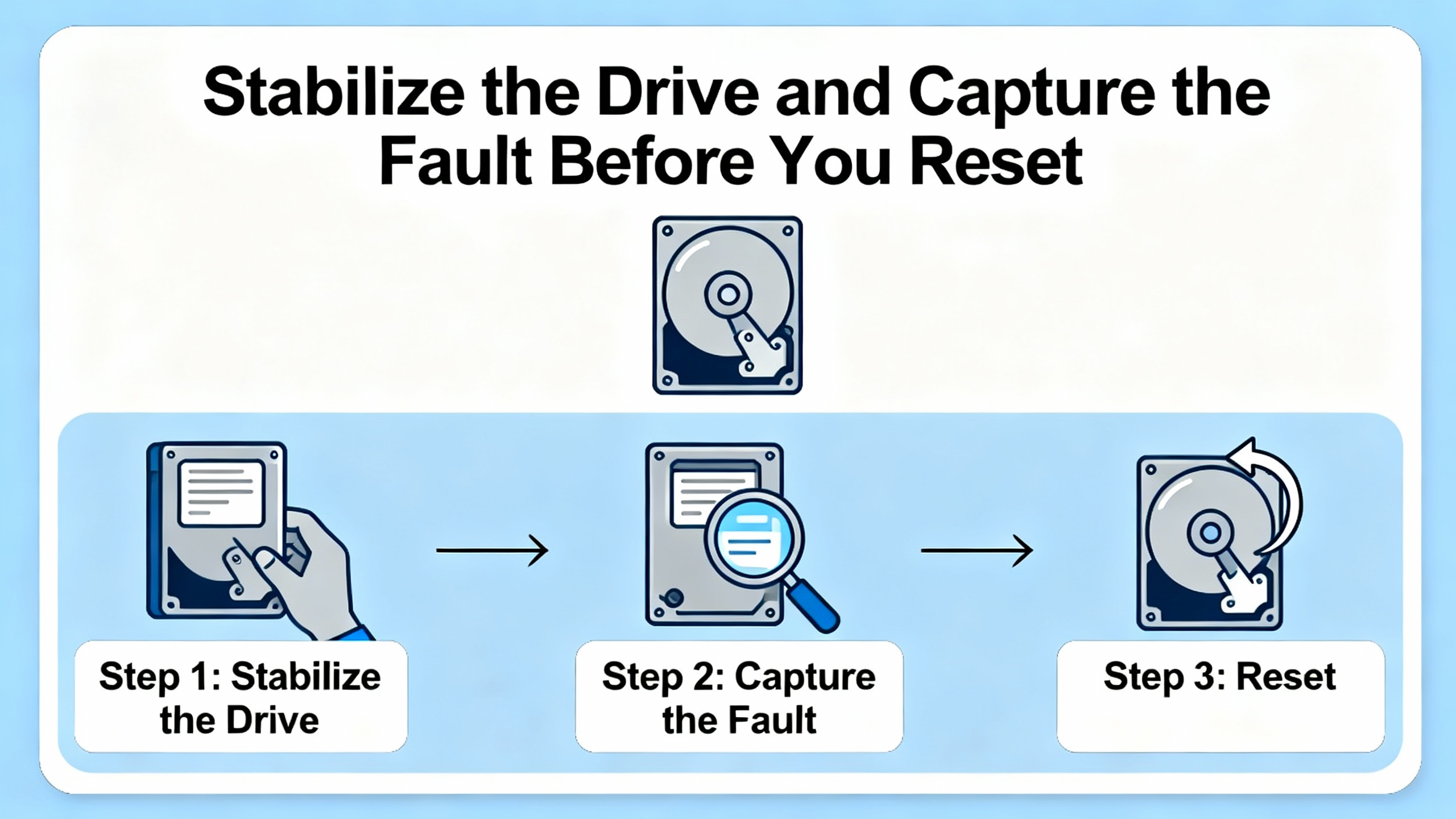
2. Stabilize the Drive and Capture the Fault Before You Reset
When I am brought into a plant after a major VFD trip, I treat the first minutes as an investigation, not a reset race. That mindset is aligned with the best practices summarized by Click2Electro, CMIndustry Supply, and Schneider’s own tutorials.
Start with safety. Schneider Electric’s guidance for internal option faults such as INF6 on Altivar 61/71 makes this explicit: isolate and lock out power, wait for the DC bus to discharge according to the manual, and ensure only qualified personnel open the drive enclosure. The same approach should apply before you change parameters or reseat option cards.
Once the drive is safe and stable, do the following before you clear anything.
Read and record the exact fault code and status. Use the Altivar display and any built‑in error log functions. The Altivar 71 maintains fault records in its internal memory, and the Eltra Trade guide recommends reviewing these logs periodically to spot recurring issues. If you reset first and think later, that history becomes much less useful.
Consult the proper documentation. Click2Electro’s fault‑reset guide stresses going back to the manufacturer’s user manual for your exact model to interpret codes, understand parameter meanings, and follow model‑specific troubleshooting steps. Generic “VFD” advice has limits; Altivar parameter structures and menu labels are not interchangeable with other brands.
Check the power supply. Both Click2Electro and broader VFD reliability articles from CMIndustry Supply and DoSupply note that overvoltage spikes, undervoltage dips, and single‑phasing are leading causes of nuisance trips and catastrophic failures. Overvoltage faults (OSF) and low‑voltage faults (USF) on Altivar 71 are clear signs you must validate the supply, not just the configuration. Mitigation often includes surge protective devices and voltage regulators to stabilize the supply.
Inspect wiring and terminations. Loose wiring is a classic intermittent fault source. Click2Electro specifically calls out checking cables, terminals, and connectors for tightness and damage. CMIndustry Supply and DoSupply add that regular inspections for loose power connections, corrosion, or damaged insulation are critical, because arcing and high contact resistance can cause overcurrent and overvoltage events that the drive interprets as faults such as OCF or SCF.
Verify the motor and mechanical load. The troubleshooting notes repeatedly emphasize that not every fault is “a bad drive.” Overcurrent codes like OCF and ground-fault alarms (such as EF2 on other Schneider models) often arise from blocked pump lines, conveyor jams, or failing motors, not from drive hardware. Click2Electro recommends observing the motor for unusual noise, vibration, or erratic motion to distinguish mechanical issues from pure electronic faults.
Confirm cooling and environment. Overheating is one of the most frequent VFD killers. CMIndustry and TCISupply both underline that dust accumulation, high ambient temperature, and failed fans accelerate drive failure, especially in the DC bus capacitors. Thermal faults like OHF and tJF on an Altivar 71 are clear indicators that you must address ventilation, dust, and heat sink cleanliness rather than change parameters.
Only after you have captured the fault context and confirmed that the power, motor, and environment are at least basically sound should you move on to fault resets and parameter restoration.
3. Fault Reset Methods on Altivar Drives and Their Parameter Impact
Schneider’s Altivar 71 allows several ways to clear faults. Understanding how each method interacts with parameters is central to any restoration strategy.
The Eltra Trade guide on Altivar 71 identifies four primary fault reset approaches:
- Power‑cycling the drive until the screen goes blank, after first disconnecting from the mains and resolving the root cause.
- Automatic restart using the Auto Restart function (labelled Atr‑ in the parameter set).
- Issuing a fault reset via a digital input or control bit assigned to the Fault Reset function (rSt‑).
- Pressing the STOP/RESET key on the graphic display terminal, which performs the same reset function.
The same document also describes a Device Reset parameter, labelled rP, available only when the Access Level is set to Expert. This parameter allows all faults to be reset without turning off the inverter.
Separately, a Schneider user on ElectricianTalk reports that the Altivar 71 and 61 include another parameter that performs a reset to factory default settings. The field experience in that discussion is blunt: the official manual made this function hard to find, and the technician ended up documenting the procedure privately because they needed to perform it multiple times during a difficult SCF1 episode.
To put these tools in perspective, the following table summarizes what each reset method actually does.
| Reset method | What it does in practice | Parameter impact | When it is appropriate | Main risk or limitation |
| Power‑cycle off/on | De‑energizes the drive, clears transient faults once cause is removed | Parameters are normally preserved | Minor or transient trips after a known disturbance | If underlying issue remains, fault recurs immediately on restart |
| STOP/RESET key or rSt input | Issues a software fault reset once the drive sees the fault condition has cleared | Parameters are preserved | Routine fault recovery under operator or PLC control | Easy to overuse as a “magic button” instead of solving root cause |
| Auto Restart (Atr‑) | Automatically attempts a series of restarts when a fault clears and conditions allow | Parameters preserved; behavior set by configuration | Applications where brief disturbances are common and auto‑restart has been risk‑assessed | Unattended restarts can be unsafe; used without root‑cause analysis it hides real problems |
| Device Reset (rP, Expert) | Clears all faults without removing power, at Expert access level | Parameters preserved | Advanced maintenance where power removal is difficult but fault history is understood | Misuse can mask persistent internal issues or encourage reset‑only troubleshooting |
| Factory‑default reset parameter (Altivar 71/61) | Reloads Schneider’s factory parameter set for the drive model | Application‑specific parameters are erased and must be re‑entered | Last‑resort recovery when configuration is suspected to be badly corrupted or unknown | High risk of misoperation if you do not have a complete parameter backup and commissioning plan |
The essential pattern is straightforward. Most reset methods clear faults while keeping your configured parameters intact. The factory‑default reset, as reported in the ElectricianTalk discussion, is different: it is a blunt instrument that reverts the drive to a clean but generic configuration. Used incorrectly, it can make the situation worse by discarding the very settings that matched the drive to your motor, process, and protection requirements.
4. Step‑by‑Step Workflow for Restoring Altivar Parameters After a Fault
Instead of jumping straight to a factory reset, a reliability‑focused workflow guides you through escalating levels of intervention. The sequence below integrates Schneider‑specific advice from Altivar 71 documentation and third‑party troubleshooting guides.
Step One – Confirm the drive hardware is fundamentally healthy
By this point you should already have performed visual inspections, basic power checks, and mechanical checks as described earlier. If Altivar 71 codes such as SCF1–SCF5 (short circuit or earth fault of the connected motor) or HdF (drive output short or earth fault) are active, you must clear those electrical problems first. No parameter restoration will cure a genuine shorted motor or cable.
The same logic applies to power‑side faults like OPF1, OPF2, and LCF, which indicate broken or malfunctioning input or output power circuits. According to Schneider‑oriented failure discussions, when the front‑end rectifier fails shorted the drive may not be field‑repairable at all. In such a case, replacement rather than parameter restoration is the realistic path.
Step Two – Verify that critical parameters match the application
Once the hardware status is credible, turn to the configuration. Both Click2Electro and typical Schneider application notes stress reviewing drive parameter settings against the actual application, focusing on:
Motor data. Verification that rated voltage, current, base frequency, and speed align with the motor nameplate is standard in Altivar troubleshooting guides such as those for the ATV 212. Mis‑entered motor data can lead to overload faults like OLF and overcurrent faults such as OCF, especially during acceleration.
Load and torque demands. CMIndustry’s guide on preventing VFD failures emphasizes checking that the motor load is within the VFD’s rating and that high‑torque applications are properly accounted for. If Altivar 71 frequently reports overloads or converter overload (OCF) at startup, the acceleration profile or torque limits may be too aggressive for the mechanical system.
Acceleration and deceleration times. A Schneider‑focused car wash guide on common VFD faults explains that braking‑too‑sudden codes like OBF often stem from deceleration times that are set too short. The DC bus voltage rises during rapid braking, and if braking resistors or braking choppers cannot absorb the energy, the drive trips on overvoltage. Adjusting deceleration parameters is therefore a configuration‑level fix for what first looks like a power problem.
Analog and speed reference scaling. The Altivar 71 code set includes AI2F and LFF2–LFF4 when expected 4–20 mA signals are missing at analog inputs AI2–AI4, and SOF for too high or unstable speed. These are signals to confirm that analog input ranges, scaling, and signal wiring match the controller or PLC outputs. A mis‑scaled reference can drive the motor harder than intended and precipitate overload or overvoltage faults.
Network and communication parameters. Schneider Electric’s technical FAQ on network faults for Altivar drives notes that CNF‑type communication errors and visibility problems are often rooted in protocol mismatches, incorrect addresses, baud rates, subnet configurations, or missing terminators. After any major reset, including a factory default, these communication parameters must be revalidated against the PLC or SCADA configuration.
Doing this cross‑check before you reset anything allows you to correct obvious misconfigurations while the current parameter set is still visible. That is much easier than rebuilding a configuration from memory after a factory reset.
Step Three – Use low‑impact fault reset methods first
With configuration verified or corrected, start with resets that preserve your parameter set.
Power‑cycle the drive following Schneider’s recommended procedure: disconnect from the mains, wait for the display to go blank and the DC bus to discharge, and then restore power. Click2Electro identifies this as the basic method to clear minor transient faults once the cause has been removed.
If the application requires remote or automated fault recovery, use the STOP/RESET key or a digital input assigned to the Fault Reset (rSt‑) function. According to the Altivar 71 guide, when the fault cause has disappeared, sending the assigned digital input or control bit to state 1 performs the same reset as the front‑panel key.
For applications where brief disturbances are expected and risk‑assessed, Schneider provides the Auto Restart function (Atr‑). The Altivar 71 documentation notes that this function performs a sequence of restart attempts automatically once the fault disappears, provided other operating conditions allow it. In reliability terms, this improves availability but must be configured carefully, as multiple unattended restarts can be unsafe if the underlying cause has not truly gone away.
Device Reset (rP), available at Expert access level on Altivar 71, is another intermediate tool. It allows you to reset all faults without turning off the inverter, which can be helpful where continuous power is required and the issue is clearly transient. It does not, however, change parameters; if the fault is due to configuration errors, Device Reset alone will not fix it.
At this stage, if faults do not recur under controlled test runs, a parameter restore is not needed. Your job is then to prevent recurrence through better maintenance, monitoring, and documentation.
Step Four – Decide whether a full factory parameter reset is justified
The factory‑default reset parameter that technicians report on Altivar 71 and 61 is a powerful but blunt instrument. The ElectricianTalk discussion describing SCF1 troubleshooting is candid about the effort: the technician spent significant time with Schneider support and documentation, found the manual poor, and eventually relied on the hidden factory‑reset parameter multiple times during the project. That is not a process you want to repeat without preparation.
A factory parameter reset may be justified when:
Configuration integrity is suspect. If the drive has a long history of undocumented changes, or parameters were copied from an incompatible application, the current parameter set may be so inconsistent that targeted edits are no longer practical.
You are commissioning a reused or replacement drive. When a used Altivar is moved from one machine to another, or a failed drive is replaced with a unit whose history is unknown, starting from factory defaults and loading a known‑good parameter template is safer than trusting whatever was last programmed.
You have exhausted targeted fixes. If you have corrected obvious misconfigurations, confirmed hardware and wiring health, used ordinary reset methods, and the drive still behaves unpredictably or shows a confusing mix of faults, a clean factory configuration provides a stable baseline.
The key in all these scenarios is not the factory reset itself; it is what you do before and after it. Without a parameter backup and a clear re‑commissioning plan, a factory reset trades one kind of fault for many others.
Step Five – Restore parameters from backup or rebuild them systematically
The Altivar 71 preventive maintenance guidance explicitly recommends backing up drive parameters and settings regularly, noting that a backup speeds recovery after unexpected errors or failures. TCISupply’s VFD failure guide makes the same point more broadly, encouraging parameter backups via keypad or PC software so that replacements can be configured consistently and quickly.
If you have such a backup, the restoration process is straightforward conceptually: perform the factory reset, then reload your validated parameter set. In practice, the details depend on the tools available in your plant, whether you use Schneider’s configuration software, a keypad copy function, or a written parameter sheet.
If you do not have a backup, you must rebuild the parameter set carefully:
Start with motor and protection parameters. Reenter nameplate data, overload settings, thermal models, and limits first. Faults such as OCF, OLF, OHF, and OtF depend heavily on these values.
Recreate control and speed reference settings. For Altivar 71, that includes run command sources (front panel, terminals, or network), speed reference sources (analog inputs or fieldbus), and any preset speeds or multi‑speed configurations. Research on PLC–VFD–HMI integration from academia shows how tightly these settings interact with external controllers.
Restore network and communication parameters. Use the Schneider network‑fault FAQ as your checklist: confirm protocol selection, device addresses, baud rates, IP addresses and subnet masks where Ethernet is used, termination resistors, and timeouts. Remember that communication faults such as CNF can appear as soon as you reconnect the drive to the bus if these settings are wrong.
Verify any option card‑specific parameters. The INF6 fault tutorial from Schneider’s Singapore operations shows how internal option modules can trigger alarms if they are loose, contaminated, or incompatible with the drive firmware. After a factory reset, ensure that the drive actually “knows” what option cards are installed and that firmware compatibility is confirmed.
Throughout this rebuild, document every parameter you set, ideally in a centralized repository. That documentation becomes your future backup.
Step Six – Test under controlled conditions and review logs
Once parameters are restored and the drive is ready to run, do not immediately return it to full service. The Altivar 71 diagnostic tips recommend a structured approach:
Check the display and error logs to confirm that no new codes have appeared after the parameter changes.
Run the drive unloaded or with a light load where possible, observing current, speed, and temperature. Performance anomalies such as surging, stalling, or failure to reach commanded speed, as highlighted in TCISupply’s failure‑signs guide, are indicators that further parameter refinement is needed.
Monitor thermal and environmental conditions during the test. Overheating during a light‑load test points to enclosure, fan, or ambient issues rather than parameter errors.
Only once the drive behaves predictably under test should you return it to normal operation and monitor it closely during the first full production cycles.

5. Preventing Parameter‑Related Faults on Schneider Altivar Drives
Restoring parameters after a fault is reactive. A reliability‑oriented program reduces how often you have to do it.
Several recurring themes emerge when you compare the Schneider‑focused Altivar guidance with broader VFD reliability literature.
Treat power quality as a first‑class design variable. Field discussions on Mike Holt’s forum and research on catastrophic VFD hardware failures show that transient overvoltage on the AC line is a common cause of rectifier and DC bus capacitor failure. Surge protective devices help, but authors with extensive field experience emphasize the value of adding line reactors at the VFD input. Some manufacturers even link extended warranty coverage to the use of reactors because they reduce capacitor stress. For Altivar drives, that means planning for reactors and surge protection from the beginning, rather than trying to bolt them on after repeated OSF or DC bus faults.
Keep the environment within the drive’s comfort zone. CMIndustry Supply and DoSupply both highlight poor ventilation, dust, moisture, and corrosive vapors as major accelerators of VFD failure. Heat is singled out by TCISupply as the number one cause of drive death, especially because it shortens capacitor and IGBT life. The lesson for Altivar installations is simple: choose appropriate enclosures, keep air paths clear, clean fans and heat sinks regularly, and avoid mounting drives in locations where ambient temperatures routinely exceed their ratings.
Make parameter backups part of standard operating procedure. The Altivar 71 documentation explicitly calls for regular parameter backups, and TCISupply extends this across brands. In a Schneider environment, that might mean exporting parameter sets via software, storing keypad backup files, or maintaining well‑structured parameter sheets in your maintenance system. The key is that every critical drive should have an associated, verified parameter record.
Emphasize training and documentation. CMIndustry’s VFD fault prevention guide stresses training operators and maintenance staff to recognize warning signs, understand alarms, and follow correct procedures. The ElectricianTalk thread on Altivar 71/61 underscores what happens when documentation is poor and key functions like factory reset parameters are hard to find. To counter that, many reliability teams create their own quick‑reference sheets and annotated screenshots for the specific drives and options they use, including the exact menu path for factory resets and Expert‑level functions.
Use diagnostics and logs for predictive maintenance. Modern VFD fleets support condition‑based strategies. CMIndustry notes the value of monitoring temperature, voltage, and current trends to detect developing faults early, while Altivar 71 stores fault histories that can reveal patterns. Combined with regular inspections and log reviews, this allows parameter tweaks and hardware replacements to be scheduled before faults occur, rather than after a production outage costing thousands of dollars per hour as described in TCISupply’s analysis.
Finally, match the control system to the drive. Research on industrial automation using PLC, VFD, and HMI combinations shows how tightly coordinated control and monitoring improve both efficiency and reliability. When your PLC ladder logic, HMI screens, and Altivar parameters are designed as a single system—with documented run‑mode, speed‑reference, and safety interlock behavior—you are far less likely to see confusing faults that tempt operators into ad‑hoc parameter changes.
FAQ: Common Questions About Altivar Parameter Restoration
Will a factory reset fix SCF1 on an Altivar 71?
SCF1 on an Altivar 71 indicates a short circuit or earth fault of the connected motor. Factory‑resetting parameters cannot repair a physical short in motor windings or cabling. In the ElectricianTalk discussion, the technician used the factory reset parameter repeatedly during an SCF1 troubleshooting saga, but the real message is that electrical faults must be traced and cleared first. Treat SCF1 primarily as a wiring or motor problem; use factory resets only after hardware integrity is proven and configuration is clearly suspect.
Is it safe to enable Auto Restart on Schneider Altivar drives?
The Altivar 71 Auto Restart function is designed to attempt automatic restarts when a fault disappears, assuming other operating conditions allow it. Reliability‑wise, this can reduce downtime from brief disturbances, but it comes with safety implications: motors can restart without a manual command once the drive decides the fault is gone. Given that, Auto Restart should be used only where the process and safety reviews explicitly permit automatic restarts and where the fault types expected are genuinely transient. In applications involving personnel proximity or high‑risk mechanical systems, manual confirmation after fault analysis is usually the safer path.
How often should Altivar parameters be backed up?
The Altivar 71 preventive maintenance notes recommend backing up parameters regularly, and TCISupply’s VFD reliability guidance frames parameter backup as a standard part of maintenance. In practice, that means after every significant configuration change, after commissioning, and during periodic maintenance intervals aligned with your plant’s reliability program. The goal is that whenever you face a major fault or a drive replacement, a recent, verified parameter set is immediately available.
Altivar drives are highly capable, but that capability comes with configuration complexity. When faults occur, the fastest way back to reliable operation is almost never a blind reset. By capturing fault information, verifying hardware and parameters, applying reset methods in a controlled hierarchy, and treating factory defaults as a last resort backed by solid documentation and backups, you turn parameter restoration from a gamble into a disciplined reliability tool.
References
- https://www.academia.edu/40911443/Industrial_Automation_Using_VFD_PLC_and_HMI
- https://repositories.lib.utexas.edu/bitstreams/fe9590c7-ffe8-4e41-a67d-fa2db59cbd1a/download
- https://web.mit.edu/smadnick/www/wp/2018-12.pdf
- https://digitalcommons.calpoly.edu/context/eesp/article/1681/viewcontent/Senior_Project_Report_5_.pdf
- https://repository.sustech.edu/jspui/bitstream/123456789/26613/1/Harmonic%20Control%20In%203311%20three%20Phase%20Distribution%20Transformer.pdf
- https://upcommons.upc.edu/server/api/core/bitstreams/951738c8-13ea-47cb-bf92-02b5247455d1/content
- https://www.longi.net/when-the-schneider-atv630-vfd-encounters-input-phase-loss-and-nlp-faults-the-following-is-an-analysis-and-troubleshooting-guide/?srsltid=AfmBOopEeWnZ-dH8g5eDrBL6UcKSvsc_GqEjfM1hye0lnVZF6wOzDji_
- https://cmindustrysupply.com/blogs/preventing-vfd-faults-and-failures-a-comprehensive-guide
- https://synchronics.co.in/common-vfd-problems-and-how-to-troubleshoot-them/
- https://eltra-trade.com/blog/schneider-electric-altivar-71-fault-codes


 Videos
 News
News Applications












Leave Your Comment